1. Introduction: When Programming Meets Art
In the digital age, Python is not only a powerful tool for developers but also a brush for artists. Today, we will use the Turtle graphics library to draw the Windows Logo with just 20 lines of code. The result is as follows: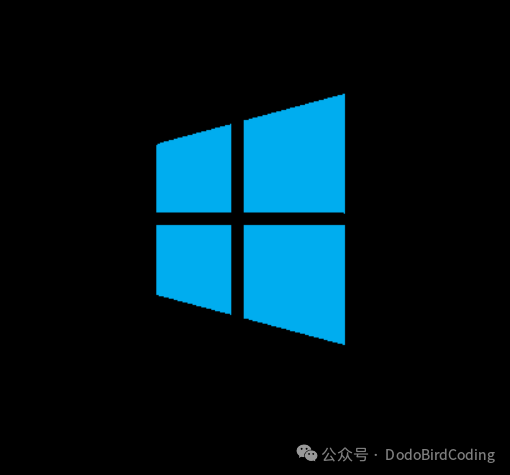
2. Code Breakdown: Building the Artistic Blueprint Line by Line
Complete code:
from turtle import *

# Set turtle drawing speed (1-10, 10 is fastest) and background color to black
speed(2)
bgcolor("black")

# Move to starting position (-50, 60) and start drawing
penup()
goto(-50, 60)
pendown()

# Set fill color to light blue and start filling the shape
color("#00adef")
begin_fill()
goto(100, 100)    # Move to point (100, 100)
goto(100, -100)   # Move to point (100, -100)
goto(-50, -60)    # Move to point (-50, -60)
goto(-50, 60)     # Return to starting point to close the shape
end_fill()        # End filling, forming a blue quadrilateral

# Draw a black vertical line, set line color and width
color("black")
goto(15, 100)     # Move from current position to point (15, 100)
color("black")    # Ensure color is black
width(10)         # Set line width to 10 pixels
goto(15, -100)    # Draw to point (15, -100), forming a vertical line

# Move to the starting position of the horizontal line (100, 0)
penup()
goto(100, 0)
pendown()

# Draw a black horizontal line to point (-100, 0)
goto(-100, 0)

# Finish drawing and keep the window open
done()
Key Techniques Analysis:
- Coordinate System Control: Achieve precise positioning and construct geometric relationships using
<span>goto()</span> - Application of Color Psychology: Deep blue background + neon blue fill creates visual contrast
- Principle of Dynamic Drawing: Achieve a “one-stroke” effect through path planning
3. ConclusionThe collision of programming and art always sparks incredible creativity. The Turtle library is like a brush in the digital age, waiting for you to paint more wonderful creations.