Hello, everyone, I am Programmer MM.
This article is about 2000 words long, and today I finished reading Chapter 7 of the third edition of ‘Linux Device Drivers’ – Time, Delays, and Deferred Operations. This chapter systematically introduces various mechanisms related to time in the Linux kernel, from basic time units to complex delays and timing operations, which are key to handling timing and synchronization issues in driver development.
Follow our public account to obtain e-books related to Linux and commonly used development tools; a document list is provided at the end of the article.

1. Kernel Time Concepts
Understanding kernel time management is fundamental to handling all delay operations, with two key concepts at its core: HZ and jiffies.
HZ (Clock Interrupt Frequency): This is the number of clock interrupts generated by the system timer per second. It is an architecture-dependent constant configured during kernel compilation (e.g., 100, 250, 1000). HZ determines the granularity of time; the higher the HZ value, the more frequent the clock interrupts, leading to higher kernel scheduling and timing precision, but also increased system overhead. It is important to note that in programming, one should not directly rely on the specific value of HZ, but always use the symbol HZ to ensure code portability across different configurations.
jiffies (Global Counter): This is a global variable that records the total number of clock interrupts generated since the system boot (i.e., the total number of “ticks”). It is a 64-bit variable (jiffies_64), but drivers typically access jiffies (which is usually the lower 32 bits of jiffies_64 on 32-bit systems) for faster access.
jiffies increments with each clock interrupt, so the time interval corresponding to a single increment of jiffies is 1/HZ seconds. Using jiffies, one can easily calculate a future time point:
#include <linux/jiffies.h>unsigned long j = jiffies; /* Current time */unsigned long future_half = j + HZ/2; /* Future half second */unsigned long future_n = j + n * HZ; /* Future n seconds */Time Comparison Macros: Since jiffies will eventually wrap around (overflow), simple size comparisons using jiffies are not safe. The kernel provides a set of safe macros to handle this issue:
time_after(a, b) // Check if time a is after time b.time_before(a, b) // Check if time a is before time b.time_after_eq(a, b) and time_before_eq(a, b) // Include equality cases.Note:
1. The actual clock frequency is almost completely invisible to user space. When user space programs include param.h, the HZ clock is expanded to 100, and all counter values reported to user space are correspondingly converted. If users want to know the exact HZ value of timer interrupts, they can only obtain it through /proc/interrupts, by processing the count value obtained from /proc/interrupts against the system uptime reported in /proc/uptime to get the exact HZ value of the kernel.
2. Newer kernel versions allow checking various clock frequency values through /proc/ (for example, in the Junzheng A1 series file system, you can check by running cat /proc/jz/clock/clocks).
2. Short Delays (Busy Waiting)
When a driver needs to interact with hardware that requires very short and precise delays (usually in the millisecond range or less), short delay functions should be used. These functions are implemented as busy waiting, meaning the CPU will spin without executing other tasks during the delay.
void ndelay(unsigned long nsecs); // Delay for the specified number of nanoseconds.void udelay(unsigned long usecs); // Delay for the specified number of microseconds.void mdelay(unsigned long msecs); // Delay for the specified number of milliseconds.Usage Points:
These functions are defined in <linux/delay.h>.
General rules should be followed: use udelay for microsecond delays and mdelay for millisecond delays. Since ndelay’s precision depends on processing speed, while udelay is optimized for loops.
Due to busy waiting, avoid using these functions for extended periods, as they can severely degrade system performance.
3. Long Delays (Non-Busy Waiting)
For delays exceeding the millisecond range, methods that allow processes to sleep should be used, thereby releasing CPU resources during the wait.
Yielding the Processor: This is the simplest form of cooperative multitasking. By calling schedule() in a loop, the current process goes to sleep until the scheduler wakes it up again. This is friendlier than busy waiting but not the best practice.
while (time_before(jiffies, j1)) { schedule(); }Timeout Mechanism (Recommended): This is the best way to implement long delays, as the kernel handles all the details for us.
signed long schedule_timeout(signed long timeout); // Puts the current process to sleep for the specified number of jiffies. Before calling, the current process’s state must be set.
set_current_state(TASK_INTERRUPTIBLE); /* or TASK_UNINTERRUPTIBLE */
schedule_timeout(2 * HZ); /* Sleep for 2 seconds */
wait_event_timeout() and wait_event_interruptible_timeout() // If the driver is already using a wait queue to wait for an event and wants to add a timeout limit, these two functions are ideal choices. They return when the condition is met or when the timeout occurs.
More Advanced Sleep Functions: The kernel also provides sleep functions that directly use time units, which are internally based on schedule_timeout().
void msleep(unsigned int msecs); // Non-interruptible millisecond sleep.unsigned long msleep_interruptible(unsigned int msecs); // Interruptible millisecond sleep, returns a non-zero value (remaining milliseconds) if interrupted by a signal.void ssleep(unsigned int secs); // Non-interruptible second sleep.4. Kernel Timers
Timers are used to execute a function at a specific future time, which runs only once and in interrupt context. This is very useful for handling timeouts or delayed tasks.
Data Structure: struct timer_list.
Key Operations:
Initialization: Use init_timer(&my_timer) or TIMER_INITIALIZER.
Filling: Set expires (the jiffies value for timeout), function (the timeout callback function), and data (parameters passed to the callback function).
Activation: Call add_timer(&my_timer).
Modification: Call mod_timer(&my_timer, new_jiffies) to modify the timeout of an activated timer.
Deletion: Call del_timer(&my_timer) or del_timer_sync(&my_timer) (to ensure safe deletion on SMP systems).
Important Notes:
The timer handler runs in interrupt context, so it cannot access user space, cannot sleep, and cannot call functions that may block.
The execution time of the function should be as short as possible.
5. High-Precision Time Measurement
For measuring time intervals that require nanosecond precision (such as performance analysis), the granularity of jiffies is clearly insufficient. In this case, processor-specific registers can be utilized.
Timestamp Counter (TSC): In x86 architecture, the rdtsc instruction can read a 64-bit register that increments with CPU clock cycles, making it very suitable for high-precision timing.
Cross-Platform Interface: get_cycles(): The kernel provides the get_cycles() function (defined in <linux/timex.h>), which returns the current count on platforms with a loop counter and returns 0 on platforms without one. This facilitates writing cross-platform high-precision timing code.
6. Getting the Current Time
Drivers typically do not need to know the wall clock time in “year-month-day” format, but sometimes need to obtain an absolute time point. The kernel provides the following functions:
void do_gettimeofday(struct timeval *tv); // Get the current time with microsecond precision (relative to UNIX epoch).struct timespec current_kernel_time(void); // Get the current kernel time with lower precision but faster.Above is the full content.Previous articles (welcome to subscribe to the technical sharing column for all articles):[Project Practice] A lightweight debugging technique for tracking segment faults in release versions of programs under Linux[Project Practice] Locating the issue of Flash entering hardware write protection in embedded software systems and the implementation method to unlock the write lock using software[Project Practice] A nanny-level tutorial: PWM control of white light lamps and brightness adjustment[Project Practice] Methods and issues encountered in enabling virtual bridge functionality under Linux and their solutions[Project Practice] Troubleshooting and solutions for the issue of OTA upgrade failures leading to system bricking under SPI Nor Flash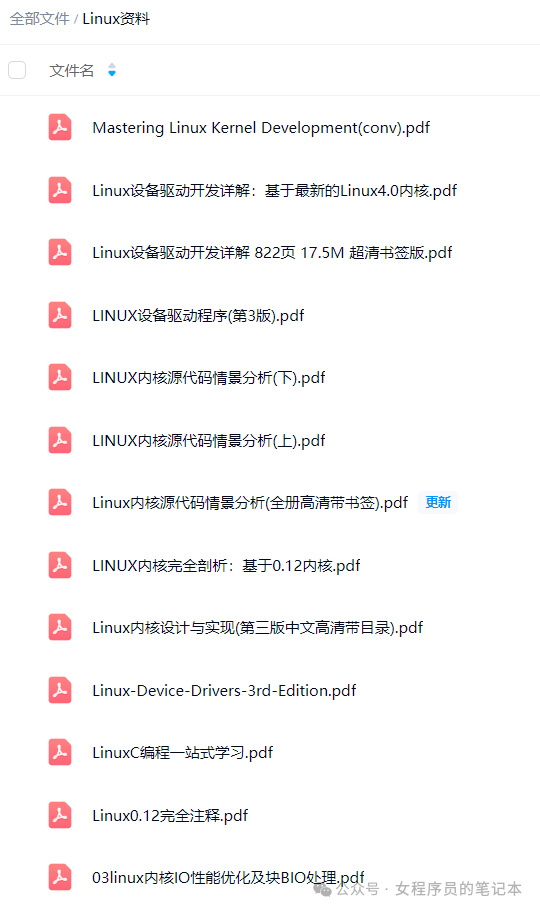 “Thank you for reading this far”
This is the notebook of a female programmer
15+ years embedded software engineer and a mother of two
Sharing reading insights, work experiences, self-growth, and lifestyle.
I hope my words can be helpful to you