Follow+Star Public AccountNumber, don’t miss exciting contentSource | CW32 Ecosystem Community
Q: What is an externalflash download algorithm?
External flash or built-in on-chip flash are downloaded by the compiler through calling the preparedFLM file. The internal installation package of the microcontroller will have (official implementation), while the external flash situation is more complex. For example, the type of flash used and the interface are variable, making it impossible to write a universal download algorithm. Here, we only introduce a general method, which needs to be modified according to the specific situation.
Q: Why do we need an external Flash algorithm??
The external Flash algorithm is used to save internal Flash space. In some applications, image data, font data occupy a significant amount of memory space in microcontrollers. In microcontrollers with limited memory, it is impossible to store this data. By using certain settings and download algorithms, constants in the project can be saved to external Flash.
Q: Why not use other methods to download data to external Flash??
1. Using a file system approach increases complexity and performance overhead. For low-performance microcontrollers, data that needs to be transmitted quickly is not suitable for file system interfaces.
2. Using other methods to directly download data, such as dedicated data download projects or specialized programmers, is possible. However, on one hand, the download process can be very cumbersome, and on the other hand, managing the absolute addresses can be tedious.
To implement the download algorithm, the following preparations are needed:
1. Official microcontroller library files (or prepare a project template)
2. Corresponding Flash driver files
3. Keil project template for writing download algorithms
This article takes the CW32 microcontroller and W25Q128 as external Flash as an example, and here are the required template files:
https://pan.baidu.com/s/1-svjiviNAkuxRShuk0rNEg?pwd=CW32
Extraction code: CW32
The specific steps can be roughly divided into the following steps
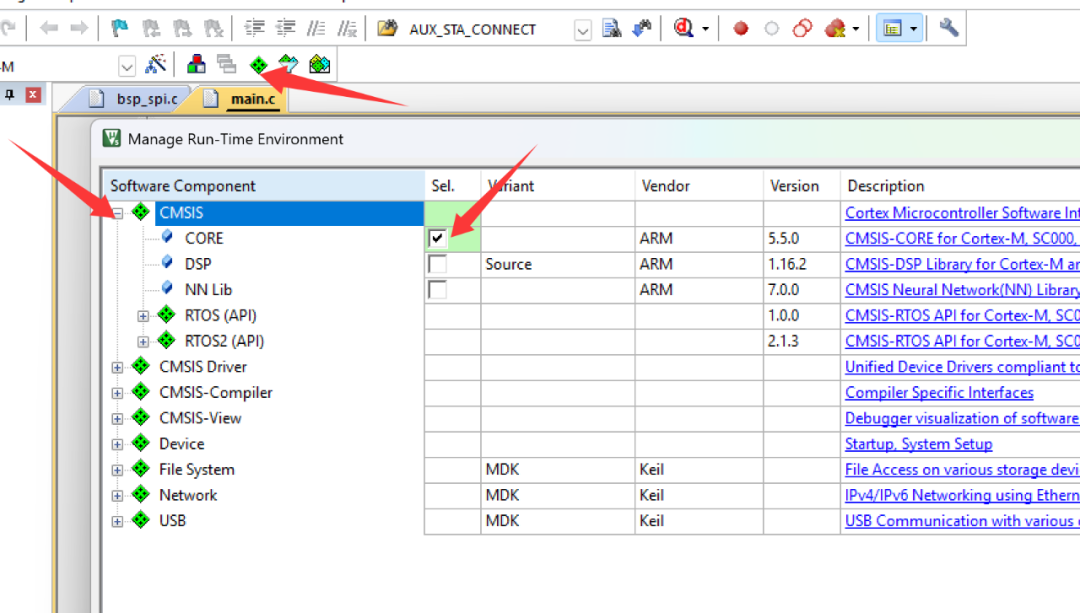
1. Copy the Keil official download algorithm project, and also copy the FlashOS.H file to the root directory of the project. Then, configure the corresponding microcontroller model, add the CMSIS core files, and finally modify the file include paths to ensure it can compile. It is best to use AC6 as the compiler and select code space optimization.
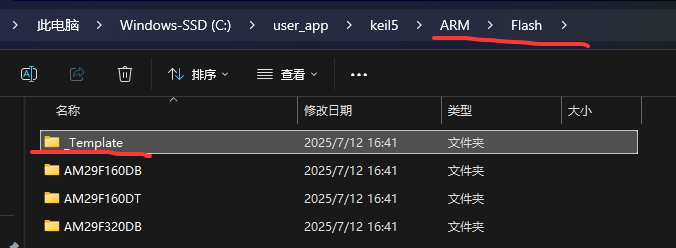
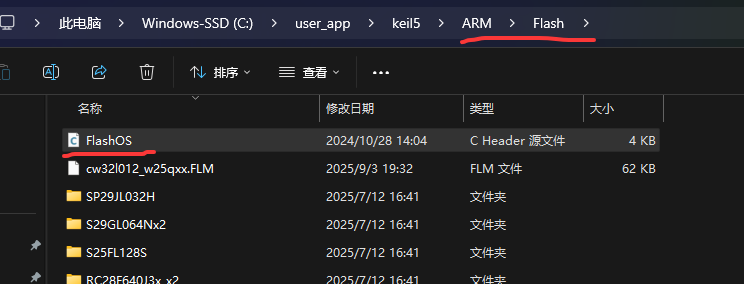
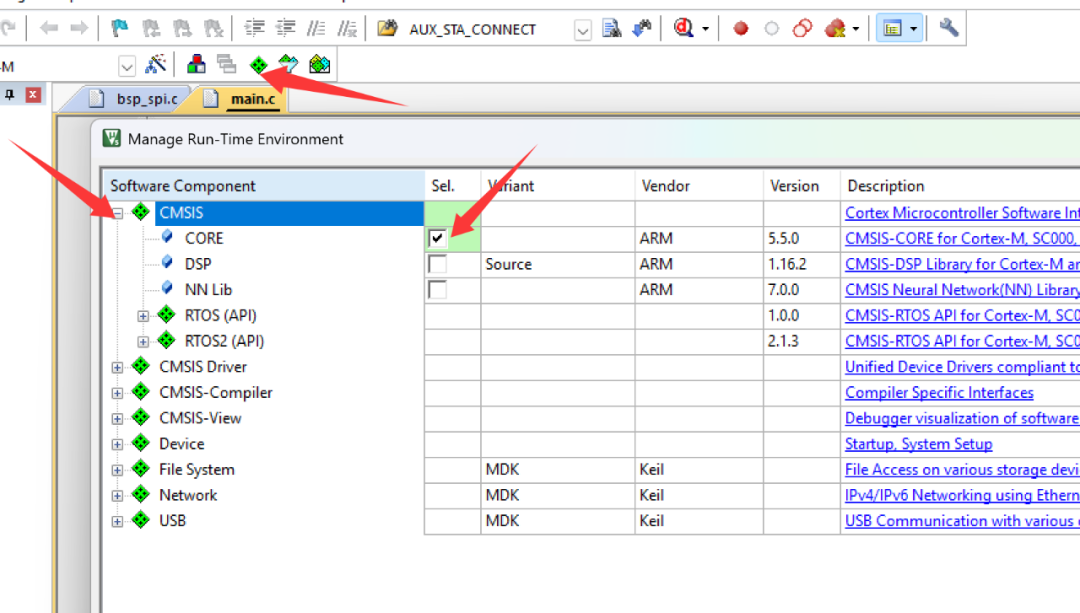
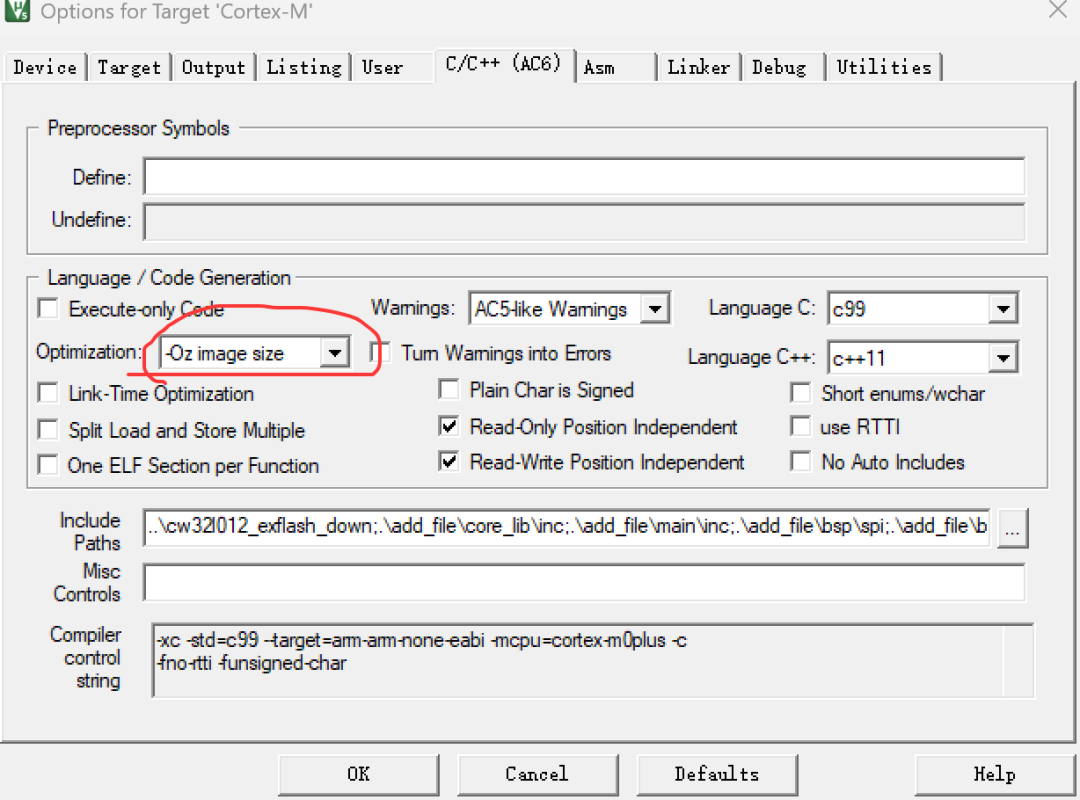
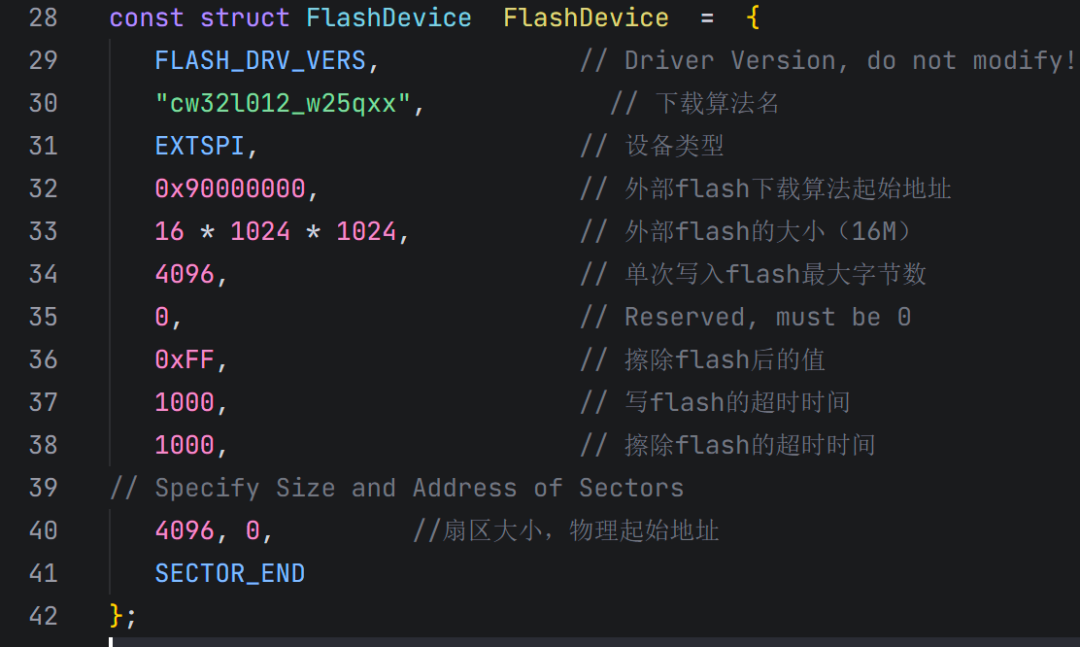
2. Modify the files in flashDev.C to meet actual application requirements
3. Add the corresponding microcontroller library files and compile. Note:
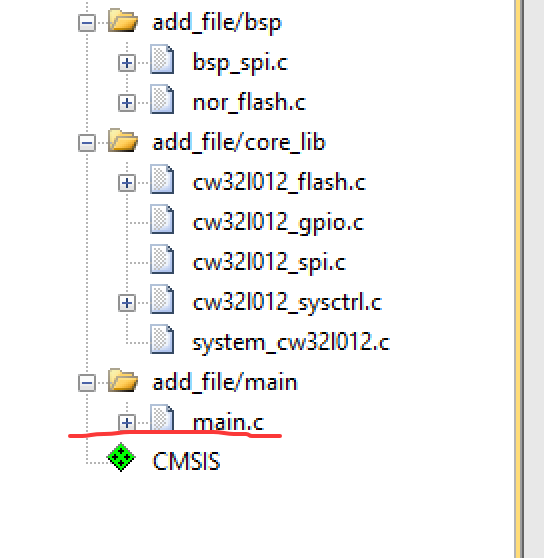
a. Since the download algorithm generates position-independent code, all files and functions added will participate in the compilation. Therefore, only necessary files should be added, and any unused functions in those files need to be disabled!!!
b. Note that startup files are not needed!!!
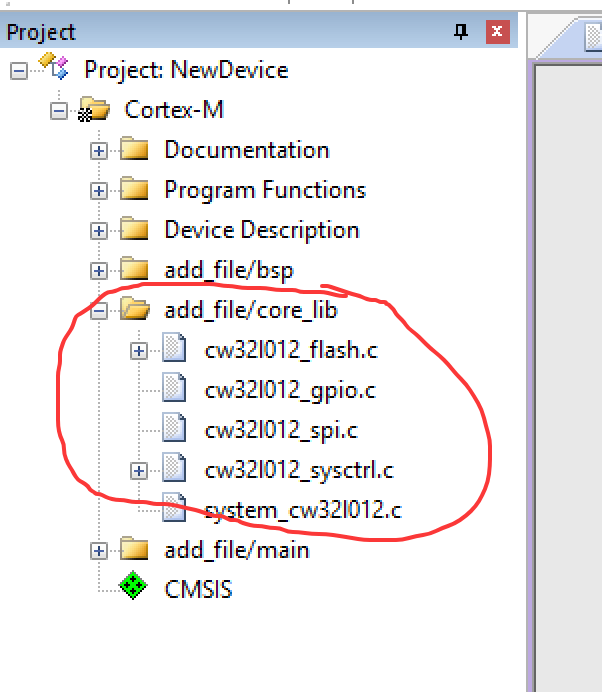
▲ Only add the files that are needed here
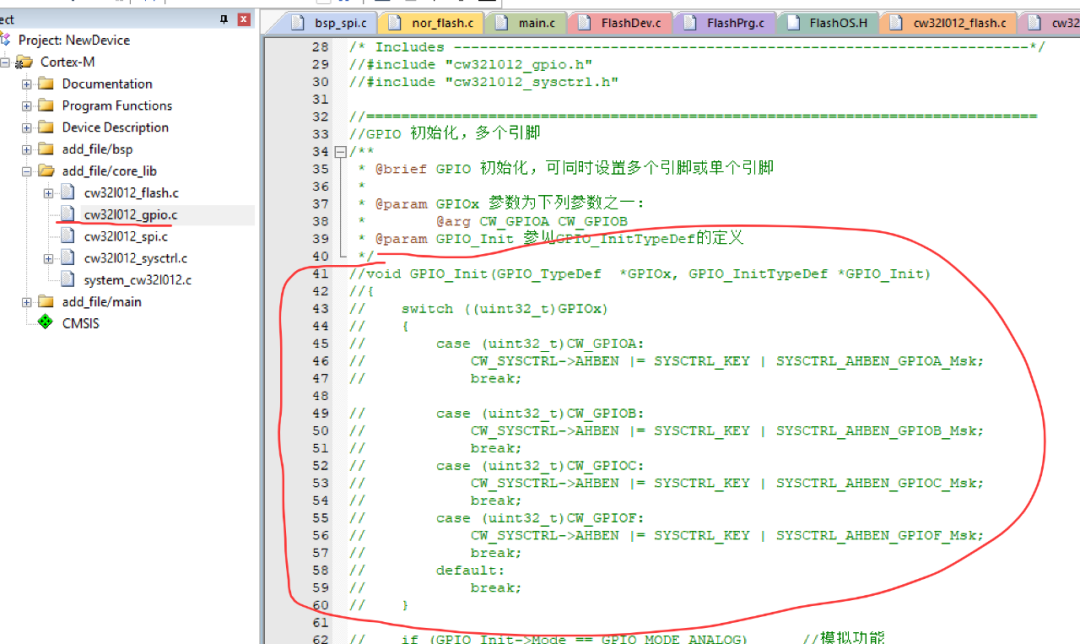
▲ Most of the unused code is disabled here
4. Add the corresponding model’s flash driver and ensure it compiles correctly

▲ Spi low-level peripheral initialization Nor flash driver function
5. Write the initialization my_main function, initialize peripherals, and ensure it compiles correctly
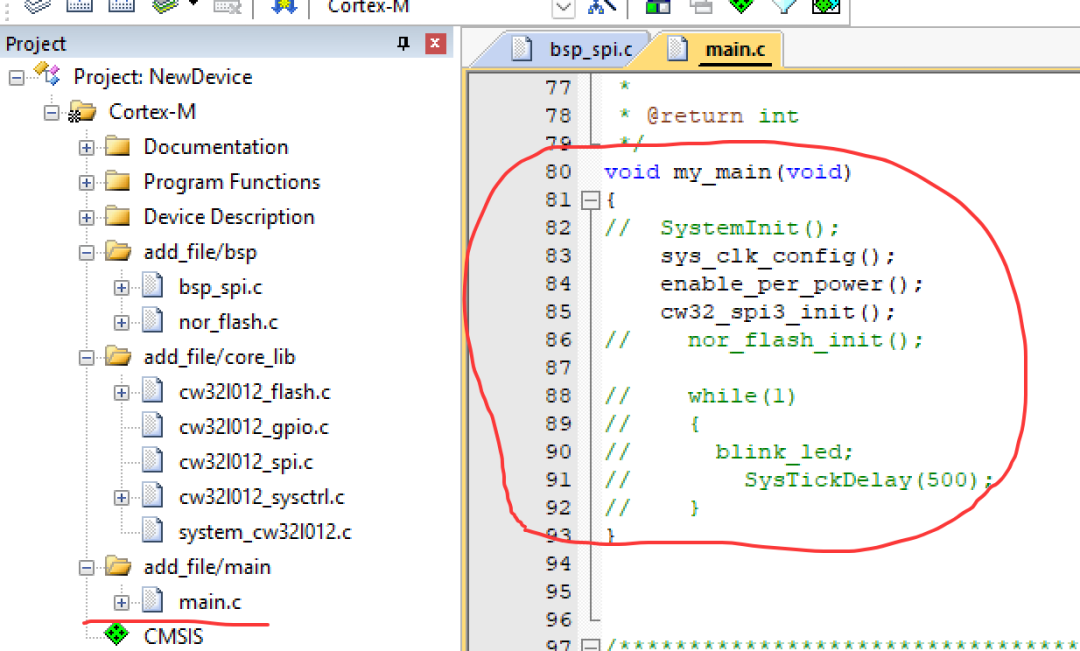
6. Write the flashPrg.c file, which needs to implement the following functions. Any missing ones should be completed. This step is the most critical and core.
a.int Init (unsigned long adr, unsigned long clk, unsigned long fnc)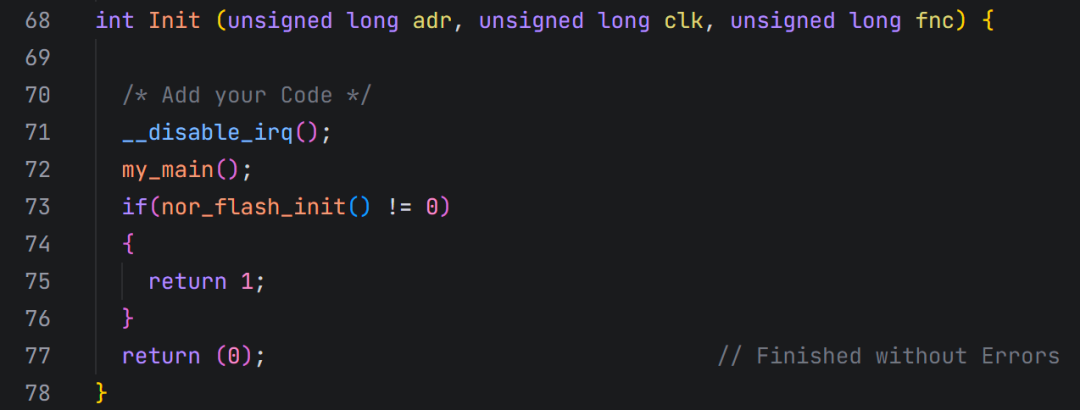
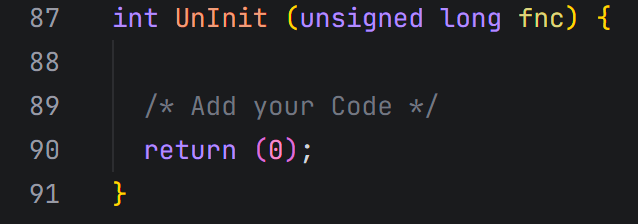
b.int UnInit (unsigned long fnc)
c.int EraseChip (void)
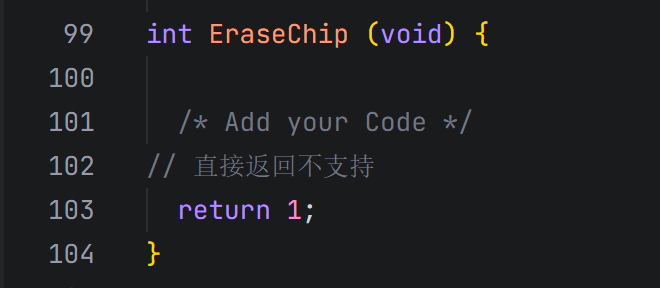
d.int EraseSector (unsigned long adr)
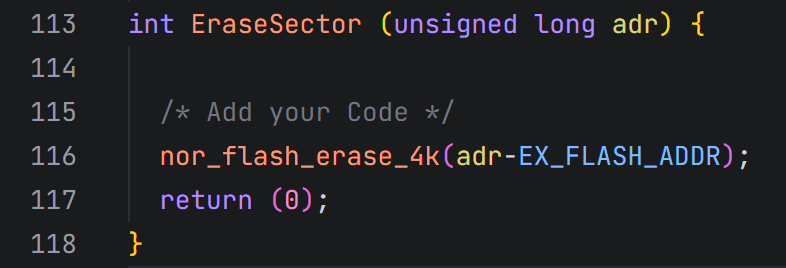
e.int ProgramPage (unsigned long adr, unsigned long sz, unsigned char *buf)
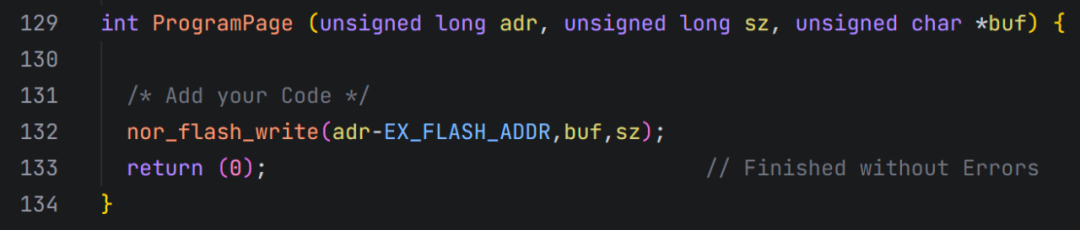
f.int BlankCheck (unsigned long adr,unsigned long sz,unsigned char pat)

g.unsigned long Verify(unsigned long adr,unsigned long sz,unsigned char *buf)

These correspond to initialization, uninitialization, chip erase, sector erase, page programming, blank check, and verification.
All of these functions must exist, but some can be left unimplemented. Successfully compiling to this step completes the process.
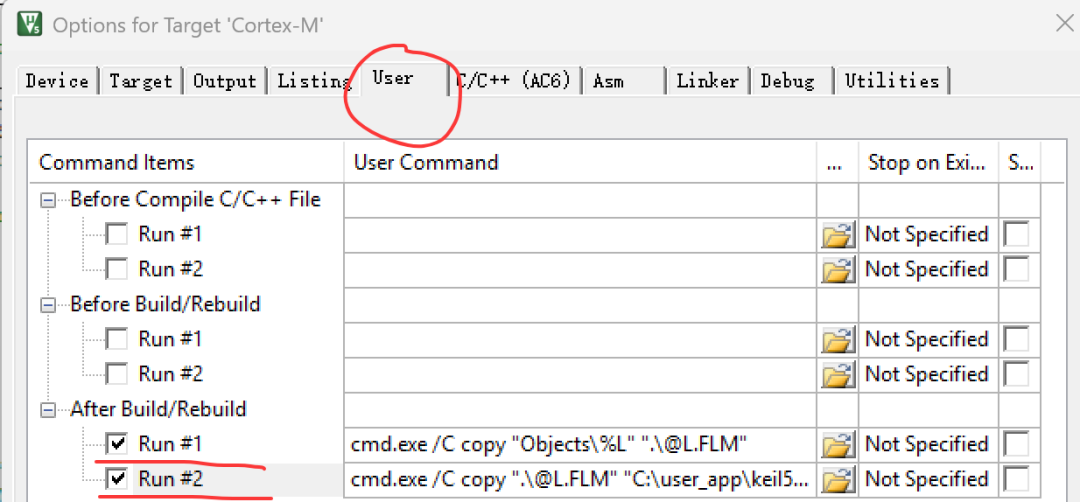
7. Configure the output path for the compiled files
cmd.exe /C copy “Objects\%L” “.\@L.FLM”
cmd.exe /C copy “.\@L.FLM” “C:\user_app\keil5\ARM\Flash\@L.FLM”
Note: The second path is related to the Keil installation path and needs to be modified according to the actual situation.
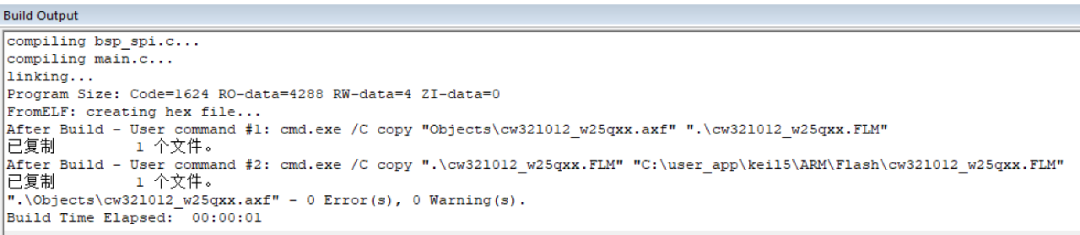
8. The normal compilation result is as follows
Usage of the download algorithm
1. Add the download algorithm
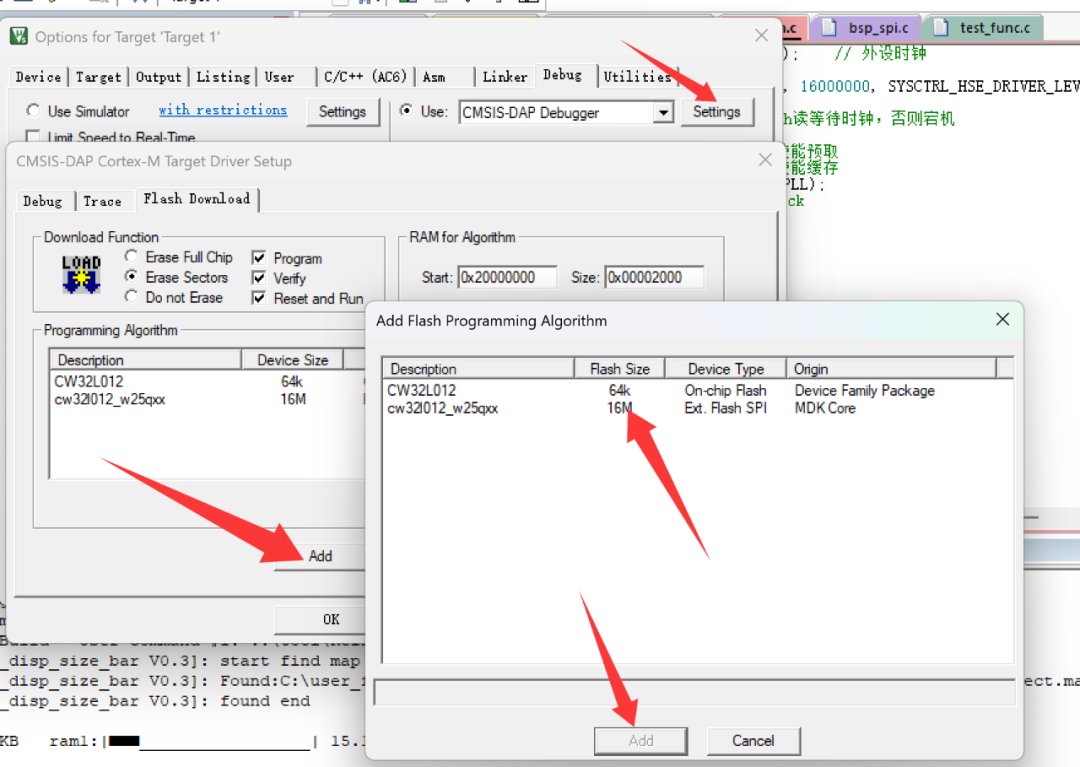
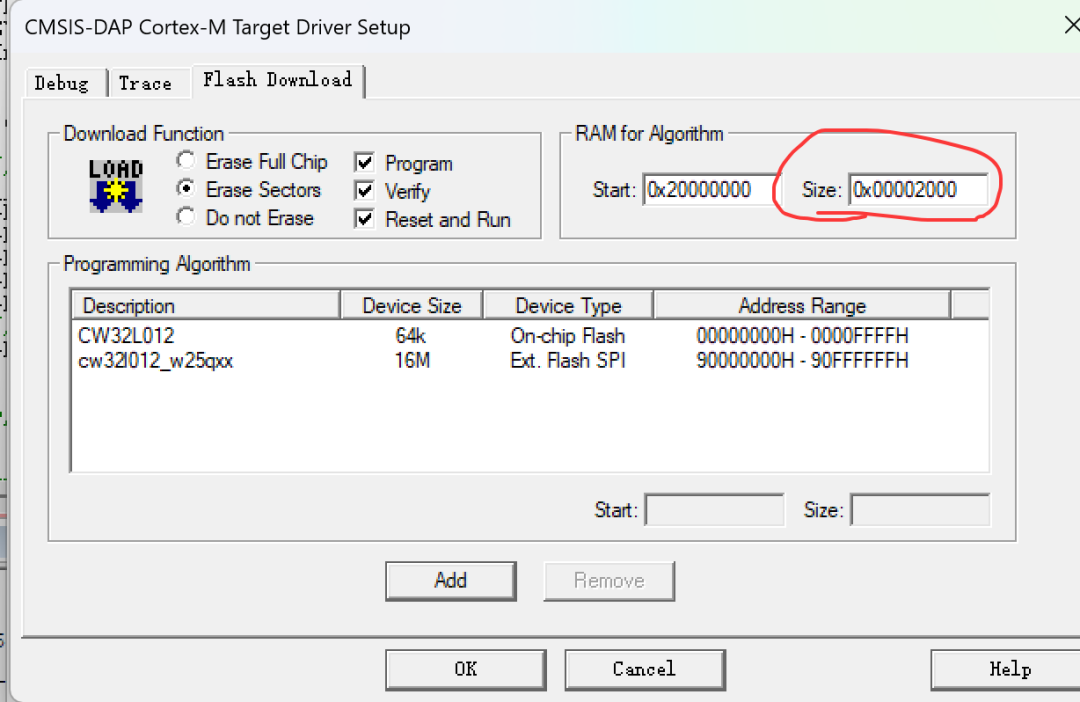
2. Configure the RAM size used by the download algorithm to be the actual RAM size
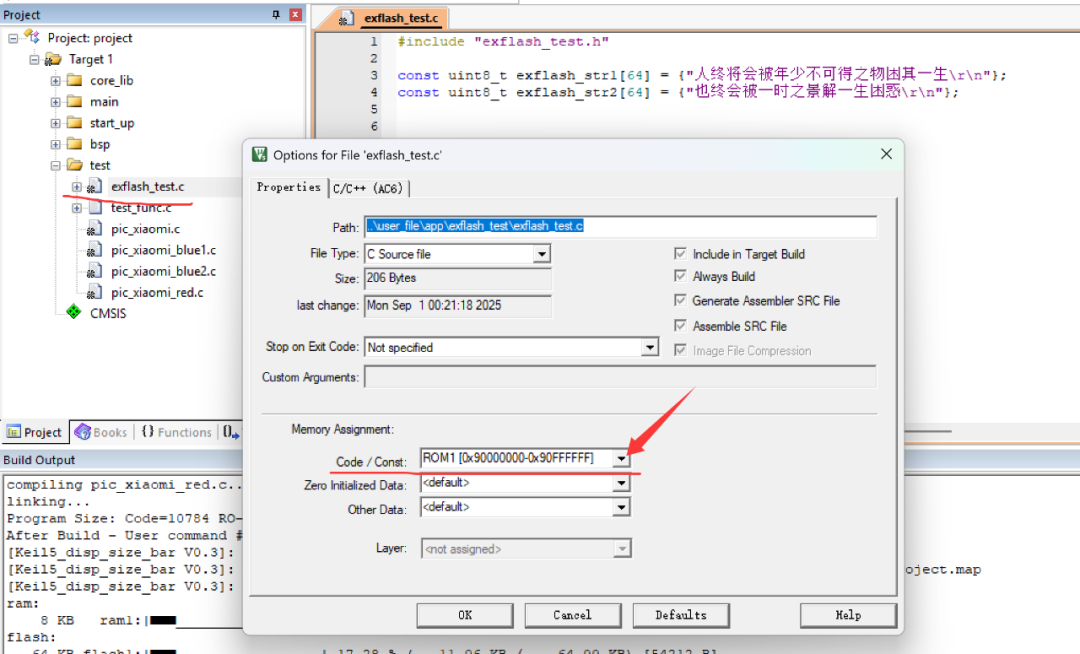
3. Place the resources to be stored in external flash in a separate c file and configure the storage address
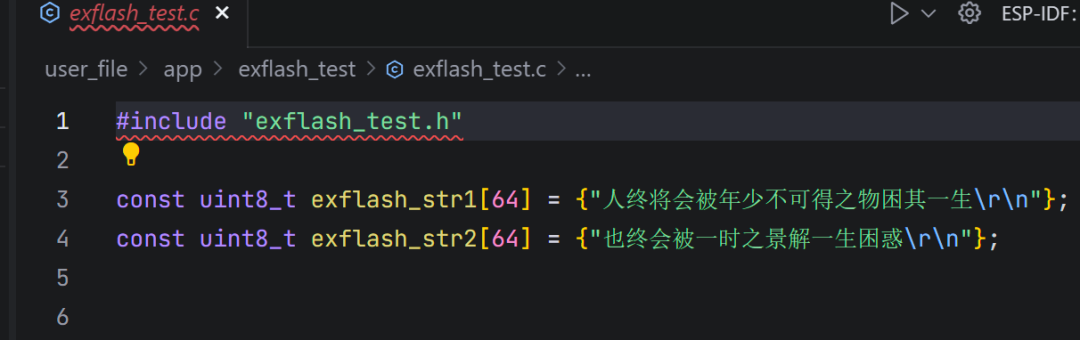
For example, in the test file below, two const type strings are defined, with the storage address specified to start at 0x9000000.
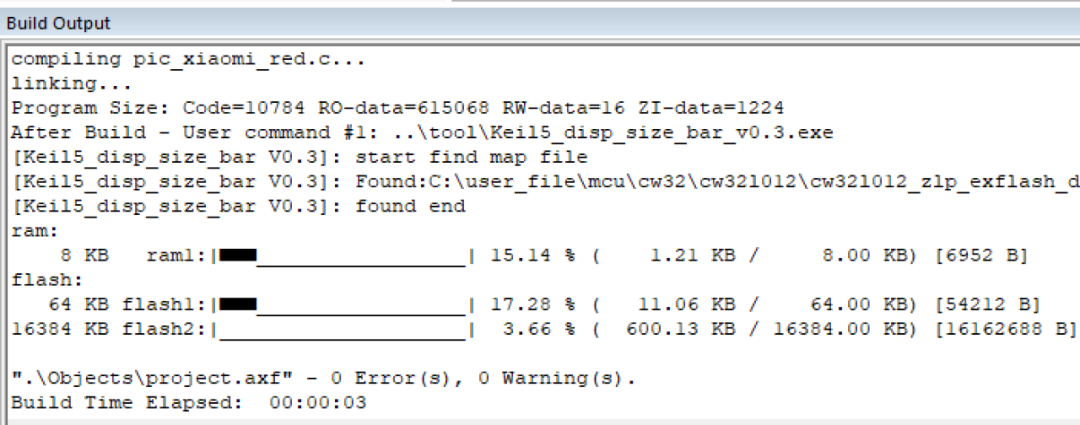
4. Compile to check if it is allocated to external flash
As shown in the figure, a 16M external flash is recognized, and 3.66% has been used. The actual data consists of some image data, totaling 600K bytes.
5. How to read this data?
Like ordinary spi flash, it still requires sending commands to read, but the address is a specific address and does not need to be remembered manually.
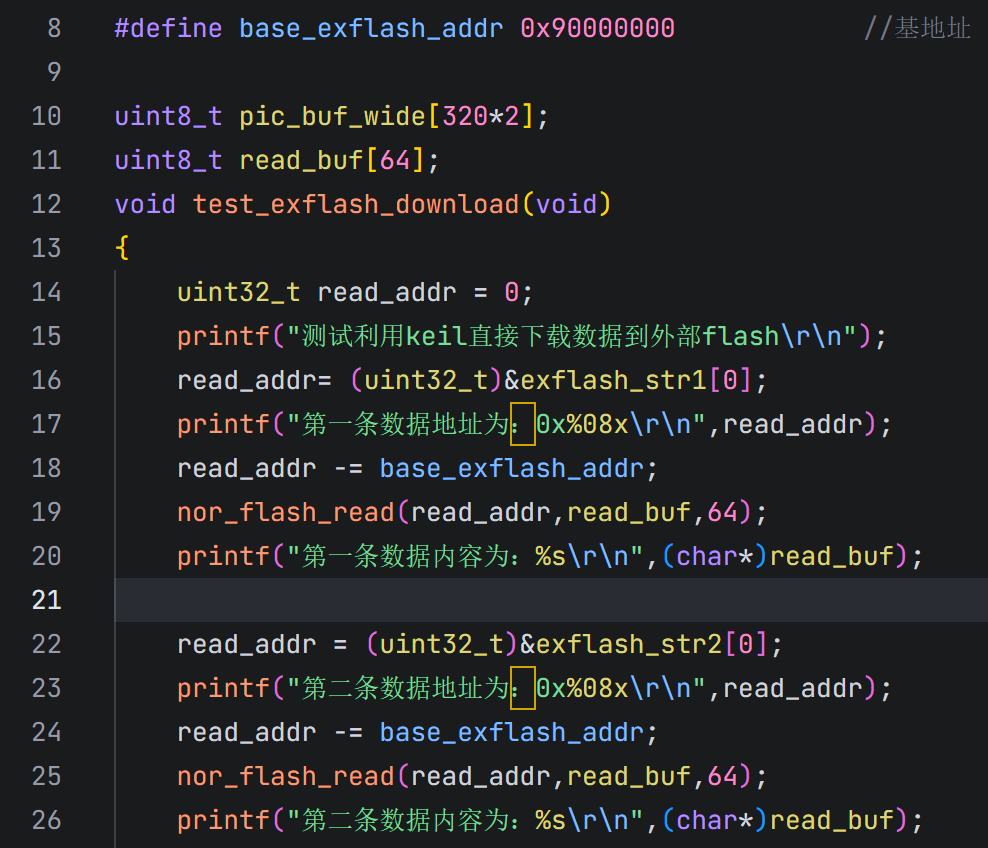
For example, the following test program
defines two const type data. When reading the data, the address operator is used to retrieve the address allocated by the compiler, then subtracting a base address offset of 0x9000000, the resulting address is the actual address that needs to be accessed in the nor flash.
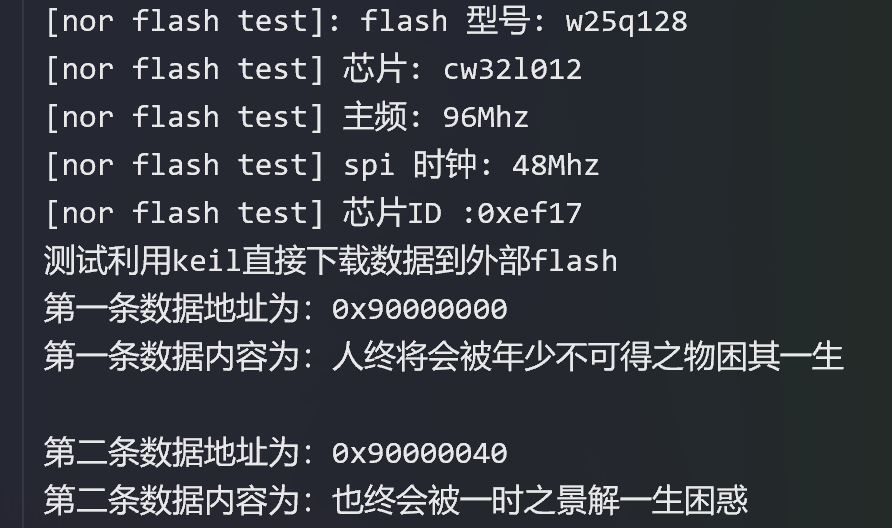
6. Actual test serial port print verification
The test results shown below indicate that the address starts from the required 0x9000000, and the data read out is also the actual stored data
 =END
=END
Low-cost ultra-low-power touch MCU is on the rise
What certifications does the FreeRTOS operating system have?
Microsoft open-sources assembly code running on 8-bit microprocessors from 1976, which Bill Gates participated in developing