Introduction
If<span>Python</span> has too many modules, it can cause some confusion. In this case, you can manage the modules using a<span>Python package</span>, which is essentially a folder containing a large number of module files.
1. Custom Python Packages
14.1.1 Creating a Custom Package
In <span>Pycharm</span>, create a new <span>package</span> in the <span>project</span>:
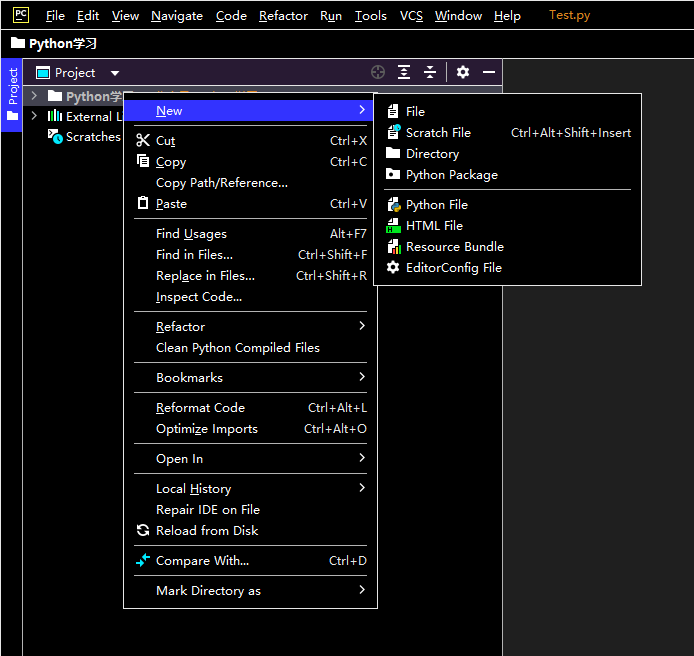 This will create a folder and generate a
 <span>__init__.py</span> file.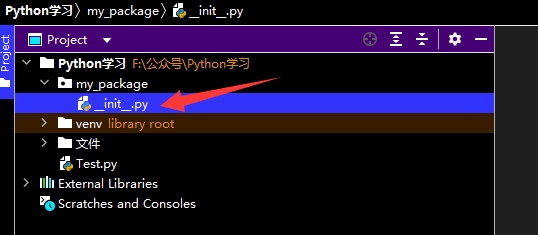 Write the module code: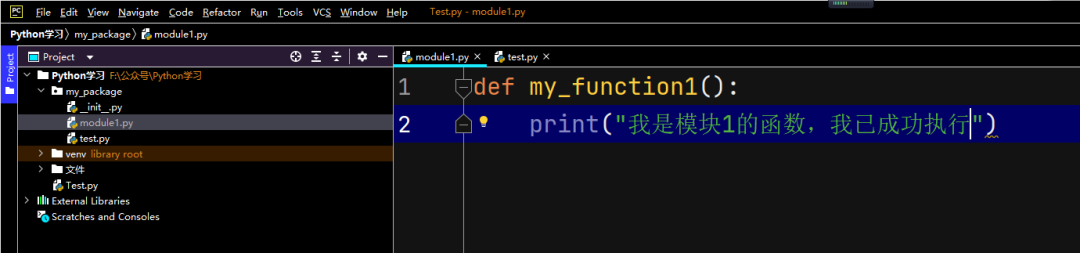
14.1.2 Importing a Custom Package
The import method is <span>package_name.module_name</span> and the call method is:<span>package_name.module_name.function_name</span>, for example: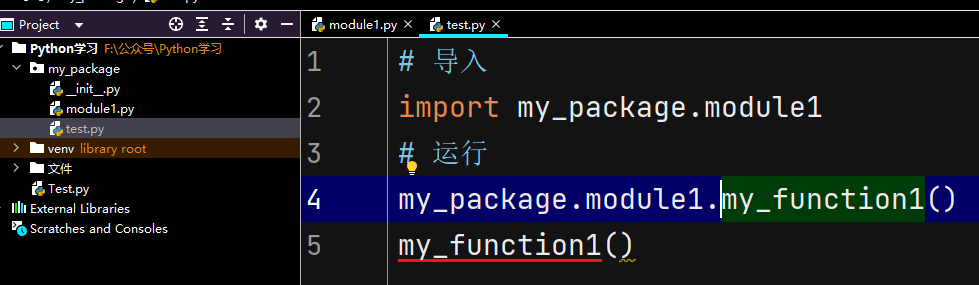 The syntax for importing specific functionality is:
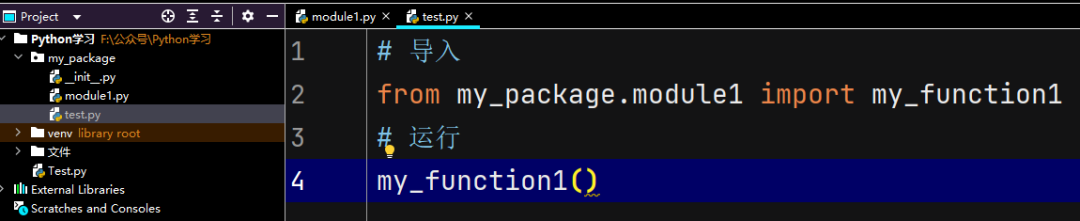 The
The <span>__all__</span> variable needs to be written in <span>__init__.py</span>.
2. Third-Party Python Packages
<span>Python</span> environments contain many third-party packages not officially released by <span>Python</span>, which can greatly improve development efficiency. For example:<span>numpy</span>: for scientific computing<span>pandas</span>: for data analysis<span>pyspark</span>, <span>apache-flink</span>: for big data computing<span>matplotlib</span>, <span>pyecharts</span>: for graphical visualization<span>tensorflow</span>: for artificial intelligence These packages are not included when installing <span>Python</span>, so they need to be installed separately.
14.2.1 Installing with pip
<span>pip install package_name</span> Install via mirror acceleration:<span>pip install -i mirror_site package_name</span>
14.2.2 Installing with conda
The tool <span>conda</span> can still be used:<span>conda install package_name</span><span>mamba</span> installation will be faster:<span>mamba install package_name</span>
14.2.3 Installing with Pycharm
Follow the prompts to open the settings page: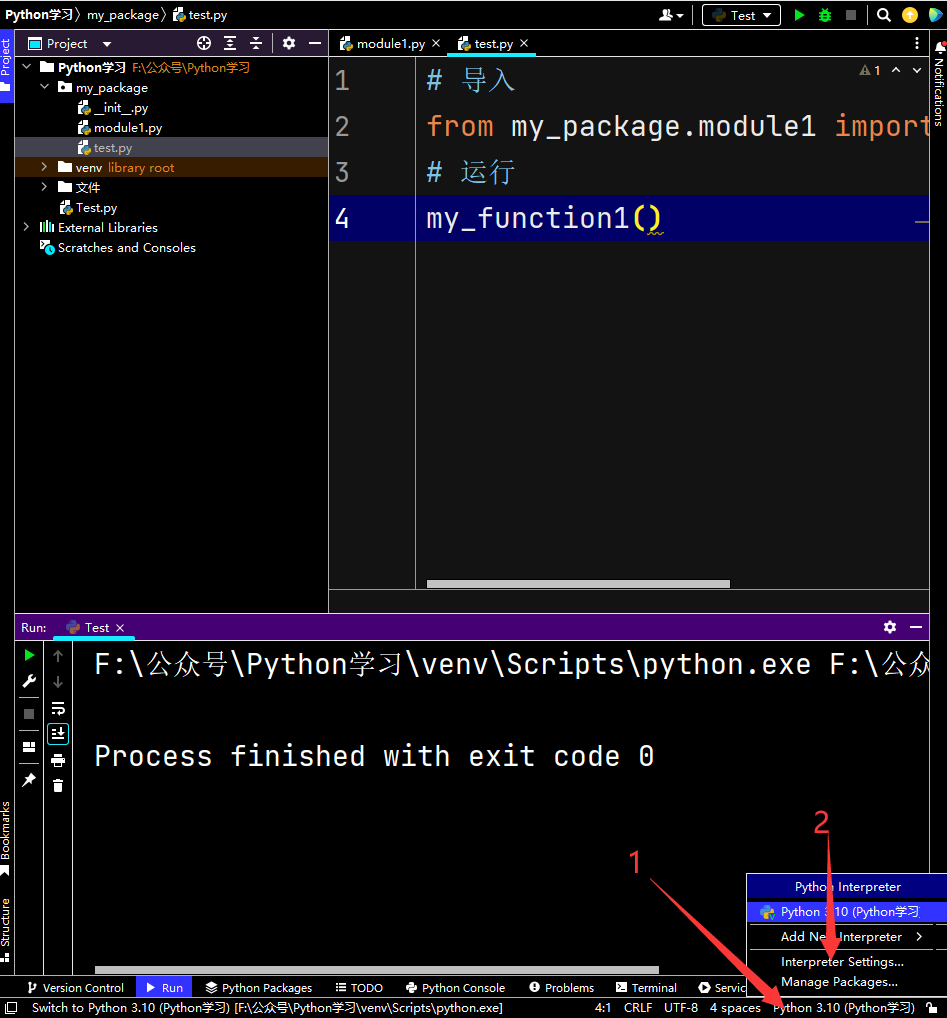
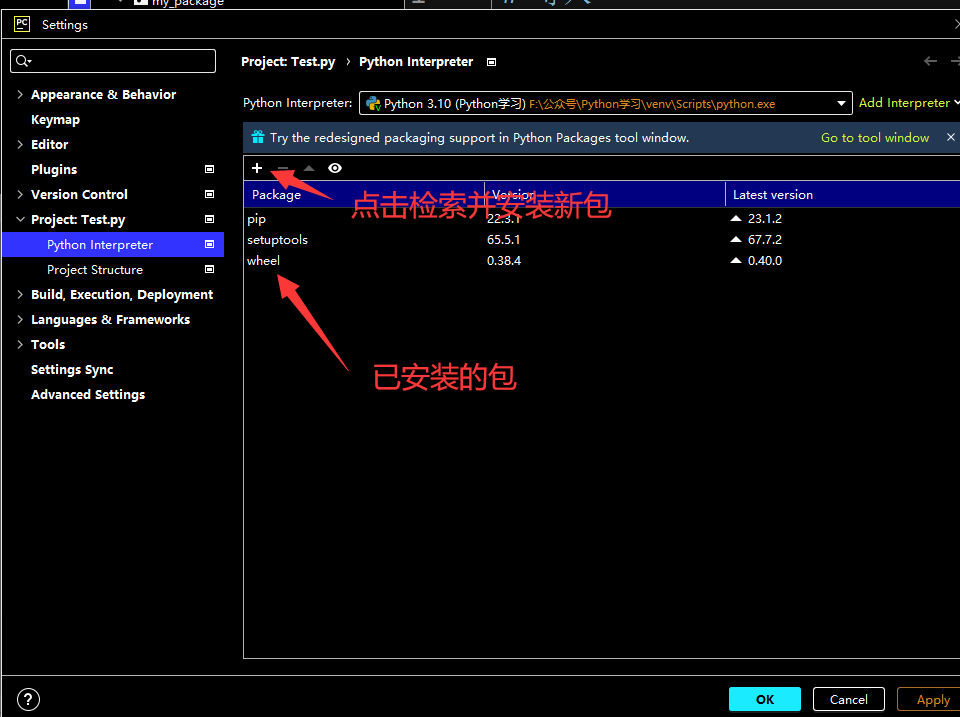 Search and install: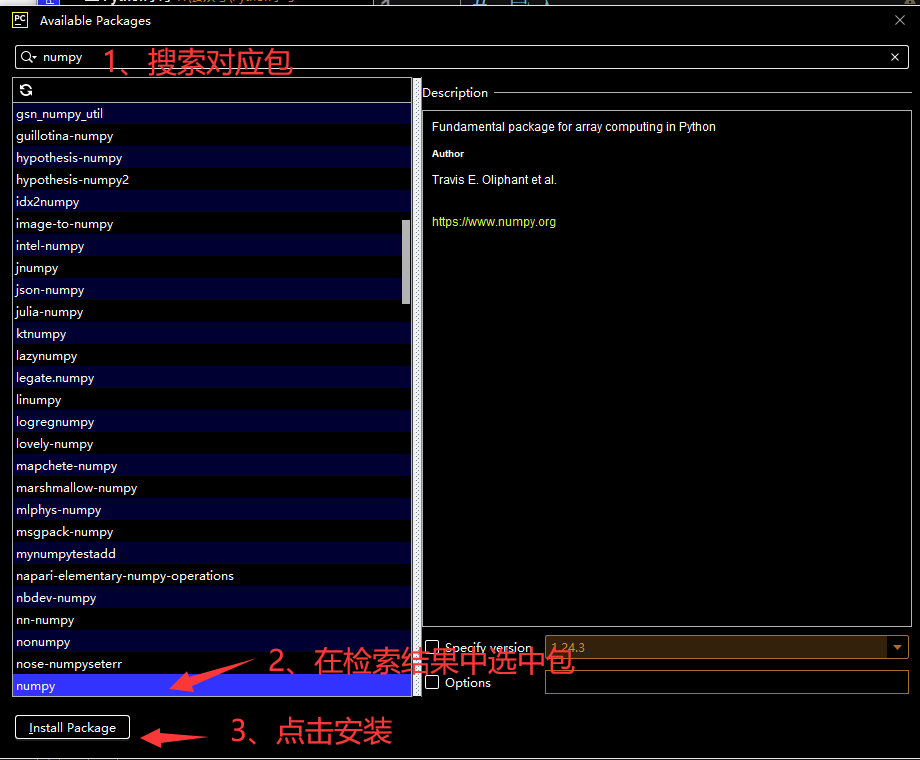
Previous Reviews
Bioinformatics Python Quick Reference Manual
Python Installation (Windows + Linux)
Python’s “Rstudio” – Pycharm
Python Tool: Jupyter Notebook
Understanding Python Basics in One Article: Literals, Comments, Variables, Types, Operators
Python Conditional Statements
Python Loop Statements
Python Functions and Methods
Mastering Python Data Containers in One Article
Advanced Python Functions
Python File Operations
Python Exceptions
Python Modules

Contact Us

 Leave a message to receive materials and ready-to-use single-cell analysis images at WeChat ID[Biomamba_zhushou], making it convenient for everyone to communicate at any time. We have also built a discussion group matrix, and everyone is welcome to join the group for discussions.After reading these articles, you can addtips for beginners in bioinformaticsNo search, no voice
Students who already have contact information for the bioinformatics basedo not need to add again

 Your every like and view is taken seriously as appreciation