1. Steps
1. Create src Directory
Project Directory Create a subdirectory src to place the project source code.
2. Write CMakeLists.txt
In the src Directory of the Project Source Code, write CMakeLists.txt (a CMakeLists.txt needs to be created for any subdirectory).
ADD_EXECUTABLE(testNew1 test.c)3. CMakeLists.txt in the Project Directory
project(HelloARM C)ADD_SUBDIRECTORY(src bin)4. Create build Directory
Create a build directory in the project directory and perform external compilation.
cmake ..makeAfter compilation, the generated target file testNew1 is located in the build/bin Directory.
2. Compilation Process under Linux
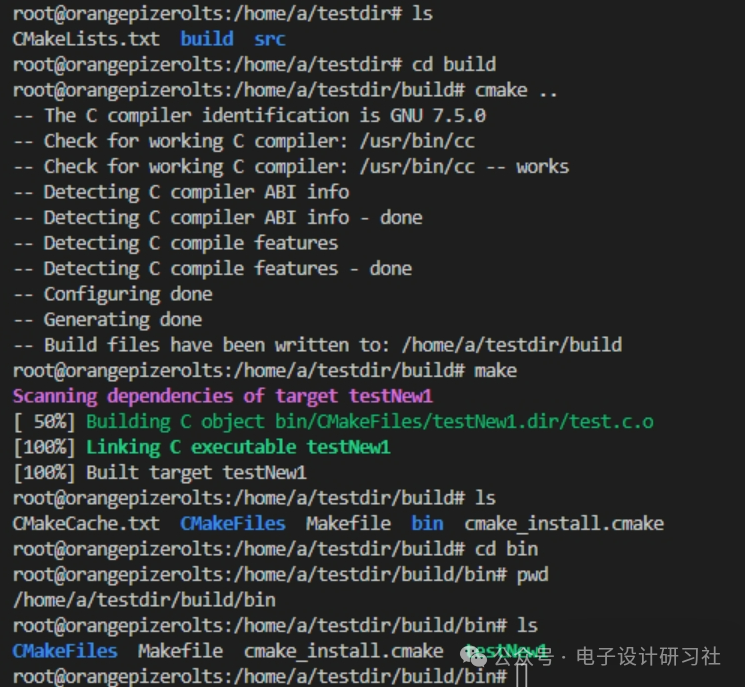
3. Syntax Explanation
ADD_SUBDIRECTORY(source_dir [binary_dir] [EXCLUDE_FORM_ALL])
1. Function
Adds a subdirectory for source files to the current project and specifies the location for intermediate binaries and binary directory.
2. Parameters
source_dir: The subdirectory for source files, adding the src subdirectory to the project.
binary_dir: Specifies the compilation output (including intermediate results) path as the bin directory (i.e., build/bin).
EXCLUDE_FORM_ALL: Excludes the directory from the compilation process, such as the project’s example.