
Click the above Computer Enthusiasts to follow us
Compared to desktop computers, laptops, especially thin ones, are notoriously weak in terms of expansion capabilities—more and more products are using onboard memory and are equipped with only one M.2 slot.
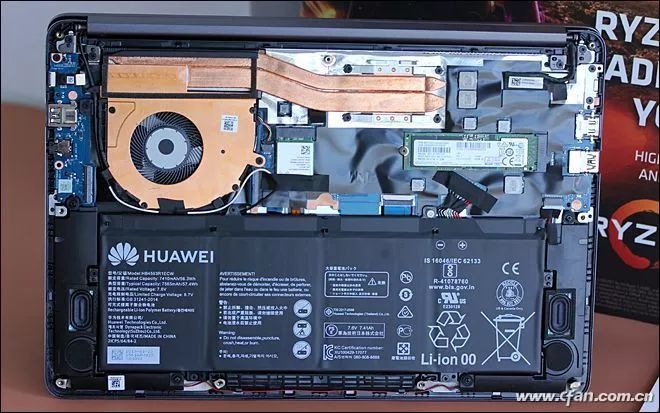
Many thin laptops only have one M.2 slot
The question arises, what will you do when the storage space of your thin laptop runs low?
Replace it with a larger SSD? Hmm, that’s a good idea; nowadays, a 512GB NVMe SSD costs around 500 yuan.
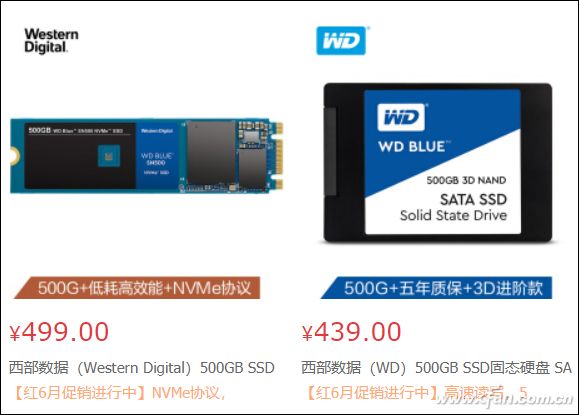
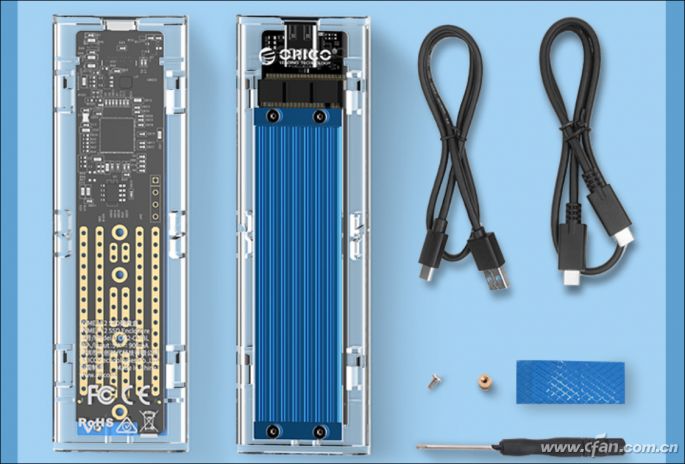
Buy an external hard drive? That’s also good, especially if it uses SSD as the storage medium; products using USB 3.1 Gen2 (recommended to buy an NVMe hard drive enclosure + PCIe x 2 SSD) can achieve reading speeds of around 1000MB/s.
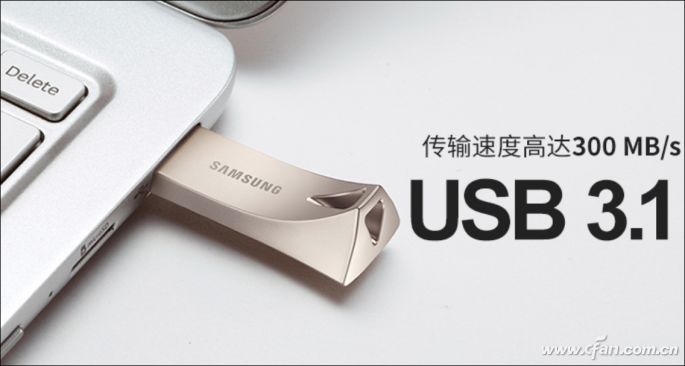
Use a USB flash drive? Not a big problem; ultra-fast USB drives can reach speeds of 300MB/s, but for 150 yuan, you can only buy around 128GB of capacity. Apart from absolute portability, the performance-to-price ratio of a USB flash drive is far inferior to that of an external SSD.
Some may ask, why not use a memory card to expand the storage of thin laptops?
The answer is simple: many new thin laptops no longer include card readers as standard; you need to purchase a card reader separately. Those interested in this topic can refer to “The Life and Death of Card Readers! Do Laptops Need to Be Ready for Card Reading?”
Another reason is that the speed of memory cards is too slow; mainstream products only have a reading speed of around 100MB/s, which does not close the gap with mechanical hard drives. High-end products (UHS-II level high-speed memory cards) can theoretically reach a maximum reading speed of 312MB/s, with the main difference from common SD cards being the number of gold fingers on the back, which has two rows. Even so, the speed of memory cards is still not sufficient.
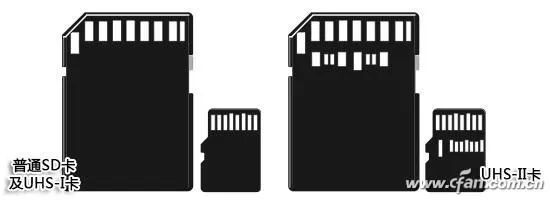
However, everything is expected to change with the advent of the SD 7.x era.
The SD 7.0 memory card specification was officially released in 2018; it introduced PCIe 3.0 and NVMe 1.3 protocols for the first time and is compatible with older SD standards and features like UHS-I SD, UHS-II/III PCIe, bringing a new SD Express memory card (SD UC) whose speed rivals that of SSDs. Subsequently, the SD 7.1 memory card specification introduced the microSD Express standard (TF card size), further broadening the usage range.
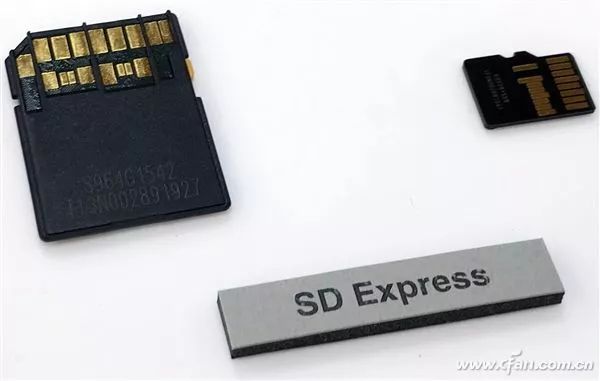
The interface style of the new generation of memory cards is similar to UHS-II
Currently, Realtek and Phison have released controllers supporting SD 7.x, laying the foundation for the popularization of these ultra-fast memory cards.
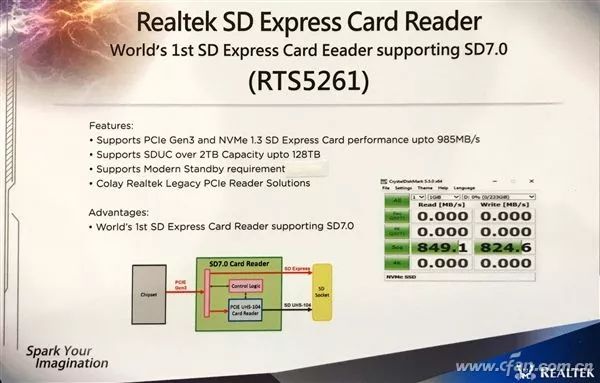
Among them, Realtek’s controller model that complies with the SD 7.0 specification is “RTS5261”; it can achieve a maximum capacity of 128TB (note that it is TB, not GB) under PCIe 3.0, SD Express format, with a sustained read/write speed of up to 985MB/s, reaching the level of entry-level NVMe SSDs, surpassing its SD UHS-II standard predecessors.
Phison’s SD 7.x specification controller model is “PS5017”, fully supports SD 7.0 and SD 7.1, and is currently the first solution that supports both SD Express and microSD Express. The PS5017 supports 3D TLC/QLC flash memory, ONFI, Toggle 2.0 interfaces, with a maximum capacity of 512GB and sustained read/write speeds of up to 900MB/s and 500MB/s, respectively, with outstanding performance.
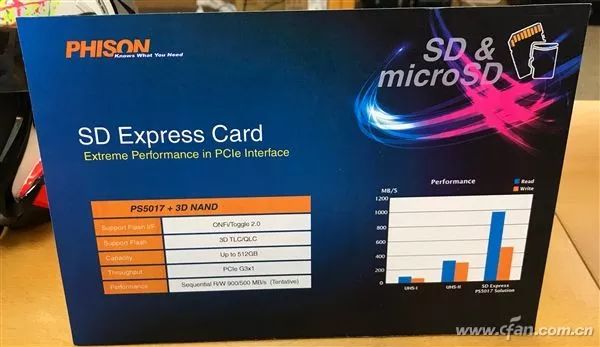
When laptops incorporate the above controllers for card readers, and a large number of SD 7.x standard memory cards hit the market, memory cards will equal SSDs. This expansion method requires no disassembly, no screws to secure, and is plug-and-play, making it very convenient, right?
Of course, even UHS-II card readers have not been widely adopted in laptops, and thin laptops are starting to reject such space-consuming slots, so it will take some time for SD 7.x standard memory cards to become popular in the thin laptop field.So, are you looking forward to the day when memory cards can be used as SSDs for easy expansion?

Click “Read Original” to see more exciting content