The preliminary round of the RM campus competition has just passed.
I wonder if everyone has been paying attention to it?
For those who did not participate, there is no need to worry.
Here is the most comprehensive tutorial on using the Bluetooth module.
(Including the largest engineering drawing assignment ever)
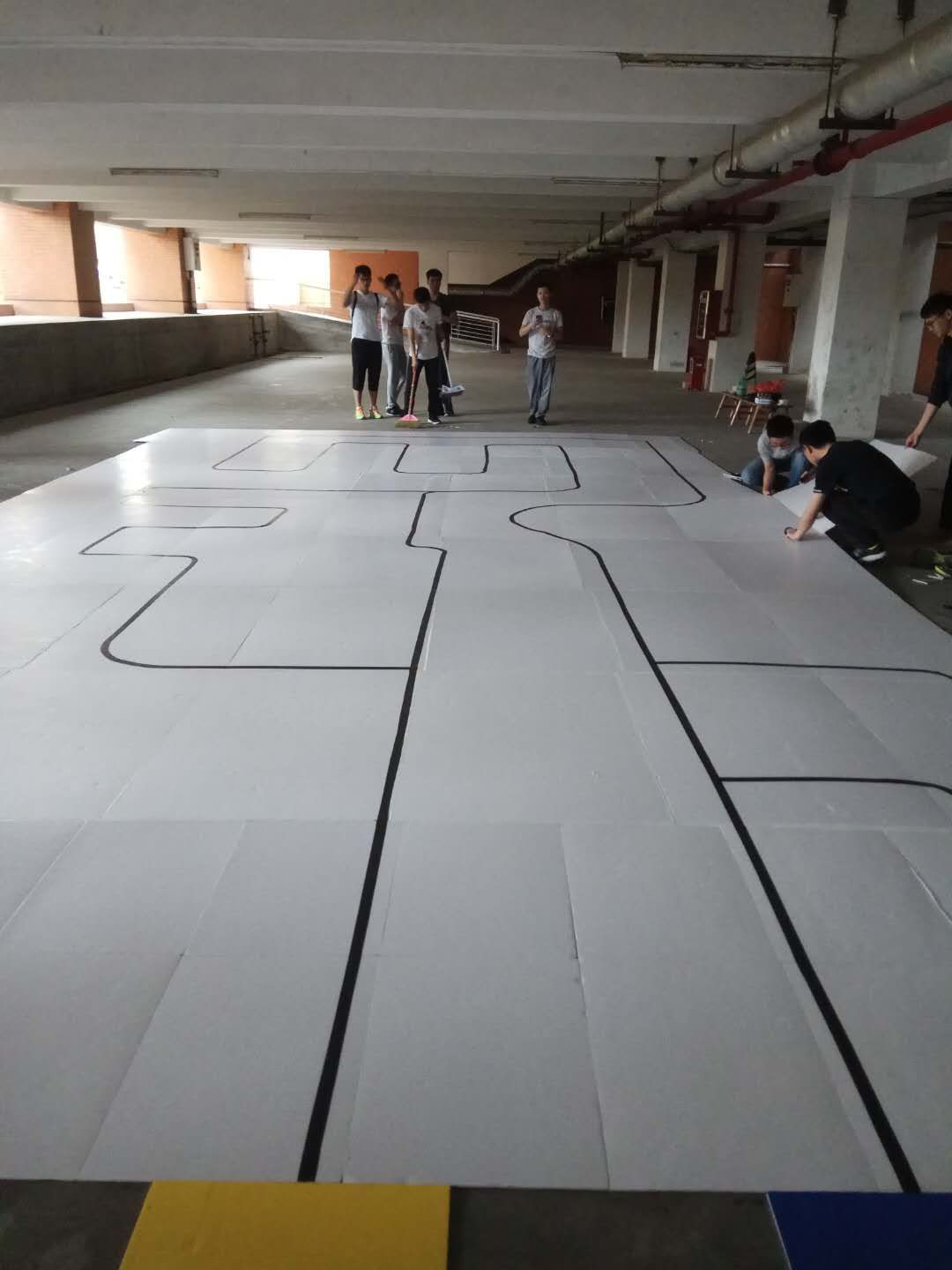
In the RM campus competition, team members are required to use a remote-controlled line-following car. This requires us to use a module that can perform wireless communication. In addition to infrared communication modules, we can also use Bluetooth modules to achieve this functionality.Let’s first understand how to use the Bluetooth module for communication (serial communication).
Compared to infrared communication modules, Bluetooth modules have the following characteristics:
1. Bluetooth uses radio waves to transmit data, while infrared uses light waves to transmit data.
2. Bluetooth is essentially omnidirectional, while infrared is directional.
3. Bluetooth signals can penetrate most non-metal objects, while infrared cannot penetrate opaque objects.
4. Bluetooth has a much higher transmission bandwidth compared to infrared, and is significantly faster.
5. Bluetooth can connect to multiple devices simultaneously, while infrared can only connect to one device at a time.
From the perspective of the campus competition, both infrared and Bluetooth modules can meet the requirements, but from a practical application standpoint, the Bluetooth module is more practical than the infrared module.
Next, let’s introduce the method of using the Bluetooth module.
1. Wiring
First, let’s take a look at the packaging of the HC-06:
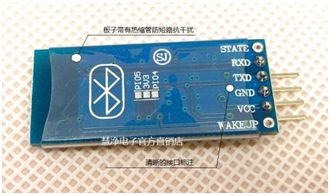
Like other modules, the VCC and GND of the Bluetooth module are connected to +5V and ground respectively. The RXD and TXD connections are the same as those of the commonly used programming burners: RXD connects to the MCU’s TX, and TXD connects to the MCU’s RX. Be careful not to mix them up.
2. Programming
We can use a powerful auxiliary software – the MCU Wizard, to complete the programming:

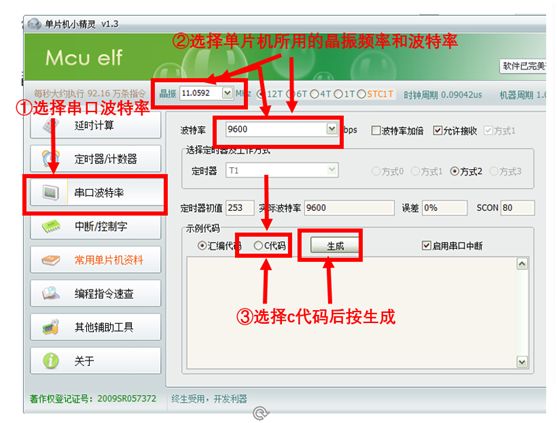
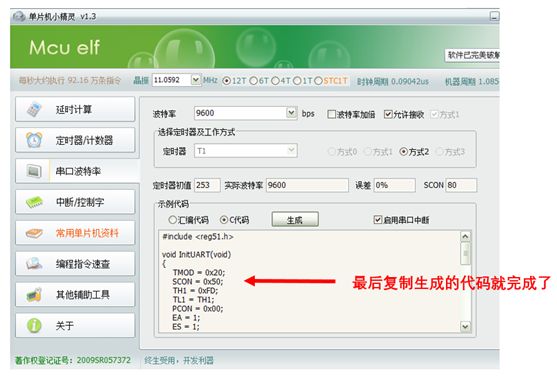
After that, paste the copied code into Keil:
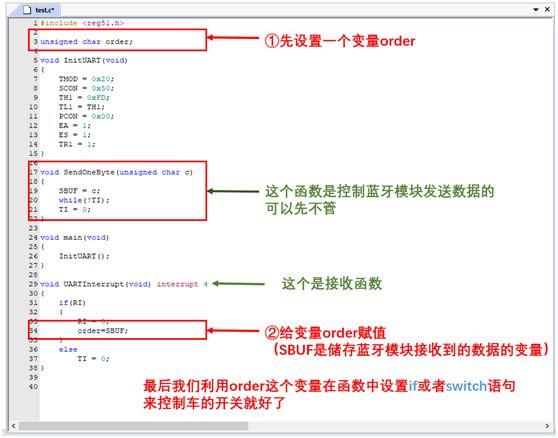
3. Use Phone Bluetooth to Connect and Control the Car
After completing the first two steps, turn on the car’s power, and we will see the red light on the Bluetooth module flashing. Then open the Bluetooth interface on the phone:
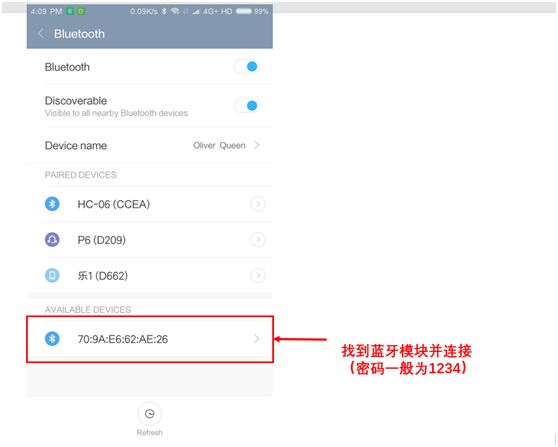
Finally, use a Bluetooth assistant to send the commands set in your program to the Bluetooth module to achieve the goal of controlling the car via Bluetooth.

Welfare Time
Resources: MCU Wizard
Link: Click “Read the original text” or
https://pan.baidu.com/s/1mj4rdxQ
Password: 477x
Next is the conscience preview time:
The RM campus competition will be held on April 15th.
A large number of cool cars will meet everyone.
Don’t miss it!


Copywriter | Lin Jianfeng
Layout | Su Xiaoqing