Want to explore new possibilities with hardware? Today, let’s talk about Arduino-ESP32, a hidden gem in the open-source community. I hope that after reading this, you’ll be eager to dive into the ESP32 series chips.
What is Arduino-ESP32? In simple terms, Arduino-ESP32 is a tailored Arduino core for powerful chips like ESP32, ESP32-C3, ESP32-S2/S3, and more. Previously, we had to use AVR or SAM series for Arduino, while the ESP32 family supports various cutting-edge technologies like WiFi, Bluetooth, and low power consumption, but developing with the native ESP-IDF is too complex. The emergence of Arduino-ESP32 essentially dresses these ESP chips in an Arduino “friendly” coat, allowing you to get started quickly using the familiar Arduino IDE, existing libraries, and examples.
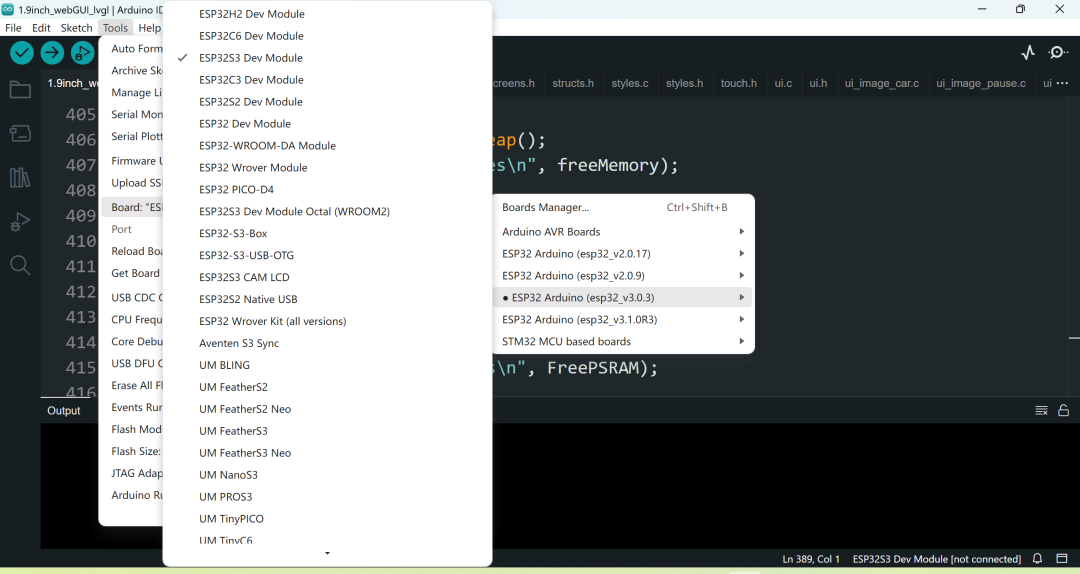
What pain points does it solve? Many IoT developers encounter these frustrations:
- • High learning curve: The ESP-IDF framework is too large, and the documentation and examples are fragmented and incomplete.
- • Insufficient library support: Where to find the Arduino ecosystem? It’s challenging to port rich sensor libraries and display libraries.
- • Difficult secondary development: If you want to deeply optimize based on Arduino, you have to start from scratch to build the underlying framework.
- • Cross-platform struggles: Installing environments on Windows, macOS, and Linux can be a painful experience.
However, Arduino-ESP32:
- • One-click IDE integration: Search in the Board Manager, automatically download packages, and configure automatically.
- • Library compatibility: Most existing Arduino libraries can be used without modification.
- • Dual-mode development: Use Arduino for simplicity, or integrate ESP-IDF components for deep optimization.
- • Multi-system support: Official scripts help manage dependencies with almost zero pain points.
Core features at a glance The table below summarizes the major highlights of the project:
| Feature | Description |
| Multi-chip support | Full coverage of ESP32 / C3 / C6 / H2 / P4 / S2 / S3. |
| Serial printing & debugging | Supports Serial, SerialBT, and EspExceptionDecoder for exception decoding. |
| Network protocols | Comprehensive support for WiFi, Bluetooth Classic / BLE. |
| FreeRTOS | Directly call RTOS APIs, making concurrency and delays powerful within the Arduino environment. |
| OTA upgrades | Supports HTTP and FTP online upgrades, keeping your devices “evergreen”. |
| Arduino ecosystem compatibility | Most libraries and examples can be used as-is, without worrying about community resources being unavailable. |
Hands-on: Quick start code example Below is the classic “blink LED” example for demonstration. Assume you have an ESP32-DevKitC, with the onboard LED connected to GPIO2.
#include <Arduino.h>

void setup() {
    pinMode(2, OUTPUT); // Set GPIO2 as output
    Serial.begin(115200); // Serial debugging
    Serial.println("ESP32 is powered on, LED blinking starts!");
}

void loop() {
    digitalWrite(2, HIGH); // Turn on LED
    delay(500); // Delay 500ms
    digitalWrite(2, LOW); // Turn off LED
    delay(500);
}
Note for everyone:
- •
<span>pinMode</span>,<span>digitalWrite</span>, and<span>delay</span>are exactly the familiar Arduino APIs. - • Serial information can be printed in real-time in the serial monitor.
- • If you want to see the crash stack, use the EspExceptionDecoder plugin for one-click decoding.
Pros and cons at a glance Now that we’ve covered this, let’s provide a straightforward comparison.
| Advantages | Disadvantages |
| Low barrier to entry for the development environment, quick to get started. | For deep customization, you still need to switch to the native IDF. |
| Access to the Arduino library ecosystem. | Manual patching may be required when library compatibility is not 100%. |
| Supports multiple chips with a single codebase. | Official examples are limited, requiring community exploration. |
| Active community with timely responses to issues/PRs. | Less control over extreme performance tuning compared to native. |
Conclusion and outlook That’s it for now. The Arduino-ESP32 project not only significantly lowers the entry barrier for the ESP32 series chips but also allows previously scattered library resources to be seamlessly integrated in the same environment. If you want to quickly create projects like smart home systems, Bluetooth beacons, or wireless sensor networks, it is definitely the best shortcut. For deeper integration, you can also mix in ESP-IDF components without worrying about being “limited” within the Arduino framework. Interested individuals, gather your friends and get started; hardware projects can definitely progress rapidly.
Project address: https://github.com/nespressif/arduino-esp32