 The Arduino UNO has analog input pins (A0-A5) that are equipped with a 10 bit Analog-to-Digital Converter (ADC), allowing it to convert analog voltage values from 0 to 5V into integer digital values ranging from 0 to 1023 . This experiment will learn how to use Arduino to create a simple voltmeter.1. Experiment Materials 1. Arduino Development Board ×1 2. LCD1602 Module ×1
3. 10kΩ Potentiometer x2
4. Breadboard ×1
5. Dupont Wires (Male to Male) ×Several
6. USB Data Cable ×1
2. Experiment Principle2.1 ADC
In electronics, an analog signal (Analog Signal) is an electrical signal that has continuous values and varies continuously over time, which can be voltage or current. A digital signal (Digital Signal) is a discrete, non-continuous electrical signal.
The circuit used to convert an analog signal into a digital signal is called an ADC, which stands for Analog Digital Converter.
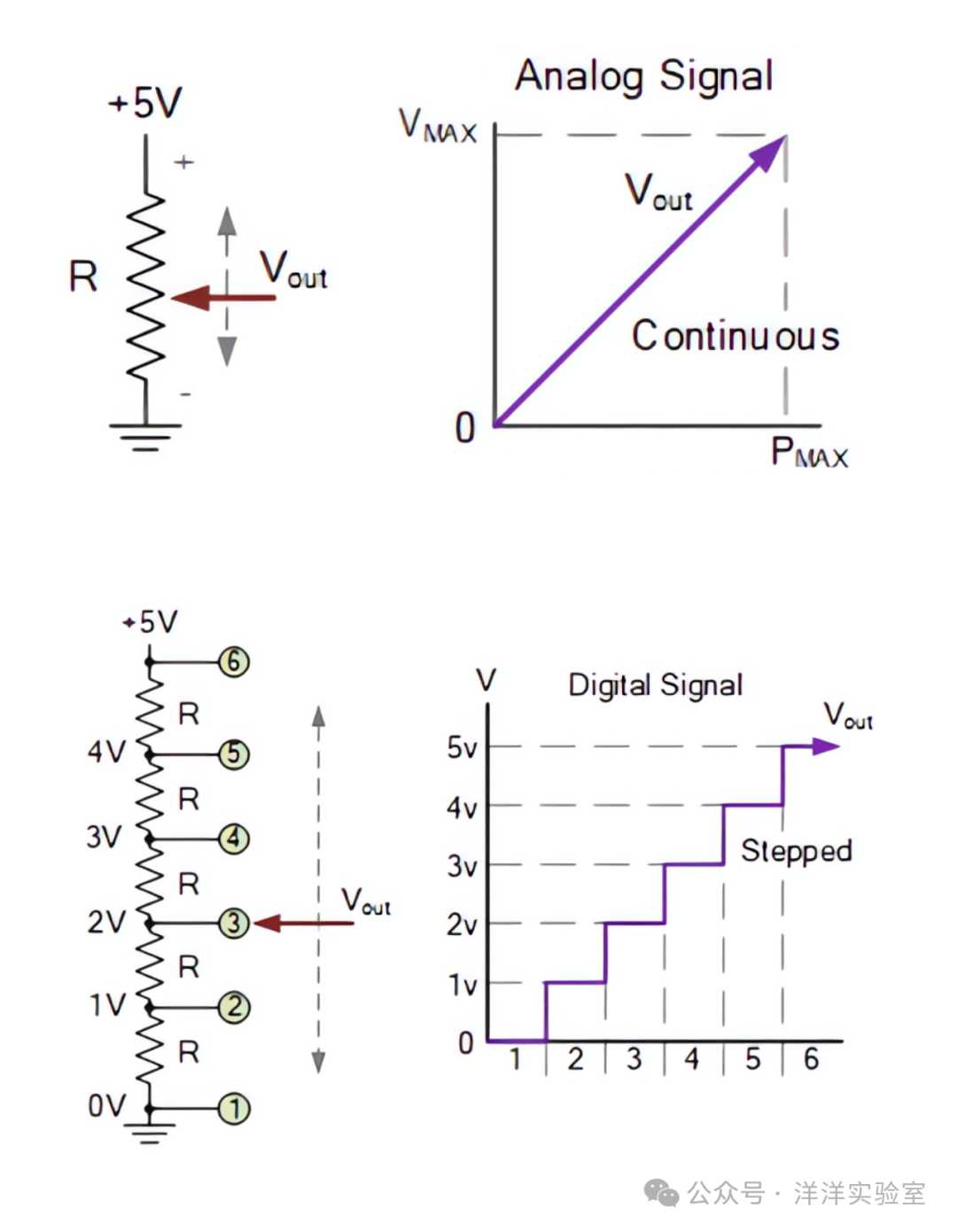
2.2 Arduino Voltmeter
The analog input pins (A0-A5) of the Arduino UNO are equipped with a 10 bit ADC, which can convert analog voltage values from 0 to 5V into integer digital values ranging from 0 to 1023 .
In the Arduino voltmeter experiment, we will measure the voltage between the adjustable terminal of the potentiometer and GND . The Arduino program reads the ADC value at intervals and calculates the voltage value using the following formula:
Voltage = Sample Value * 5.0 / 1023
3. Experiment Content
Based on the previous experiment, Arduino Basic Experiment 5: LCD Experiment, place the 10kΩ potentiometer at a suitable position on the breadboard, and connect the two ends of the potentiometer to the Arduino 5V and GND ports using wires or Dupont wires, with the adjustable terminal connected to A5 port.
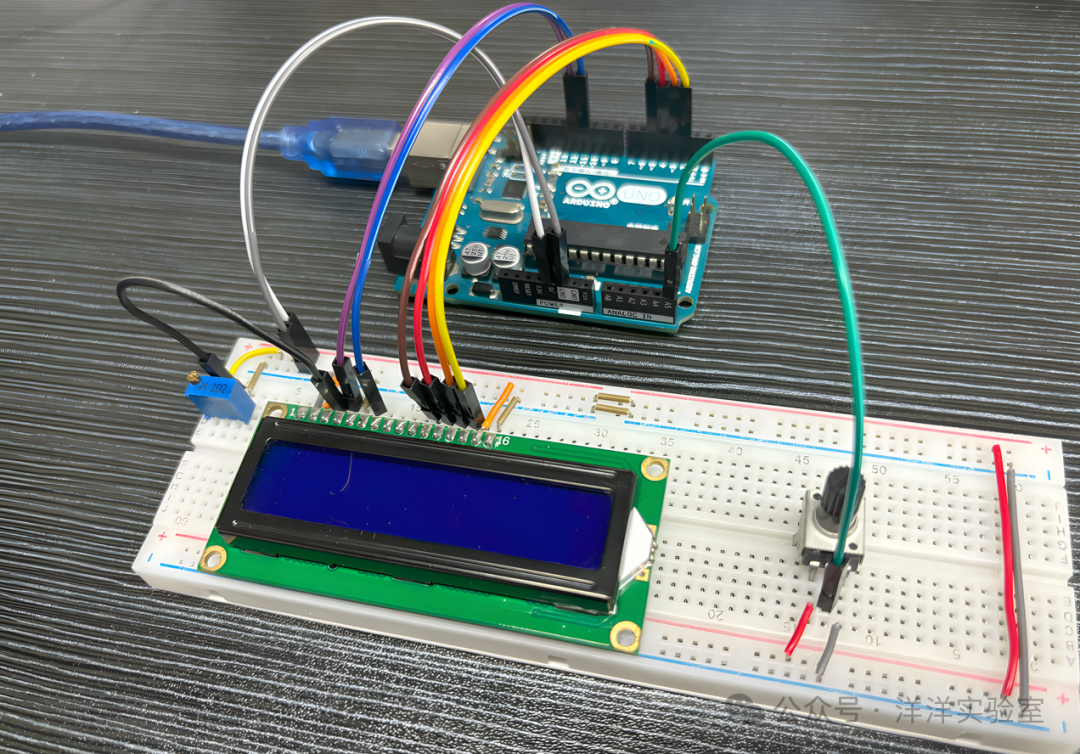 Then upload the Arduino example program, the code is as follows:
#include <LiquidCrystal.h>
const int rs = 12, en = 11, d4 = 5, d5 = 4, d6 = 3, d7 = 2;LiquidCrystal lcd(rs, en, d4, d5, d6, d7);
const int voltagePin = A5;const float VREF = 5.0;  // ADC reference voltage
void setup(){  lcd.begin(16, 2);  lcd.setCursor(0, 0);  lcd.print("Voltage:");}
void loop(){  int adcValue = analogRead(voltagePin);  // Read analog input value  float voltageOut = (adcValue * VREF) / 1023.0;  // Convert to voltage value  lcd.setCursor(0, 1);  lcd.print(voltageOut);  delay(500);}
Change the 10kΩ potentiometer resistance value and observe the changes in the output value on the LCD screen.