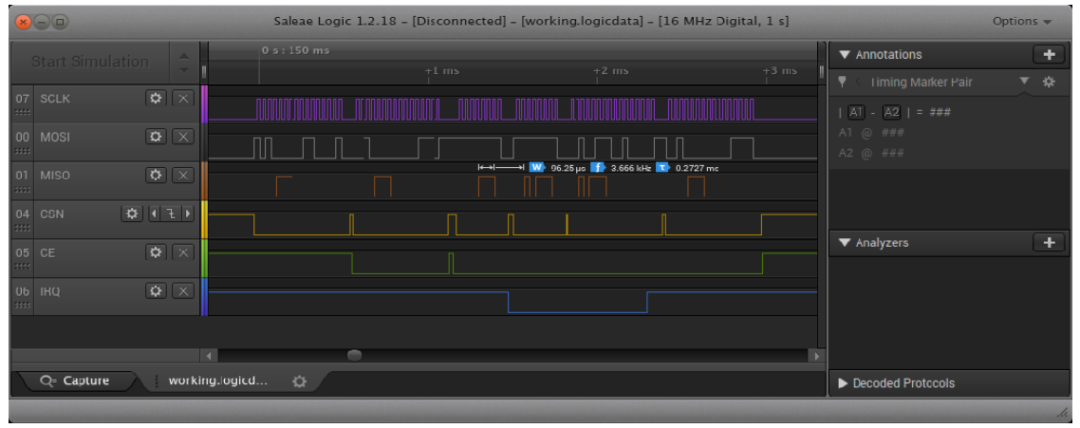
Are you still hesitating whether to invest thousands of dollars in an oscilloscope or logic analyzer? Hold on, buck50 is here! buck50 is a set of open-source firmware and Python drivers that allows you to upgrade your $1.5 “Blue Pill” STM32F103 board into a multi-function tester: logic analyzer, function generator, oscilloscope, SPI/I2C/USART bridge, 8-bit parallel port, PWM… it can handle almost any function you can think of.
Pain Points and Solutions
- • Expensive: Professional instruments can easily cost over a thousand dollars, and budgets are tight?→ buck50 + Blue Pill ≈ 1.5 USD, fully open-source.
- • Single Interface: Want to quickly measure using terminal commands without writing a GUI?→ buck50.py is fully interactive command line, supporting TAB completion and rich help.
- • Inflexible Hardware: Need to change wires for different functions?→ Built-in multiple mode switching allows seamless transition from oscilloscope to logic analyzer with reconfiguration.
Core Features Overview
| Function | Description |
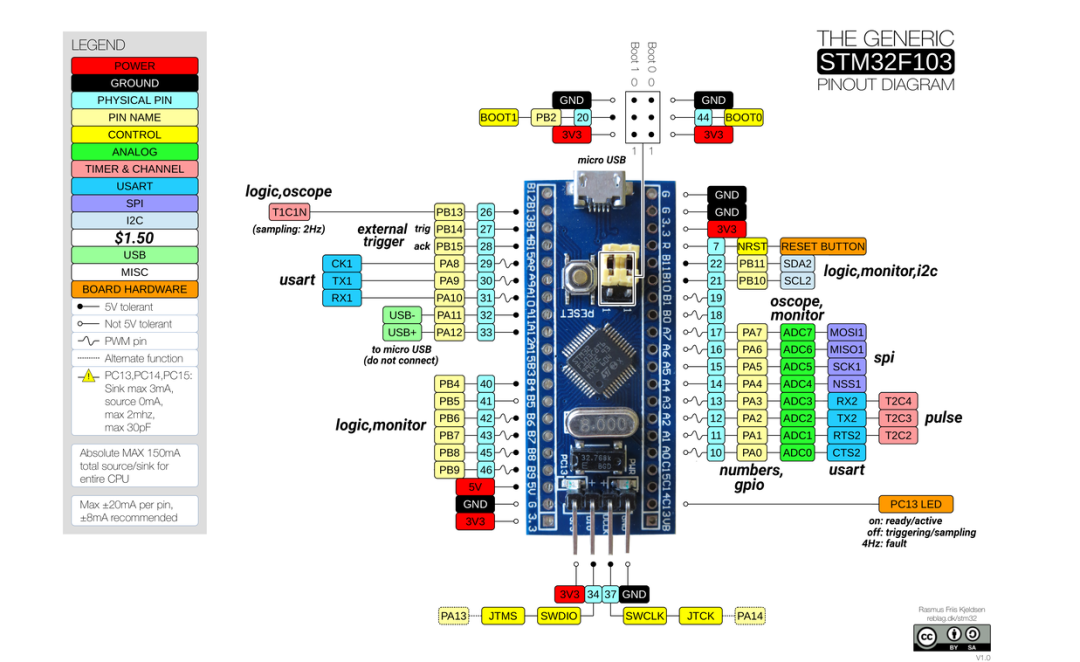
| Logic Analysis | 8 channels, 6+ MHz, edge capture + sparse timestamp, programmable state machine trigger |
| Oscilloscope | Dual channel, 1 MHz, 5 K sample depth, supports level trigger + hysteresis |
| Pulse Generation | 3 PWM channels, customizable frequency, duty cycle, polarity |
| Serial Bridge | USB ↔ UART/SPI/I2C bi-directional bridging, supports master/slave, logging, socket/PTYS |
| Parallel Port | 8-bit parallel output: counter, gray code, manual push |
Installation and Environment SetupPrepare a “Blue Pill” STM32F103 board and a Micro-USB cable, then:
| Step | Action |
| 1 | Download the buck50 firmware (buck50.bin/hex) from GitHub |
| 2 | Flash the firmware using ST-Link or serial tool |
| 3 | Ensure Python3 and pySerial are installed on your machine |
| 4 | Clone or download the buck50.py driver script |
| 5 | Run <span>python3 buck50.py /dev/ttyACM0</span> |
Quick Start Examples
- • Output a 4 Hz binary counter:
<span>$ buck50.py: numbers</span> - • Monitor digital inputs PB4–PB11:
<span>$ buck50.py: monitor</span> - • Logic analysis capture 32 edges:
<span>$ buck50.py: trigger 0=xxxxxxxx-0-0</span><span>$ buck50.py: logic edges=32</span> - • SPI bridging:
<span>$ buck50.py: spi master</span>
All commands support abbreviation + TAB completion, allowing you to see hints while typing commands, making it hard to stop.
Pros and Cons SummaryPros:
- • Exceptional cost-performance ratio: $1.5 for multiple testing modes
- • Fully open-source: Firmware + C++ + ARM assembly + Python driver
- • Terminal tool: Command-line interaction, efficient keyboard operation
Cons:
- • Limited bandwidth: Logic analysis up to 6 MHz, oscilloscope 1 MHz
- • Hardware wiring requires attention: Multi-function pin reuse needs to be checked in documentation
- • Learning curve: Rich command system requires some time to get used to
ConclusionIf you want to build a multi-function testing platform at an extremely low cost, or need something portable for travel/laboratory, buck50 + Blue Pill is truly a conscientious choice. It addresses the pain point of not being able to afford expensive instruments and meets the needs of enthusiasts who prefer command-line and terminal operations. It is recommended to first flash the firmware and go through <span>buck50.py --help</span> to familiarize yourself; TAB completion + built-in help will enhance your experience. Give it a try, and you’ll see just how powerful a “$1.5 tester” can be!
Project address: https://github.com/thanks4opensource/buck50