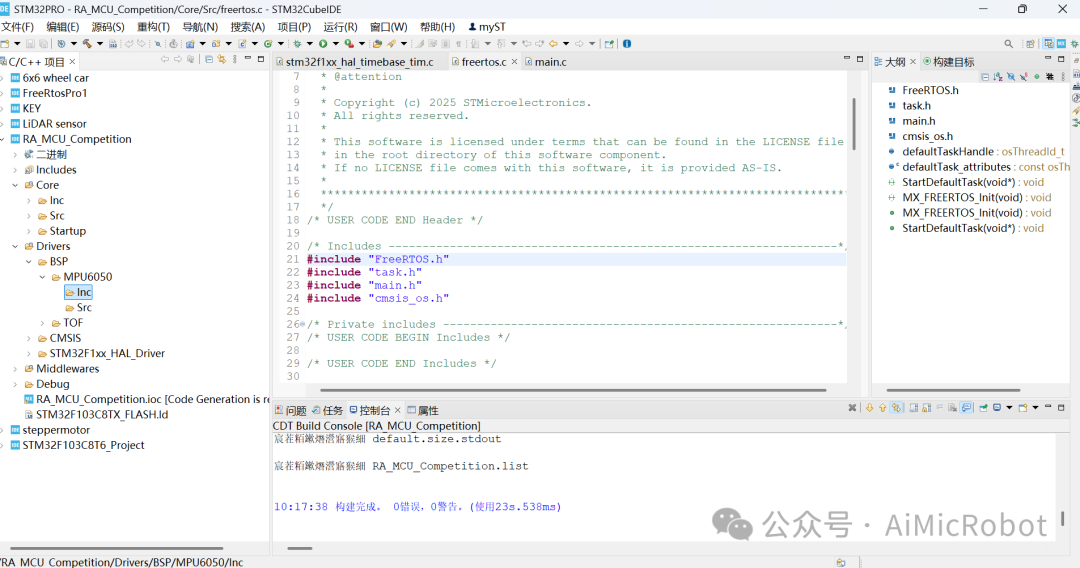
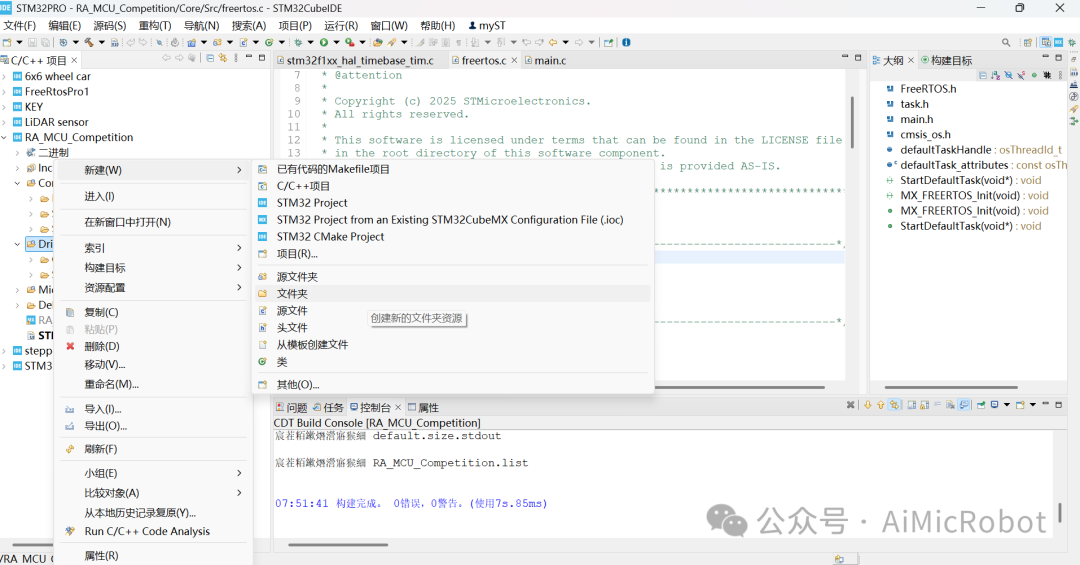
When adding driver files for peripherals such as the MPU6050 sensor and TOF sensor, it is necessary to include the corresponding onboard driver support package and add the compilation path. The steps are as follows:1. Create a new project and complete the basic configuration. You can refer to the STM32F103 microcontroller programming environment setup, the STM32F103C8T6 microcontroller CUBEIDE integrated development environment configuration process, and the steps for porting FreeRTOS to STM32F103C8T6. As shown in the figure below.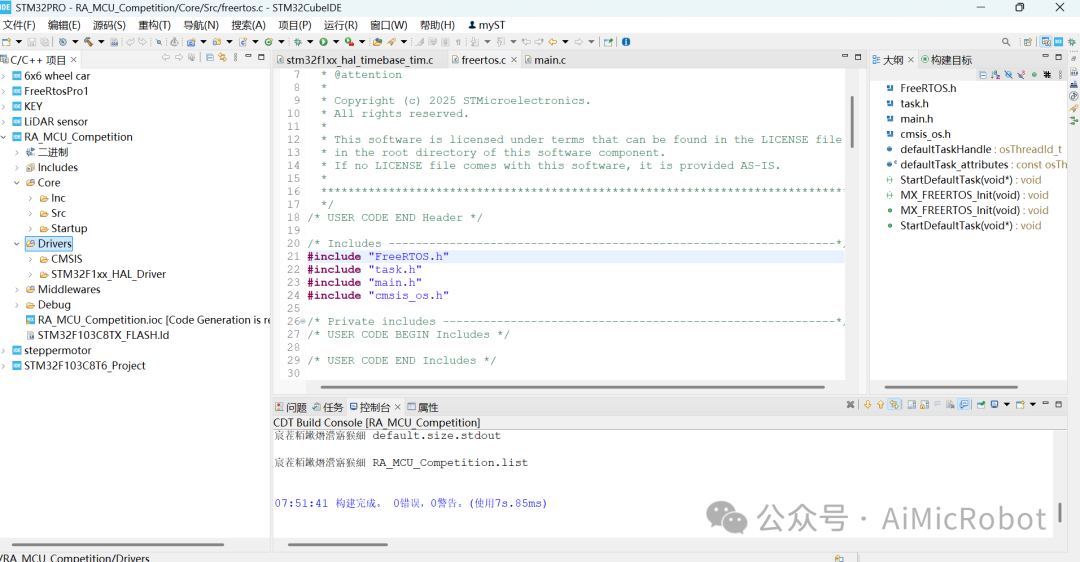 2. Add peripheral files by right-clicking on Driver -> New -> Folder, as shown in the figure below:
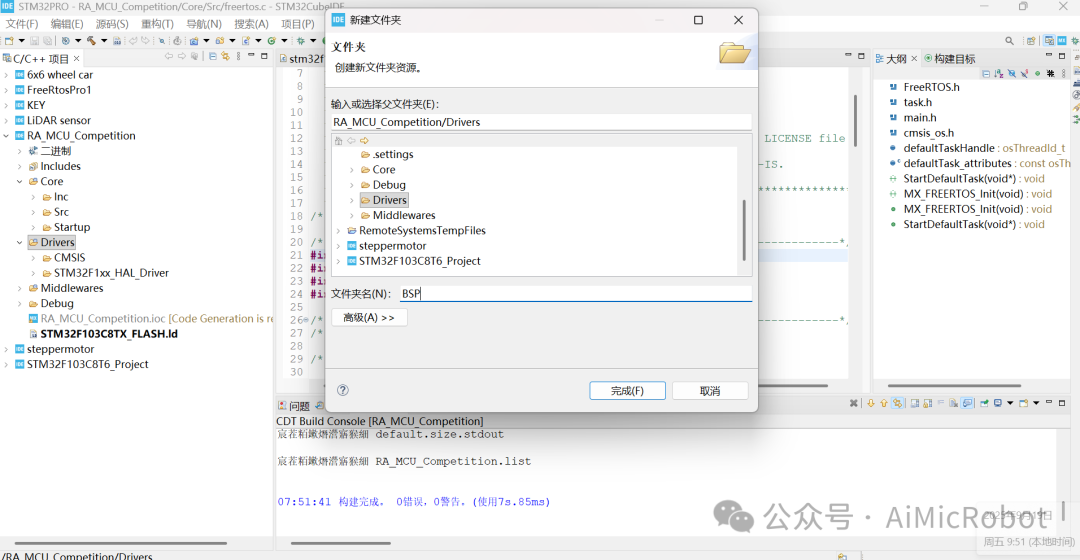
 3. In the pop-up window, set the folder name to “BSP” and click “Finish”. As shown in the figure below:
 4. Continue to add files such as “MPU6050” under the “BSP” folder as shown in the figure below.
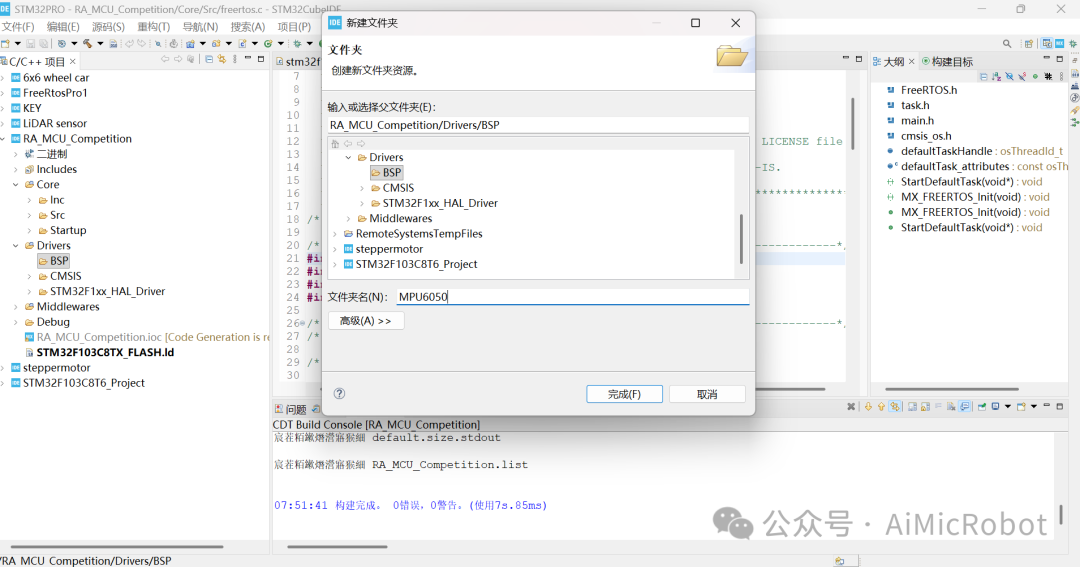 5. Continue to add two folders, “Inc” and “Src”, under each peripheral file as shown in the figure below.
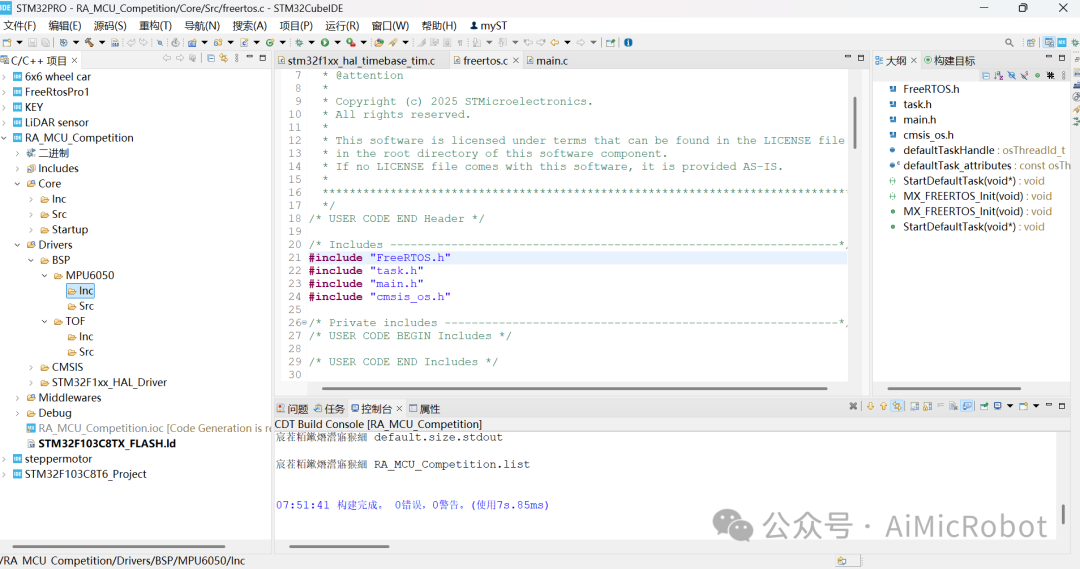 6. Then, you can add the peripheral header files (.h) in the “Inc” folder and the peripheral source files (.c) in the “Src” folder.7. After adding the folders, you need to set the compilation path. Select the menu Project -> Properties, as shown in the figure below,
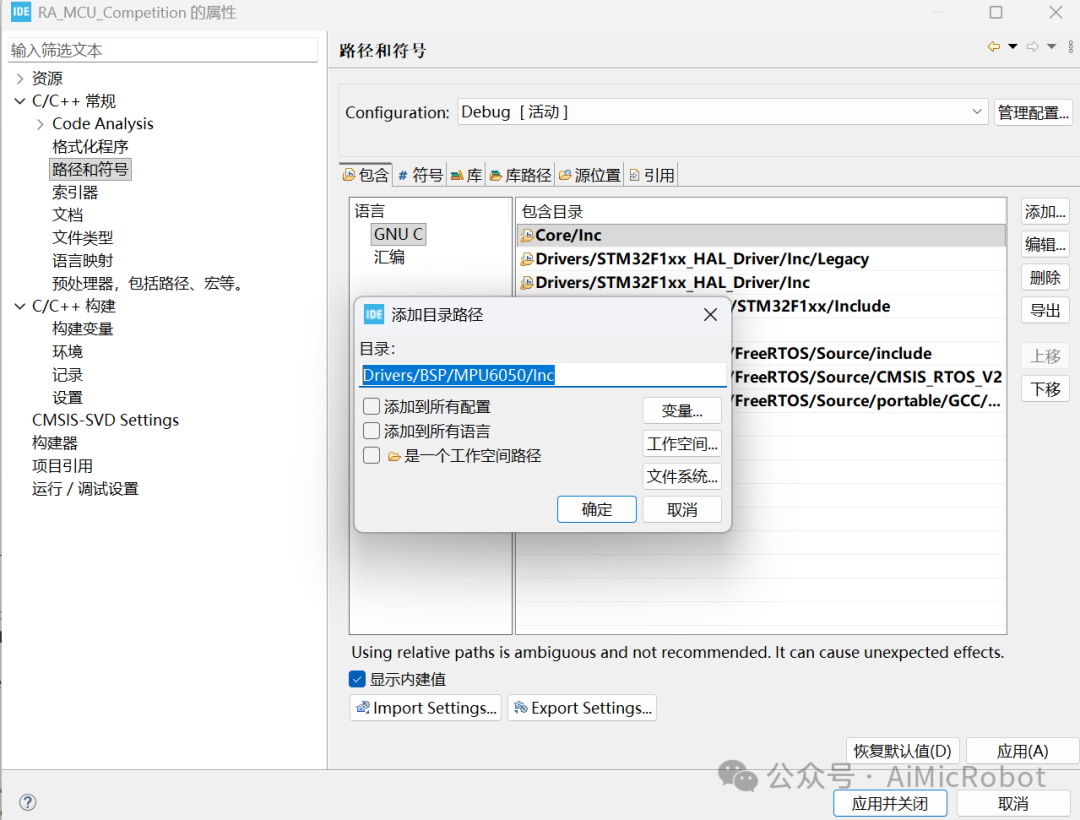
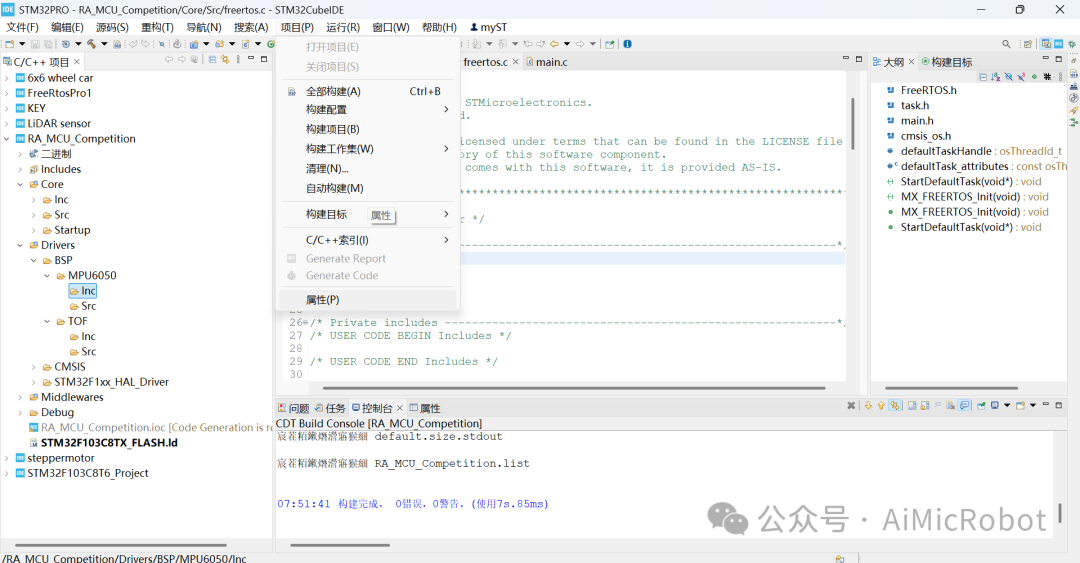 8. Select C/C++ General -> Paths and Symbols -> GNU C -> Add, as shown in the figure below:
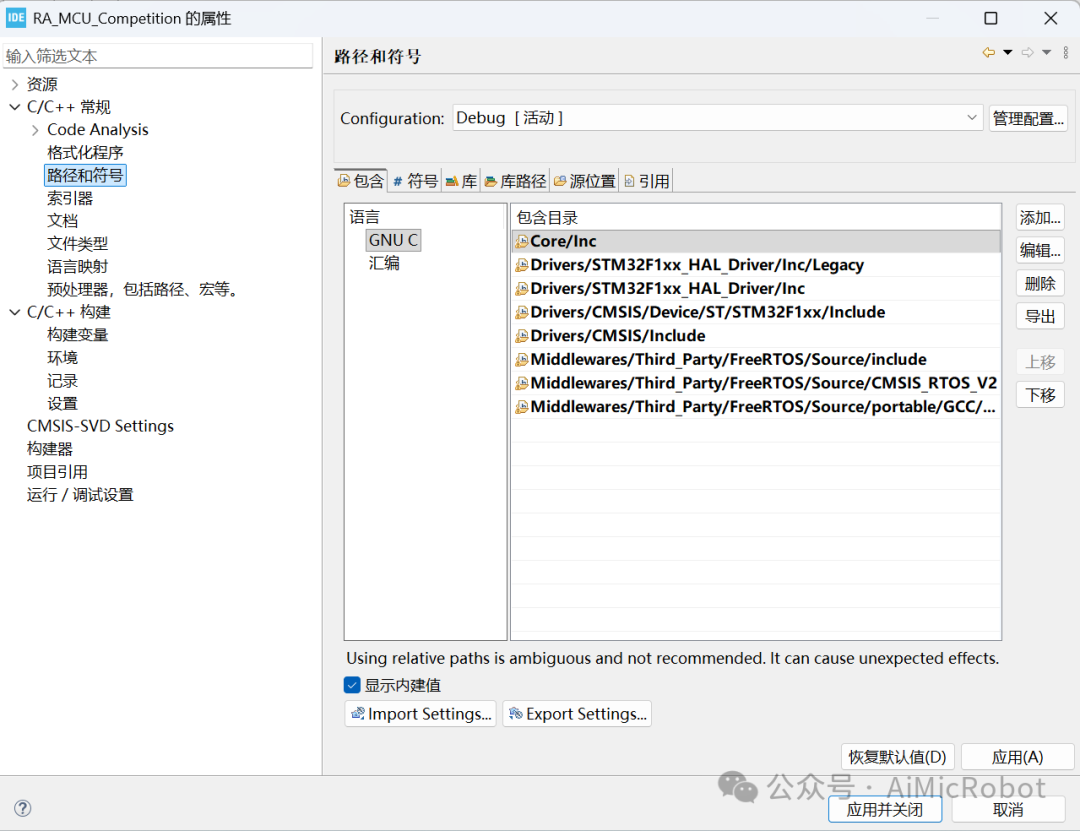 9. Add the path “Drivers/BSP/MPU6050/Inc“, then click OK -> Apply and Close, as shown in the figure below.
 10. Compile, and if there are no issues, as shown in the figure below, you can add the required peripheral driver programs.