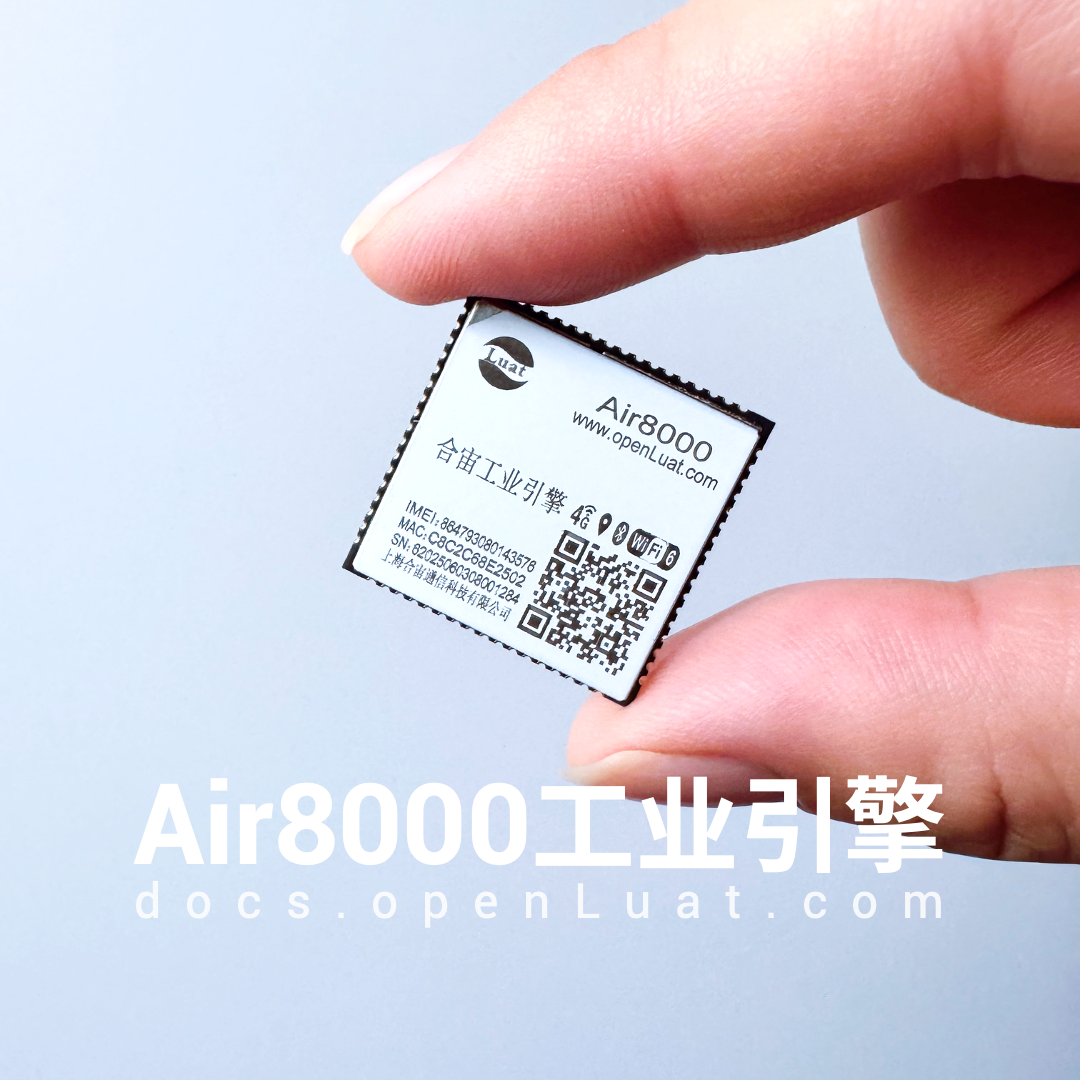
Hezong Air8000—— is a high-performance industrial engine that integrates multiple functions including 4G, Wi-Fi, BLE, and GNSS (Global Navigation Satellite System), supporting 485/232/Ethernet drivers/multi-network integration/VoLTE calls, providing over 50 programmable I/O ports, which can meet the continuous communication capabilities of IoT devices and the complex peripheral expansion needs in complex industrial scenarios.
Recently, based on the Air8000, the official version of Hezong AirTalk traffic phone has been launched, providing a rapid commercial “industry communication solution” for a wide range of customers, significantly reducing the development threshold and deployment costs for enterprises in the professional voice communication field.
New friends in the community are curious:
How is the automatic switching between 4G/Wi-Fi/Ethernet achieved?
This must mention:
Hezong LuatOS’s network device management netdrv library—— a powerful multi-network card driver management module, is a key component for achieving multi-network integration. It makes developing reliable IoT applications that support network redundancy and automatic failover very simple and efficient.
Hezong has launched a series of demo examples combined with TCP&UDP, HTTP, MQTT, WebSocket, etc., to facilitate developers to get started quickly.
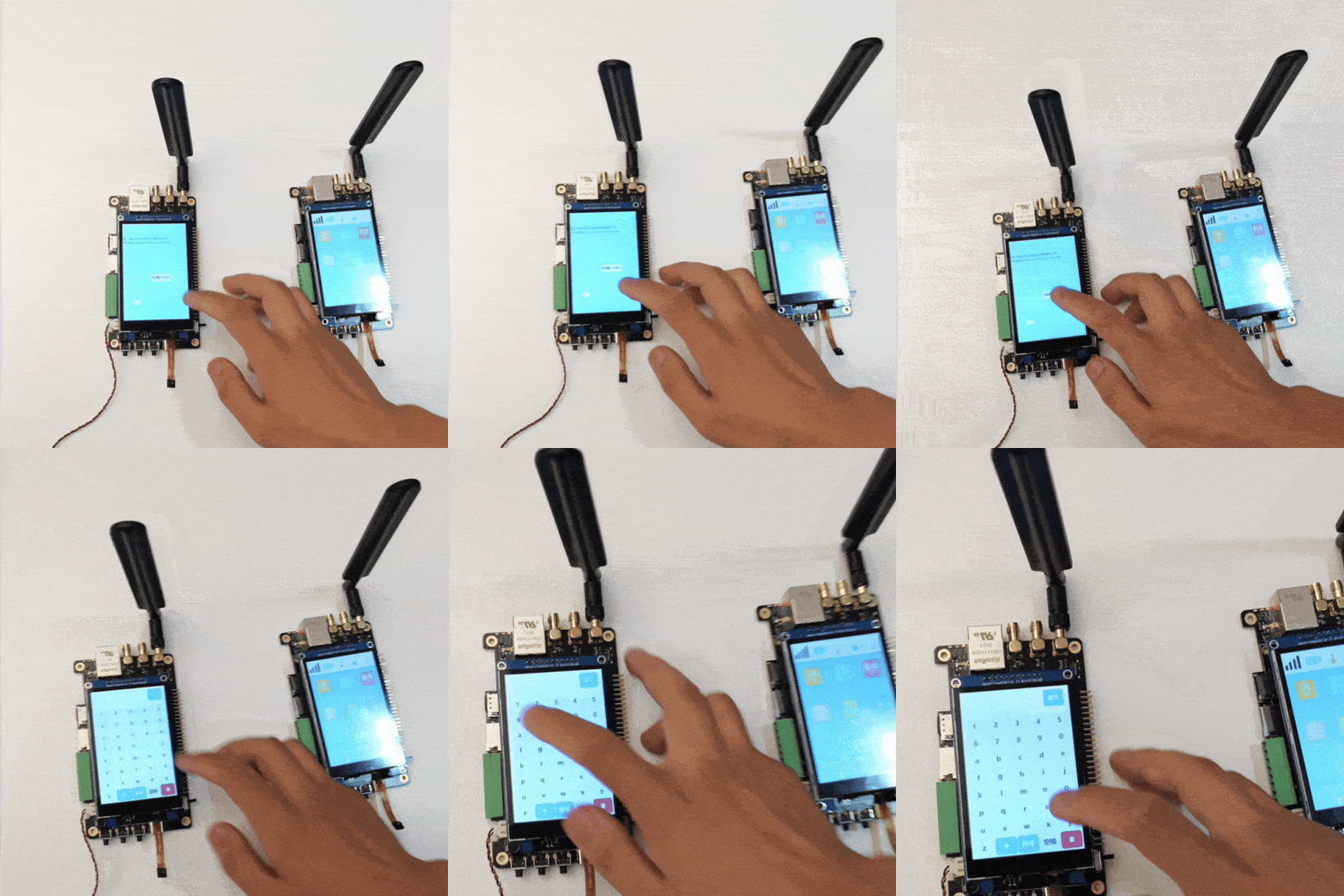
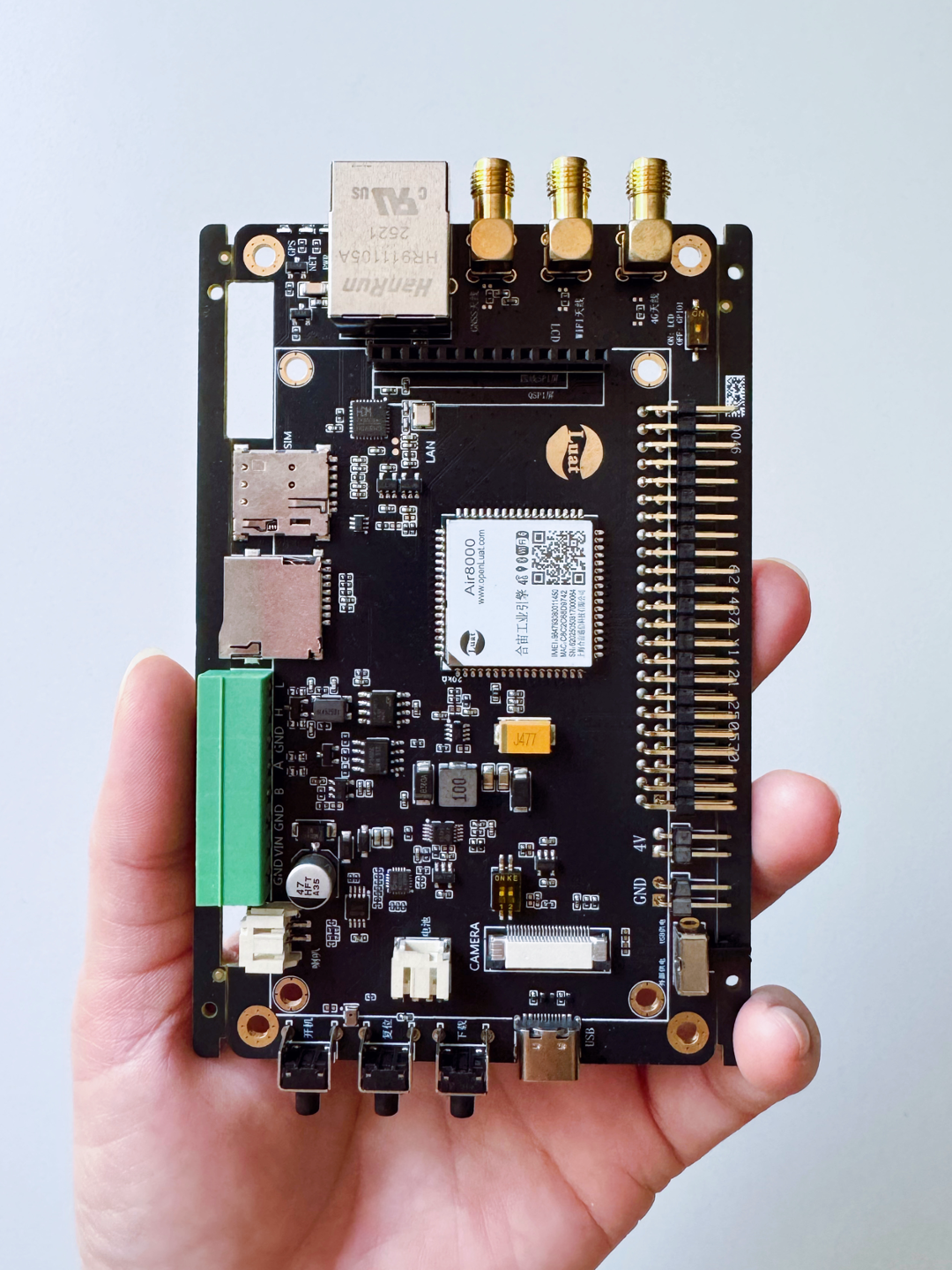
This article takes the WebSocket application of the Air8000 development board as an example to demonstrate the key points of the 4G/Wi-Fi/Ethernet multi-network card switching function. The complete demo source code and practical tutorial can be found at the link below.
-
Latest source code download:https://gitee.com/openLuat/LuatOS/tree/master/module/Air8000/demo/WebSocket/
-
For practical tutorials, see:https://docs.openluat.com/air8000/luatos/app/socket/websocket/
The Air8000 supports a single 4G network card, a single Wi-Fi network card, a single SPI Ethernet card, and automatic switching between multiple network cards, which can be flexibly applied according to actual project needs.
1
Switching to the 4G network card
1.1 Key points for code modification
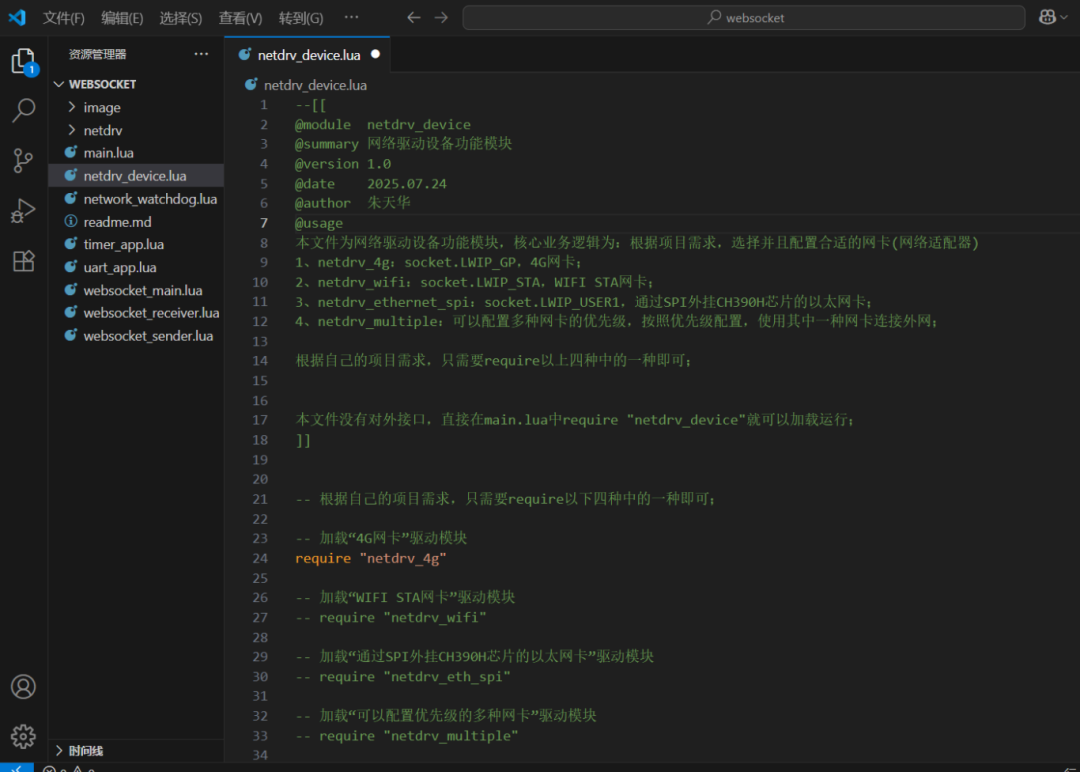
In the netdrv_device.lua code, only open require “netdrv_4g”, and comment out other driver modules; no modifications are needed in the netdrv_4g.lua code.
1.2 Check log output
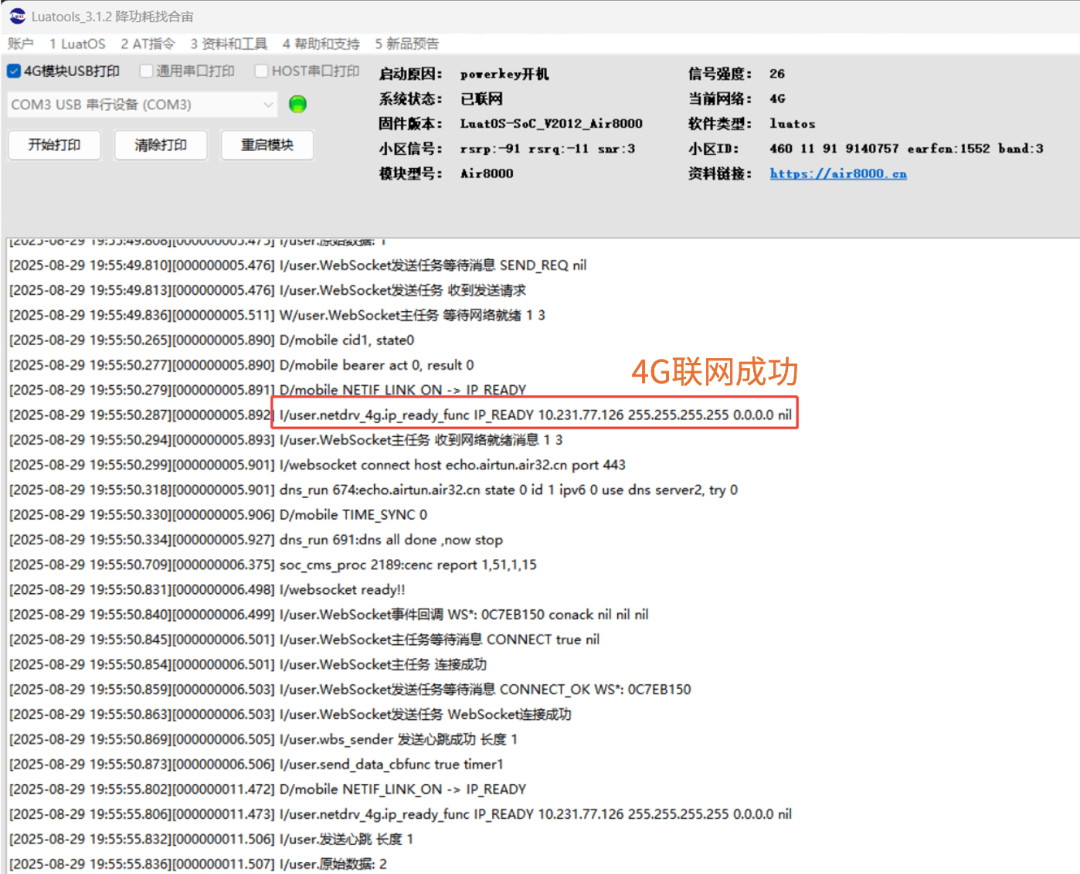
The log output of the LuaTools tool is shown in the figure below. If similar logs appear, it indicates that the 4G network card is connected successfully.
I/user.netdrv_4g.ip_ready_func IP_READY 10.231.77.126 255.255.255.255 0.0.0.0 nil
2
Switching to the Wi-Fi network card
2.1 Key points for code modification
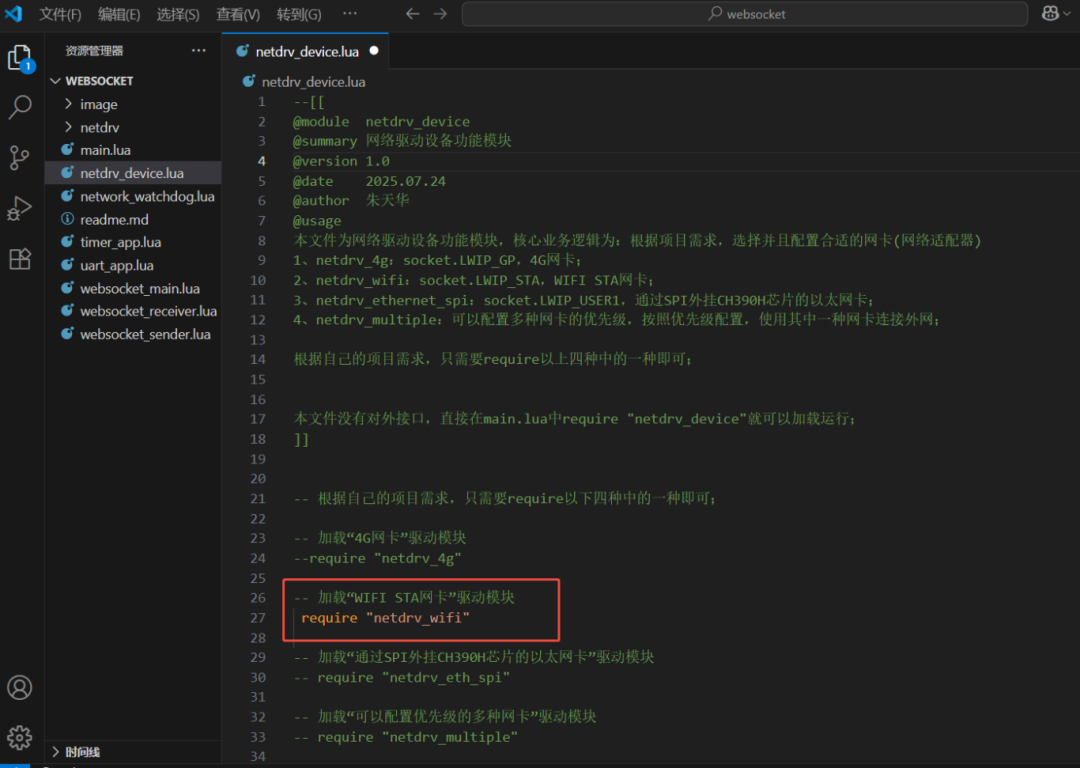
In the netdrv_device.lua code, only open require “netdrv_wifi”, and comment out other driver modules;
In the netdrv_wifi.lua code, modify wlan.connect(“Tea Room – Power Saving, Find Hezong!”, “Air123456”, 1) with the first two parameters to your Wi-Fi hotspot’s name and password during testing;
Note: Only 2.4G Wi-Fi is supported, 5G Wi-Fi is not supported.
2.2 Check log output
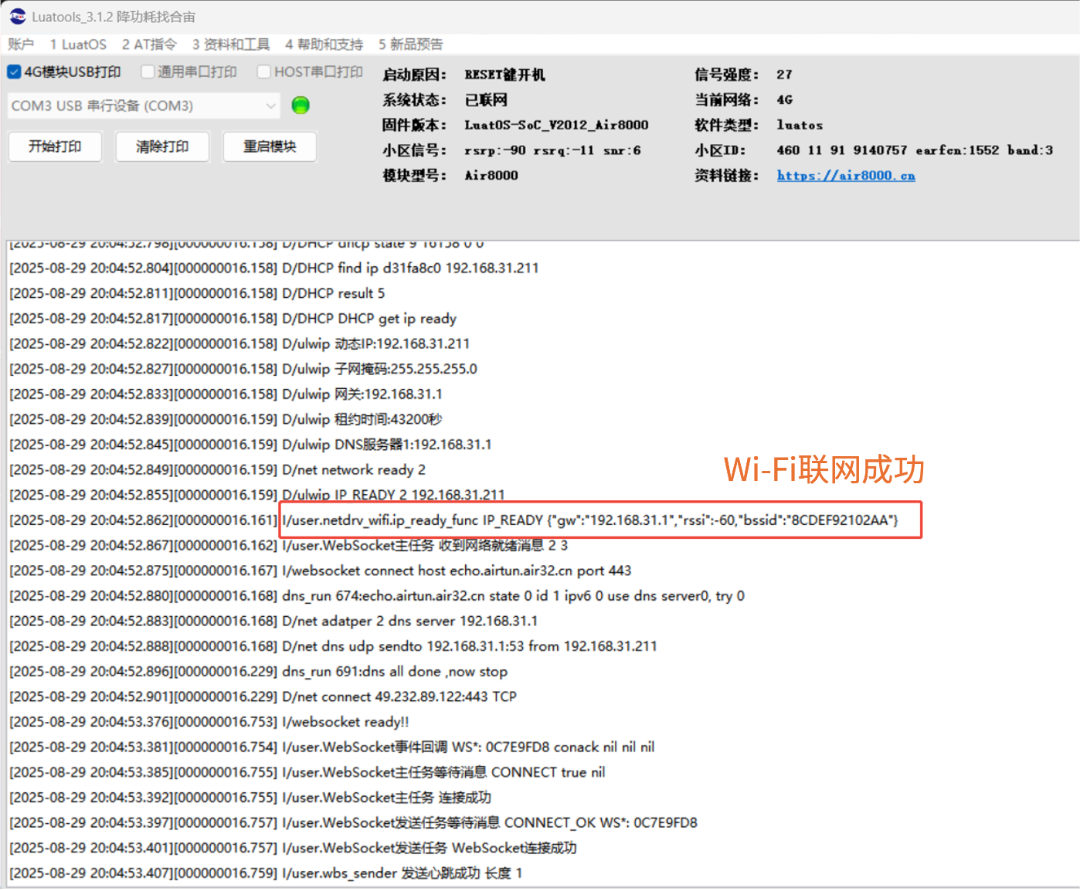
The log output of the LuaTools tool is shown in the figure below. If similar logs appear, it indicates that the Wi-Fi STA network card is connected successfully.
I/user.netdrv_wifi.ip_ready_func IP_READY {“gw”:”192.168.31.1″,”rssi”:-60,”bssid”:”8CDEF92102AA”}
3
Switching to the Ethernet network card
3.1 Key points for code modification
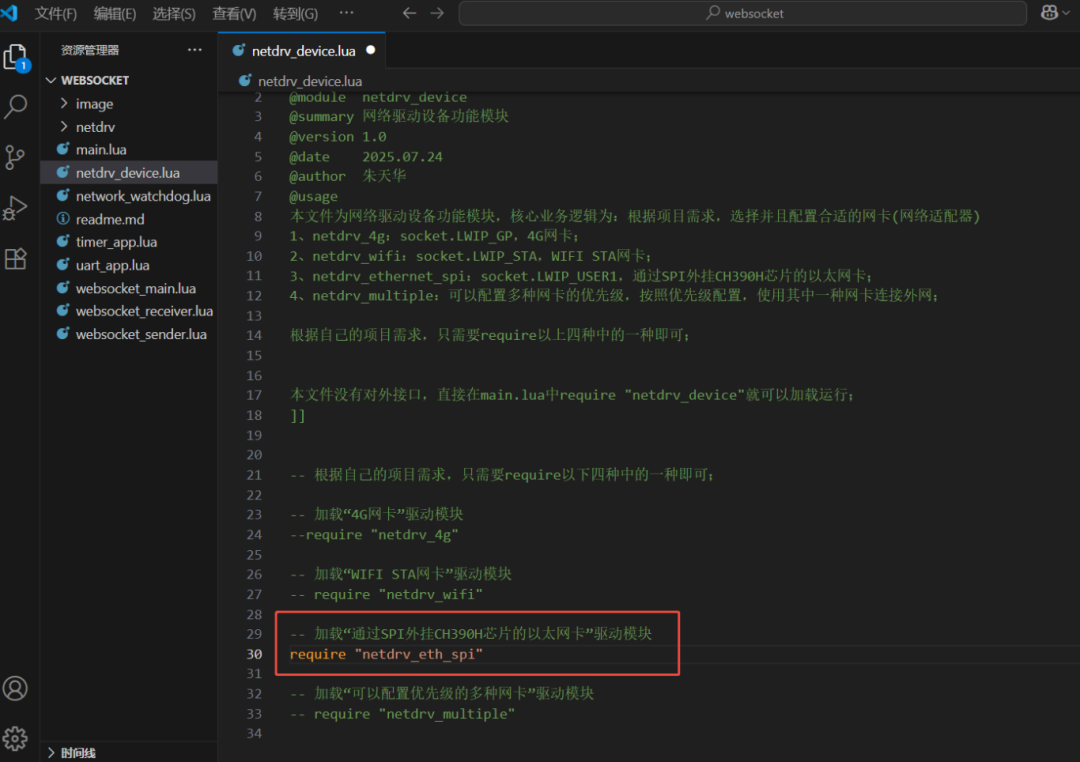
In the netdrv_device.lua code, only open require “netdrv_eth_spi”, and comment out other driver modules;
The Ethernet card of the Air8000 is implemented through the SPI external CH390H chip. If using the official Hezong development board, no modifications are needed in the netdrv_eth_spi.lua code.
3.2 Check log output
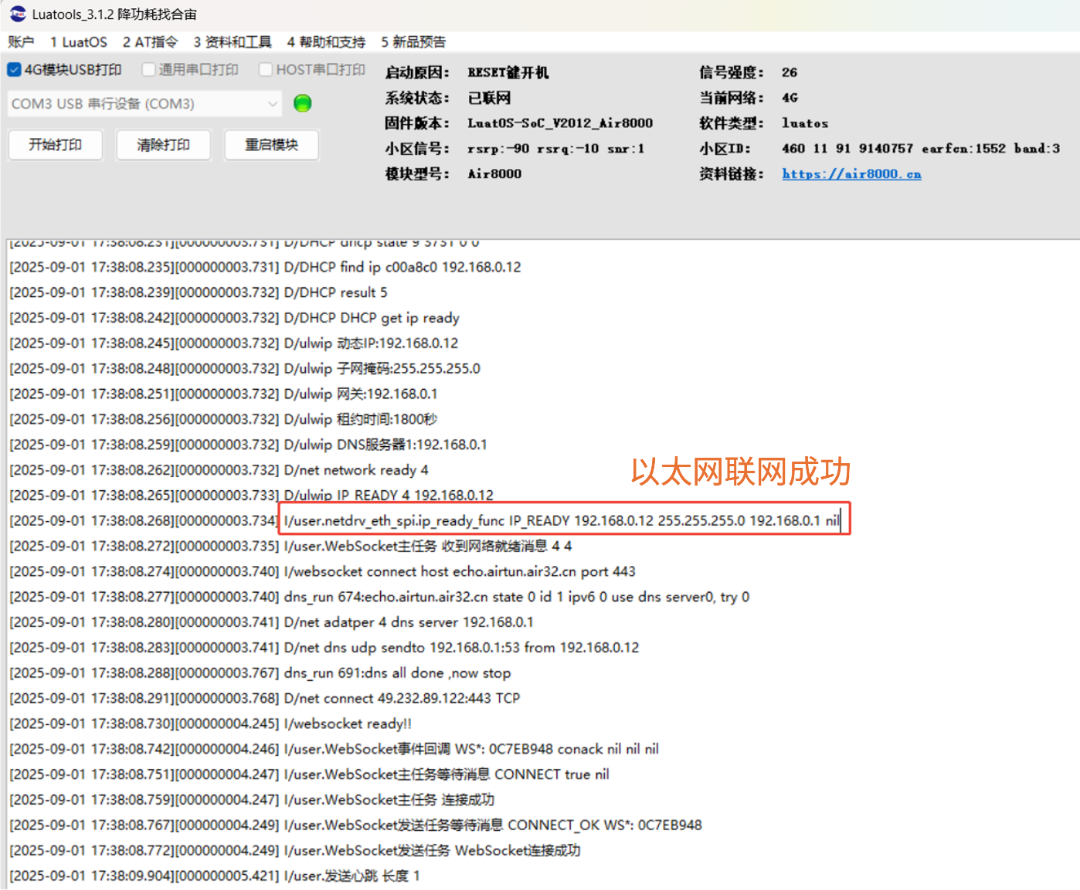
The log output of the LuaTools tool is shown in the figure below. If similar logs appear, it indicates that the Ethernet is connected successfully.
I/user.netdrv_eth_spi.ip_ready_func IP_READY 192.168.0.12 255.255.255.0 192.168.0.1 nil
4
Automatic switching between multiple network cards
4.1 Key points for code modification
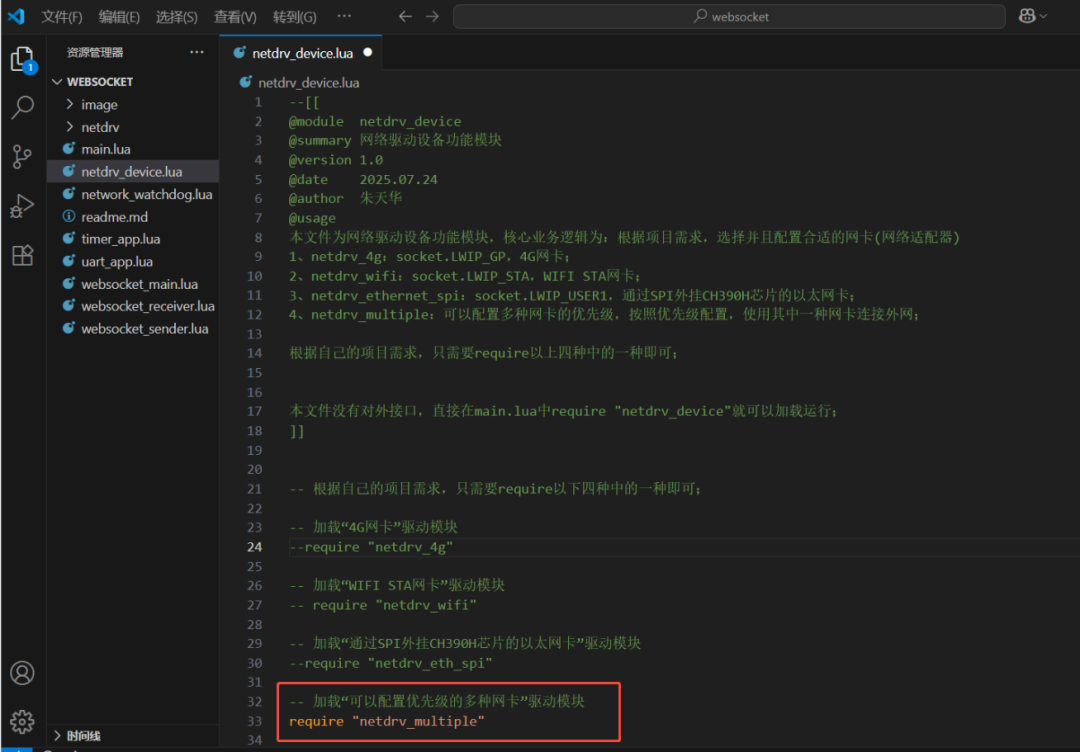
In the netdrv_device.lua code, only open require “netdrv_multiple”, and comment out other driver modules;
At the same time, modify netdrv_multiple.lua’s ssid = “Tea Room – Power Saving, Find Hezong!”, password = “Air123456” to your Wi-Fi hotspot’s name and password during testing.
Note: Only 2.4G Wi-Fi is supported, 5G Wi-Fi is not supported.
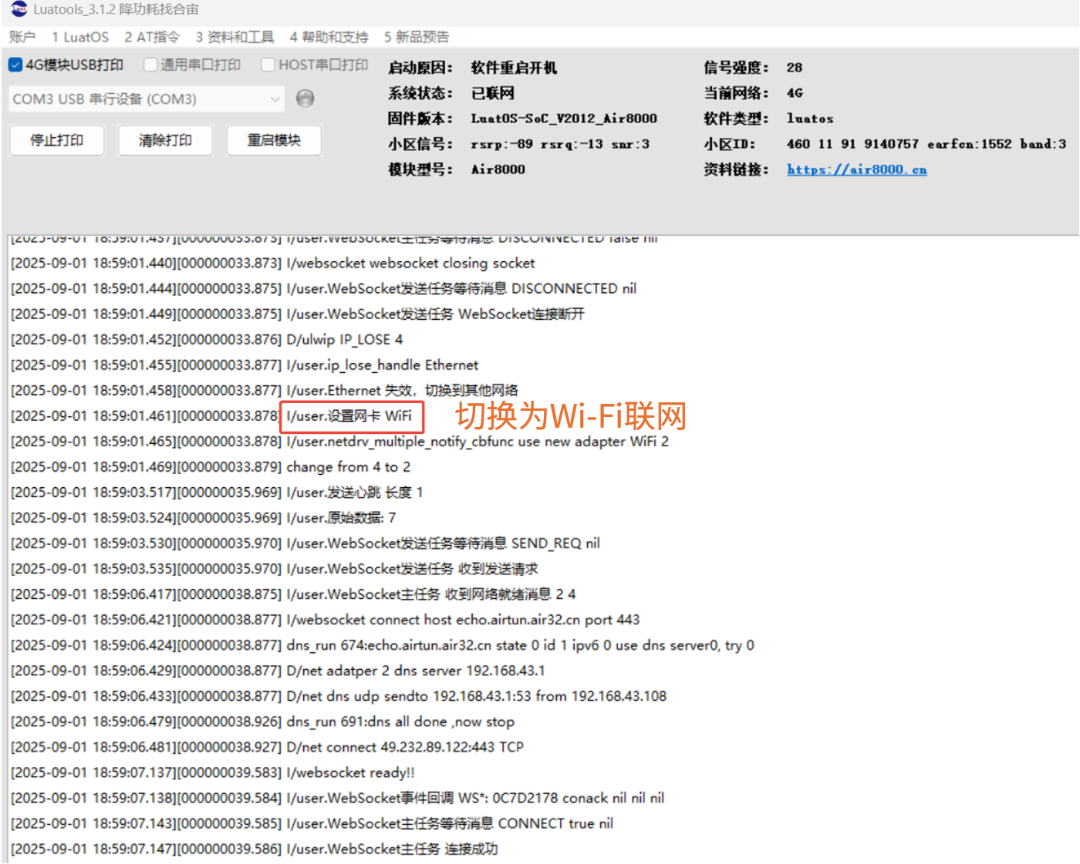
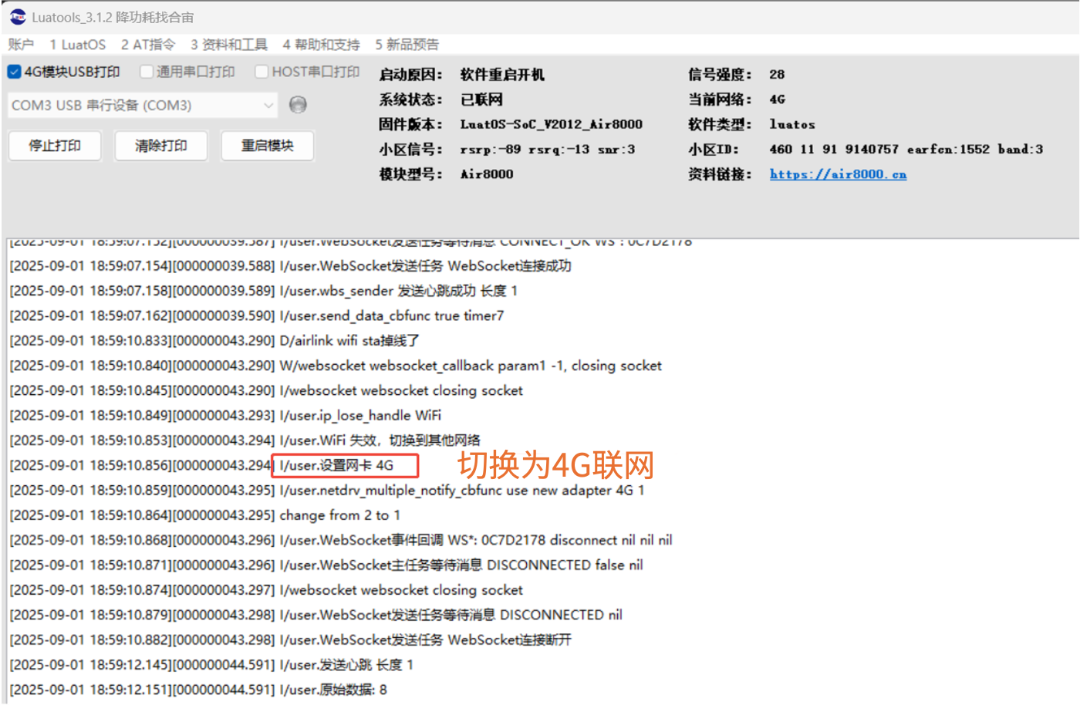
You can adjust the priority of the network cards according to your needs. The following example sets the Ethernet card as the highest priority.
4.2 Check log output
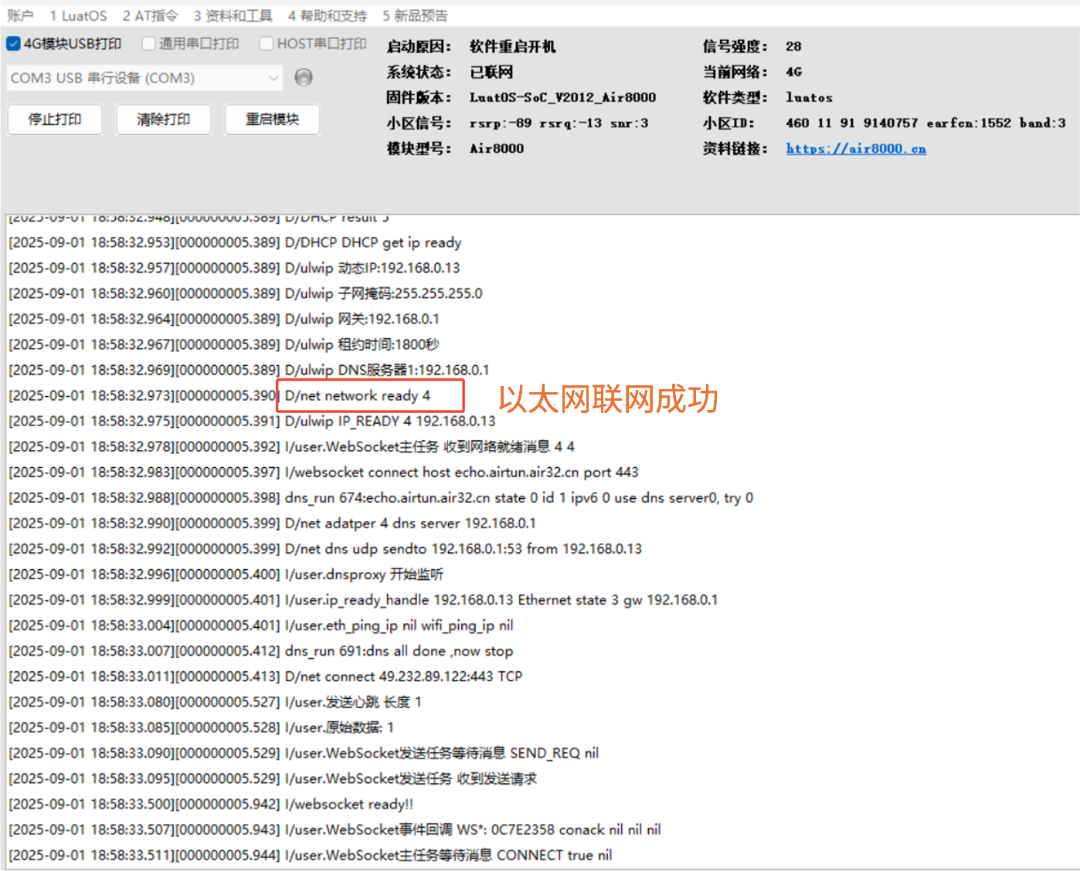
1)Default Ethernet card connection:
2)After unplugging the network cable, the network switches to the Wi-Fi network card:
3)After turning off the connected Wi-Fi hotspot, switch to the 4G network card:

That’s all for today’s content~If you have any questions regarding IoT development selection, feel free to join the technical exchange group or contact the person in charge for discussion.

Air8000 has many functions, continuously unlocking:
Bluetooth functionality is open, supporting the latest BLE 5.4 version
Real-time call functionality allows IoT devices to “hear and speak”
Smart power management solutions based on Air8000
G-sensor motion detection functionality, source code open
SMS functionality: a lifeboat that never sinks in the digital flood
Modbus functionality: supports Modbus RTU/TCP/ASCII
Multi-network integration: [Wi-Fi supply network] function example
Multi-network integration: [Ethernet supply network] function example
3-second rapid positioning, AGPS functionality source code open
For more latest development materials, see Hezong’s resource center:
—— docs.openluat.com