In Linux systems, querying the public IP (outbound IP) is a common network management requirement. This article will introduce three methods to query the public IP using the curl, wget, and dig commands, along with code examples and considerations.
Using the curl Command
By calling third-party IP query services to obtain the public IP, the following concise commands are recommended:
# Basic query
curl ifconfig.me
# or
curl icanhazip.com
# or (JSON format output, includes more information)
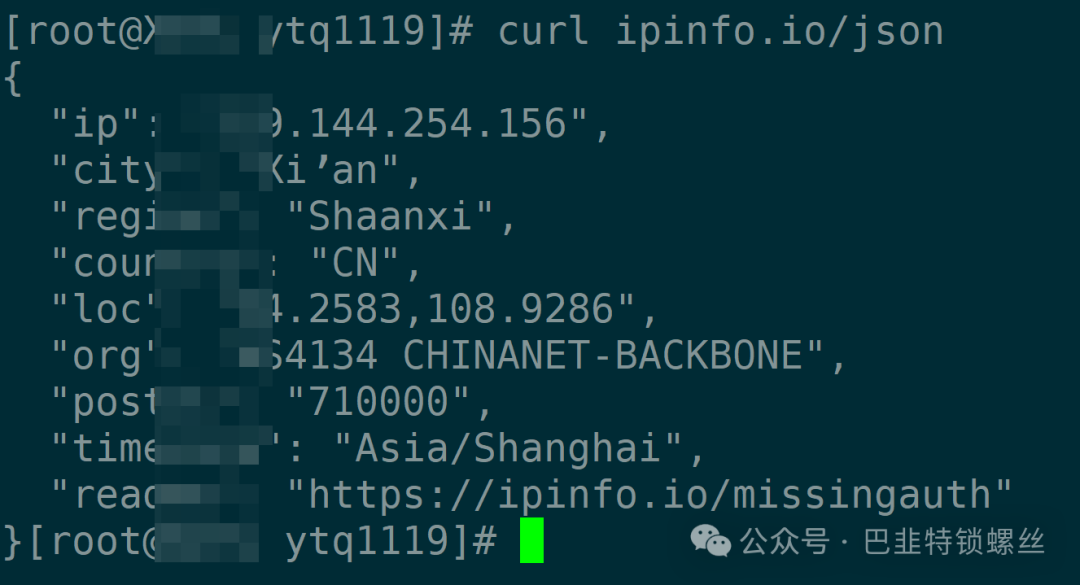
curl ipinfo.io/json
Output Example:
192.0.2.123  # Only IP
# or JSON format
{
  "ip": "192.0.2.123",
  "city": "Beijing",
  "region": "Beijing",
  "country": "CN"
}
Using the wget Command
If curl is not installed on the system, wget can be used as a substitute:
# Basic query
wget -qO- ifconfig.me
# or
wget -qO- http://ipecho.net/plain
Output Example:
192.0.2.123
Using the dig Command (DNS Query)
Querying the IP through OpenDNS’s DNS service:
# DNS query
dig +short myip.opendns.com @resolver1.opendns.com
Output Example:
192.0.2.123
Considerations
- Network Dependency: The above methods require the device to access the internet; in an internal network environment (such as NAT), the router’s public IP will be returned.
- Service Selection: It is recommended to use
<span>ifconfig.me</span>or<span>icanhazip.com</span>, which are fast and stable. - Script Integration: The commands can be embedded in scripts, for example:
PUBLIC_IP=$(curl -s ifconfig.me)
echo "Current public IP: $PUBLIC_IP"
Method Comparison
| Method | Command Example | Applicable Scenarios |
|---|---|---|
| curl | <span>curl ifconfig.me</span> |
Quickly obtain IP |
| wget | <span>wget -qO- ifconfig.me</span> |
No curl environment |
| dig | <span>dig +short myip.opendns.com...</span> |
Scenarios requiring DNS queries |

Copyright Statement: The content of this article comes from the Assassin Blog, following the CC 4.0 BY-SA copyright agreement. The original text and this statement are included. This work is licensed under the Creative Commons Attribution-NonCommercial-NoDerivatives 2.5 China Mainland License. Original link: https://comate.baidu.com/zh/page/quctba2iu69. If there is any infringement, please contact us, and it will be deleted immediately. Special thanks to the original author's creation. All copyrights of this article belong to the original author and are unrelated to this public account. For commercial reprints, please contact the original author; for non-commercial reprints, please indicate the source.