1. Development Software: CubeIDE.2. Hardware Involved: STM32F103C8T6 minimum system board, ST-LINK v2 (STM8 & STM32), USB TO TTL (CH340). As shown below (for reference only):Connection Circuit Diagram:(1) STM32F103C8T6 <—> ST-LINK v2SWCLK <—> SWCLK; SWD <—> SWDIO ;3V3 <—> 3.3V ; GND <—> GND.(2)STM32F103C8T6 <—> USB TO TTLA10 <—> TXD ; A9 <—> RXD;3V3 <—> 3V3 ; GND <—> GND.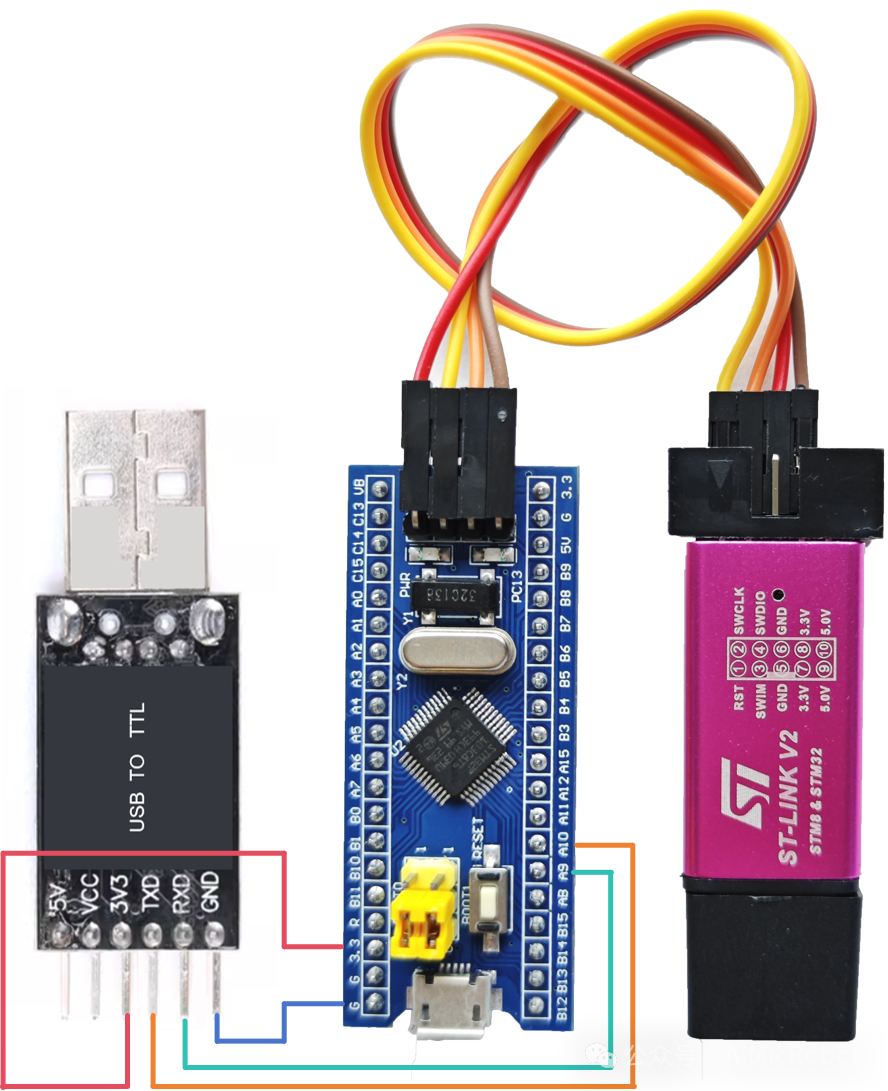 3. The practical steps are as follows:1.Basic Settings. For FreeRTOS settings, refer to the previous article on the steps to port FreeRTOS to STM32F103C8T6. This article focuses on creating tasks, semaphores, and setting up the serial port (USART1) interrupt.2.Serial Port Parameter Configuration. As shown in the figure, set Mode to “Asynchronous”, and the Parameter Setting to default, i.e., baud rate: 115200, 8N1, data length 8 bits, no parity, 1 stop bit. Data direction: both transmit and receive.
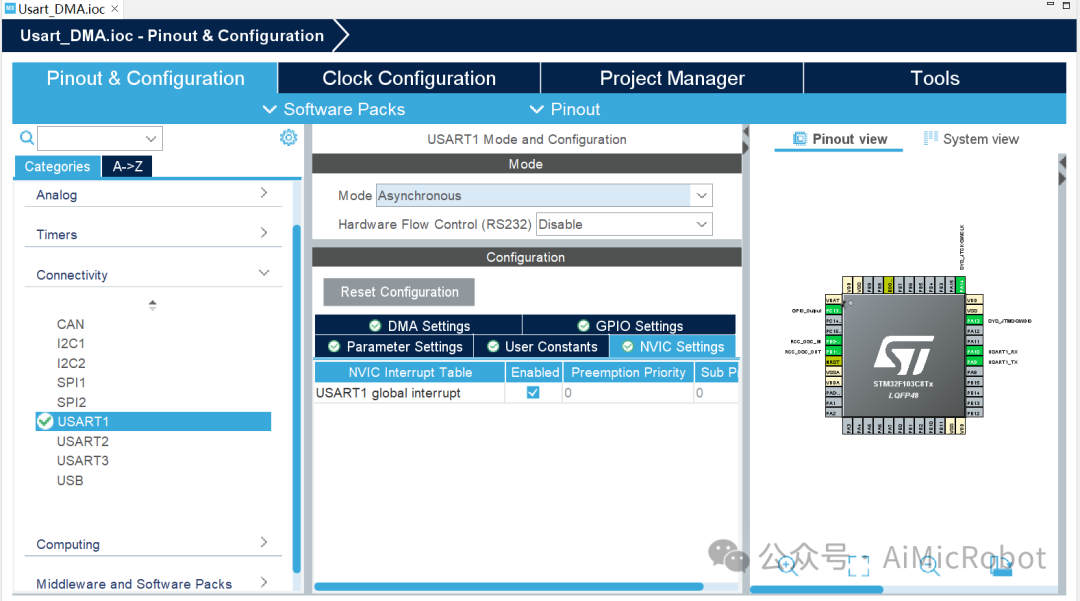
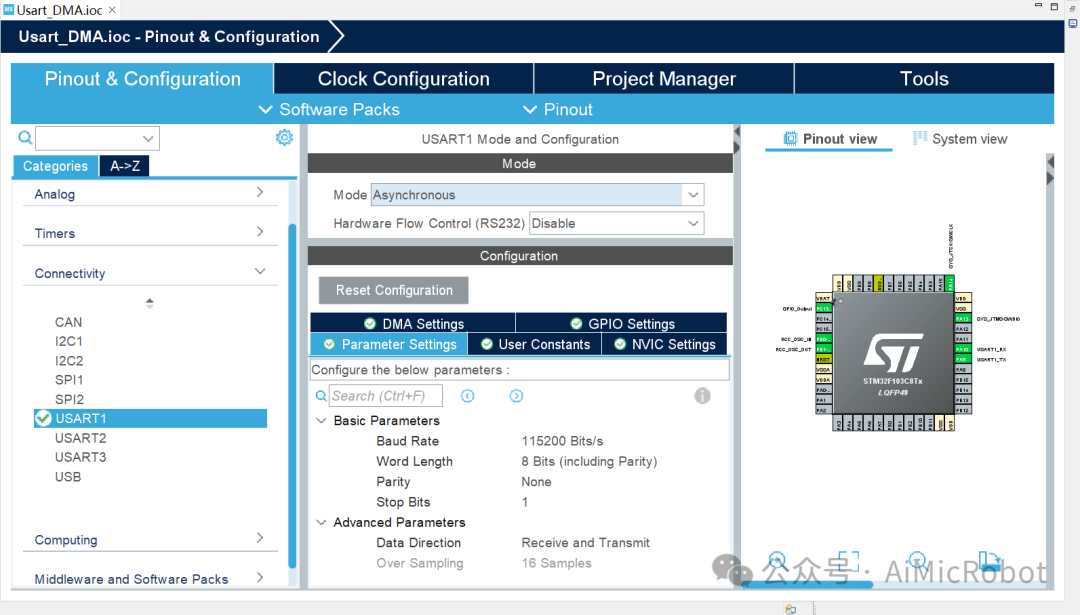 Also enable the serial port interrupt, check “NVIC Setting”, as shown in the figure.
 3.Modify Interrupt Priority. In the “System Core” under “NVIC”, set the priority of the serial port “USART1 global Interrupt” to a Preemption Priority of 5 or higher (this must be set).
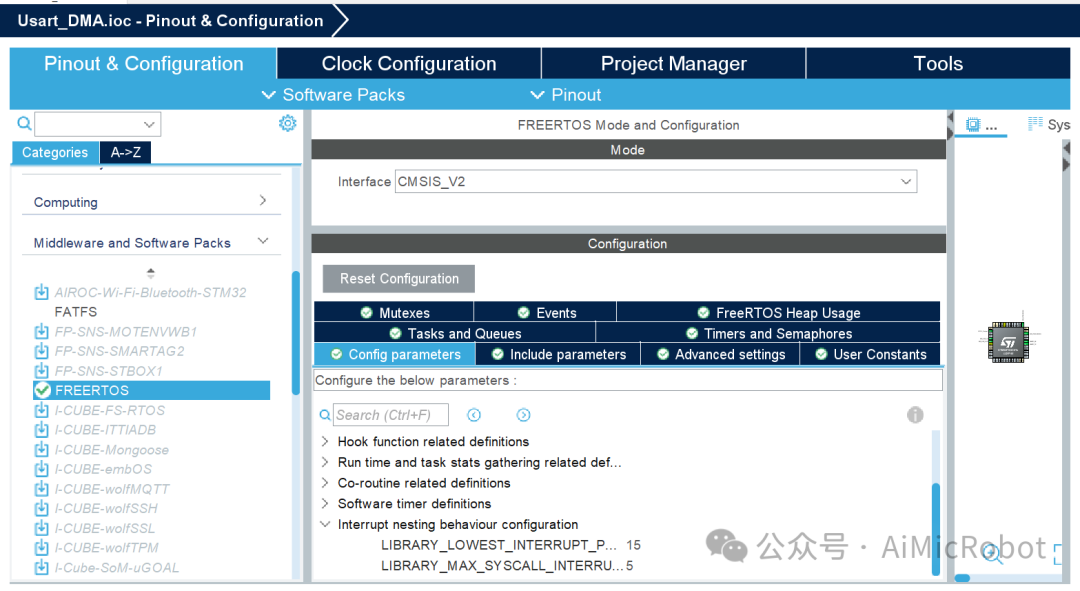
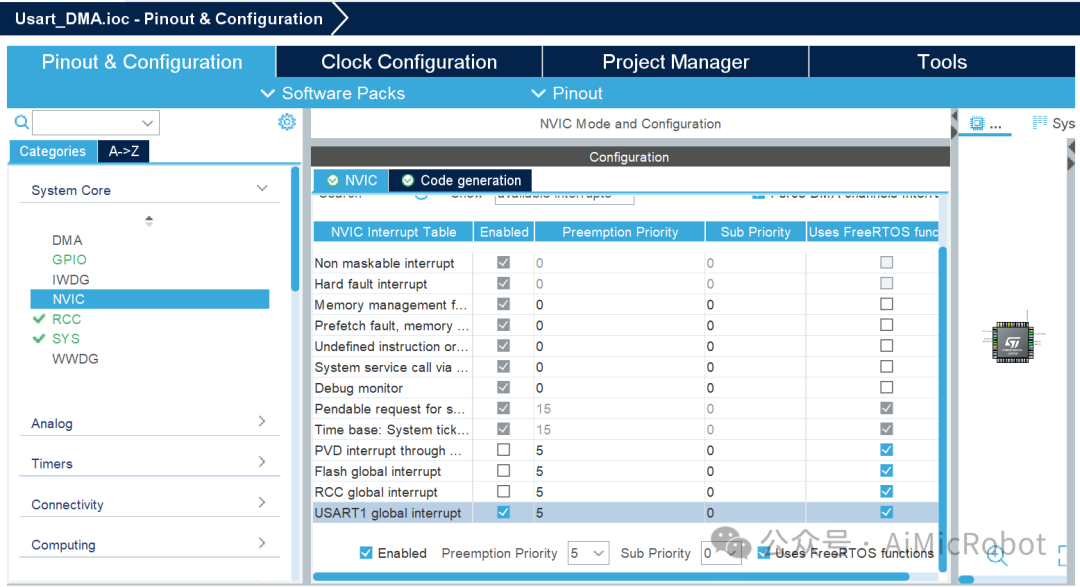 This is because FreeRTOS requires that the priority for calling its API from an interrupt be at least 5, and the value of “LIBRARY_MAX_SYSCALL_INTERRUPT_PRIORITY” is set to 5, which can be modified. See the figure below.
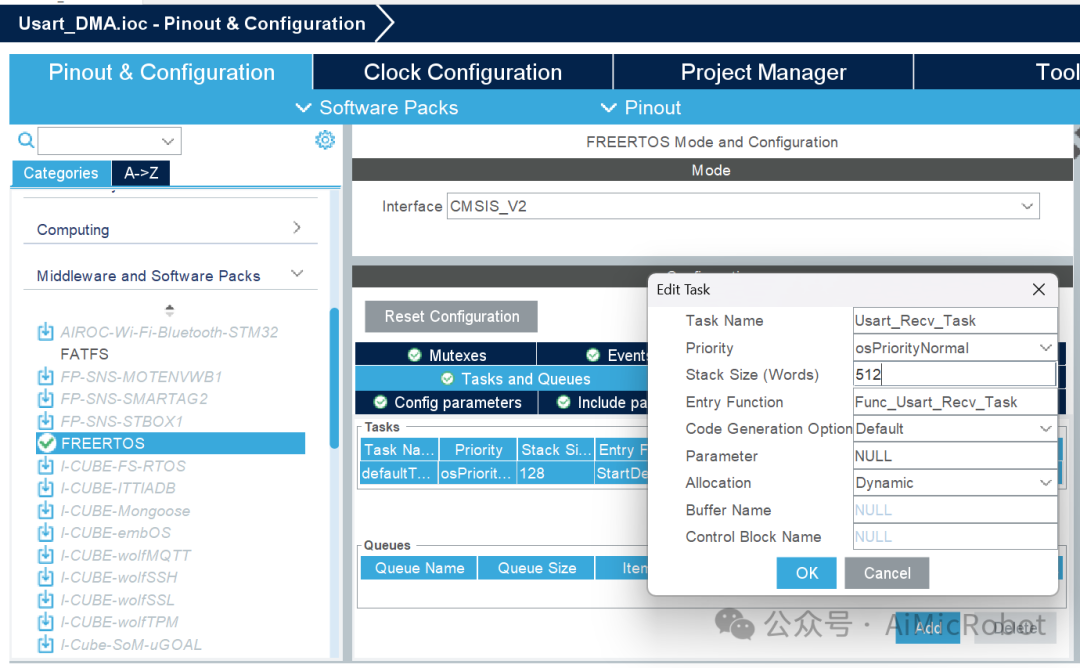
 4.Create Task. Modify the default task as shown in the figure, setting the “Task Name”, “Priority”, “Stack Size”, and “Entry Function”, then click “OK” to create a task with a stack size of 512*4 bytes, with medium priority, for receiving data sent from the serial port.
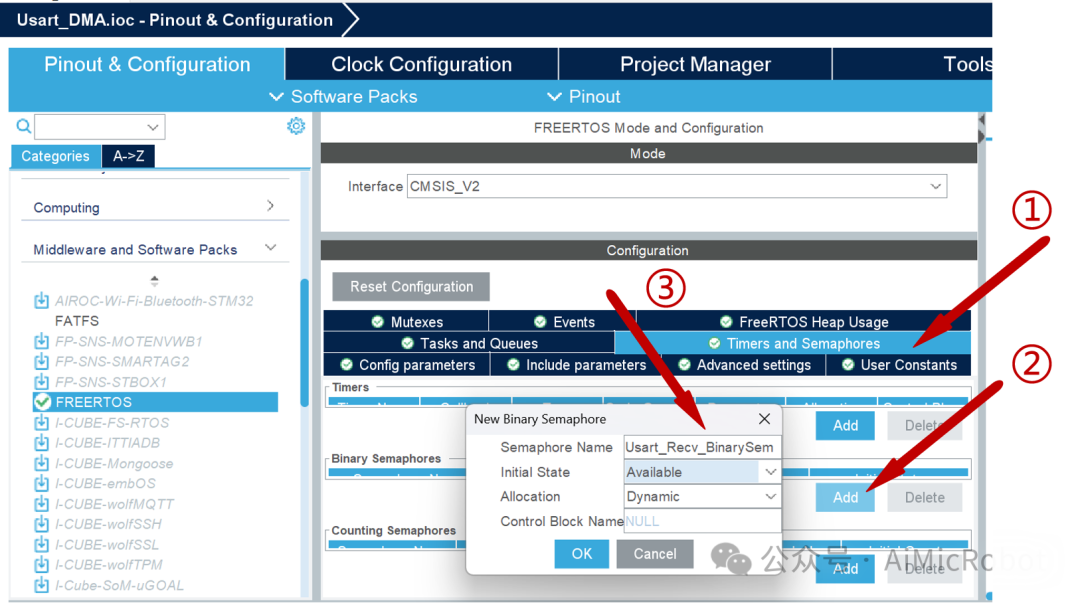
 5.Create Binary Semaphore. In “Timers and Semaphores”, select “Binary Semaphores” and click “Add”. In the pop-up, modify the “Semaphore Name” for the serial port, as shown in the figure, and set the initial state to valid.
 6.Generate Code. Modify the HAL library base time as in step 1, and click
  to generate the code.7.Add Header Files. In the “freertos.c” file, add the header files, as shown in the code and figure below.
#include "semphr.h"
#include "usart.h"
#include "string.h"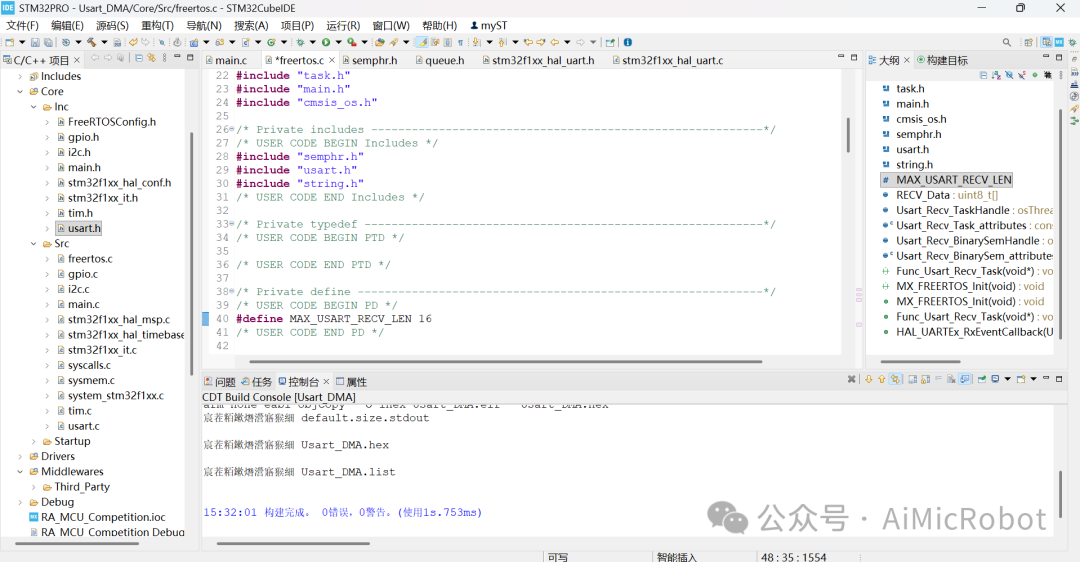 8.Define Serial Port Data Reception Array (Buffer).In the “freertos.c” file, add the code.
/* Private define ------------------------------------------------------------*/
/* USER CODE BEGIN PD */
#define MAX_USART_RECV_LEN 16
/* USER CODE END PD */
/* Private variables ---------------------------------------------------------*/
/* USER CODE BEGIN Variables */
uint8_t RECV_Data[MAX_USART_RECV_LEN] = {0};
/* USER CODE END Variables */9.Serial Port Interrupt Service Function and Data Reception Task Function (Semaphore Driven).In the “freertos.c” file, add the code, find the “Func_Usart_Recv_Task” function and add the following code between “/* USER CODE BEGIN Application */” and “/* USER CODE END Application */” for the interrupt service function. The screenshot is as follows.
/* USER CODE BEGIN Header_Func_Usart_Recv_Task *//** * @brief Function implementing the Usart_Recv_Task thread. * @param argument: Not used * @retval None *//* USER CODE END Header_Func_Usart_Recv_Task */
void Func_Usart_Recv_Task(void *argument) {
/* USER CODE BEGIN Func_Usart_Recv_Task */
HAL_UARTEx_ReceiveToIdle_IT(&huart1, RECV_Data, MAX_USART_RECV_LEN); // Start receiving data (variable length) idle interrupt
/* Infinite loop */
for (;;) {
BaseType_t xSem = xSemaphoreTake( Usart_Recv_BinarySemHandle,portMAX_DELAY ); // Get semaphore
if(xSem == pdTRUE) {
HAL_UART_Transmit(&huart1, RECV_Data, MAX_USART_RECV_LEN,100);// Block send
memset(RECV_Data,0,MAX_USART_RECV_LEN); // Clear reception data buffer
HAL_UARTEx_ReceiveToIdle_IT(&huart1, RECV_Data, MAX_USART_RECV_LEN);// Restart receiving data interrupt
}
}
/* USER CODE END Func_Usart_Recv_Task */
}
/* Private application code --------------------------------------------------*/
/* USER CODE BEGIN Application */
void HAL_UARTEx_RxEventCallback(UART_HandleTypeDef *huart, uint16_t Size) {
if (huart->Instance == USART1) {
if(Size>0) {
BaseType_t xHigherPriorityTaskWoken = pdFALSE;
xSemaphoreGiveFromISR( Usart_Recv_BinarySemHandle, &xHigherPriorityTaskWoken );// Release semaphore
portYIELD_FROM_ISR( xHigherPriorityTaskWoken ); // Automatically request context switch based on priority
}
}
}
/* USER CODE END Application */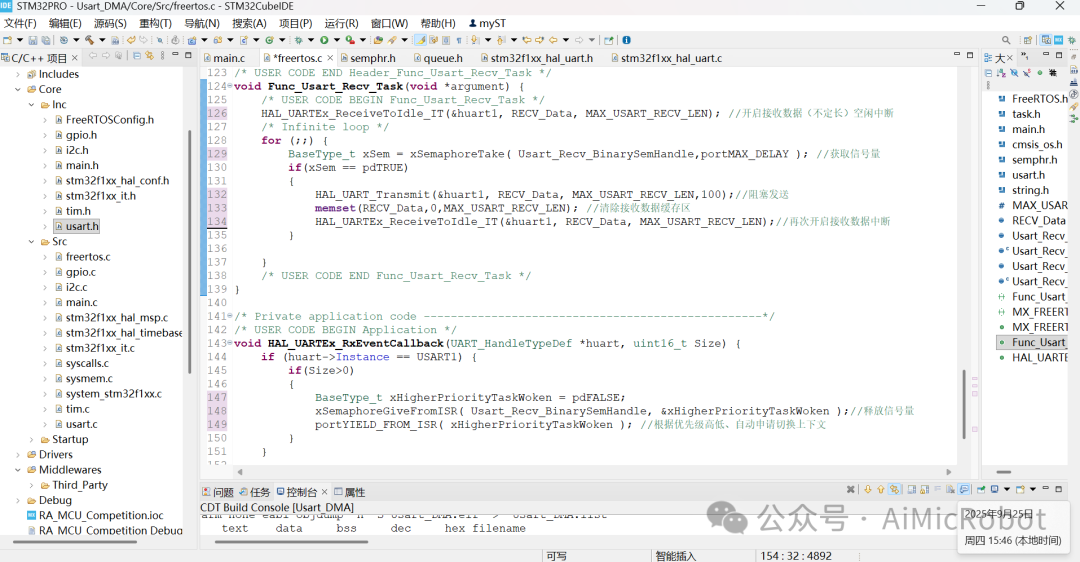 Note: The logic for using binary semaphores is that this article uses serial port interrupts, hence the Give function calls the interrupt API.
 10.Debugging Test Function. Click compile
  . After no errors, click
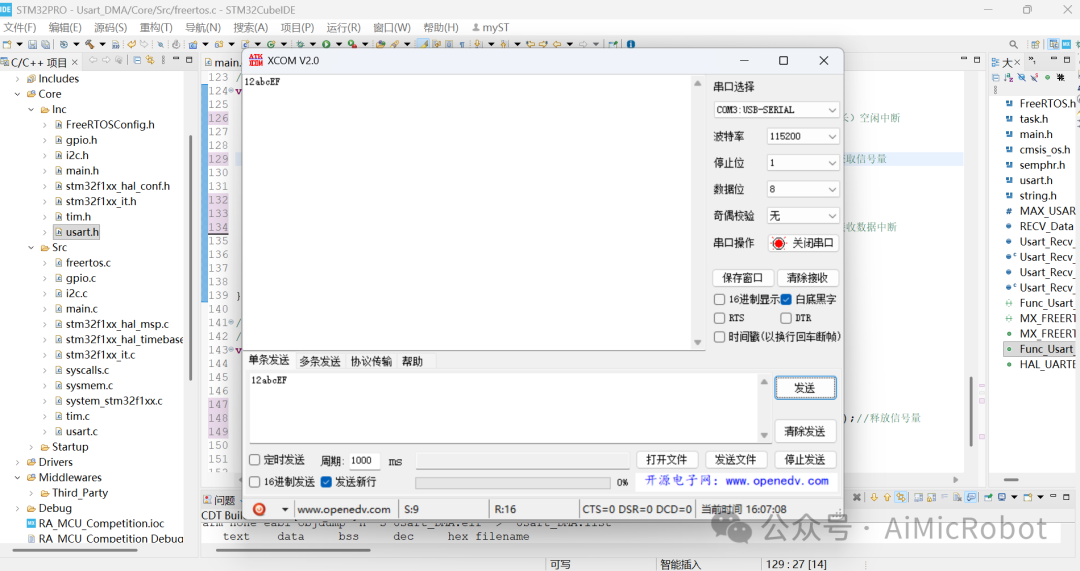
  to download to the STM32F103C8T6 microcontroller (ST-LINKv2 debugging), using a serial debugging assistant for testing data transmission, as shown in the figure.
 Thus, the task is complete./*————————-The followingis an advertisement——————————-*/
Please open in the WeChat client