Video Recommendation





In the previous issue, we discussed the EtherCAT configuration capabilities of the AWStudio Motion Control version. In this issue, we will focus on its powerful diagnostic and monitoring tools, examining how it helps developers grasp network status in real-time and quickly locate issues.
 AWStudio Motion Control VersionAWStudio Motion Control version provides real-time monitoring capabilities, allowing real-time display of the EtherCAT network’s operational status, including the communication status of slave devices and data exchange conditions. This helps developers promptly identify and resolve potential issues within the network. The built-in fault diagnosis tool can automatically detect and report errors and anomalies in the network, making this diagnostic information crucial for quickly pinpointing the root cause of problems and taking appropriate measures.1. Online Monitoring OperationThe online monitoring function can monitor the activated EtherCAT master station and can also be monitored after “downloading and restarting the master station” through the AWStudio Motion Control software. Right-click on the master station node and select “Online Monitoring” to enter monitoring mode. In monitoring mode, several pages that are only available in monitoring mode will be added, including status, statistics, etc.
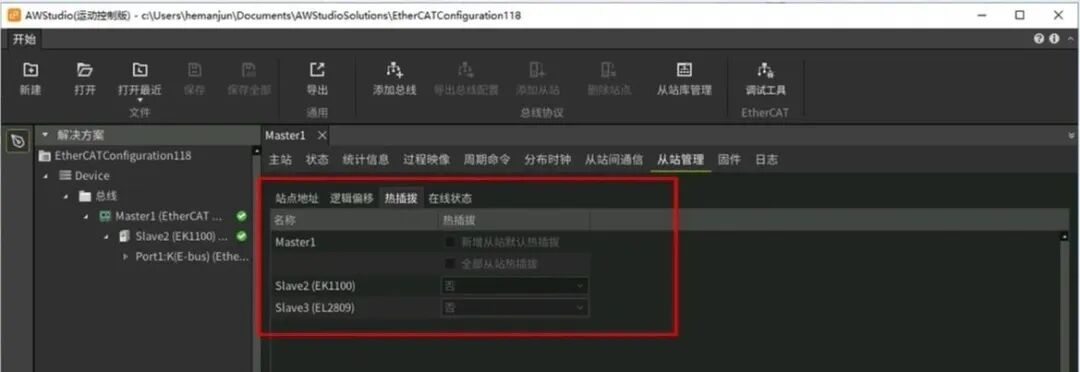
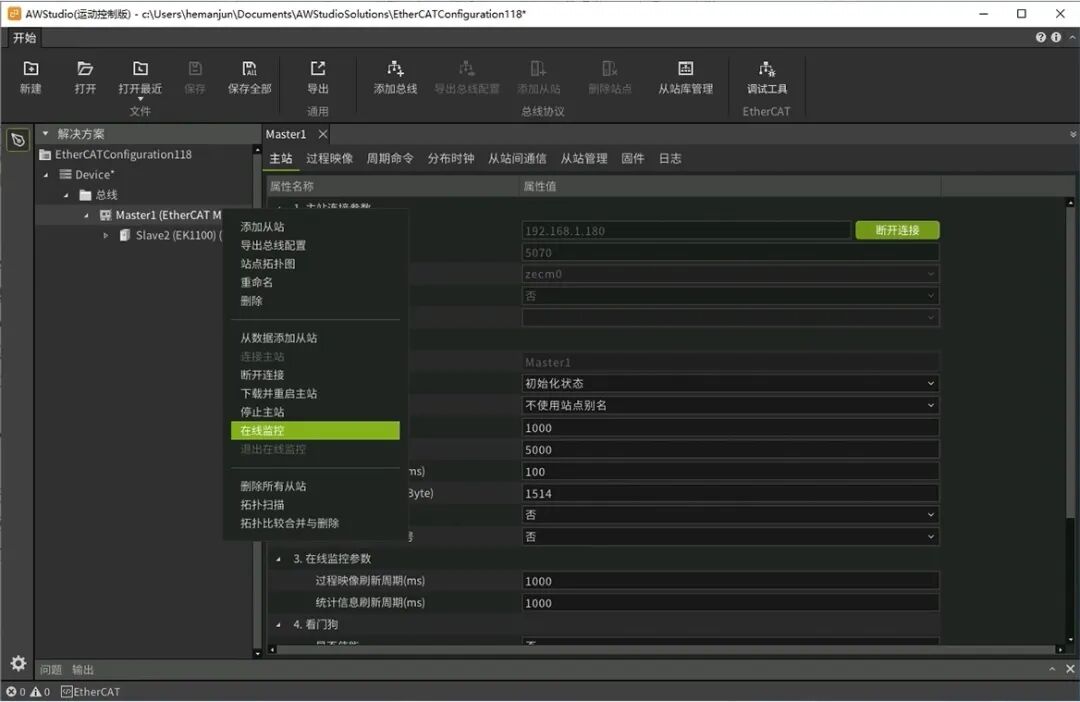 2. Information Overview PageThe information overview page provides rich online monitoring functions and diagnostic information, divided into two parts:
- Master-Slave Configuration: Includes hot-swappable configuration and slave process data configuration.
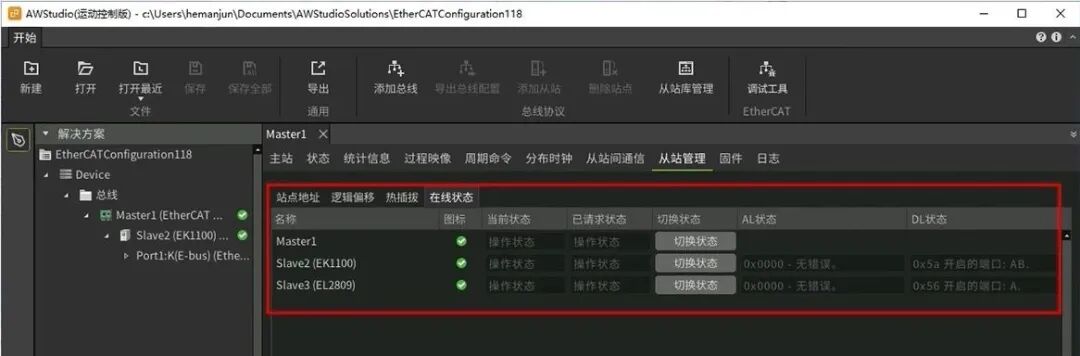
- Real-Time Status of EtherCAT Network: Includes the state of the EtherCAT state machine for master and slave stations, as well as the AL and DL states of the slave. The master station status page allows viewing and switching the state machine of the master station, viewing diagnostic prompts, and network status.
3. Statistics Information PageThe statistics information page mainly contains Ethernet statistics and master station statistics, allowing monitoring of the network status of Ethernet and the packet loss situation of the master station. Specific statistics include: frame rate, packet send/receive statistics, byte send/receive statistics, error count statistics, and packet loss statistics.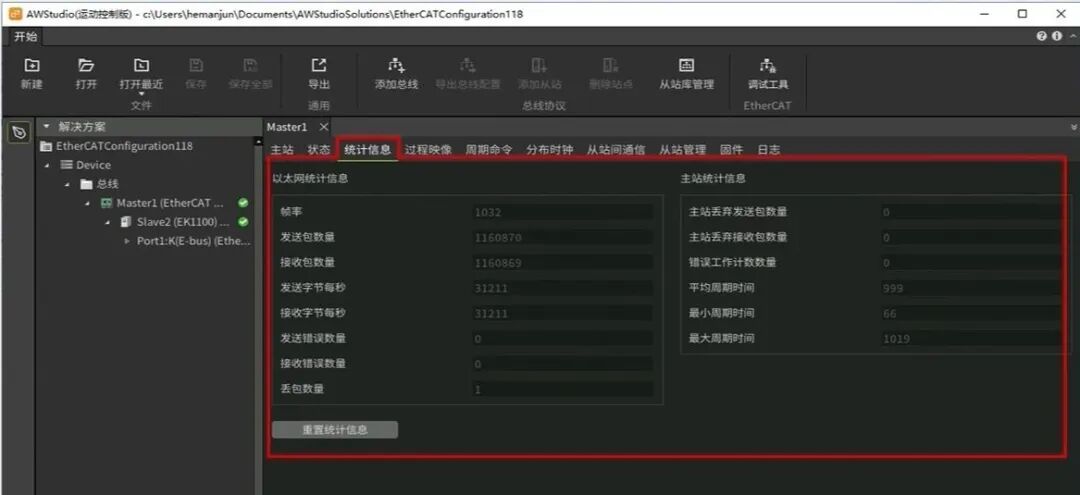 4. Process Image InterfaceAfter entering online monitoring mode, the process image interface allows viewing real-time PDO data and manually modifying data. In the input/output variables, right-click on the variable you want to modify to manually set the value, or right-click to cancel the manual setting.
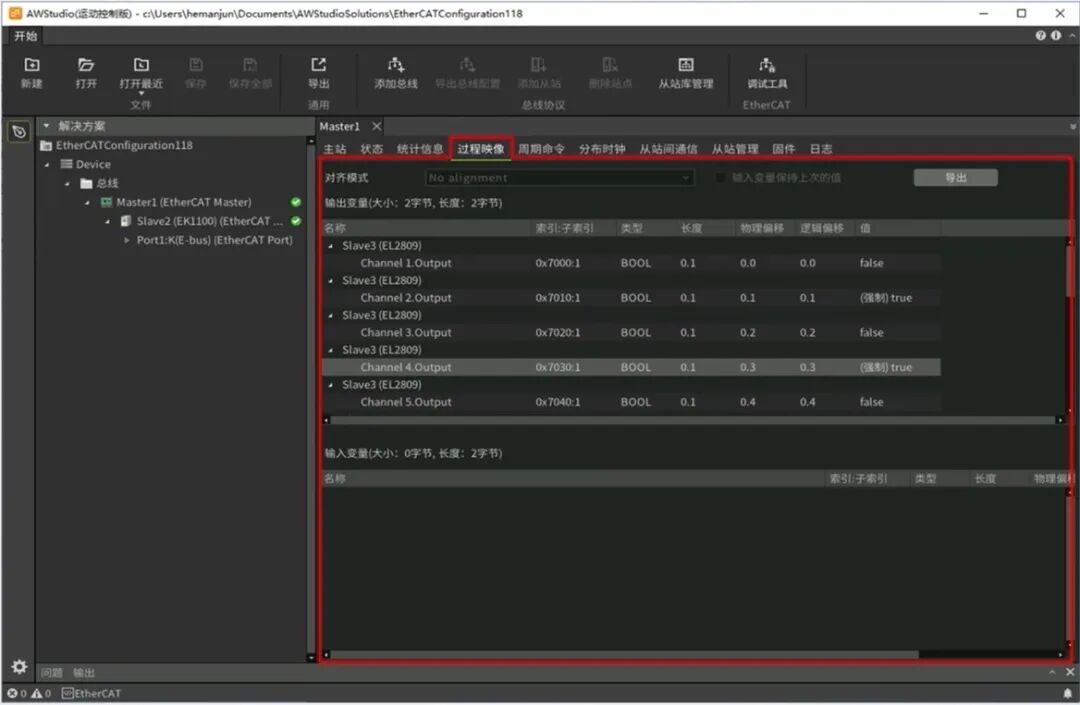 5. Device Operation LogAfter connecting to the master station, the device operation log page can list the log records of the current board and supports saving the log records in the buffer to a file. This helps developers quickly trace and analyze issues when they arise.
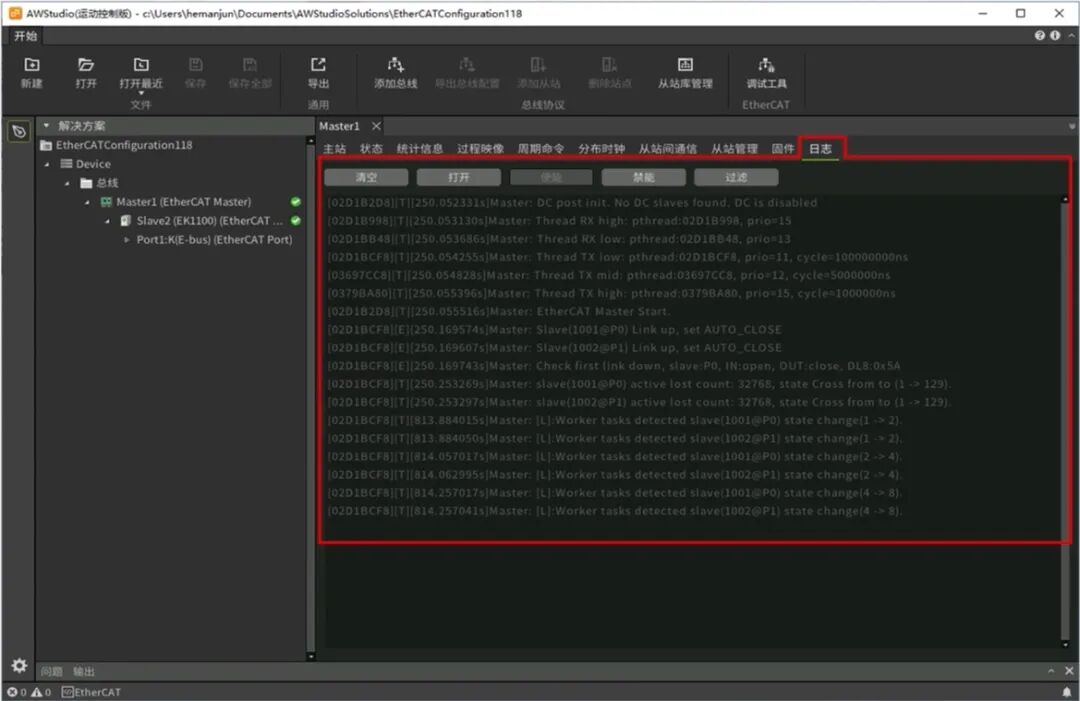 6. Slave Online Status PageThe slave online status page requires the master station to be started first. The online status page allows viewing the operational status of the slave and the DL and AL status codes. When a fault occurs in the slave, the master station can read the fault code from the slave and print it in the AWStudio Motion Control version, allowing users to quickly locate the cause of the fault based on the fault code.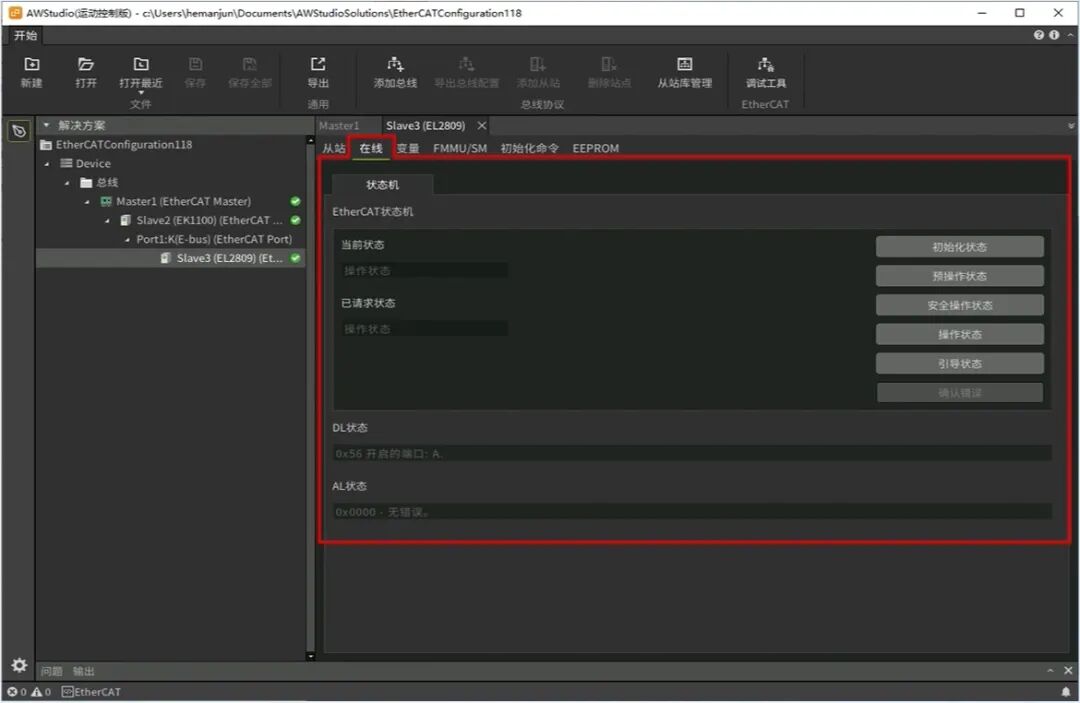
 ConclusionAWStudio Motion Control version, with its powerful real-time monitoring and diagnostic tools, provides developers with an efficient and convenient EtherCAT network management platform. Whether it is real-time monitoring of network status or quickly locating and resolving faults, AWStudio can handle it with ease.If you have any questions or suggestions regarding the AWStudio Motion Control version, feel free to leave a comment for discussion.
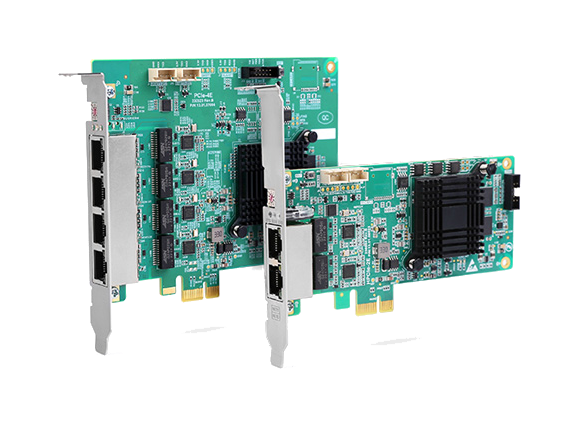 |
PCIe EtherCAT Communication Card |
Long press to purchase |