1
Development Environment
Hardware:
● AC920-MPSOC Development Board
● XiaoMei OV5647 Camera
Linux Version: Linux 6.6.40
Petalinux Version: Petalinux 2024.2
During the development process of embedded Linux, we often use GStreamer to quickly verify video capture and display functionality. Recently, on an MPSoC development board, I attempted to directly display the image captured by the camera on a DP monitor using the following command:

After running, the DP monitor went black for a moment and then returned to the terminal interface.
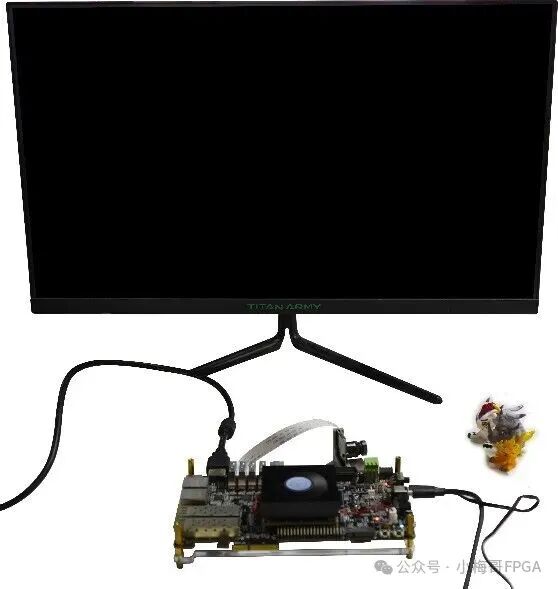
This phenomenon at least indicates one thing—gst-launch-1.0 is indeed functioning, and the content of the DP monitor has been taken over. But why did it ultimately fail to maintain the video image and instead flash a black screen before returning to the command line? Where did the problem lie?
1
Analysis
When encountering a black screen, the first reaction is: Is the video pipeline itself not truly connected? In the Linux video subsystem, Xilinx’s MIPI/ISP/framebuffer modules are registered as entities under the Media Controller framework. If the link is not established, even if the application layer can access /dev/video0, it may not be able to obtain the actual image.
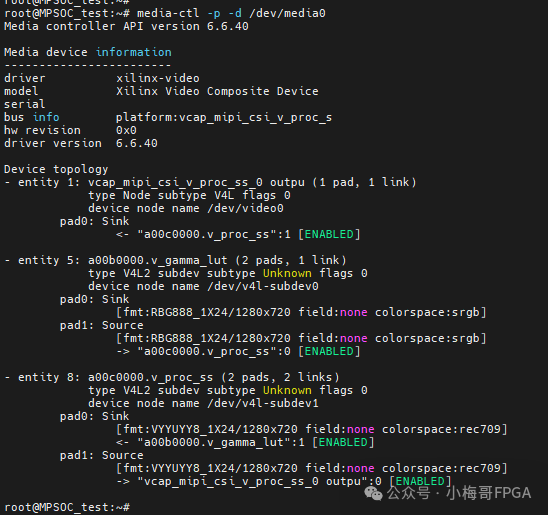
Thus, I thought of a commonly used troubleshooting tool—media-ctl. It can print the complete topology of the current media device, intuitively telling us which modules have been recognized by the driver and whether links between pads have truly been established.
As shown in the figure below, after entering the command, it prints the complete topology structure corresponding to /dev/media0; media-ctl successfully printed the device tree topology information for the xilinx-video driver, listing the connection relationships of modules such as gamma_lut, v_proc_ss, and output video nodes.
2
Incomplete Topology
From the output of media-ctl, the kernel has indeed recognized some video processing modules, and the link can be successfully established. However, the problem is that this link is too “short”: it only includes Gamma LUT → Video Processing Subsystem → Output, while the expected CSI-2 receiver (MIPI CSI-RX) and downstream ISP modules (such as Demosaic) are completely missing.
This means what? At least two possibilities:
(1) The device tree was not fully generated or was overwritten
During compilation, the pl.dtsi is automatically generated based on the XSA exported from Vivado, which should include nodes for CSI-RX and ISP. If these nodes are missing, the media controller will not register the corresponding entity, and naturally, it will not be visible in the topology.
(2) The driver module did not load successfully
Even if the nodes exist, due to reasons such as the driver not being bound, clock or reset not being released, the entity is not registered to the media framework, resulting in it being “invisible”.
3
Check the Device Tree and Vivado Project
So I returned to the kernel source project and recompiled the device tree. The compilation process showed no error messages.
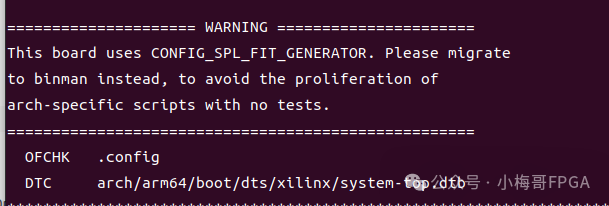
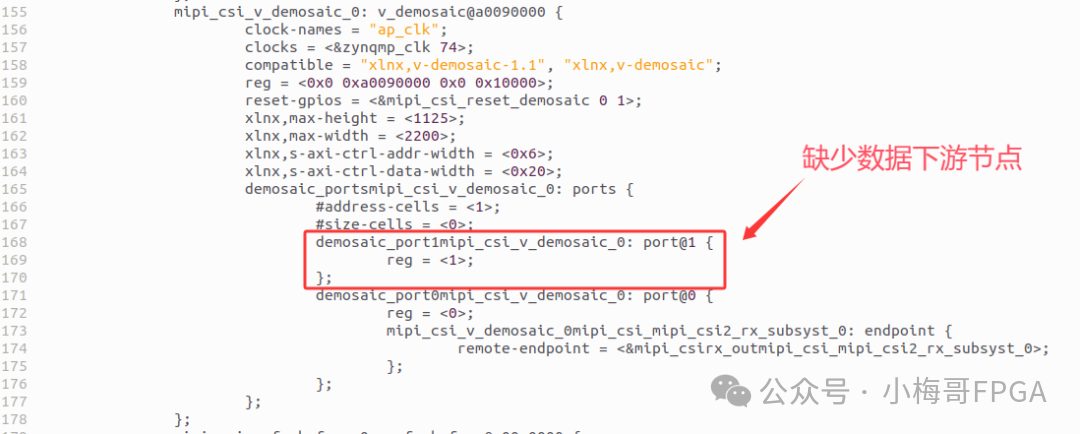
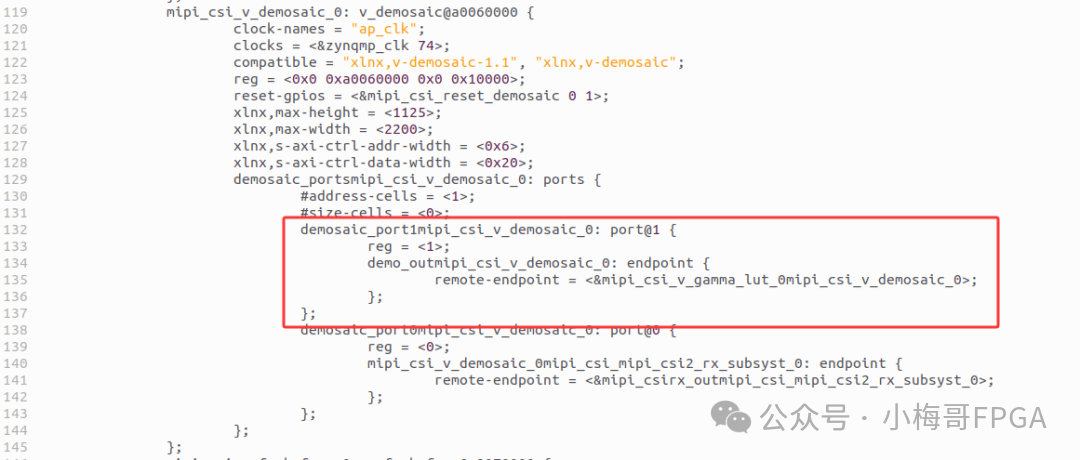
Ok, now open the pl.dtsi file, and indeed find a big pit; there are no generated downstream nodes; specifically, the upstream of v_gamma_lut_0 and the downstream of v_demosaic_0 are missing.
Returning to Vivado, I checked the logic design part of the Vivado project, and I could see that the link is from mipi_csi2_rx_subsyst_0 → v_demosaic_0 → axis_subset_converter_0 → v_gamma_lut_0 → v_proc_ss_0 → v_frmbuf_wr_0
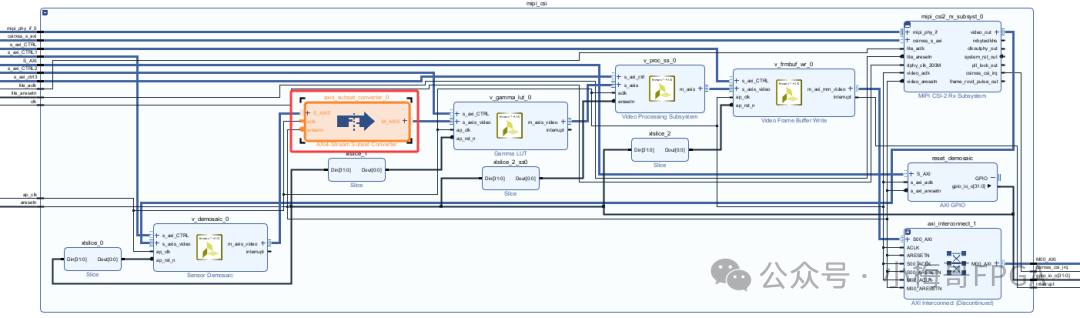
In theory, during compilation, the media graph’s ports/endpoints should be automatically generated based on the connections in the Vivado Block Design, completing the upstream and downstream link without the need to manually add nodes.
4
Locating the Cause and Solution
Upon reflection, the only variable was that I had added an axis_subset_converter_0 between v_demosaic_0 and v_gamma_lut_0. The intention of adding this IP was to convert 4 bytes to 3 bytes and adjust the R/G/B component positions. If it involves data transmission disassembly/assembly, the properties of the Vivado IP core and driver description may change, leading to incomplete automatically generated endpoints (speculation).
Combined with the fact that “there were no errors during device tree compilation, and the driver used is also the official driver”, it can be basically locked down: it is not a compilation error, but rather the automatic generation logic cannot recognize special IPs like axis_subset_converter inserted in the link, resulting in incomplete media graph information in pl.dtsi.
Thus, I removed the axis_subset_converter_0 IP between v_demosaic_0 and v_gamma_lut_0 from the Vivado project, retaining the most basic link structure. Then I re-synthesized, implemented, and exported a new XSA file, which was then copied back to the PetaLinux project.
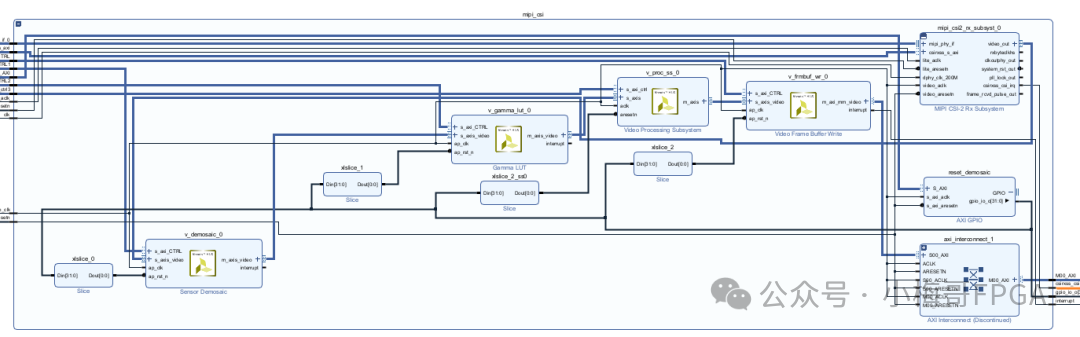
After executing the device tree compilation again, indeed the media graph information in pl.dtsi returned to normal, and the missing downstream of v_demosaic_0 and upstream of v_gamma_lut_0 endpoints were automatically generated.
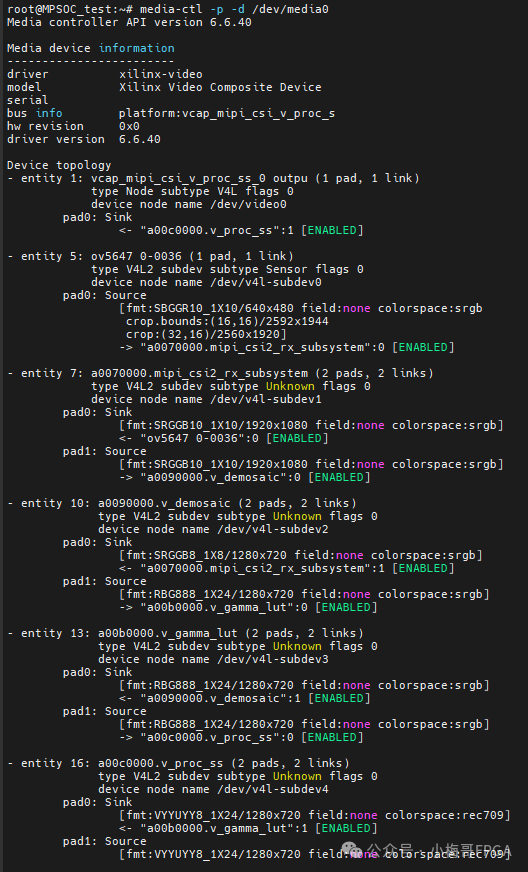
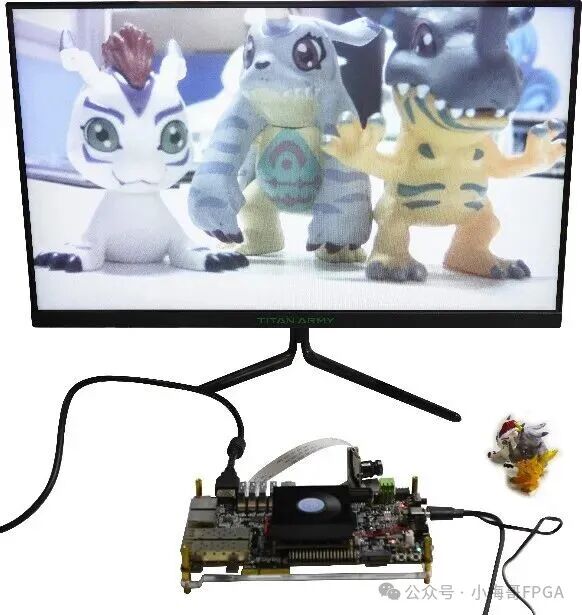
As shown in the figure below, I then reloaded the new image on the development board and executed the previous camera display command: this time, the screen no longer flashed a black screen but successfully displayed the real-time image captured by the camera, and the entire video pipeline finally worked normally.
5
Summary
The root cause of the black screen in this case was the missing segment in the media-ctl topology: the axis_subset_converter was inserted between v_demosaic and v_gamma_lut in Vivado, and the automatically generated media graph failed to recognize this “interfering” IP, leading to a broken link in pl.dtsi. By removing this IP and maintaining the standard link (CSI-RX → demosaic → gamma → v_proc_ss → frmbuf), regenerating the XSA and device tree, the media graph endpoints were restored, and the video pipeline was established, allowing the camera image to be displayed normally.
Key Takeaways:
-
When encountering a black screen, first check the media-ctl topology to confirm whether the entity and link are complete.
-
When nodes are missing in pl.dtsi, check whether the Vivado Block Design and generation logic are consistent, especially for “intermediate conversion” IPs in the link.
-
Keeping the basic link simple can significantly reduce the probability of errors in automatic driver generation.