Source: ZTE Documentation
Original Author: ZTE Documentation
Is your home Wi-Fi signal fluctuating? It’s not that your router is underperforming; rather, you may not fully understand the “movement logic” of electromagnetic waves in your home.When you’re streaming videos smoothly in the living room, but your phone shows only one bar of Wi-Fi signal as soon as you enter the bedroom, don’t blame the router. The issue lies in your understanding of Wi-Fi signals. Today, we will discuss this modern household “pain point” that you might not be aware of.
What is Wi-Fi Signal?
The Wi-Fi signal emitted by the router is essentially a type of electromagnetic wave, akin to mobile signals, visible light, and microwaves.A core characteristic of electromagnetic waves is that they primarily propagate in a straight line within the same medium (like air). They do not actively navigate around obstacles like water or a cat.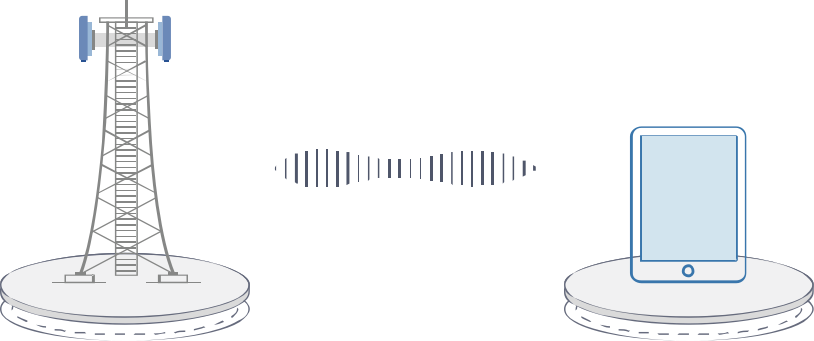
2.4GHz or 5GHz?
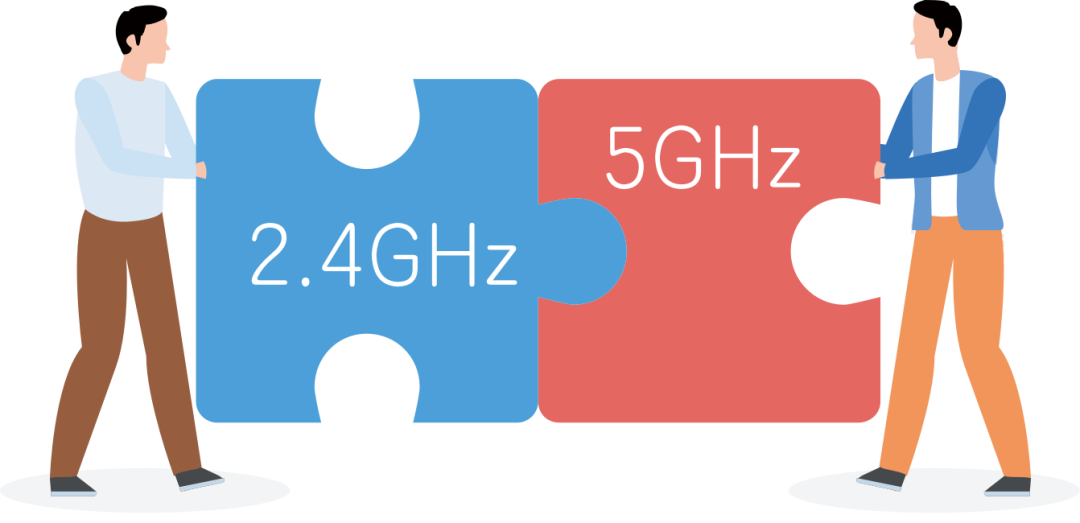
Wi-Fi primarily operates on two frequency bands: 2.4GHz and 5GHz.
Is it true that the higher the frequency, the better the wall penetration? This is a common misconception! In fact, the opposite is true:
The higher the frequency, the shorter the wavelength, leading to greater energy attenuation (loss) when penetrating obstacles, meaning weaker “wall penetration capability”.
-
2.4GHz: Think of it as throwing a large stone into water, creating long-wavelength, low-frequency ripples. These ripples are larger and can travel further, making it easier to bypass obstacles.
-
5GHz: This is like throwing a small stone into water, producing shorter-wavelength, higher-frequency ripples. These ripples are denser, can carry more information (faster speeds), but attenuate quickly, resulting in a shorter transmission distance and poorer ability to bypass obstacles. Therefore, after passing through a wall, the signal strength may drop significantly.
Thus, when you are far from the router or behind a wall, your phone is likely connected to the 2.4GHz band.
Who are the Real Signal Killers??
“Walls” are the real signal killers! Wi-Fi signals do not penetrate walls like ghosts; they hit them like a sound-absorbing barrier.
Wall Material
The material of the wall is crucial, as different materials have varying impacts on signals.
-
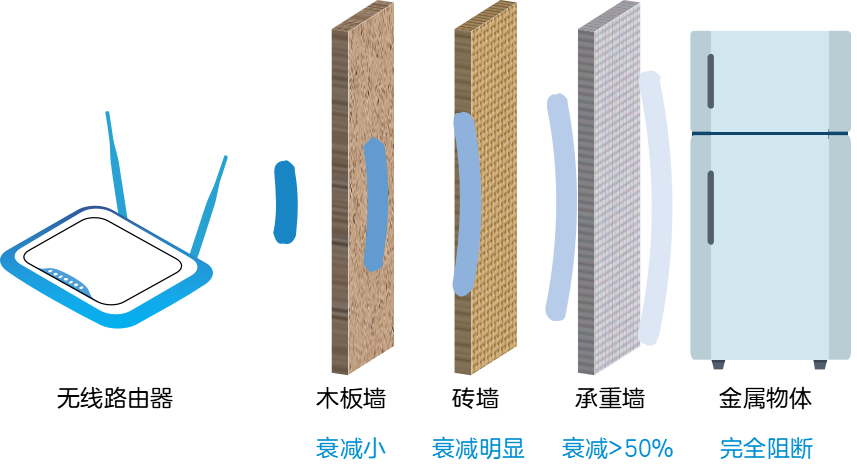
Load-bearing walls (concrete + steel): These are considered “Wi-Fi killers”; the internal steel mesh reflects signals like a mirror, while concrete absorbs a significant amount of signal energy, leading to over 50% signal attenuation!
-
Metal objects: Such as refrigerators and metal cabinets, can almost completely block signals.
-
Ordinary brick walls and wooden walls: These have relatively minor effects but can still cause noticeable attenuation.
Wall Thickness
The thicker the wall, the harder it is for the signal to “break through”.
Therefore, even though the living room where the router is placed is only separated from the bedroom by one wall, that wall can be as challenging for weak Wi-Fi signals as a small mountain.
How Does Wi-Fi Signal “Curve to Save the Day”?
Since straight-line propagation is blocked by walls, how can we still access the internet in most rooms? This is because Wi-Fi signals have their own set of “fancy maneuvers” when encountering obstacles.We can imagine a calm pool of water; when we throw a stone into the center, concentric ripples spread outward.
Reflection
When the ripples encounter a solid, straight dam that is much larger than the wavelength, they do not “climb” the dam but instead “turn back”, reflecting along the incoming direction and forming a new ripple that propagates toward the center. This is similar to how waves behave at the boundary of different media, where energy cannot pass through and most is reflected back.
Diffraction
When ripples meet an obstacle but there is a narrow gap (with a width close to or smaller than the wavelength), although most of the ripples are blocked, the portion that passes through the gap will regenerate concentric semicircular ripples centered on the gap, continuing to propagate into the water behind the gap, as if the gap has become a new “source of vibration”. This is one of the unique properties of waves. When waves encounter the edge of an obstacle or a small hole, they change direction and wrap around the obstacle to continue propagating. The smaller the gap, the more pronounced the diffraction phenomenon, resulting in more perfect semicircular ripples.When ripples encounter a “small island” obstacle (like a stake in the water), they will calmly “go around” the stake, and behind it, the ripples continue to propagate almost unaffected, as if the stake does not exist. The smaller the obstacle, the easier it is for the wave to diffract and “ignore” it.The signal you receive has arrived at your phone through these “twists and turns”, naturally resulting in a significant reduction in strength. Areas like bathrooms and storage rooms, which are “architectural dead zones”, make it even harder for signals to reach due to their complex paths.
How to Improve Wi-Fi Signal at Home??
Now that we understand the principles, we can take targeted measures:
First Choice
Place the router in a “central position”:
Try to position the router in a central, open, and elevated location in the house. Avoid corners, weak electrical boxes, inside cabinets, and near refrigerators, microwaves, or load-bearing walls.
Upgrade
Consider a Mesh distributed router:
For large homes or multi-story villas, this is currently the best solution. By placing multiple nodes like building blocks, they can intelligently form a network, achieving seamless roaming throughout the house and completely eliminating signal dead zones.
Check
Replace old routers:
If your router has been in use for five to six years, its technology may be outdated. Upgrading to a new router that supports Wi-Fi 6 will result in a significant leap in signal coverage and stability.
Utilize
Make use of existing router features:
Enable the “dual-band integration” feature, allowing devices to automatically switch between 2.4GHz (wide coverage) and 5GHz (fast speed).
Conclusion
The small Wi-Fi signal hides interesting scientific principles. Next time you encounter poor signal, don’t just restart the router; try moving it to the “central position” in your home, and you might be pleasantly surprised!
Share this with family and friends to say goodbye to Wi-Fi dead zones together!
END
This content represents the author’s views only
It does not represent the position of the Semiconductor Research Institute of the Chinese Academy of Sciences
Editor: Luc
Responsible Editor: Catnip
Submission Email: [email protected]
Previous Recommendations
1. The biggest pain point of Wi-Fi has finally been resolved by Wi-Fi 7…
2. Wi-Fi 7 is quietly arriving
3. 20 years of Wi-Fi technology evolution
4. A comprehensive guide to understanding Wi-Fi 6
5. Is Wi-Fi 6 router a standard for the 5G era?
6. Hey, why is my Wi-Fi down again???