 On a morning in 2024, a young developer types a command on a brand new Linux laptop:
 docker run -d -p 80:80 nginx. Even though his system is empty, and he doesn’t even know what the dependencies for Nginx are, a web server is quietly running in the background just seconds later.This scene seems ordinary today, but to hackers thirty years ago, it was akin to magic.The history of Linux software distribution is not merely about the evolution of tools; it is a grand history of the “struggle against complexity.” Over these thirty years, we have witnessed a shift in power: from giving complete control to programmers, to ceding it to package managers for efficiency, and finally locking it within containers for stability.Interestingly, history seems to have come full circle. From the initial “fully static compilation (bundling all code)” to later “dynamic linking (sharing system libraries)” and now to container technology’s “bundled runtime environment,” we appear to have returned to the starting point. But this is not a simple repetition; it is a spiral ascent at a higher dimension.This article will take you deep into the texture of this history, retracing the evolution from “handcrafted workshops” to “industrial assembly lines” and then to “prefabricated modular construction.”  Chapter 1: The Primitive Era and Alchemy (1991 – 1993)
 Keywords: Source Code, Tarball, Makefile, The Art of Linking1.1 The “Treasure Hunt” Before the InternetIn 1991, when the Linux kernel was just born, there was no such thing as a “distribution.” Linux was merely a kernel, and users had to find tools originally written for Unix or Minix (like Bash, GCC, Emacs) to build their own operating systems.At that time, there was no GitHub, no Google. To get software, programmers had to become “network explorers.” They mingled in Usenet newsgroups (like comp.os.linux.announce), capturing the threads of releases in pure text discussions.
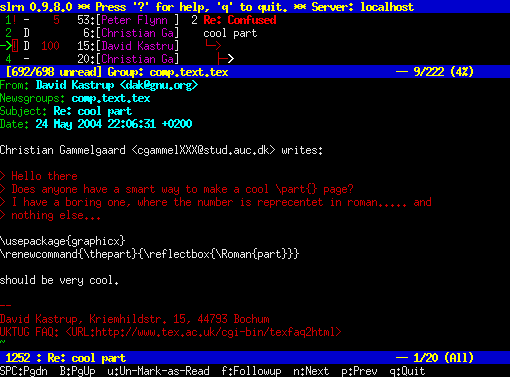 Usenet PostAfter finding resources, they needed to dial up legendary FTP sites like sunsite.unc.edu or tsx-11.mit.edu via telephone lines. Downloading a few megabytes of a .tar.gz file (known as a Tarball) could take hours. If the connection dropped at 99%, the despair felt is something modern broadband users cannot comprehend.1.2 The Deep Logic of the “Classic Trio” After downloading and extracting the source code, the real challenge had just begun. Programmers of that era had to master a form of alchemy known as “compilation installation.” This process typically consisted of three sacred steps:Step 1:
 ./configure — The Interrogation of the EnvironmentThis is not just a script; it is a “negotiation” between the software and your unique hardware environment.In an era when hardware standards were not yet unified, each machine was unique. The configure script would run thousands of tests:
- “Is your compiler GCC or CC?”
- “Does your system header file contain stdlib.h?”
- “Is your sound card interrupt number (IRQ) 5 or 7?”
Every line of Checking… yes scrolling on the screen was a blessing. If a no appeared, or an error occurred, the installation process would terminate immediately. Programmers had to manually modify the Makefile or even delve into the C source code to fix function call errors caused by different kernel versions.Step 2: make — The Burning of SiliconAfter configuration, input make. This is the process of converting human-readable C code into machine-executable binary code.On a 386 or 486 processor, compiling a massive graphical interface like the X Window System could take over 24 hours. Programmers often went to sleep or had a long dinner after hitting enter.This process was extremely fragile. Memory overflow, insufficient disk space, or even a single syntax error in the code could render hours of waiting worthless.Step 3: make install — The Water Spilled OutThe installation step after a successful compilation essentially involves forcefully copying the generated files to various directories in the system: executable files to /usr/local/bin, library files to /usr/local/lib, documentation to /usr/local/man.The fatal flaw: This installation is irreversible and undocumented. The system does not know which files belong to which software.
- No uninstall command (make uninstall was a luxury at that time).
- If you installed a new version of Emacs, it might overwrite files from the old version or leave behind a bunch of zombie files.
- Over time, the system became a garbage dump filled with unknown files and broken links, and the only way to clean it up was often to format and reinstall.
 Chapter 2: The Industrial Revolution and Dependency Hell (1994 – 1998)
 Keywords: Slackware, RPM, dpkg, The Cost of Shared LibrariesAs the Linux user base expanded from dozens of hackers to tens of thousands, it became evident that having everyone compile the same software was a tremendous waste of human computing power and time. Thus, the first generation of package management ideas was born.2.1 Simple Packaging: Slackware’s “IKEA Model” In 1993, Slackware Linux emerged. Patrick Volkerding adopted a simple philosophy: “Since I have compiled it, why not package it and send it to you?”
 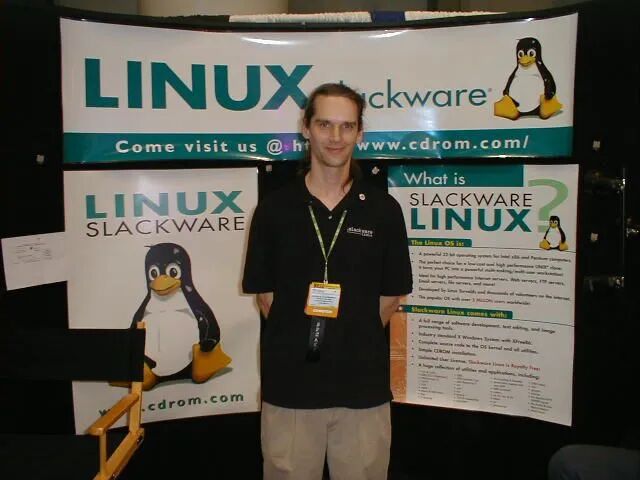 Patrick Volkerding Founder and Core Maintainer of Slackware LinuxSlackware’s packages are essentially compressed packages of pre-compiled binary files (.tar.gz), along with a simple installation script (doinst.sh).
- Advantages: Installation speed went from hours to minutes.
- Disadvantages: It is “blind.” It assumes your system environment is identical to that of the packager. If a program requires libncurses.so.5 and you only have .4, the installation process will not report an error, but when you run the program, it will crash directly (Segmentation Fault).
2.2 The Birth of Metadata: RPM and dpkgTo solve the “blindfolded elephant” problem, around 1995, Red Hat (RPM) and Debian (dpkg) introduced the revolutionary concept of metadata.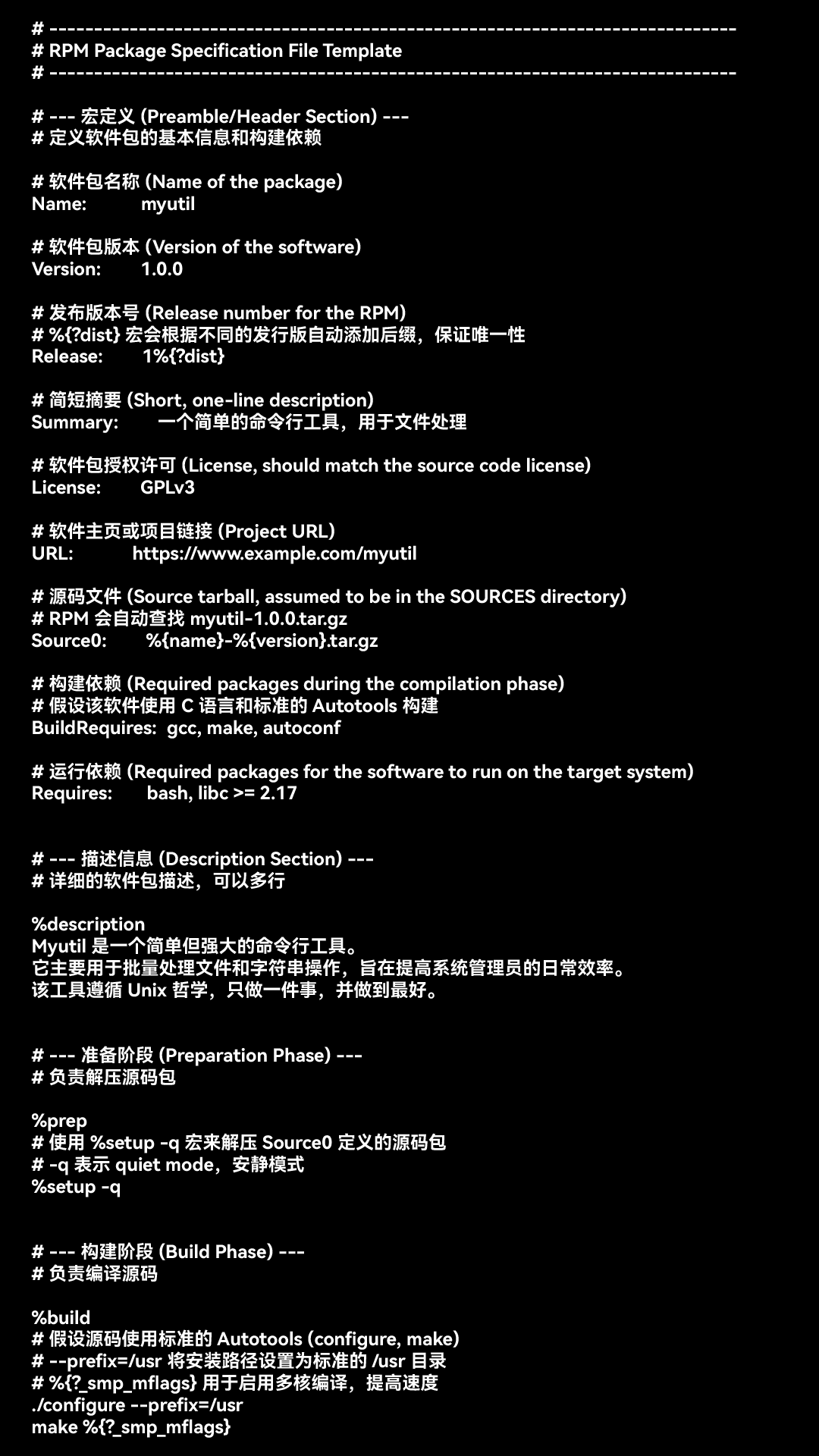 Example of RPM spec configurationNow, software packages are no longer just a pile of files; they have “self-awareness.” At the head of the package, detailed records include:
- Identity: Software name, version, architecture.
- Dependencies: “I need libc version greater than 2.1 and libpng version equal to 1.0.”
- Provides: “I provide web-server functionality.”
The operating system maintains a central database (like /var/lib/rpm) that records the ownership of each file. This brought two significant advancements:
- Atomic management: Check dependencies before installation; if not satisfied, refuse installation; query the database during uninstallation to accurately delete each file.
- File conflict detection: If two packages attempt to write to the same file, the system will issue a warning.
2.3 The Nightmare Descends: Dependency HellAlthough RPM knows what you are missing, early RPM tools would not help you download it. It was merely a cold judge.Imagine this scenario:User: “Please install VideoPlayer.”RPM: “Refused. Missing libvideo.so.”User: (manually searches online and downloads the libvideo rpm package) “Please install libvideo.”RPM: “Refused. libvideo depends on glibc >= 2.1, but you have 2.0 in your system.”User: (frantically upgrades glibc) “Please upgrade glibc.”RPM: “Warning! Upgrading glibc will cause 50 other software in the system to stop working!”This is the infamous “RPM Hell.” During that time, the main job of system administrators was to carefully balance version conflicts among various software packages like solving a puzzle. Chapter 3: The Utopia of Automation (1999 – 2010s)
 Keywords: APT, YUM, Software Sources, The Geek Way of ArchSince computers can calculate dependencies, why not let them automatically download and resolve these dependencies online?3.1 APT: A Miracle ArrivesIn 1998, Debian launched APT (Advanced Package Tool). For users suffering from dependency hell at the time, the emergence of
 apt-get was nothing short of miraculous.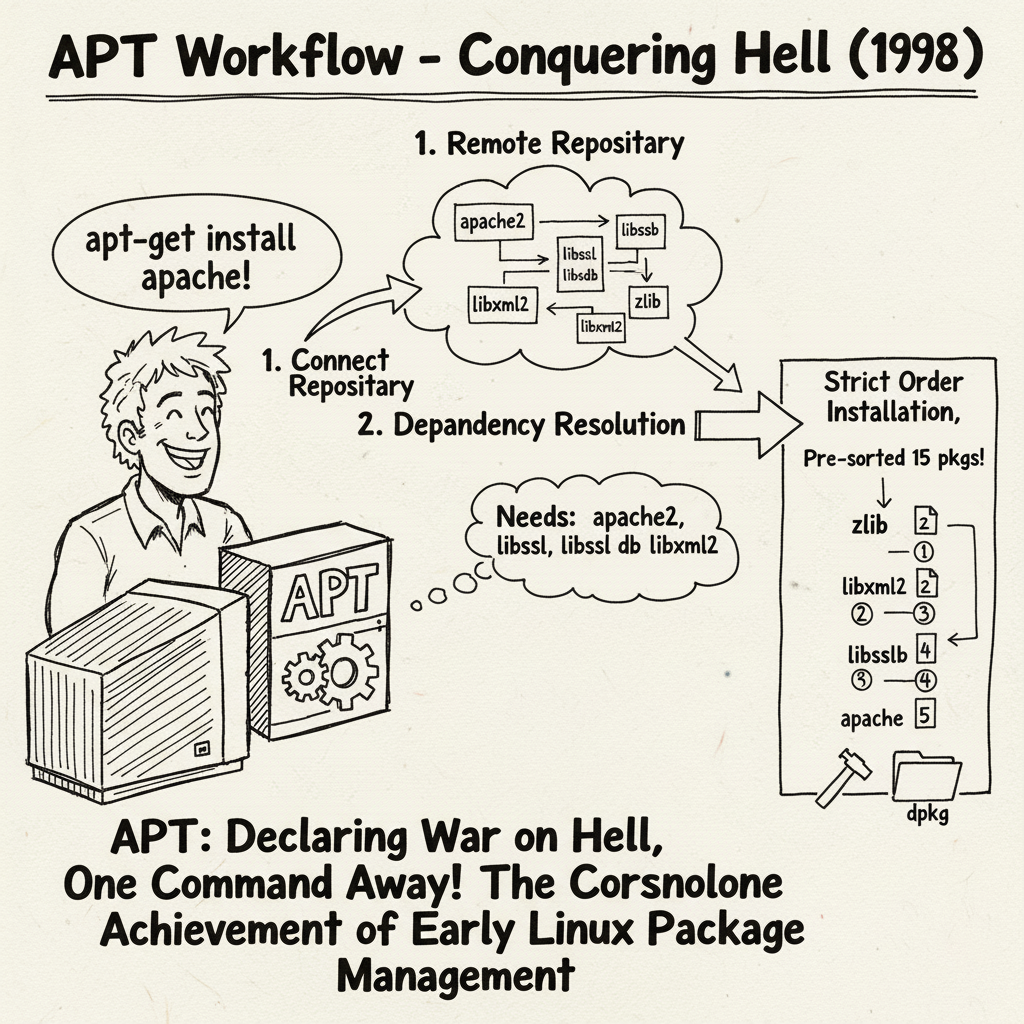 All you need to do is type
 apt-get install apache, and APT will:
- Connect to remote repositories and download the latest software list.
- Use complex graph theory algorithms (topological sorting) to calculate the dependencies A, B, C that Apache needs, as well as D that C depends on.
- Automatically download these 15 packages from the server.
- Install them in strict order: D -> C -> B -> A -> Apache.
This is the cornerstone of the modern Linux experience. Red Hat subsequently developed YUM (which later evolved into DNF), establishing the industrial standard of “software sources (Repository)” + “automatic dependency resolution.” 3.2 The Peak and Pitfalls of Shared Library PhilosophyDuring this period, Linux established a philosophy centered around “dynamic link libraries (.so).”To save the then-expensive disk space and memory, Linux distributions highly advocated sharing. There was only one copy of libssl.so in the system, and all browsers, web servers, and SSH clients called this same file.
- Advantages: Security updates are extremely efficient. If OpenSSL has a vulnerability, you only need to upgrade this one library, and all software automatically becomes secure.
- Pitfalls: This requires all software to be in sync. It assumes a perfect utopia where all software can be compatible with the latest libraries. But reality is harsh: old software often fails due to library upgrades, causing the system to hesitate to upgrade the foundational libraries to accommodate old software.
3.3 A Unique Offshoot: Arch Linux’s “Take What You Need” PhilosophyWhile APT/YUM built walled gardens (official repositories), Arch Linux took a different path.Many people mistakenly believe that Arch has no package manager, which is a big mistake. Arch has the fast pacman, but its greatest invention is PKGBUILD and AUR. Faced with commercial software that only provides Ubuntu (.deb) or Fedora (.rpm) packages, Arch users do not wait for official adaptations. They use PKGBUILD scripts:
- Download packages from other distributions (like .deb).
- Use tools like bsdtar to dissect them like alien creatures.
- Extract binary files and repackage them according to Arch’s specifications.
- Install them using
pacman.
This mechanism allows Arch to achieve an incredibly high software coverage. It proves that as long as you give me a binary file, I can make it run on my system through scripts. This is a philosophy that lies between “source compilation” and “automated installation,” retaining control while leveraging existing compiled results. Chapter 4: The Return of the Container Era (2013 – Present)
 Keywords: Docker, Snap, Flatpak, Immutable InfrastructureThe wheels of history roll forward, and the foundational conditions have undergone tremendous changes.
- Storage has changed: Hard drives have become incredibly cheap, and hundreds of megabytes of space are no longer an issue.
- Networks have changed: Gigabit fiber has become widespread, and downloading large files takes only seconds.
- Pain points have changed: Labor costs have skyrocketed. Developers are fed up with the back-and-forth of “it runs on my Ubuntu, but crashes on your CentOS.”
Thus, the Linux community made a decision that went against its ancestors (the shared library philosophy): we will return to “bundled dependencies.” 4.1 The Server Revolution: Docker and Delivery StandardsIn 2013, Docker emerged. It proposed a radical idea: do not deliver software, deliver environments.Before Docker, operations personnel had to follow lengthy documentation to install Python, configure environment variables, and adjust firewalls on servers.Docker introduced images. Developers package their code, dependencies, configuration files, and even a mini operating system user space all together.This is like transforming from “moving company only moves furniture” to “capsule hotel model.” No matter what the underlying server is, as long as it can run the Docker engine, this capsule can be thrown on and will run, with the internal environment identical to that during development.Technically, Docker utilizes Linux kernel’s Namespaces (responsible for isolation) and Cgroups (responsible for resource limitation). This is not just a change in installation methods; it is a redefinition of software delivery standards.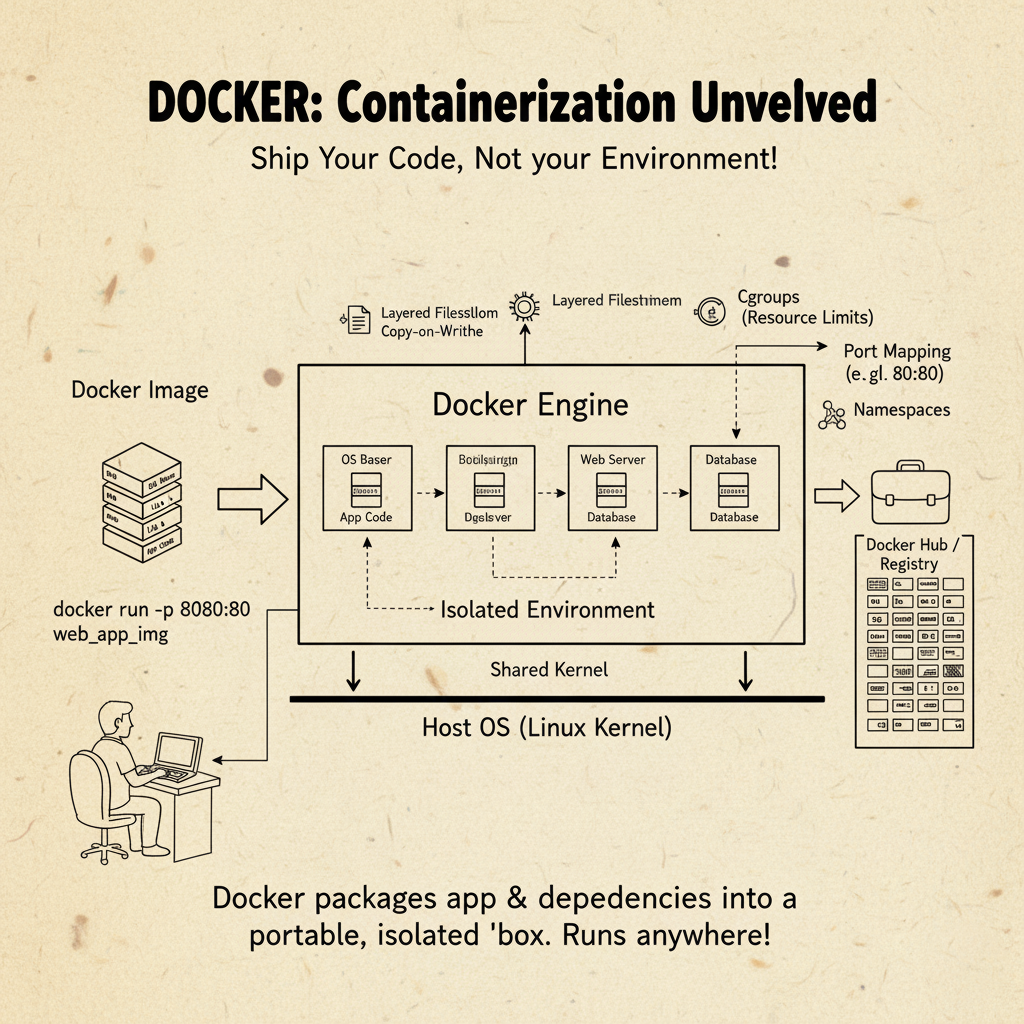 4.2 The Desktop Civil War: Snap vs FlatpakOn the desktop side, to solve the fragmentation problem of “one Linux distribution needs to be packaged once,” Snap and Flatpak emerged.Their logic is similar to Docker but focuses more on desktop integration. They employ sandbox technology:
- Applications no longer run naked: Previously, installing software usually required root permissions, and scripts could modify the system at will. Now, applications are locked in a transparent cage.
- Permission control: Like mobile apps, Snap applications must go through a permission system to access the camera or read ~/Documents (Portals mechanism).
- Dependency bundling: A Flatpak application may come with a specific version of the GNOME runtime. Although this increases the installation package size (from 5MB to 500MB), it ensures that the application will never crash due to system upgrades.
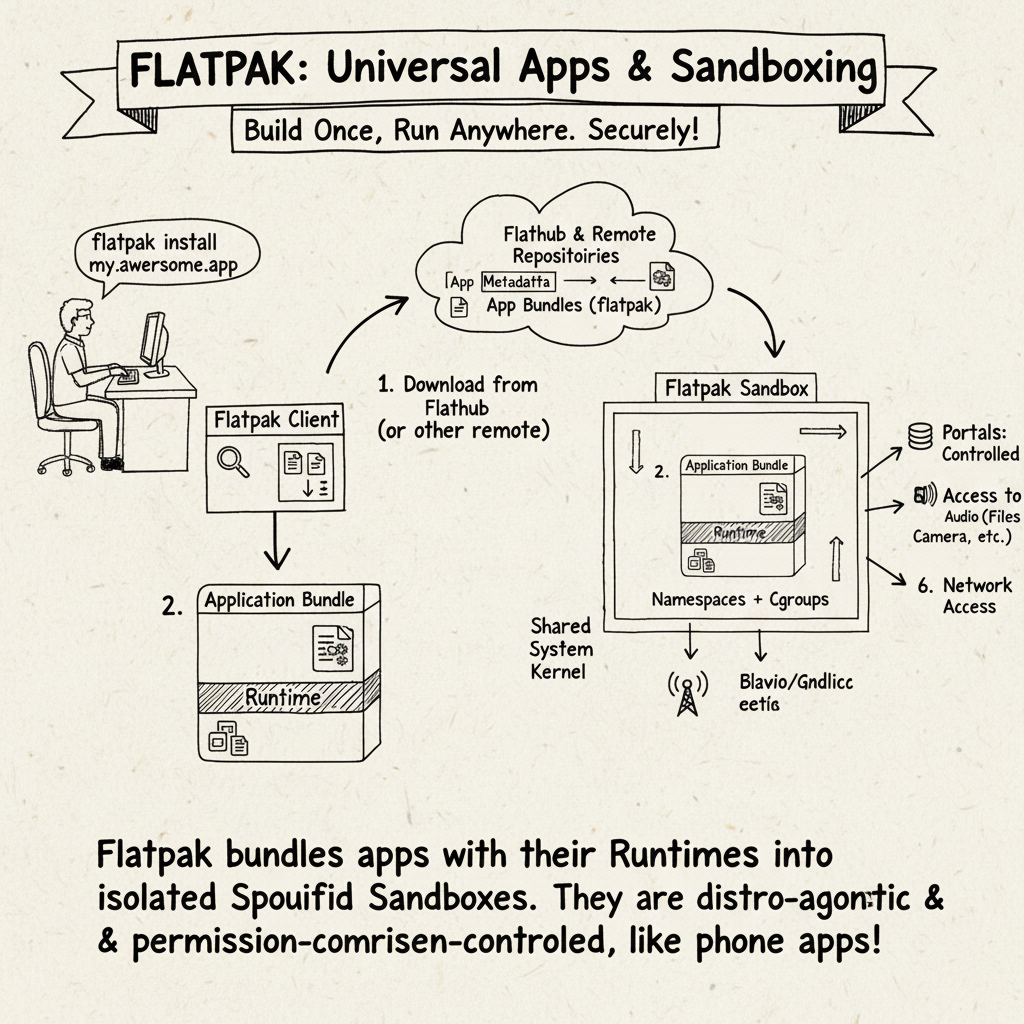 This is a trade-off: we use cheap disk space in exchange for valuable stability and security.
 Chapter 5: Future Prospects and Philosophical Reflections
 From 1991 to 2024, we have traveled a long road.
- In the source code era, we had absolute control but paid the price of time.
- In the package management era, we pursued sharing and efficiency, building a complex edifice of dependencies, yet became trapped in version hell.
- In the container era, we pursue decoupling and stability, sacrificing space to turn software into independent atoms.
5.1 The End of the Spiral?What will the future hold? We have already seen new sprouts:
- Atomic Operating Systems (Atomic OS): Such as Fedora Silverblue or SteamOS. The system itself is immutable (Read-only), and all applications must be Flatpak or containers. You cannot damage the system; a reboot restores it.
- Functional Package Management (NixOS/Guix): This is an extremely hardcore attempt. It treats software installation as a mathematical function: f(source, config) = binary. Each installation generates a unique hash path (like /nix/store/xh4…-firefox). It completely resolves dependency conflicts, allowing you to install 50 different versions of Firefox simultaneously, perfectly coexisting on disk without interference.
5.2 Tools Change, Humanity Remains the SameLooking back at the changes over these thirty years, the driving force behind it has always been two eternal contradictions:
- Freedom vs Convenience: We want to control everything while also wanting one-click solutions.
- Resources vs Labor: When hardware is expensive, we optimize code with human effort; when hardware is cheap, we waste hardware to save labor.
The history of Linux software installation is essentially the intersection of the curve of declining computer hardware costs and the rising curve of programmer labor costs.Today’s programmers may no longer experience the anxiety and anticipation of waiting for make to finish. But when we spin up an entire microservices cluster with a single command, we should remember that countless predecessors struggled in dependency hell, paving the way for today’s automation.This history teaches us: no technical solution is perfect; they are all specific compromises of their time. Progress occurs in the process of repeatedly overturning old compromises and establishing new balances.