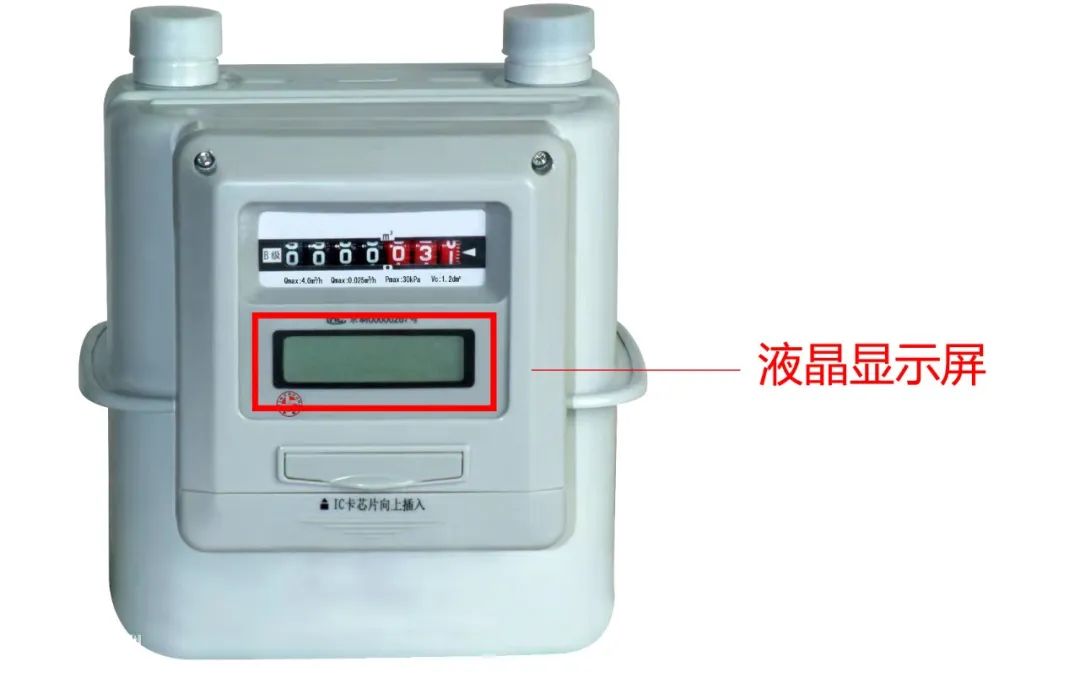
IC Card Gas Meter

Please pay attention to the remaining gas volume
You can insert the gas card into the gas meter
And check the remaining gas volume on the LCD screen
Please pay attention and purchase gas in advance
Avoid situations where
you cannot use gas due to insufficient gas volume
If your home uses an IC card meter
Then you can use
Smart Card Writer Terminal (Big Bluetooth), Bluetooth Card Reader, to purchase gas online
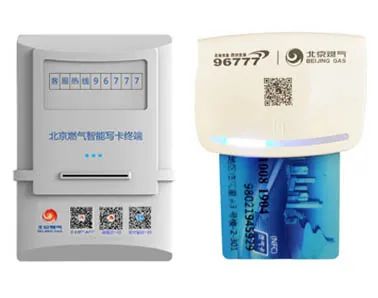
Please note before recharging:
Please confirm that there is no remaining gas volume on the gas card, otherwise you cannot continue to recharge

Do you have to go to the service hall for recharge payment?
NO! NO! NO! Beijing Gas has already opened online recharge payments through the “Beijing Gas” APP or “Beijing Gas” WeChat Mini Program for easy online payment and quick arrival.
01
Pay via the “Beijing Gas” WeChat Mini Program
The “Beijing Gas” WeChat Mini Program has been fully upgraded, you can use the mini program for recharge payment, service station query, online shopping, etc.
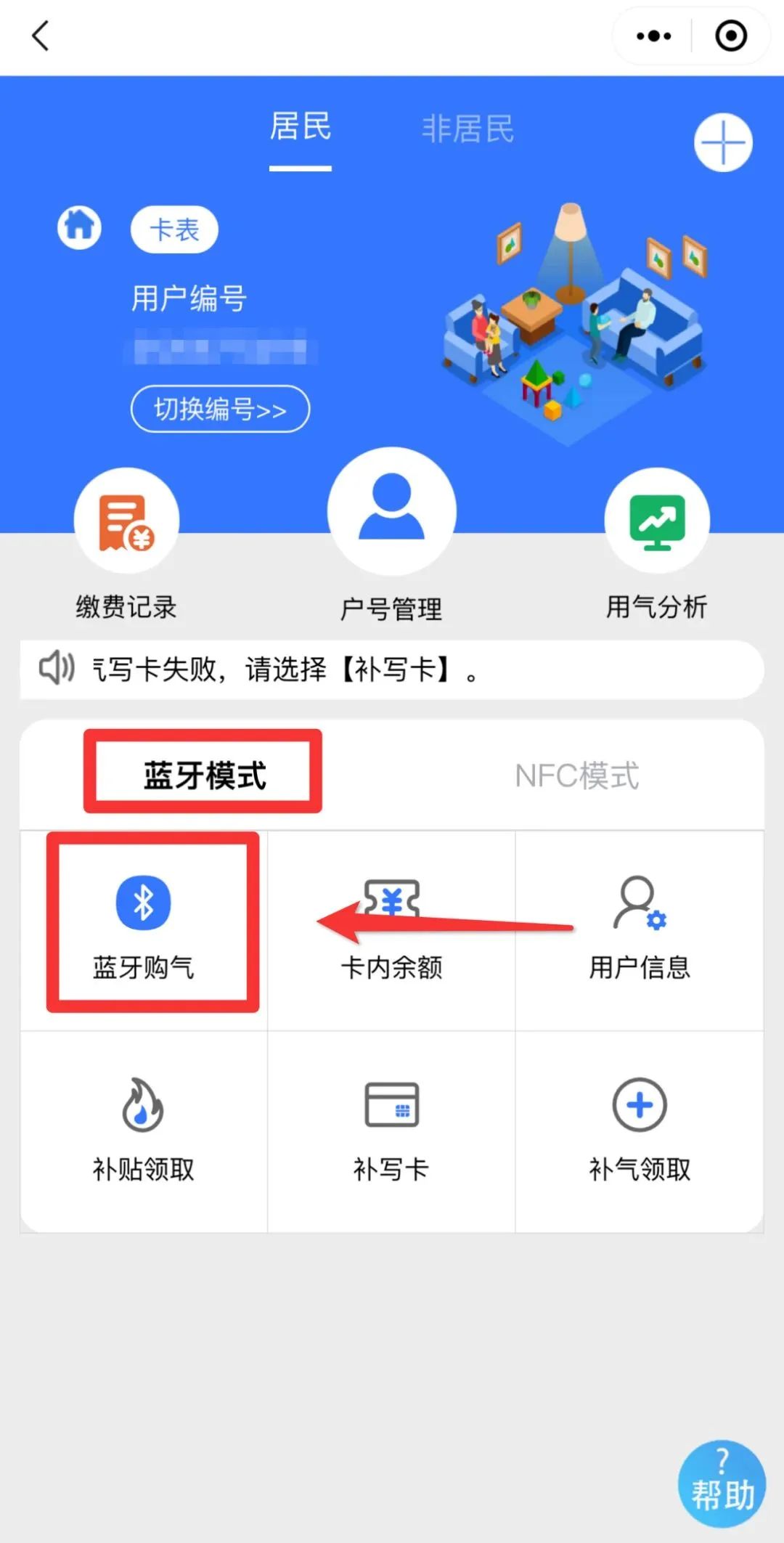
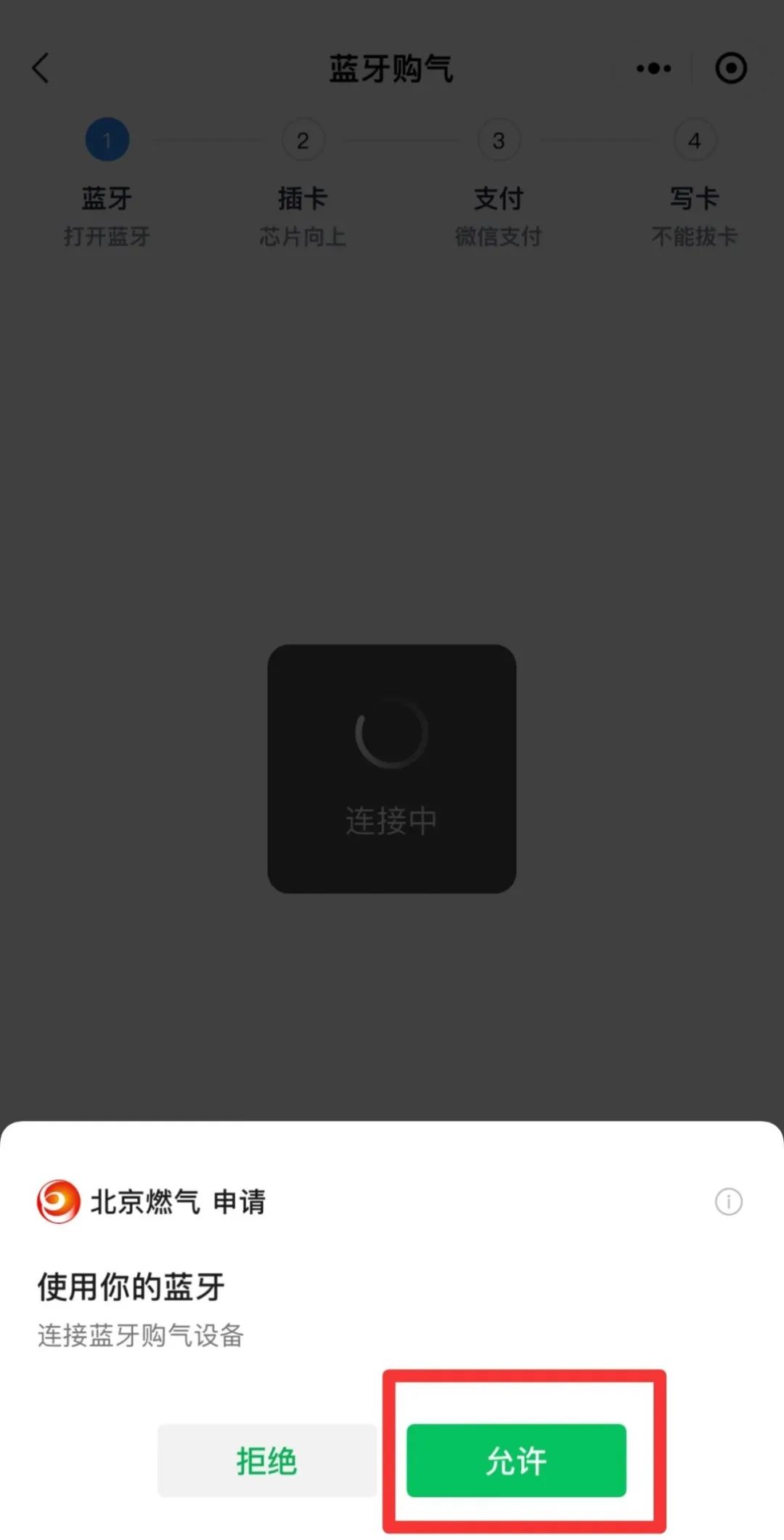
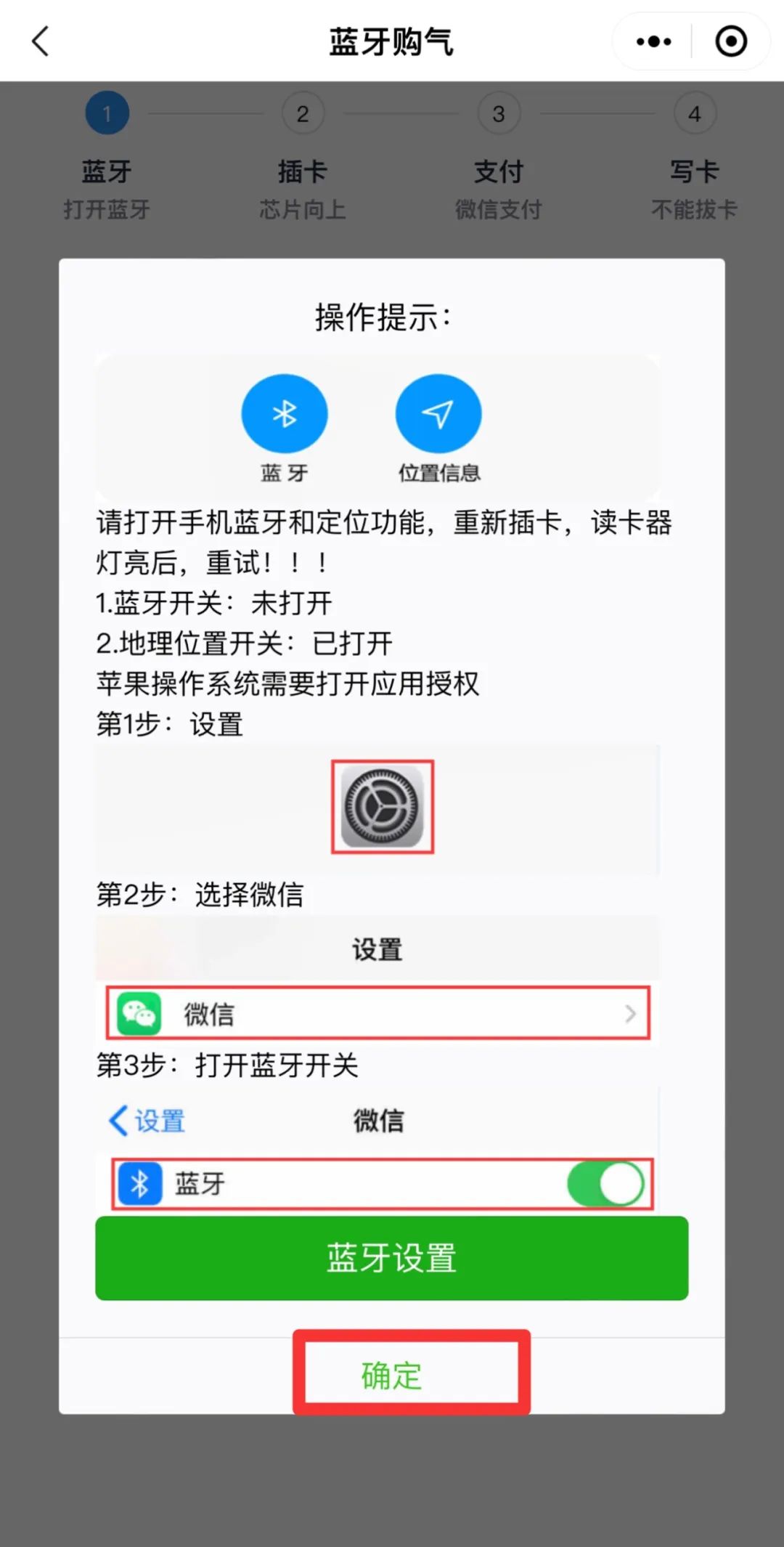
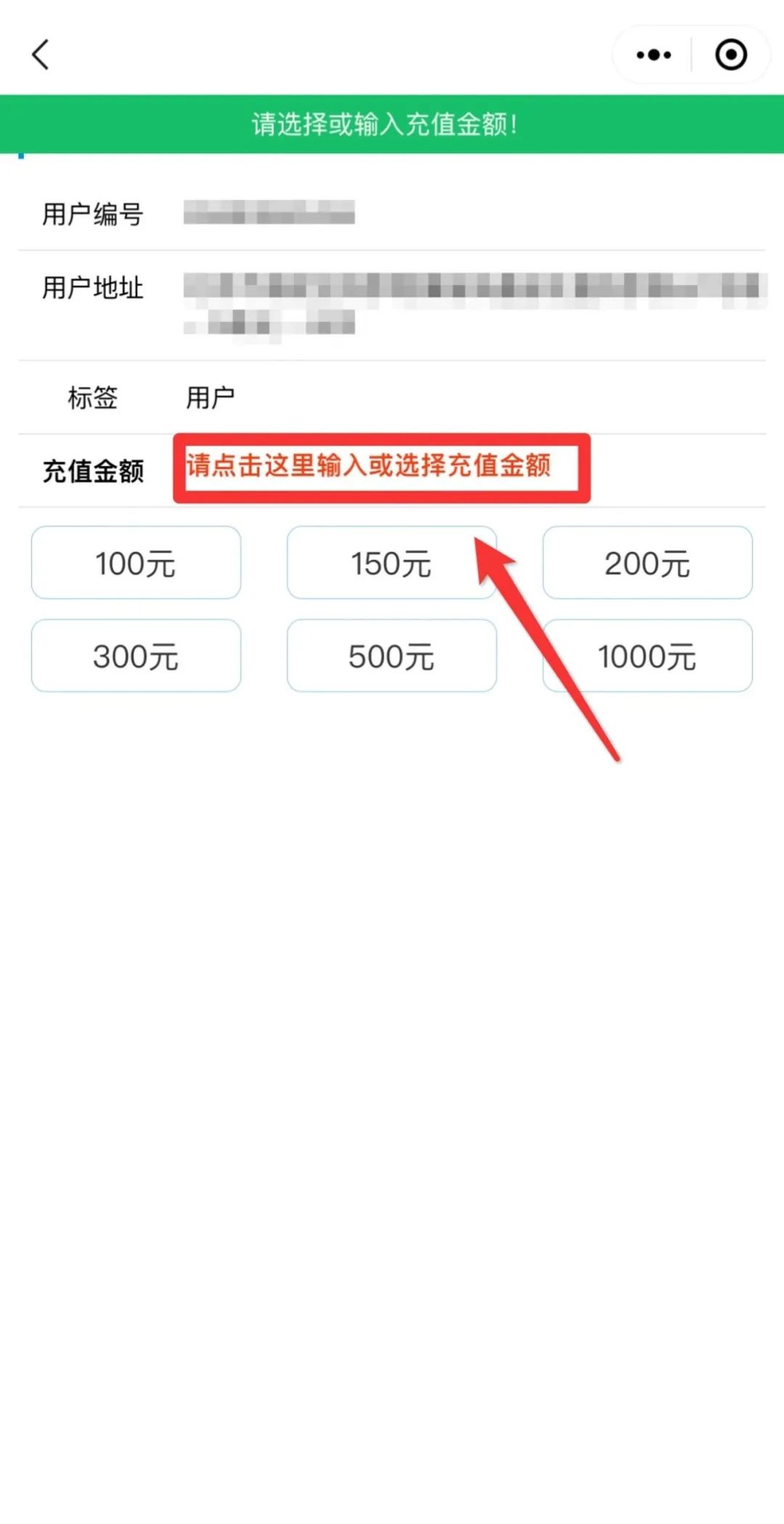
Bluetooth Gas Purchase: Open the “Beijing Gas” WeChat Mini Program → If using for the first time, please bind your user number → Click “Gas Payment” (or click the “One-Click Gas Recharge Payment” above) → Click “Bluetooth Gas Purchase” → Insert the gas card chip facing up into the Bluetooth card reader → First-time use requires authorization for WeChat Bluetooth permissions → Select or enter the amount to recharge → Confirm payment.
////
02
Pay via the “Beijing Gas” APP
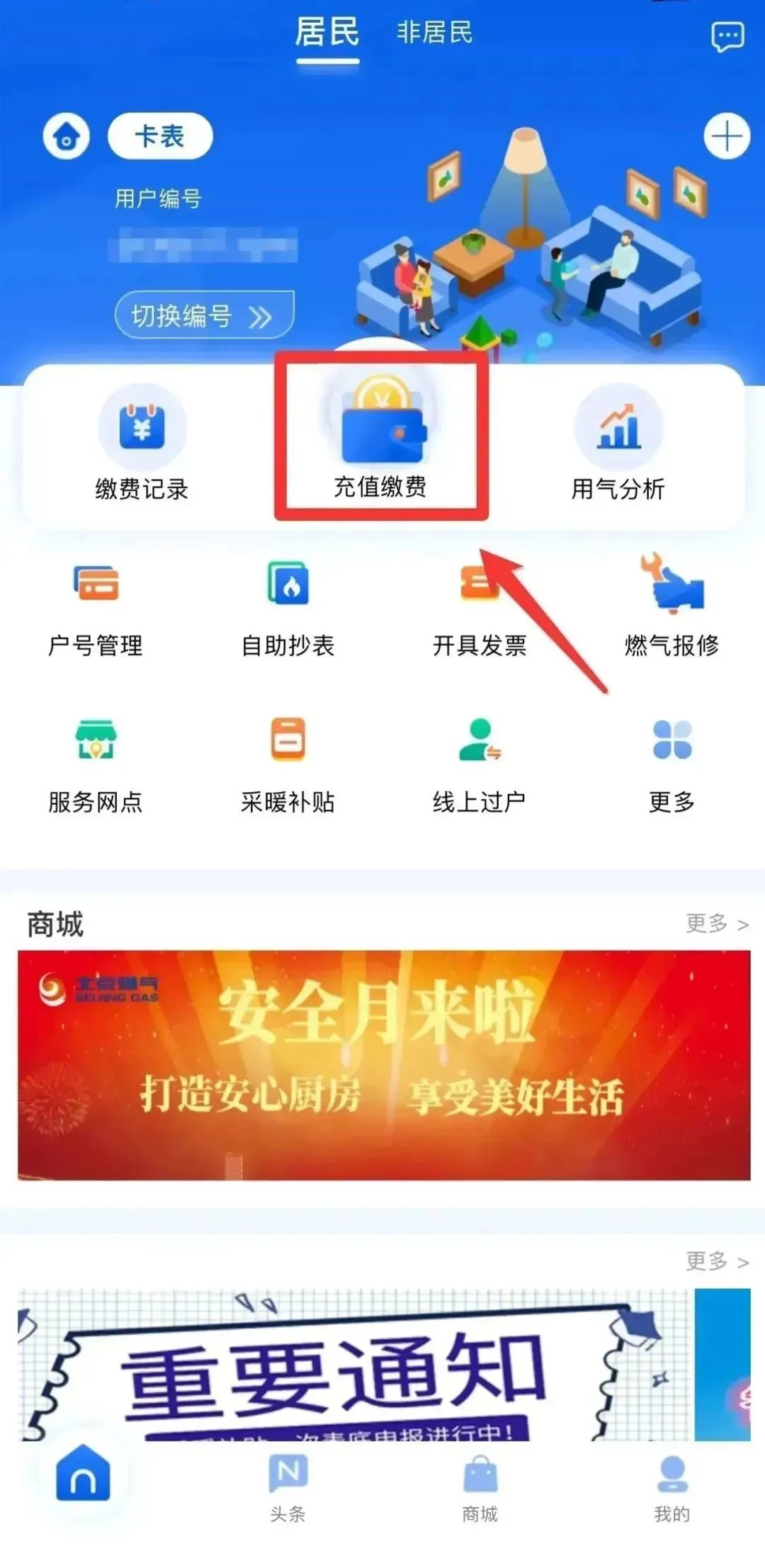
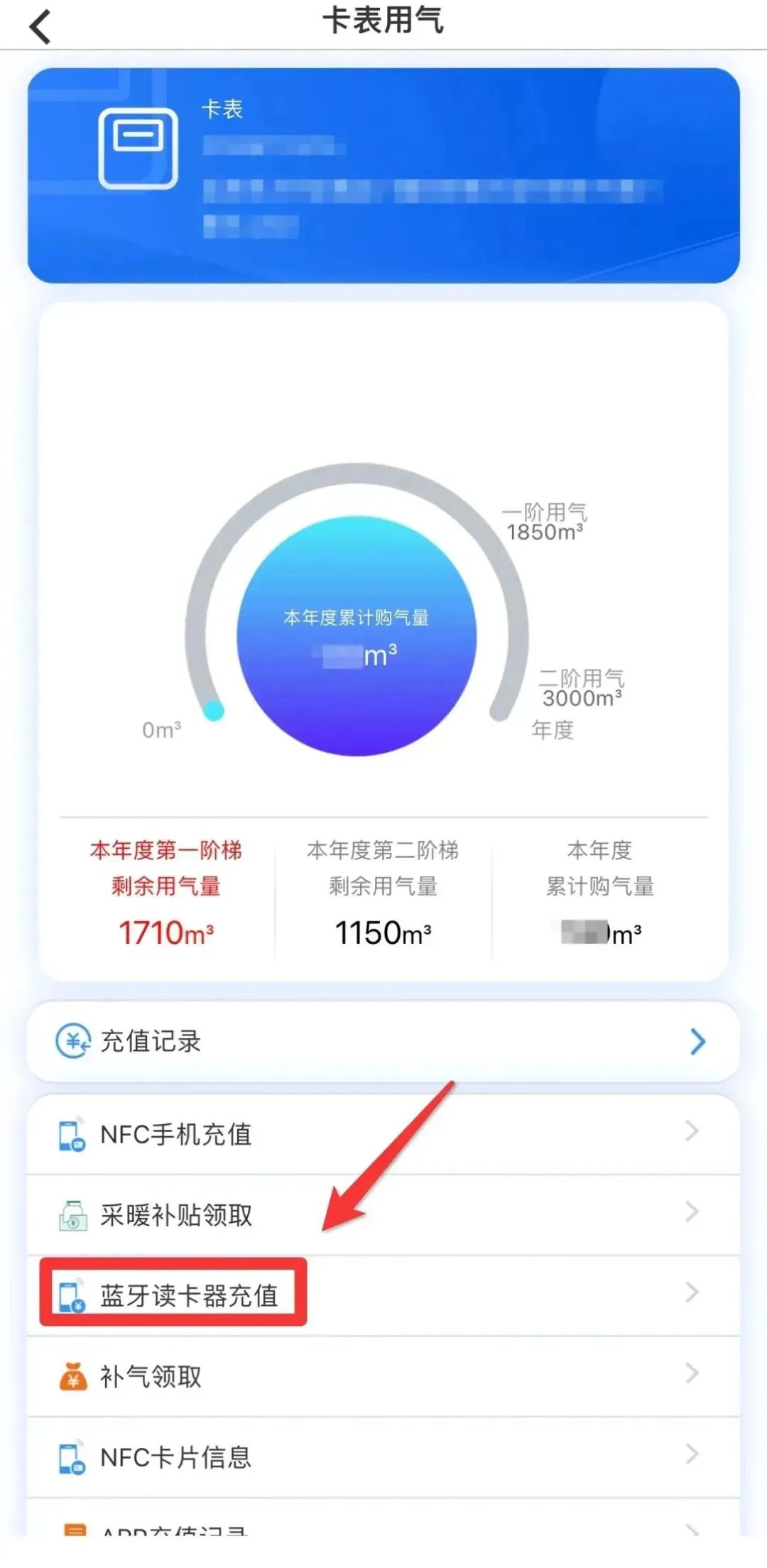
Bluetooth Gas Purchase: Open the “Beijing Gas” APP and log in → If using for the first time, please click the white “+” in the upper right corner to bind your user number → Click “Recharge Payment” → Insert the gas card chip facing up into the Bluetooth card reader → Click the “Bluetooth Card Reader Recharge” button → First-time use requires authorization for Bluetooth permissions → Select or enter the amount to recharge → Confirm payment.
/////
03
“Beijing Gas Card Meter Purchase Gas” Alipay Mini Program
Bluetooth Gas Purchase: Open the “Beijing Gas Card Meter Purchase Gas” Alipay Mini Program → Select “Card Meter Bluetooth Gas Purchase” → Insert the gas card chip facing up into the Bluetooth card reader → Click “Bluetooth Gas Purchase” → Select or enter the amount to recharge → Click payment → Choose your payment method, confirm payment → After the interface prompts “Card Writing Successful” → Remove the gas card.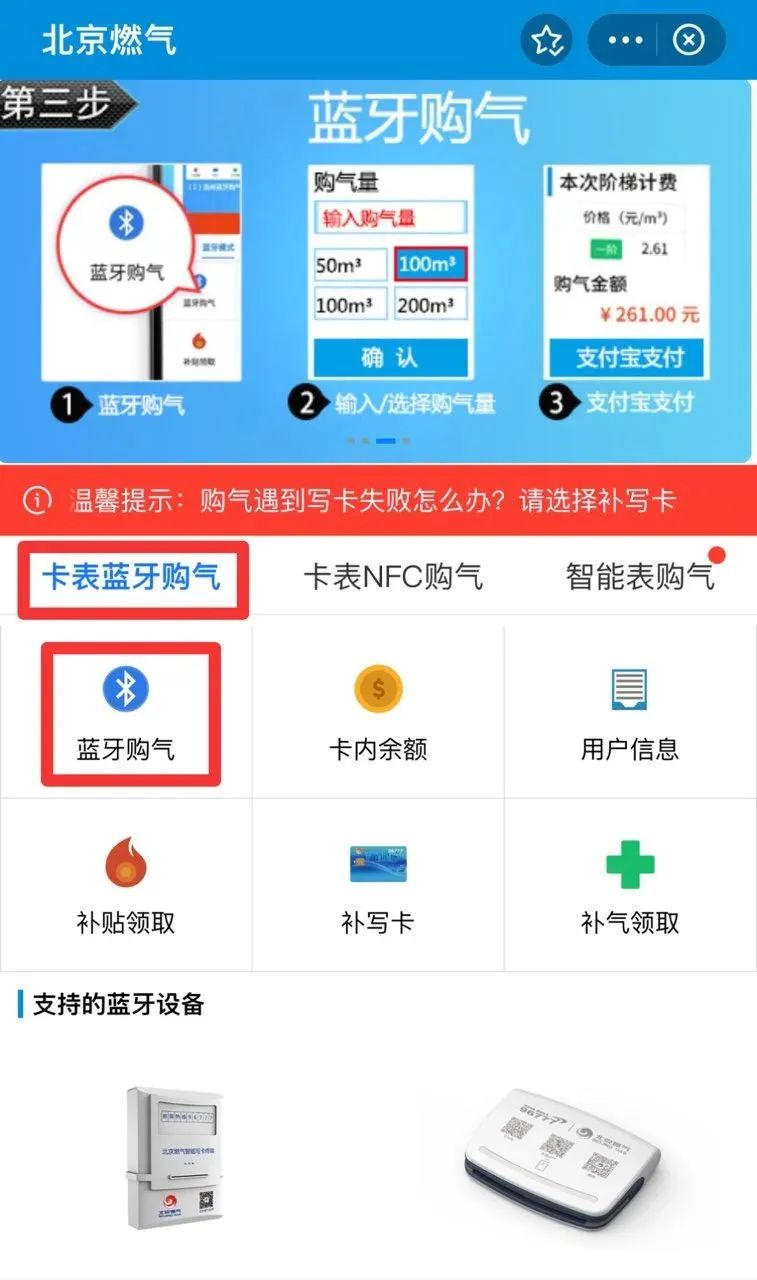
/////
04
Use Smart Card Writer Terminal to Purchase Gas
(Big Bluetooth)
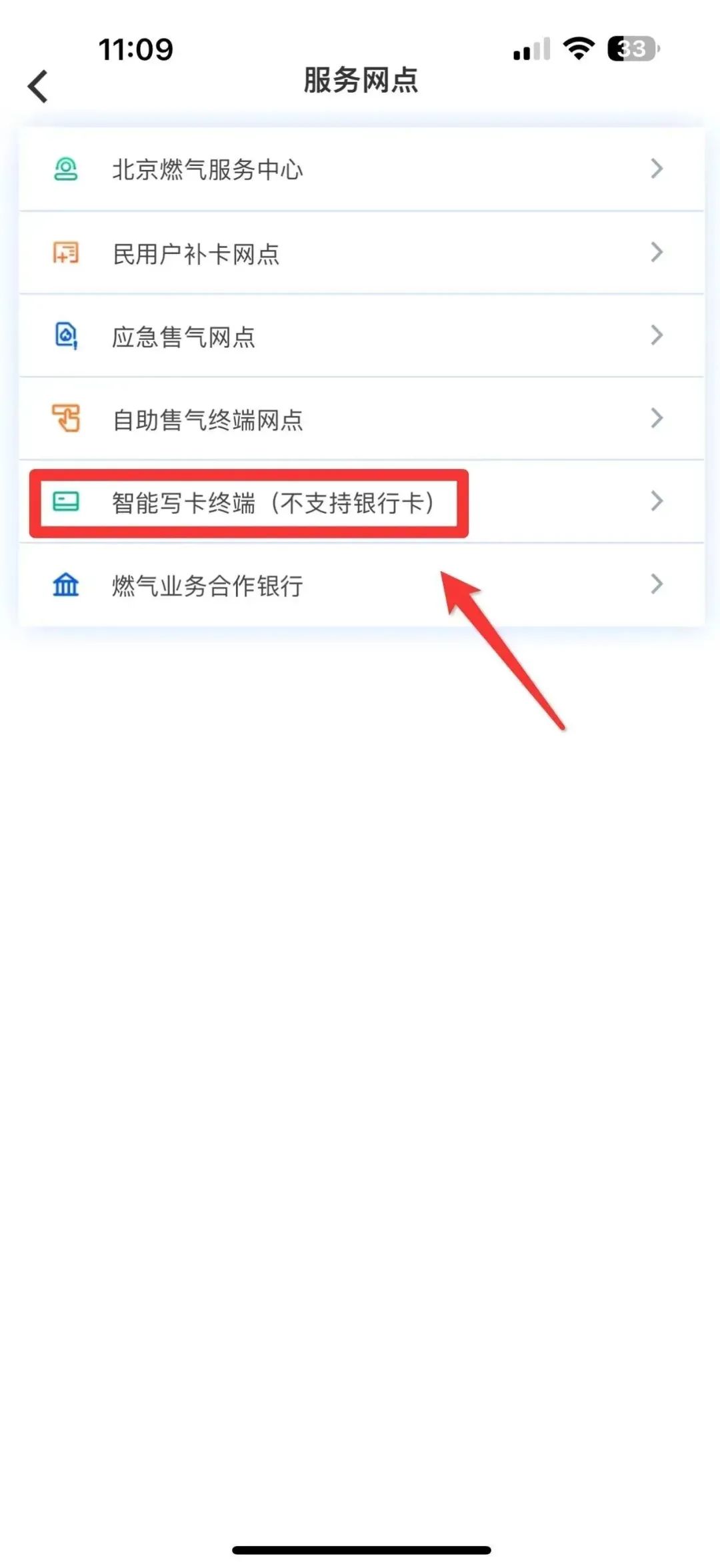
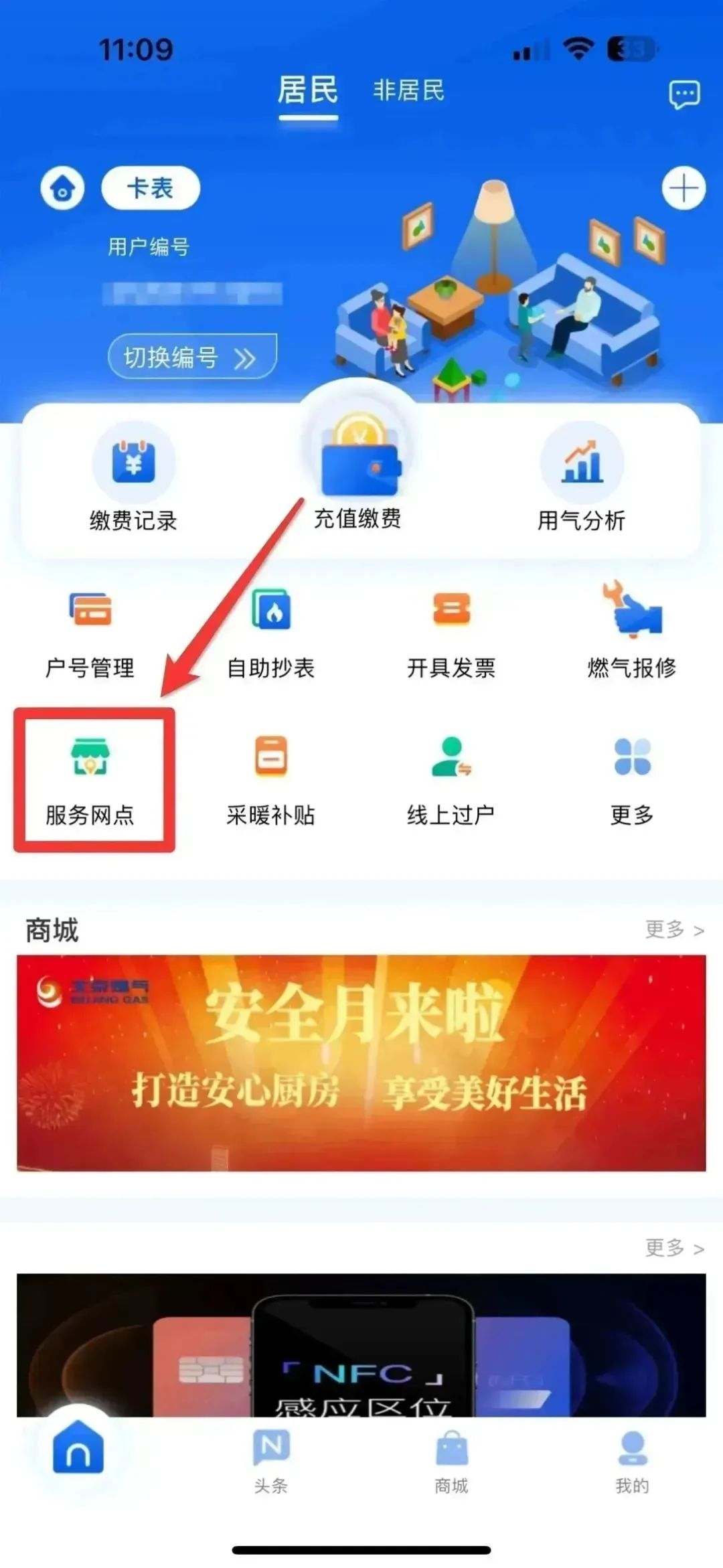
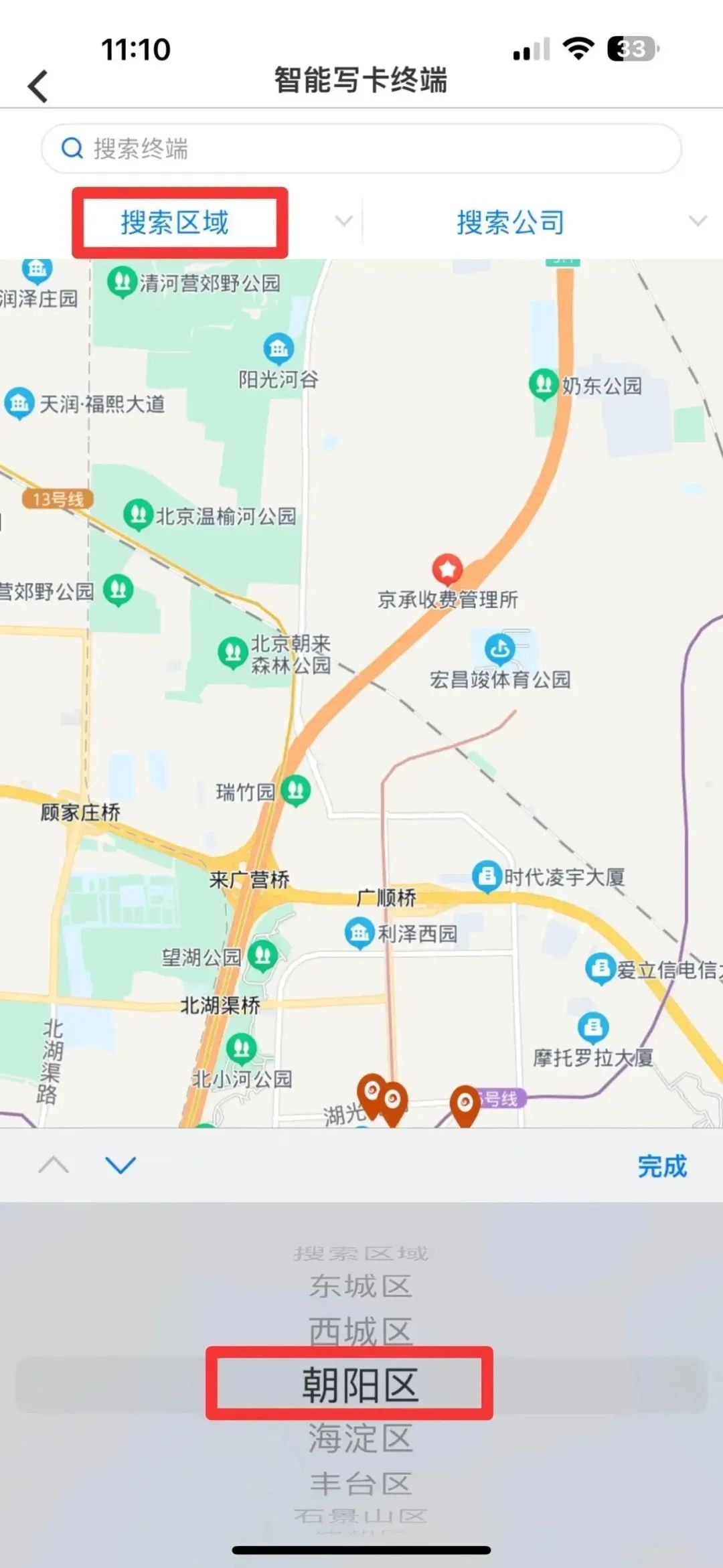
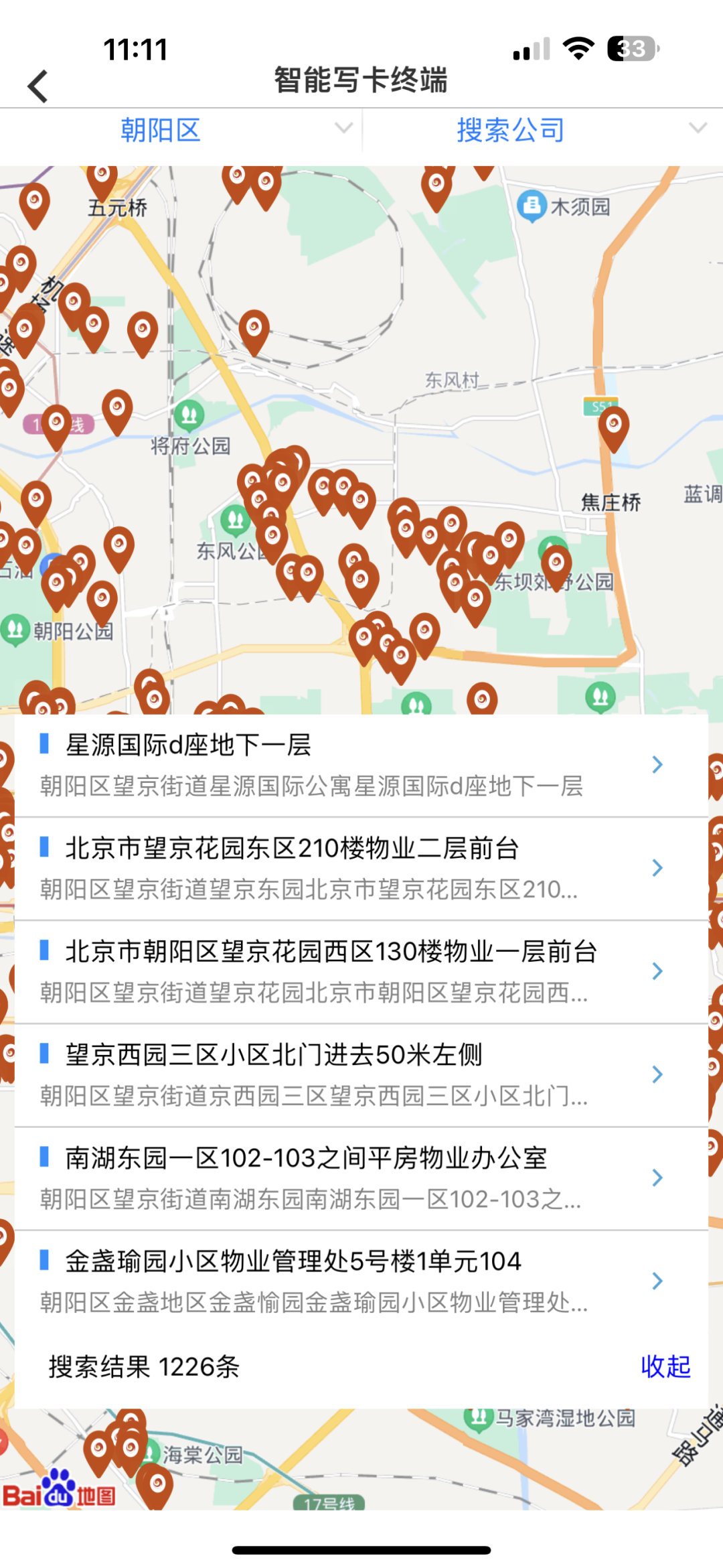
Open the Beijing Gas APP, click “Service Points,” click “Smart Card Writer Terminal,” select your area, and check for the nearest Smart Card Writer Terminal.
/////
05
Self-Service Terminal or Gas Center Purchase Gas
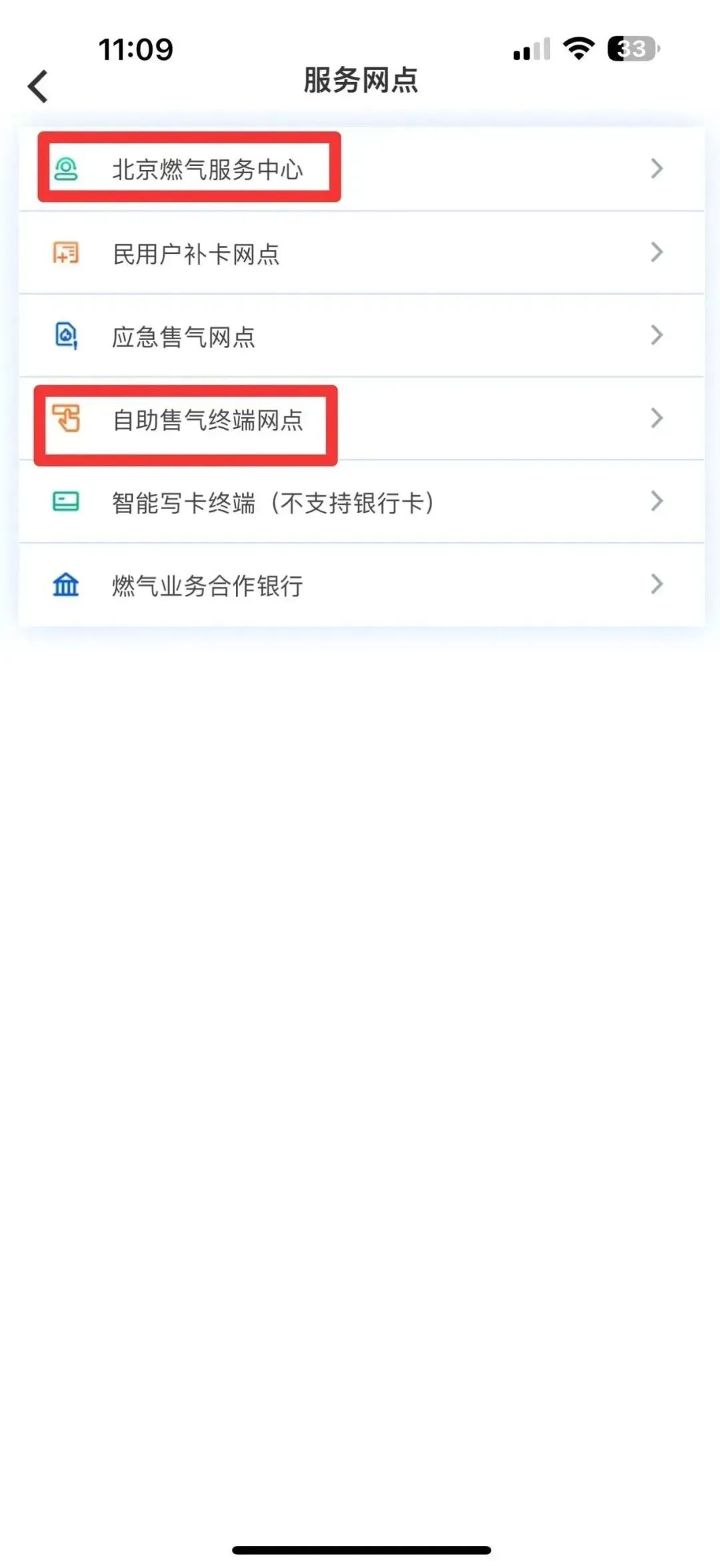
Open the Beijing Gas APP, click “Service Points,” click “Beijing Gas Service Center” or “Self-Service Gas Sale Terminal Points,” select your area, and check for the nearest gas center or self-service terminal.
/////
06
Cooperative Bank Purchase Gas
You can also take your gas card to Beijing Bank for gas purchase.
/////
After completing the recharge
Don’t forget to insert the gas card into the gas meter
And enter the purchased gas volume~
Isn’t it very simple?
If you encounter other issues during the recharge process
You are also welcome to leave a message in the comment area
The editor will answer them one by one

-END-
Source: Beijing Gas 96777