Your ETC has arrived after applying online, so how do you install it accurately?
The Shanghai Public Transport Card Company states that users need to remember nine words for accurate self-installation of the ETC device: install first, activate next, then use. Please pay special attention not to insert the ETC card beforehand during the installation process. For detailed installation instructions, see below:
First, after receiving the package, check your items as follows:
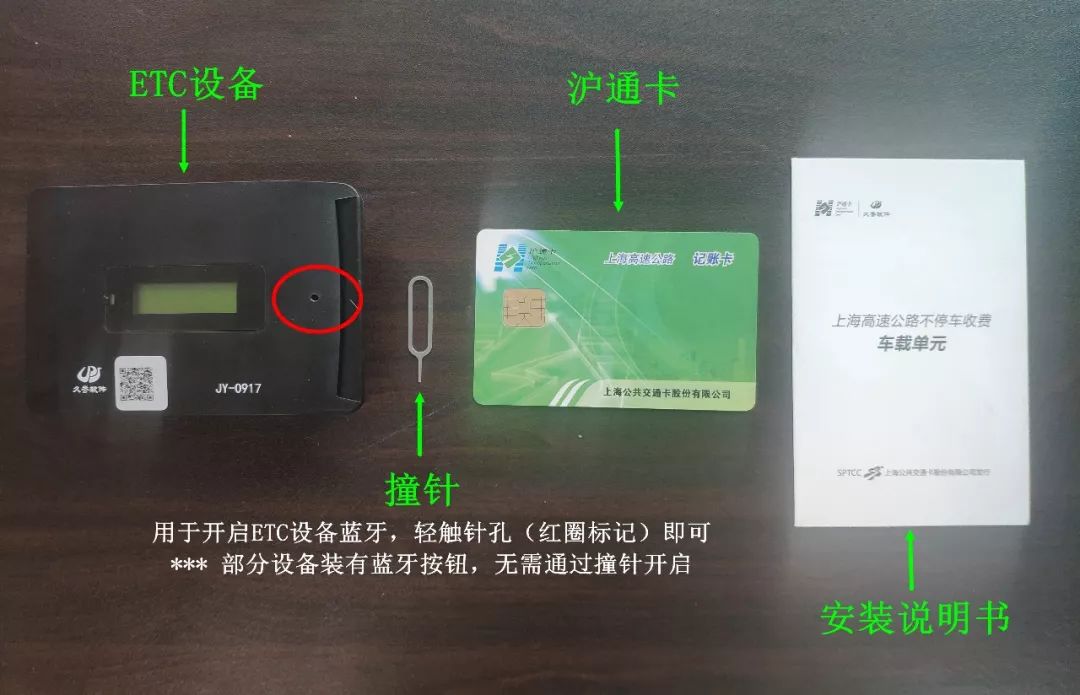
Install First 1Find a Location
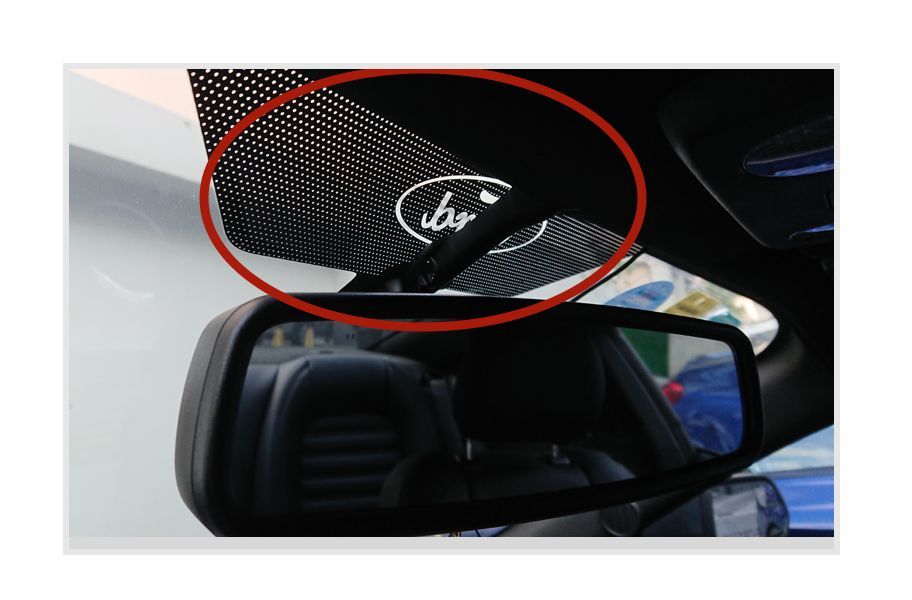
Please choose a suitable location in the “microwave window” area behind the rearview mirror of the vehicle, ensuring that the installation of the ETC device does not interfere with card insertion and Bluetooth activation.
2Clean the Area
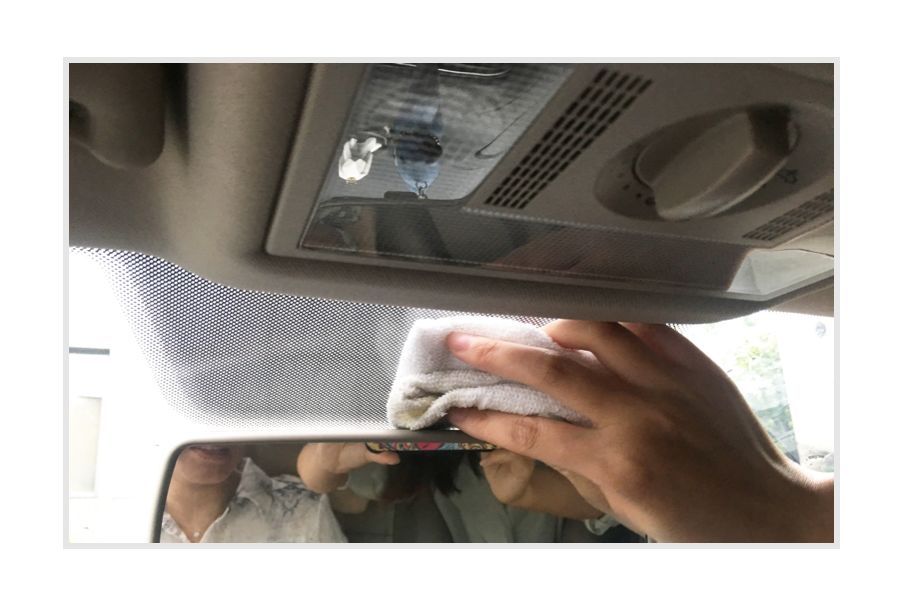
Please wipe the selected area clean, ensuring it is free of oil, dust, and moisture.
3Stick Firmly
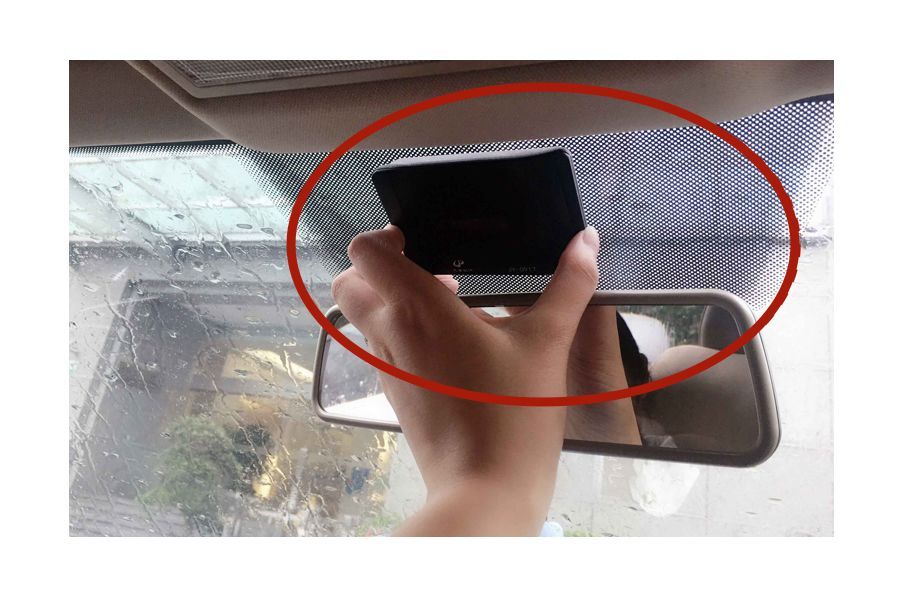
Peel off the protective film from the device’s adhesive and press the device firmly in the “microwave window” area for 30 seconds.
Activate Next1Turn on Bluetooth and Connect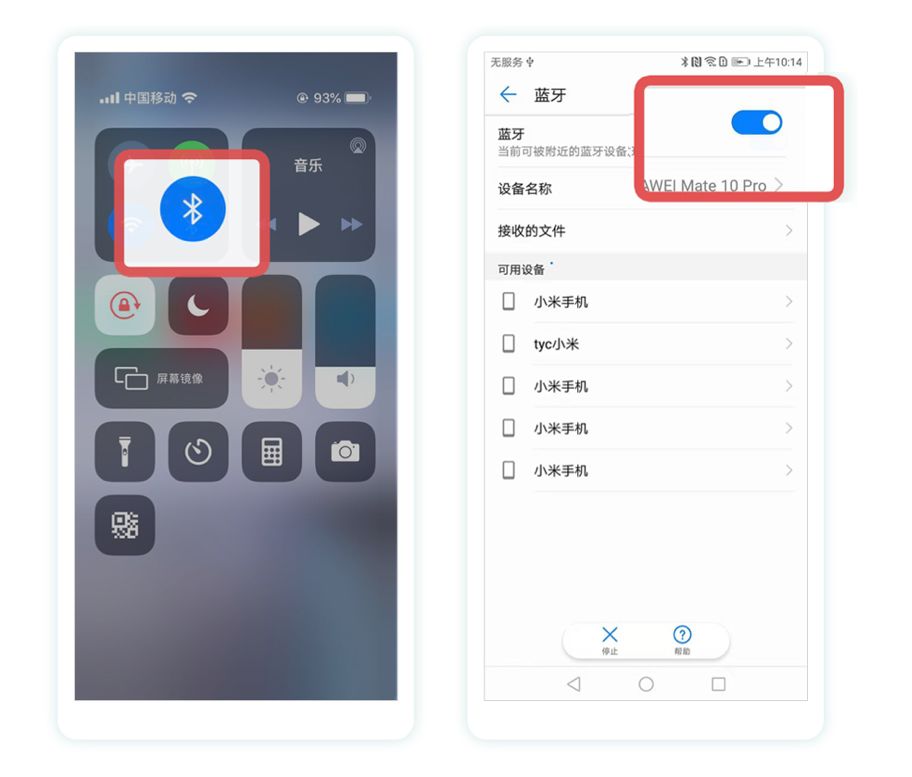 Turn on your phone’s Bluetooth and ensure it is connected to the internet.2Scan or Activate ETC
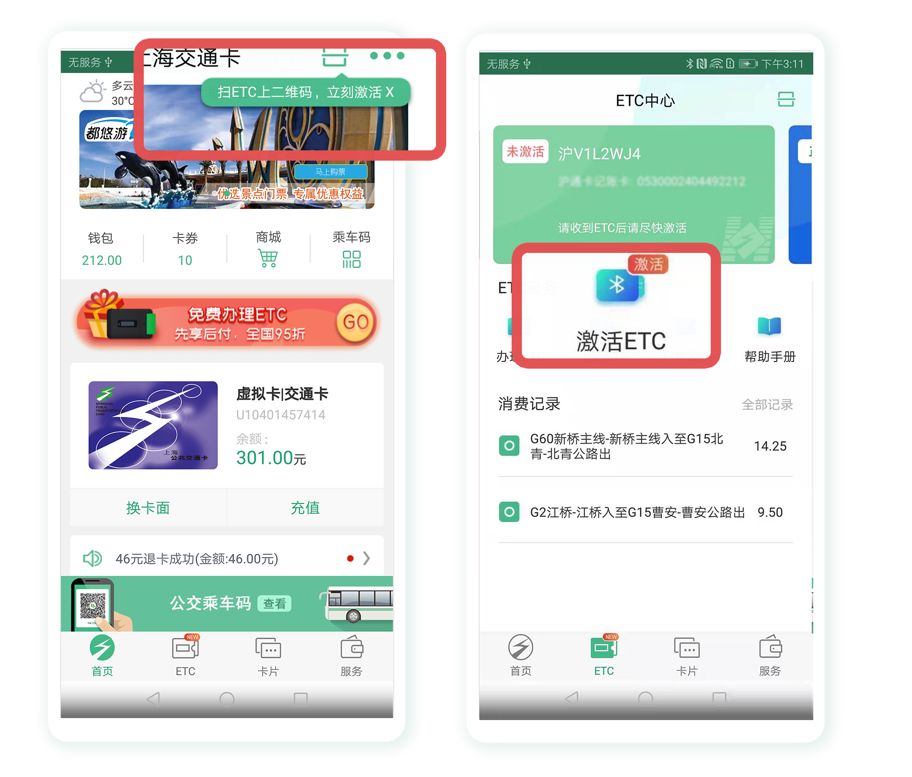 Open the “Shanghai Transportation Card” app, scan the QR code on the ETC device, or click on the ETC section in the menu bar – [Activate ETC].3Turn on Device Bluetooth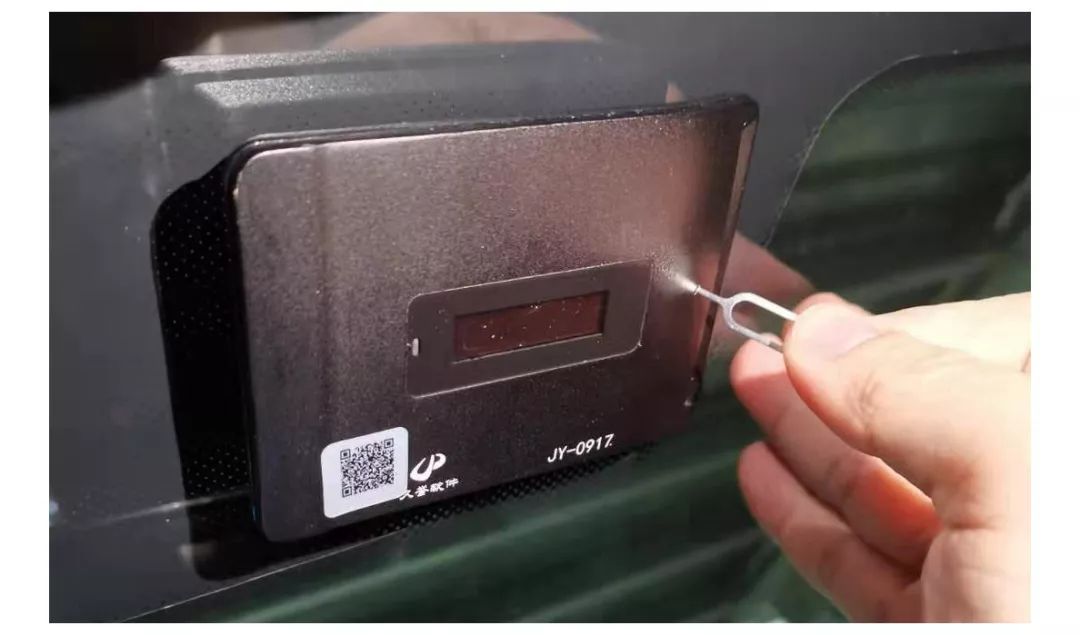
Without inserting the ETC card (Shanghai Tong card), use a pin to “lightly touch” the Bluetooth pinhole and then immediately release it (some devices activate Bluetooth by pressing a button). After hearing a “beep”, remove the pin and check the display screen; if it shows “Bluetooth on” and the indicator light is flashing, the device is ready.
4Connect and Activate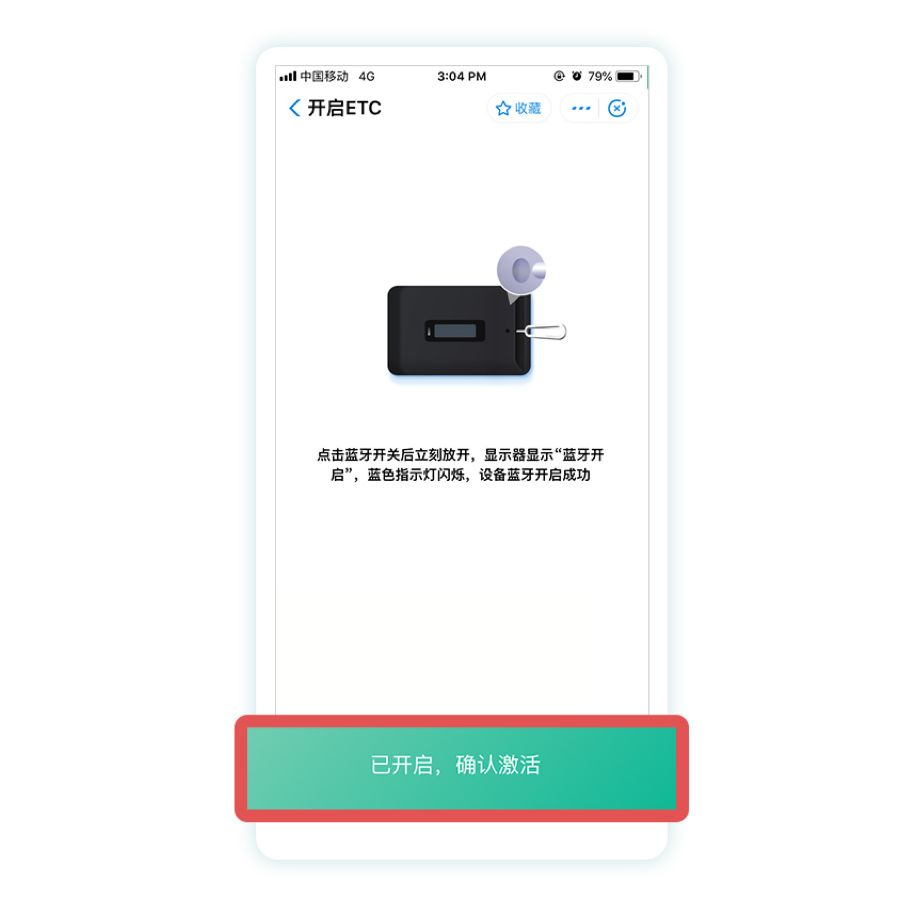
The Bluetooth of the ETC device will automatically turn off after 30 seconds, so please connect your phone to the device as soon as possible and follow the app’s prompts to complete the device activation.
You Can Use It Now1Insert the Card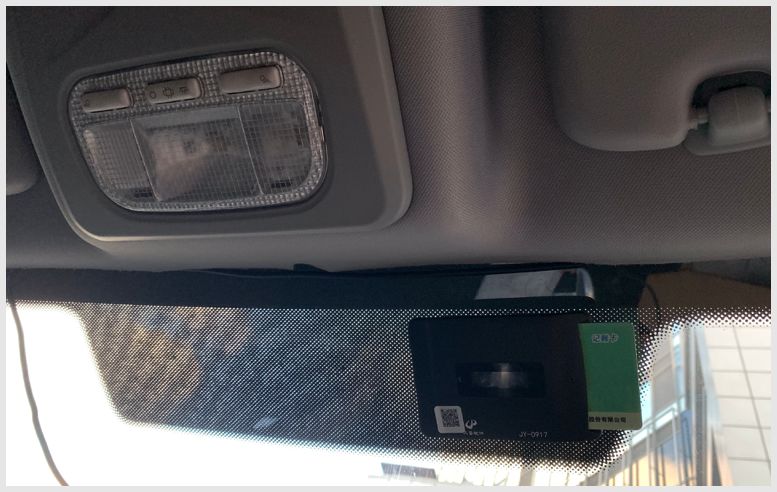
Please insert the ETC card (Shanghai Tong card) after activating the device, and check the display screen. If it shows “account card” or the card balance with the green indicator light on, the device is ready.
Precautions1Incorrect Operation Sequence
Correct operation: install – activate – insert card to use.
2Pin Insertion Time Too Long
Correct operation: when inserting the pin, press once and then remove it, waiting for the Bluetooth activation prompt. (This only applies to pin-type ETC devices; for other types, please refer to the manual)
3Too Long Between Bluetooth Activation and Activation
Correct operation: After the ETC device’s Bluetooth is activated, you should activate as soon as possible, as the Bluetooth will automatically turn off after 30 seconds. If unsuccessful, you need to turn the ETC device’s Bluetooth on again.
Source:Shanghai Release
Editor:Lu Jia