Today, due to a broadband upgrade, my MacBook Pro suddenly could not access the internet. This was quite frustrating for me, but after some searching and attempts, I found a method that effectively resolves this issue, and I would like to share it.1. Click on the Wi-Fi icon, then find the details in the connected Wi-Fi.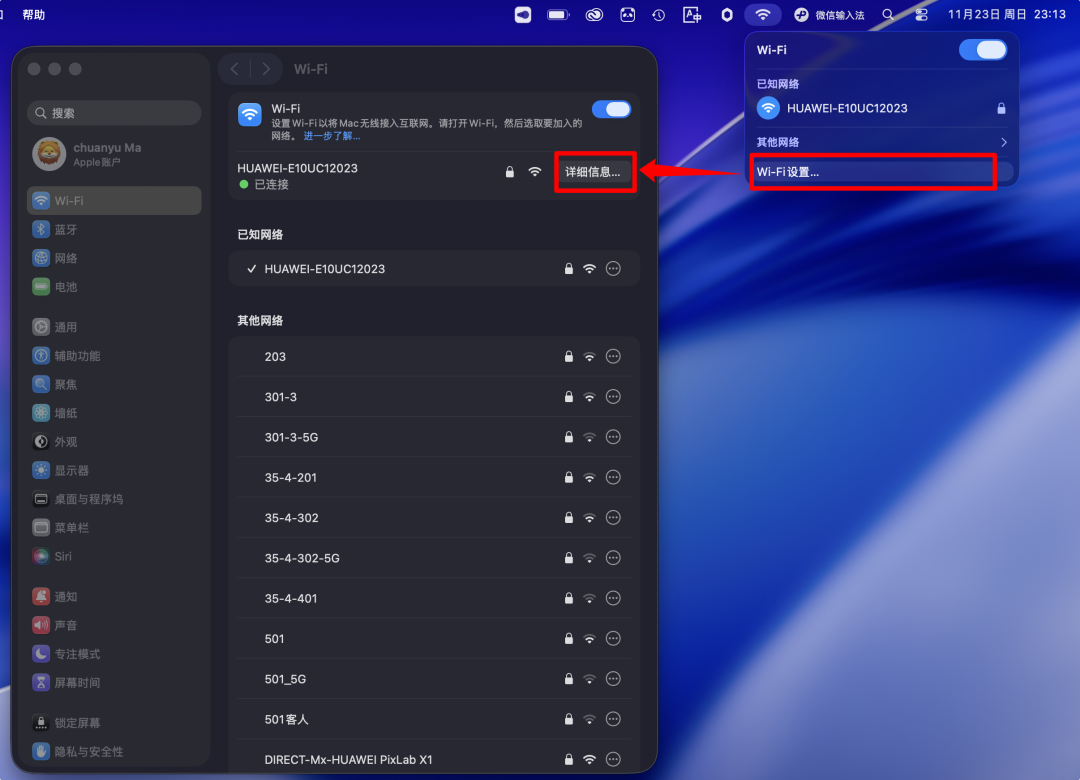 2. In the details, turn off all switches in the proxy settings. After refreshing the webpage, I was able to access the internet again. I am not sure about the specific principle behind this; however, I tried turning it back on later and was still able to access the internet. Could it be due to caching?
 Previous RecommendationsHow to View and Unhide Hidden Files on macOSEfficient File Organization Tool for Mac – DropoverDigital Life | Recommended Clipboard Management Tools for Mac