Sometimes
we encounter situations where we forget our WiFi password.
No matter how hard we try, we just can’t remember it.
So
what should we do?
Don’t worry
just read on.
It’s easy to recover your WiFi password if you have previously connected to the network.
(Note: The methods below only work for devices that have successfully connected before.)
On a Computer
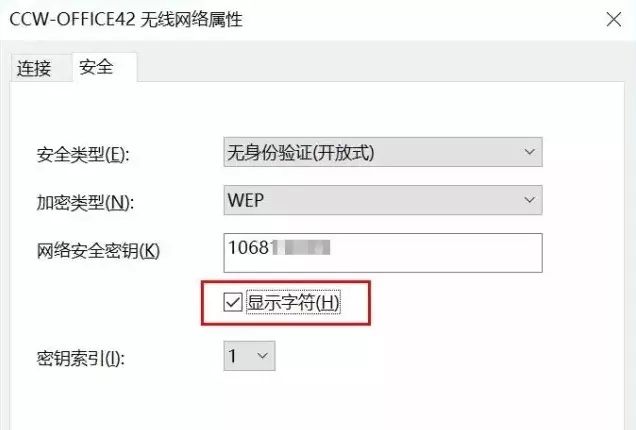
On a Windows computer, go to the WLAN properties window and click on the “Security” tab. Check the “Show characters” box to see the password for the corresponding Wi-Fi hotspot.
On a Mobile Phone
For Android phones, we have two methods to recover the Wi-Fi password.
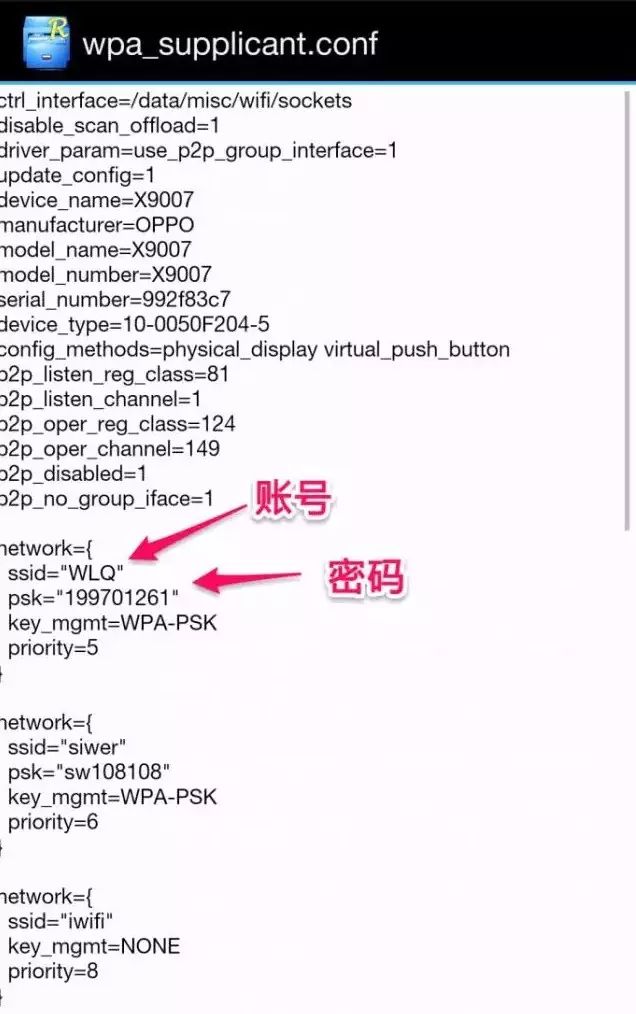
1.If your phone is rooted, just install and run the RE File Manager (or an app called Wi-Fi Password Viewer). Open the /data/misc/wifi/wpa_supplicant.conf configuration file to see all connected Wi-Fi names and their corresponding passwords.
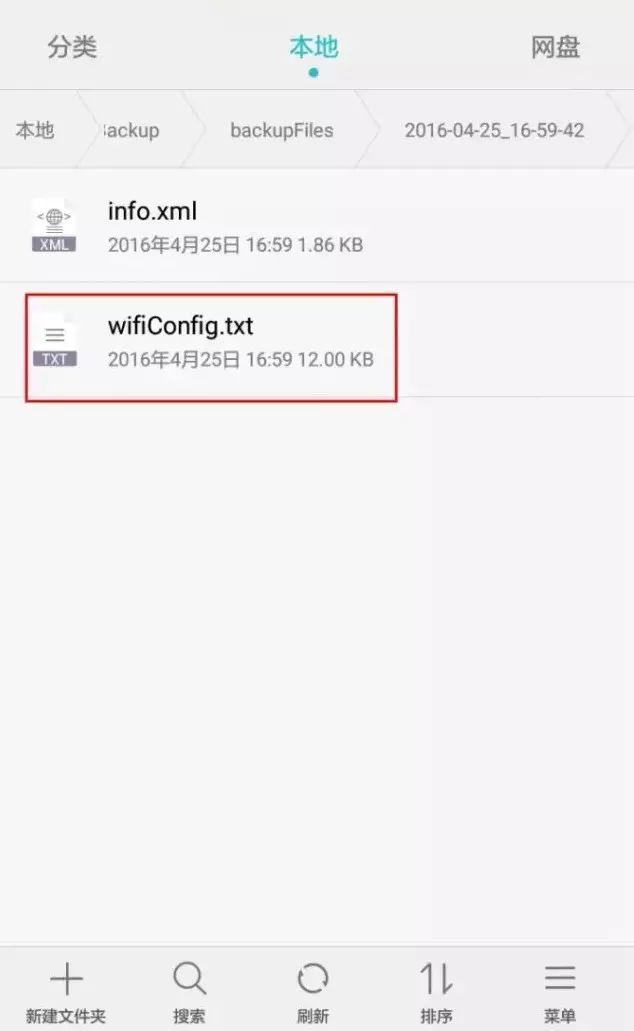
2. If your phone is not rooted, you can retrieve the password using the phone’s backup feature.
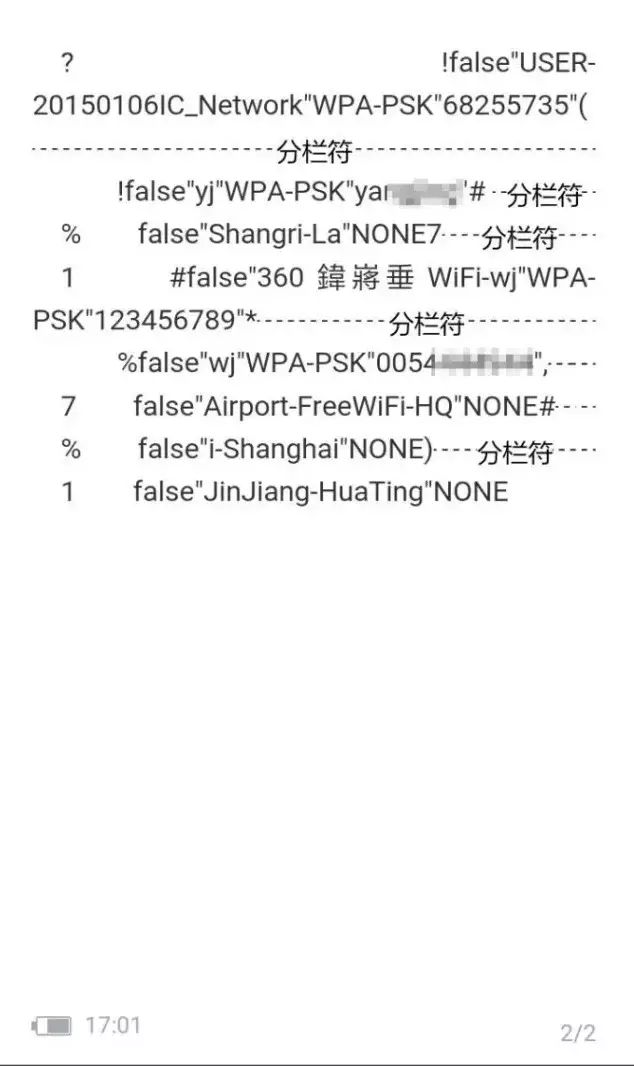
For example, on a Huawei P9, run the “Backup” app, select only “WLAN and password” in the backup items under “More,” and click OK. This will generate a file named “wifi….” in the directory “HuaweiBackup/backupFiles/backup date” (the backup directory name varies by phone brand). Change the file extension to “txt” and then use a text editor to view its content. Although there may be some garbled text, you should be able to recognize the SSID and corresponding password information.
Of course, if you accidentally modified and then forgot the router’s default login IP address or username/password, unfortunately, we cannot perfectly recover it.
The simplest method at this point is to press the reset button on the back of the router with a sharp object, and the router’s login method will revert to the default of 192.168.1.1 and admin.
(Some content sourced from the internet)
Editors: Cao Lei, Jie Song, Zheng Zheng, Zhou Xinyu
Editorial Supervisor: Li Mengzhu, Niu Shusen
Hey, dear friends! The exclusive market for economics and trade has opened!
If you have some idle small items
or textbooks you no longer need, bicycles
clothes you bought but never used, digital devices, daily necessities
and so on,
you can come here to “set up a stall”.
Welcome to the economics and trade market~~~
↓↓↓ Hurry and click “Read the original text” to enter the 【Economics and Trade Market】!