Every household has WiFi
It has become a necessity in life
But sometimes in the morning it feels very laggy
And you might think the router is broken
Little do you know, it’s due to improper usage
If it weren’t for the reminder from a professional
Even a hundred megabit network can turn into “turtle speed”
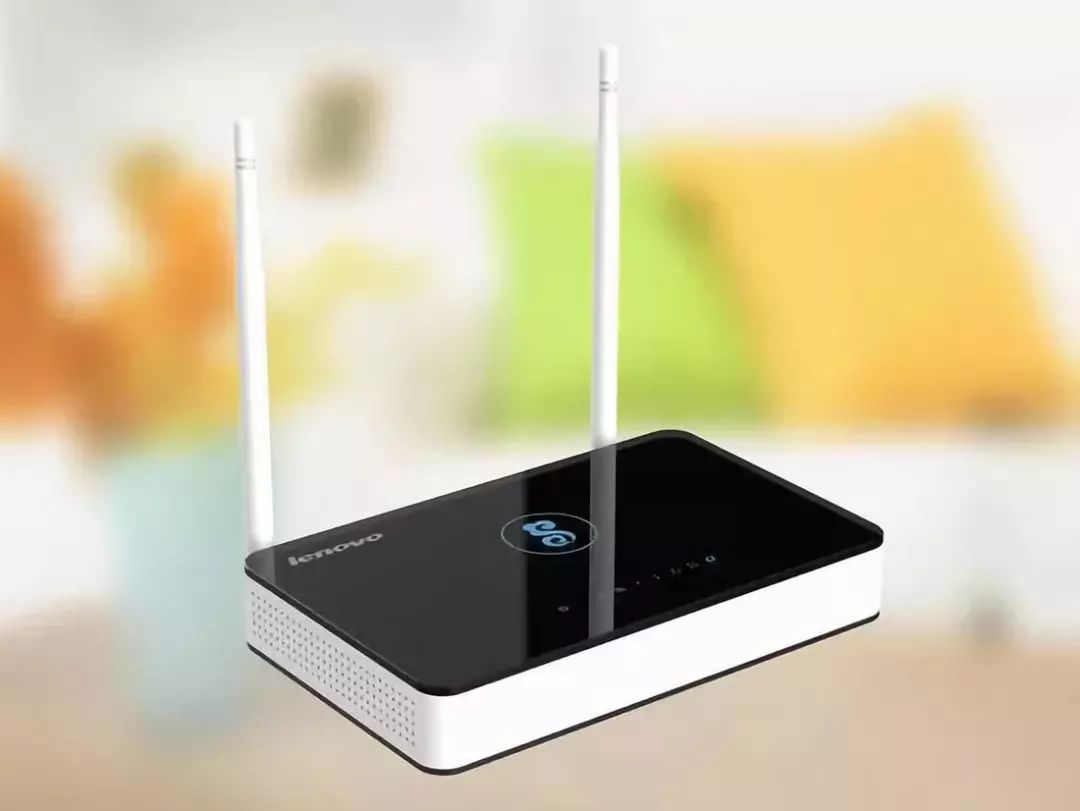
Should the router be turned off?
Many people probably have routers at home
That have been left on since they were installed
Constantly powered on
However, in reality, routers need to be turned off every day
Why does the network slow down?
The principle is simple
Any machine that is used continuously without rest
Will definitely consume internally
This can lead to overheating
Resulting in slower internet speeds
1. Keeping the router on causes device aging
Since the router is always in a working state, it never rests, so the internal components can gradually age. Even a hundred megabit fiber can become “slow” and lead to various small issues with network delay.
2. Keeping the router on causes excessive internal caching
Networks also have caching. A technician explains that the working principle of a router is to continuously receive and transmit signals, and these caches are made up of some excess signals.
So when we turn off the router, it can clear these caches on its own. If the router is kept on, the cache will accumulate more and more, leading to slower internet speeds.
If your home router is particularly slow, don’t worry too much. You can try turning it off, letting it rest for a while, and then turning it back on. If it’s still slow, you might as well unplug it for a day or two before using it again.
This period will allow the router to clear its internal cache, and after a “break,” it should work much smoother~
It turns out routers need to be turned off daily; no wonder the internet speed at home is always poor. It could be because this small detail was not attended to!
WIFI radiation is harmless
Some friends may also worry about wifi radiation
And think they should turn it off
In fact
wifi radiation is non-ionizing radiation
And poses minimal harm to the human body
Unless you hold it for hundreds of years, it would pose a risk
So you really don’t need to worry about this
Use it confidently
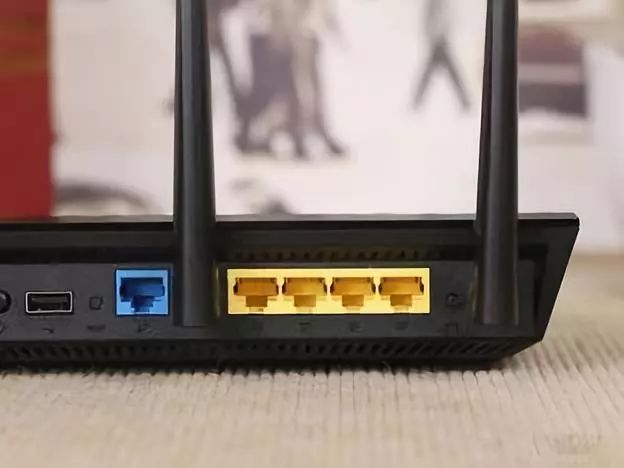
What do you fear most when using your phone or watching TV?
Web pages not loading, videos buffering
Actually, the placement of the router also matters
Learn to place it correctly to better “surf the internet”
How to place the router
1. Place the router in the center of the living room
The principle of WiFi routers is to send signals in all directions. If placed by the window or in a corner, the signal can easily be blocked. Therefore, it’s best to place the WiFi router in the center of the living room to ensure every room receives WiFi.
The phrase “You are blocking my signal” is real. If an object is too large, it will indeed affect the wireless signal, such as wardrobes and walls, which can block it.
Another kind of obstruction is metal, which blocks wireless signals more effectively than the former. So, do not place clutter around the router; the best method is to place it in the open center of the living room without any obstructions.
2. Do not place the router on the ground
WiFi routers should not be placed on the floor. The WiFi signal weakens with increased distance and is also weakened when passing through solid materials. If blocked by the floor, the signal will weaken!
It’s best to place the router on a table or shelf, about one meter above the ground, to allow the signal to propagate better in the space.
3. Change the orientation of the router’s antennas
Position the two antennas of the router at right angles to each other, allowing for multi-directional signal transmission. This way, whether you are holding your phone horizontally or vertically, the WiFi signal will not be affected.
∕ Router antenna placement ∕
1. Two antennas
Incorrect example: Positioning the antennas 90° perpendicular to the router, with both antennas parallel to each other.

Correct example: Position one antenna vertically and the other horizontally, crossing the two antennas to expand the coverage of the WiFi signal.

2. Three antennas
Incorrect example: Pointing all antennas in the same direction.

Correct example: You can arrange the router’s antennas at various angles: horizontal, vertical, diagonal, etc., to provide more three-dimensional and comprehensive WiFi coverage.

4. Keep away from other electronic products
Many people like to place their routers on top of their TVs, which can also weaken the signal!
Most appliances, such as TVs, microwaves, and induction cookers, which emit electromagnetic signals, will interfere with the WiFi signal.
Devices like refrigerators and outdoor air conditioning units that have large motors (compressors) will also interfere with the signal when in operation.
If the wireless signal is not strong, here are some methods to enhance your home WiFi signal that are simple, easy to do, and effective.
Router Signal Enhancement
1. Soda Can WiFi Booster
If the wireless signal is weak, it can be even more frustrating than having no signal at all. Why not try DIYing a soda can WiFi signal booster, which is very effective at amplifying the signal!
The inner surface of the soda can can reflect wireless signals, enhancing the antenna’s ability to transmit and receive signals.
Specific steps:
Step 1: Cut around the bottom of the can and remove the entire bottom.
Step 2: Cut a portion near the top of the can, leaving about 1 to 2 centimeters uncut at the opening.
Step 3: Unfold the metal to form a fan shape, turn the can upside down, and secure the router’s antenna through the opening.
2. Aluminum Foil WiFi Booster
Similarly, aluminum foil can also be used to DIY a signal booster. Find a curved bowl, line it with aluminum foil, and place the WiFi router in the center to enhance the signal!
3. Cigarette Box WiFi Booster
If you have friends who smoke, don’t be in a hurry to throw away the empty cigarette box. First, take out the aluminum foil inside, fold it three times, and then stick a piece of double-sided tape in the middle of the folded foil.
Finally, just stick the folded aluminum foil onto the router’s antenna.
Reminder: Regularly clean the dust
The router, which operates continuously for 365 days, often accumulates a lot of dust inside and around its ventilation holes, which can lead to poor heat dissipation, and over time, cause crashes and unstable wireless networks. So remember to regularly clean the dust off the router.
Sometimes when the internet speed is slow, we might suspect that someone is stealing our WiFi. If someone is using your WiFi, what should we do?
What to do if WiFi is being stolen?
In addition to adjusting the router
You should also check if anyone is “stealing” your broadband
Too many connected devices
Is also one of the reasons for poor Wi-Fi signals
How to identify if the network is being stolen
Method 1: Wi-Fi Key Detection
Open the Wi-Fi key detection feature to see the devices currently using the network and their names. If there are unfamiliar devices, it indicates someone is stealing your WiFi.
Method 2: Log into the router
1. Open a browser and enter the router’s IP address (which can be found on the back of the router).
2. After logging into the router, check how many devices are using the network (it’s best to restart the router before checking). If the total number of devices matches the displayed number, it means no one is stealing your WiFi.
Preventing WiFi Theft
Method 1: Disable the router’s WPS feature
This is the simplest and quickest method, which can significantly reduce the chances of being brute-forced.
Method 2: Be cautious with WiFi key tools
Do not install Wi-Fi key tools on your phone or tablet, or remember to turn off their sharing features.
Method 3: Change the router password
Many people often choose the default router username and password. It is recommended to set a Wi-Fi password with a certain level of complexity; simple numeric passwords are too easy to crack.
∕ Upgrade to a quality router or add a signal amplifier ∕
Do not think that all routers have the same functionality and thus overlook the value of a router. A 500-yuan router indeed emits a stronger signal than a 50-yuan one. If you want to run fast, you need to equip your horse with a good saddle first. A poor router makes all efforts futile.
If there are not many weak signal areas at home
You can also buy a WiFi signal amplifier to solve the problem
If the difference is too great
You will need to buy another router for bridging
Below are things that 500 million people are watching
Director Jia Zhangke: Let the blind and deaf see movies! 32 representatives jointly proposed!
In the name of the whole group! The Shanxi delegation submitted a proposal to support this project
Baidu Chairman Li Yanhong “declared”: We will do this big thing! Shanxi will be the first to achieve automatic driving on highways
Source: Shanxi Hotspot
Editor: Shu Xiaojin
Review: Shu Xiaoyuan, Shu Xiaoqie
Supervision:Shu Xiaofei, Shu Dabin

Shanxi Satellite TVGolden Theater
Jiang Wenli, Ni Dahong
“Under the Zhengyang Gate”
Coming soon