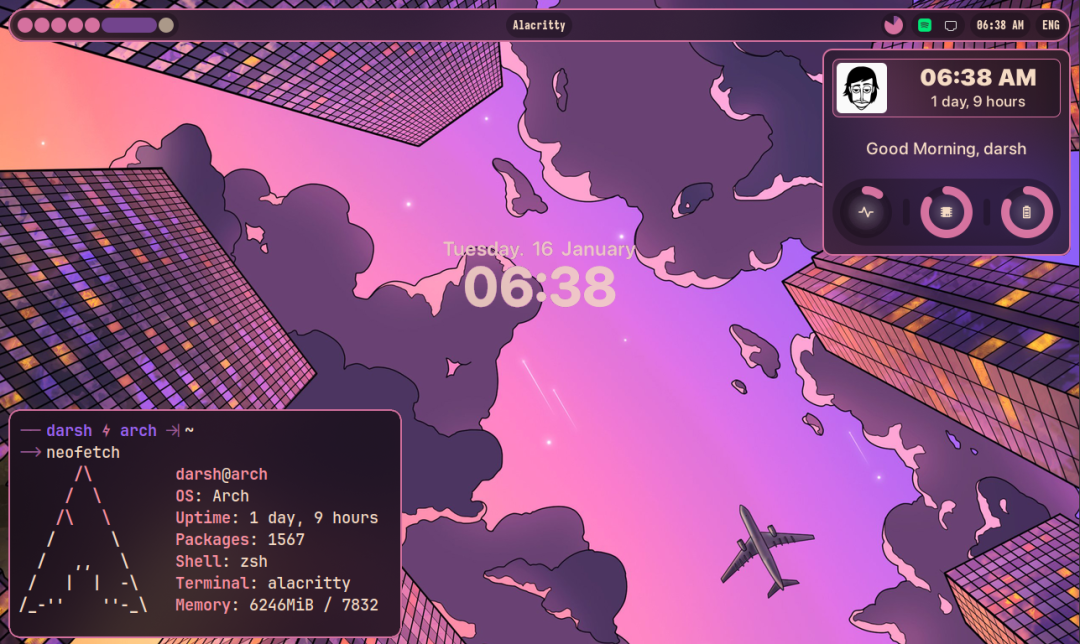
Fabric is a desktop widget system customized with Python, designed to simplify and enhance the experience of creating widgets. It offers a range of features that make this typically tedious process enjoyable and straightforward. The goal of Fabric is to provide a high-level, signal-based workflow that eliminates the need for polling or bash scripts, even for the most basic tasks.
Core Features of Fabric
The core of Fabric lies in its simple yet powerful features:
-
• Cross-Platform Support: Fabric supports both X11 and Wayland, ensuring compatibility across different desktop environments.
-
• Python Integration: Fabric leverages the Python ecosystem, allowing easy access to all other Python modules, providing limitless extensibility.
-
• Excellent Developer Experience: Fabric focuses on developer experience, offering good type support to enhance code readability and maintainability.
-
• Low Resource Usage: Fabric is well-designed, with low resource consumption and high efficiency.
-
• Python Code Replacing Shell Scripts: Built-in Python code replaces resource-intensive shell scripts, improving efficiency and simplifying maintenance.
Intuitive Visual Demonstration
Fabric provides a series of desktop widget examples that intuitively showcase its features and potential. These examples cover various application scenarios, helping developers quickly get started and understand the power of Fabric.
Preparing the Development Environment
Before starting to use Fabric, it is essential to read the documentation carefully and prepare the necessary development environment. This includes installing required dependencies and configuring development tools.
Core Components: Widgets, Services, and Objects
The core building blocks of Fabric include widgets, services, and objects.
Widgets: The core widget of Fabric is <span>Widget(fabric.widgets.widget)</span>, from which almost all other Fabric widgets inherit. This inheritance mechanism allows modifications to a base class property or method to simultaneously affect all subclasses that inherit from it, greatly simplifying code maintenance.
Services and Objects: Fabric provides a <span>Service</span> base class (<span>fabric.service</span>), and new Fabric services should inherit from this class. When inheriting from the <span>Service</span> class, it is important to replace the <span>@property</span> decorator with the <span>@Property</span> decorator (from <span>fabric.service</span>) to achieve notifyable properties.
Fabric uses a signal mechanism for event handling. You can create signals by modifying the <span>__gsignals__</span> variable. The <span>__gsignals__</span> accepts a <span>SignalContainer</span> object (from <span>fabric.service</span>), which receives <span>Signal</span> objects as parameters.
from fabric.service import *

class MyUsefulService(Service):
    __gsignals__ = SignalContainer(
        Signal("my-really-useful-signal", "run-first", None, (object,))
        # Signal name, run flag, callback function return value, callback function parameter types
    )
    def __init__(self):
        self.emit("my-really-useful-signal", "this is my super useful argument")
Creating New Widgets
Before writing a new widget, you should first check if GTK already includes that widget. If GTK has already implemented the required widget, the work will be much simpler. Even if GTK has not implemented it, Fabric provides a way to create widgets from scratch.
Widget Development Based on Existing GTK Widgets:
If GTK has already implemented the required widget, you can choose to use it directly or