DFRobot recently released a new development board<span>FireBeetle 2 ESP32-C5</span>, which is equipped with the<span>ESP32-C5-WROOM-1</span> module, supporting 5GHz Wi-Fi 6, offering strong performance and lower power consumption. Today, let’s quickly get started!
1. Development Board Overview
-
USB-C: Download/Power Interface
-
Charge: Charging Indicator
-
Off: Not connected to power or fully charged
-
On: Charging
-
15/D13: Onboard LED (lights up at high level)
-
RST: Reset Button
-
28/BOOT: IO28 + BOOT Button (hold while pressing RST to enter download mode)
-
BAT: 3.7 ~ 4.2 V Lithium Battery Interface
-
IO1: Battery Voltage Detection (after voltage division ≈ 1/2 VBAT)
-
3V3_C: 3.3 V Power Switch controlled by IO0, default off, turns on when set high
-
GDI: 8-bit GDI Display Interface (SPI + RGB optional)
2. MicroPython Firmware
The official support for ESP32-C5 is not yet available, so I directly used a semi-finished PR from a GitHub expert, made some adjustments, and integrated it into <span>lvgl_micropython</span>. The compilation process was a bit tricky, so I am providing the compiled firmware directly to save everyone the hassle of doing it themselves. (The firmware is available in the QQ group files)
3. Flashing
Refer to the article “Mastering ESP32 Firmware Flashing in One Go“. Note that the flashing address is:<span>0x002000</span>
4. Performance Testing
Modify the code in <span>screen.py</span> to change the refresh rate:
import lcd_bus
from micropython import const
import machine
import lcd_utils

# Create SPI bus object
spi_bus = machine.SPI.Bus(
    host=1,
    mosi=24,
    miso=25,
    sck=23,
)

# Create SPI communication object for the display
display_bus = lcd_bus.SPIBus(
    spi_bus=spi_bus,
    freq=40000000,
    dc=8,
    cs=27,
)

import ili9488
import lvgl as lv
import task_handler

# Create display object
display = ili9488.ILI9488(
    data_bus=display_bus,
    display_width=320,
    display_height=480,
    backlight_pin=15,
    reset_pin=26,
    reset_state=ili9488.STATE_LOW,
    color_space=lv.COLOR_FORMAT.RGB888,
    color_byte_order=ili9488.BYTE_ORDER_RGB,
    rgb565_byte_swap=True,
)

import i2c
import task_handler
import gt911

# Initialize display
display.init()

# Define I2C communication parameters for the touchscreen
i2c_bus = i2c.I2C.Bus(host=0, scl=10, sda=9, freq=400000, use_locks=False)
print(i2c_bus.scan())
touch_dev = i2c.I2C.Device(bus=i2c_bus, dev_id=0x5D, reg_bits=gt911.BITS)

# Create touchscreen device object
indev = gt911.GT911(touch_dev)

# Rotate display
display.set_rotation(lv.DISPLAY_ROTATION._270)
# Turn on the screen backlight (the practical ESP32C3 is the opposite)
display.set_backlight(1)
th = task_handler.TaskHandler(duration=1)  # Modify refresh rate
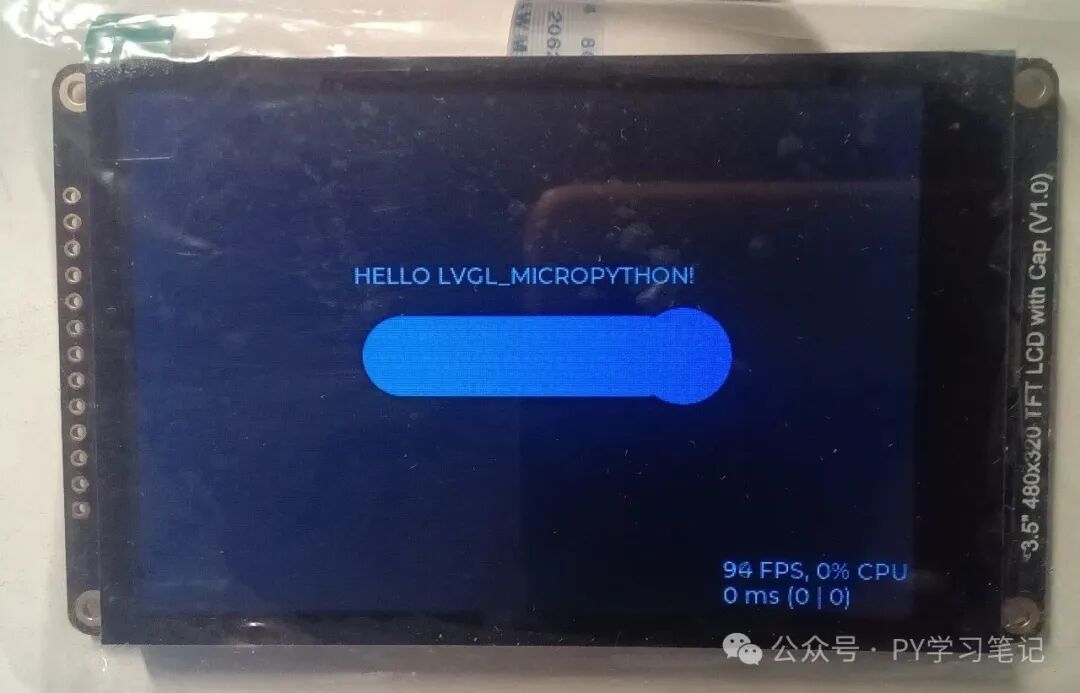
Download screen.py to the root directory. Running the slider program from the previous article “Exploring the DFRobot ESP32-C5 Development Board: Playing with LVGL MicroPython” will show that the screen remains static at around 100 FPS.
Run the clock program with the following code:
import screen
import time,gc
import lvgl as lv
from machine import Pin, Timer
import math

scrn = lv.screen_active()
scrn.set_style_bg_color(lv.color_hex(0x000000), 0)

class AnalogClock:
    def __init__(self, parent):
        self.scale = None
        self.second_hand = None
        self.minute_hand = None
        self.hour_hand = None
        # Get current time
        now = time.localtime()
        self.hour = now[3] % 12  # Convert to 12-hour format
        self.minute = now[4]
        self.second = now[5]
        self.create_clock(parent)
        self.start_timer()

    def create_clock(self, parent):
        """Create analog clock component"""
        # Create clock face (maintain size 120x120)
        self.scale = lv.scale(parent)
        self.scale.set_size(200, 200)
        self.scale.set_mode(lv.scale.MODE.ROUND_INNER)

        # Set clock face style (remain unchanged)
        self.scale.set_style_bg_opa(lv.OPA._60, 0)
        self.scale.set_style_bg_color(lv.color_hex(0x222222), 0)
        self.scale.set_style_radius(lv.RADIUS_CIRCLE, 0)
        self.scale.set_style_clip_corner(True, 0)
        self.scale.center()

        # Configure tick system (remain unchanged)
        self.scale.set_label_show(True)
        hour_labels = ["12", "1", "2", "3", "4", "5", "6", "7", "8", "9", "10", "11", None]
        self.scale.set_text_src(hour_labels)
        self.scale.set_style_text_font(lv.font_montserrat_12, 0)
        self.scale.set_total_tick_count(61)
        self.scale.set_major_tick_every(5)

        # Main tick style (remain unchanged)
        style_indicator = lv.style_t()
        style_indicator.init()
        style_indicator.set_text_color(lv.color_hex(0xFFFFFF))
        style_indicator.set_line_color(lv.color_hex(0xFFFFFF))
        style_indicator.set_length(5)
        style_indicator.set_line_width(2)
        self.scale.add_style(style_indicator, lv.PART.INDICATOR)

        # Minor tick style (remain unchanged)
        style_minor = lv.style_t()
        style_minor.init()
        style_minor.set_line_color(lv.color_hex(0xAAAAAA))
        style_minor.set_length(3)
        style_minor.set_line_width(1)
        self.scale.add_style(style_minor, lv.PART.ITEMS)

        # Clock face border style (remain unchanged)
        style_main = lv.style_t()
        style_main.init()
        style_main.set_arc_color(lv.color_hex(0x222222))
        style_main.set_arc_width(3)
        self.scale.add_style(style_main, lv.PART.MAIN)

        # Set range and angle (remain unchanged)
        self.scale.set_range(0, 60)
        self.scale.set_angle_range(360)
        self.scale.set_rotation(270)

        # Create second hand (red, length 90px, thin line)
        self.second_hand = lv.line(self.scale)
        self.second_hand.set_style_line_width(1, 0)  # Thinner line width
        self.second_hand.set_style_line_rounded(True, 0)
        self.second_hand.set_style_line_color(lv.color_hex(0xFFFFFF), 0)

        # Create minute hand (blue, length 75px)
        self.minute_hand = lv.line(self.scale)
        self.minute_hand.set_style_line_width(3, 0)
        self.minute_hand.set_style_line_rounded(True, 0)
        self.minute_hand.set_style_line_color(lv.color_hex(0x00BFFF), 0)

        # Create hour hand (orange, length 60px)
        self.hour_hand = lv.line(self.scale)
        self.hour_hand.set_style_line_width(5, 0)
        self.hour_hand.set_style_line_rounded(True, 0)
        self.hour_hand.set_style_line_color(lv.color_hex(0xFFA500), 0)

        # Add center point (remain unchanged)
        center = lv.obj(self.scale)
        center.set_size(8, 8)  # Slightly reduce center point size
        center.center()
        center.set_style_radius(lv.RADIUS_CIRCLE, 0)
        center.set_style_bg_color(lv.color_hex(0xFFD700), 0)
        center.set_style_bg_opa(lv.OPA.COVER, 0)

        self.update_hands()

    def update_hands(self):
        """Update all hands' positions"""
        # Second hand (length 90px)
        lv.scale.set_line_needle_value(self.scale, self.second_hand, 90, self.second)
        # Minute hand (length 75px)
        lv.scale.set_line_needle_value(self.scale, self.minute_hand, 75, self.minute)
        # Hour hand (length 60px), considering minute offset
        hour_value = self.hour * 5 + (self.minute // 12)
        lv.scale.set_line_needle_value(self.scale, self.hour_hand, 60, hour_value)
        gc.collect()

    def timer_callback(self, timer):
        """Timer callback (updates every second)"""
        # Get current time
        now = time.localtime()
        self.hour = now[3] % 12
        self.minute = now[4]
        self.second = now[5]
        self.update_hands()
        gc.collect()

    def start_timer(self):
        """Start hardware timer (triggers every second)"""
        self.timer = Timer(1)
        self.timer.init(period=1000, mode=Timer.PERIODIC, callback=self.timer_callback)

# Create clock instance
clock = AnalogClock(scrn)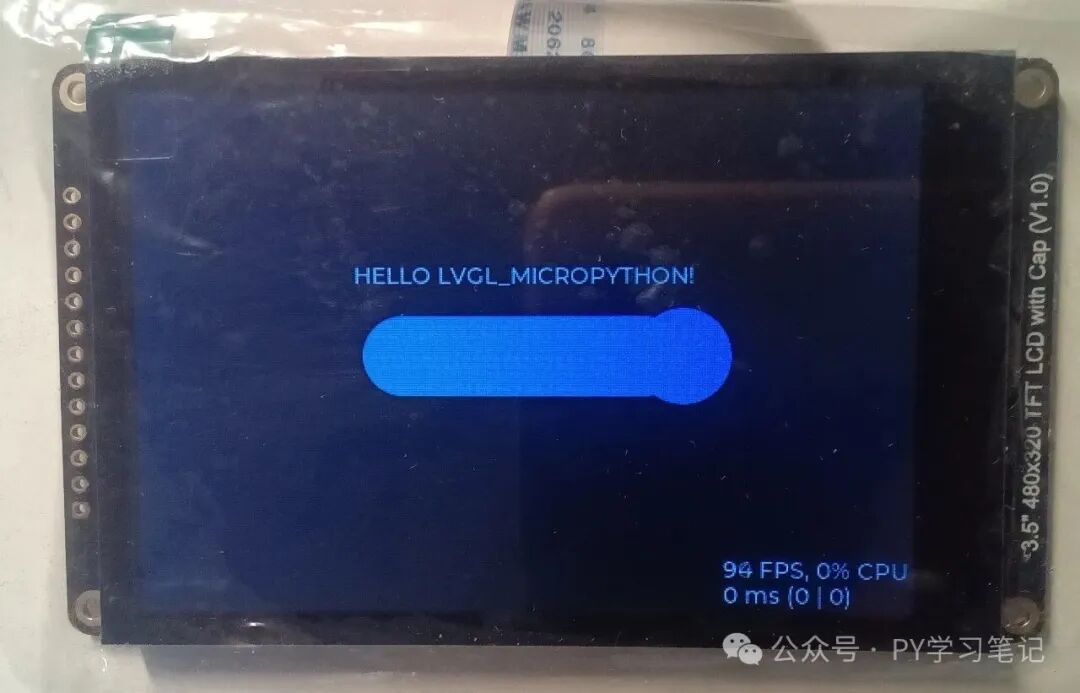
The ESP32-C5 has limited memory, which may cause some lag or even freeze.
Recommended Reading:
-
Exploring the DFRobot ESP32-C5 Development Board: Playing with LVGL MicroPython
-
Exploring the DFRobot ESP32-P4 Development Board: Playing with MicroPython
-
Exploring the DFRobot ESP32-P4 Development Board: Driving DSI Touch Screen
-
Exploring DFRobot ESP32-P4: Creating a Custom “Xiao Zhi” Based on MicroPython
- ESP32-P4 Playing with ESP-DL: Implementing Face, Human, and Cat Detection
- ESP32-P4 Playing with ESP-DL: Implementing YOLO v11 Object Detection
- Modular Remote-Controlled Car – Voice-Controlled Car Based on RP2350 and ASRPRO
