Embedded Rust Programming with ESP32: Stepper Motor Control
A stepper motor is an invisible precision controller in our daily lives, precisely controlling rotation angles through pulse signals, providing core power for various devices. In digital devices, the STM stepper motor in Canon cameras achieves quiet and smooth autofocus, allowing for uninterrupted short video shooting; scanners rely on it to drive the scanning head for accurate positioning, ensuring clear images. In smart homes, the 28BYJ-48 stepper motor drives smart curtains to open and close remotely, achieving millimeter-level adjustments. In the medical field, its precision is indispensable, as infusion pumps and syringe pumps use it to control fluid transmission rates, ensuring medication safety. Even microwave turntables rely on permanent magnet stepper motors to maintain stable rotation. From everyday appliances to precision instruments, stepper motors achieve high reliability at low cost, becoming the invisible cornerstone of automated living.
Building on the previous article “Hello World” in Rust Embedded ESP32, we will implement the following functionality:
Functionality Implementation
- 1. Control the stepper motor
<span>rotation</span>
Familiarizing with Hardware:
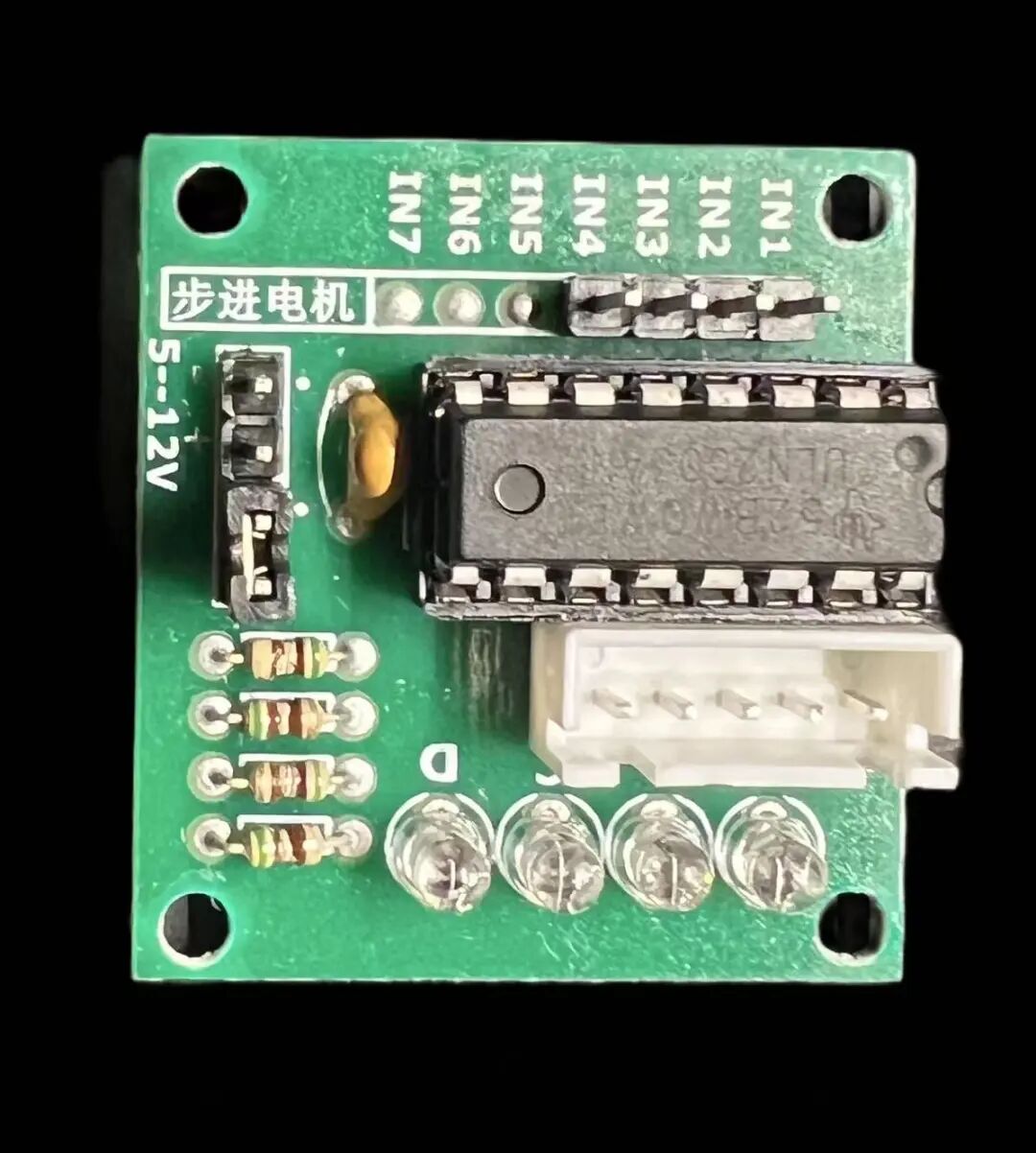
The function is to convert the ESP32’s electrical signals into voltage.
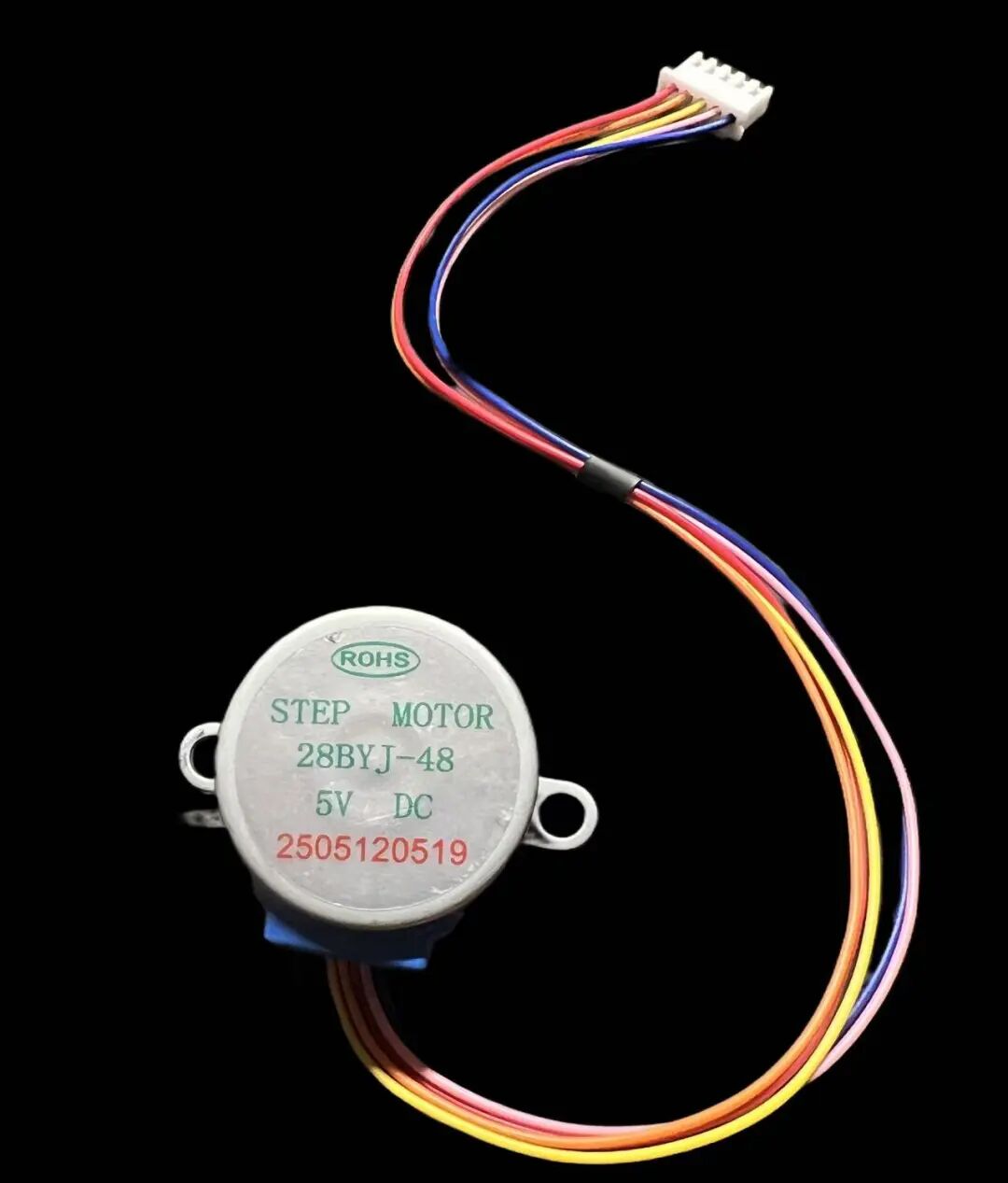
To achieve rotation effects.
Wiring
- 1. Insert the stepper motor into the motor control board.
- 2. Connect the control board’s
<span>IN1~4 interfaces</span>to the ESP32’s<span>G16~19 pins</span>. - 3. Connect the motor’s
<span>-</span>/<span>+</span>to the power supply’s<span>positive</span>and<span>negative</span>
Code Implementation
Declare Four Output Pins
    let stepper_orange = Output::new(peripherals.GPIO16, Level::High, OutputConfig::default());
    let stepper_yellow = Output::new(peripherals.GPIO17, Level::High, OutputConfig::default());
    let stepper_pink = Output::new(peripherals.GPIO18, Level::High, OutputConfig::default());
    let stepper_blue = Output::new(peripherals.GPIO19, Level::High, OutputConfig::default());
Implement Sequential Voltage Output
let delay = Delay::new();
let mut stepper_arr = [stepper_orange, stepper_yellow, stepper_pink, stepper_blue];
loop {
    for i in 0..stepper_arr.len() {
        for j in 0..stepper_arr.len() {
            if i == j {
                continue;
            }
            stepper_arr[j].set_high();
        }
        stepper_arr[i].set_low();
        delay.delay_millis(5);
    }
}
Complete Code
#![no_std]
#![no_main]
#![deny(
    clippy::mem_forget,
    reason = "mem::forget is generally not safe to do with esp_hal types, especially those \
    holding buffers for the duration of a data transfer."
)]

use esp_hal::{
    clock::CpuClock,
    delay::Delay,
    gpio::{Level, Output, OutputConfig},
    main,
};
use esp_println::println;

#[panic_handler]
fn panic(_: &core::panic::PanicInfo) -> ! {
    loop {
        println!("Panic!");
    }
}

pub fn update_method(timestamp: u32) {
    println!("update_method: {}", timestamp);
}
esp_bootloader_esp_idf::esp_app_desc!();
#[main]
fn main() -> ! {
    // generator version: 0.5.0
    let config = esp_hal::Config::default().with_cpu_clock(CpuClock::max());
    let peripherals = esp_hal::init(config);
    let stepper_orange = Output::new(peripherals.GPIO16, Level::High, OutputConfig::default());
    let stepper_yellow = Output::new(peripherals.GPIO17, Level::High, OutputConfig::default());
    let stepper_pink = Output::new(peripherals.GPIO18, Level::High, OutputConfig::default());
    let stepper_blue = Output::new(peripherals.GPIO19, Level::High, OutputConfig::default());
    let delay = Delay::new();
    let mut stepper_arr = [stepper_orange, stepper_yellow, stepper_pink, stepper_blue];
    loop {
        for i in 0..stepper_arr.len() {
            for j in 0..stepper_arr.len() {
                if i == j {
                    continue;
                }
                stepper_arr[j].set_high();
            }
            stepper_arr[i].set_low();
            delay.delay_millis(5);
        }
    }
}
Effect Demonstration