Experience Vibe Coding Through Hands-On Experiments
-
The prerequisites before the experiment are:
-
1. Install VSCode properly
-
2. Set up the Python environment
-
3. Need SeekDB
-
4. Need PowerMem
-
5. Jupyter plugin (not mandatory, but it’s recommended after practical use)
-
Developers are already familiar with 1 and 2.
-
However, few people know about 3 and 4.
Terminology Explanation
-
PowerMem: This is an intelligent memory SDK developed by OceanBase specifically for AI applications. It automatically extracts key facts from conversations using LLM, achieving deduplication, updates, and merging of memories. It introduces a reinforcement learning mechanism based on the Ebbinghaus forgetting curve, allowing AI to naturally “forget” outdated noise information like humans. It supports multi-agent memory sharing and isolation, multi-modal data (text, images, audio) memory, and is deeply adapted to OceanBase’s mixed search capabilities, significantly improving the storage and query efficiency of large-scale memories. Its lightweight design makes it easy to integrate, helping developers quickly build AI application systems with long-term memory capabilities. GitHub link: https://github.com/oceanbase/powermem
-
SeekDB: This is a developer-friendly AI native database product created by OceanBase, focusing on providing efficient mixed search capabilities for AI applications. It supports unified storage and retrieval of vector, text, structured, and semi-structured data, and supports data embedding, reordering, and real-time inference within the database through built-in AI functions. SeekDB inherits the high-performance advantages of OceanBase’s original core engine and the comprehensive compatibility features of MySQL, providing developers with solutions that better meet the data processing needs of AI applications through deep optimization of the data search architecture.
Environment
-
The environment was provided officially at the OceanBase launch event.
-
ECS machine

-
This machine has already installed SeekDB and PowerMem. SeekDB is started using Docker. The database and tables inside have been initialized.
-
Thus, we can directly operate using VSCode. Let’s explain this in simple terms. (Local installation will be discussed later)
-
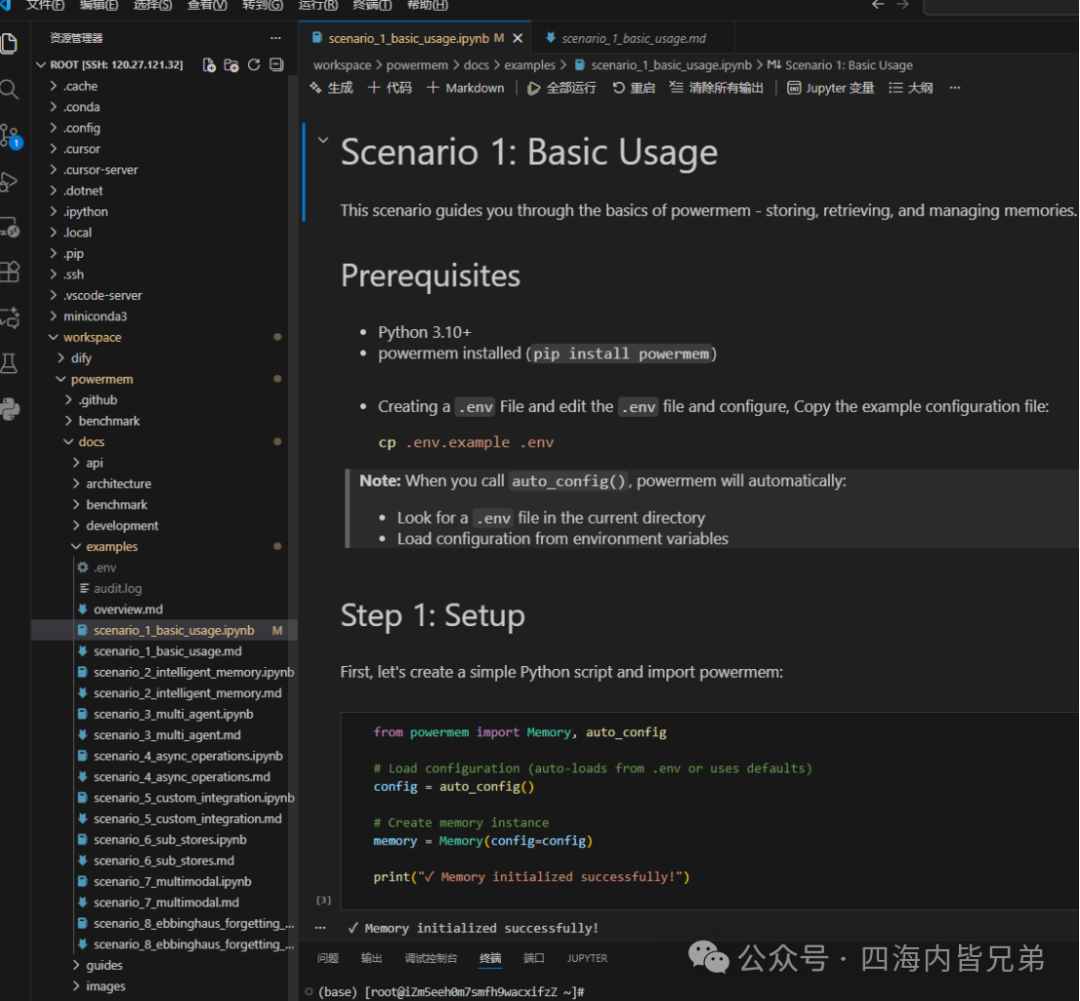
Install the Remote SSH plugin in VSCode. Enter the correct IP address, username, and password to log into the remote server. Please see the overall directory.
-
The prepared environment is considerate, and PowerMem is already available.
-
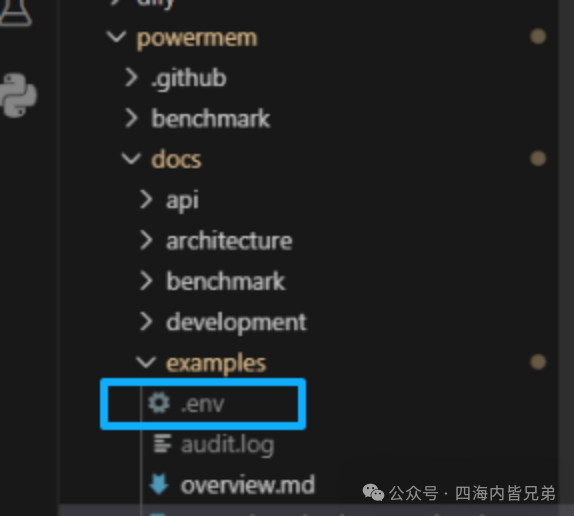
Note here:
-
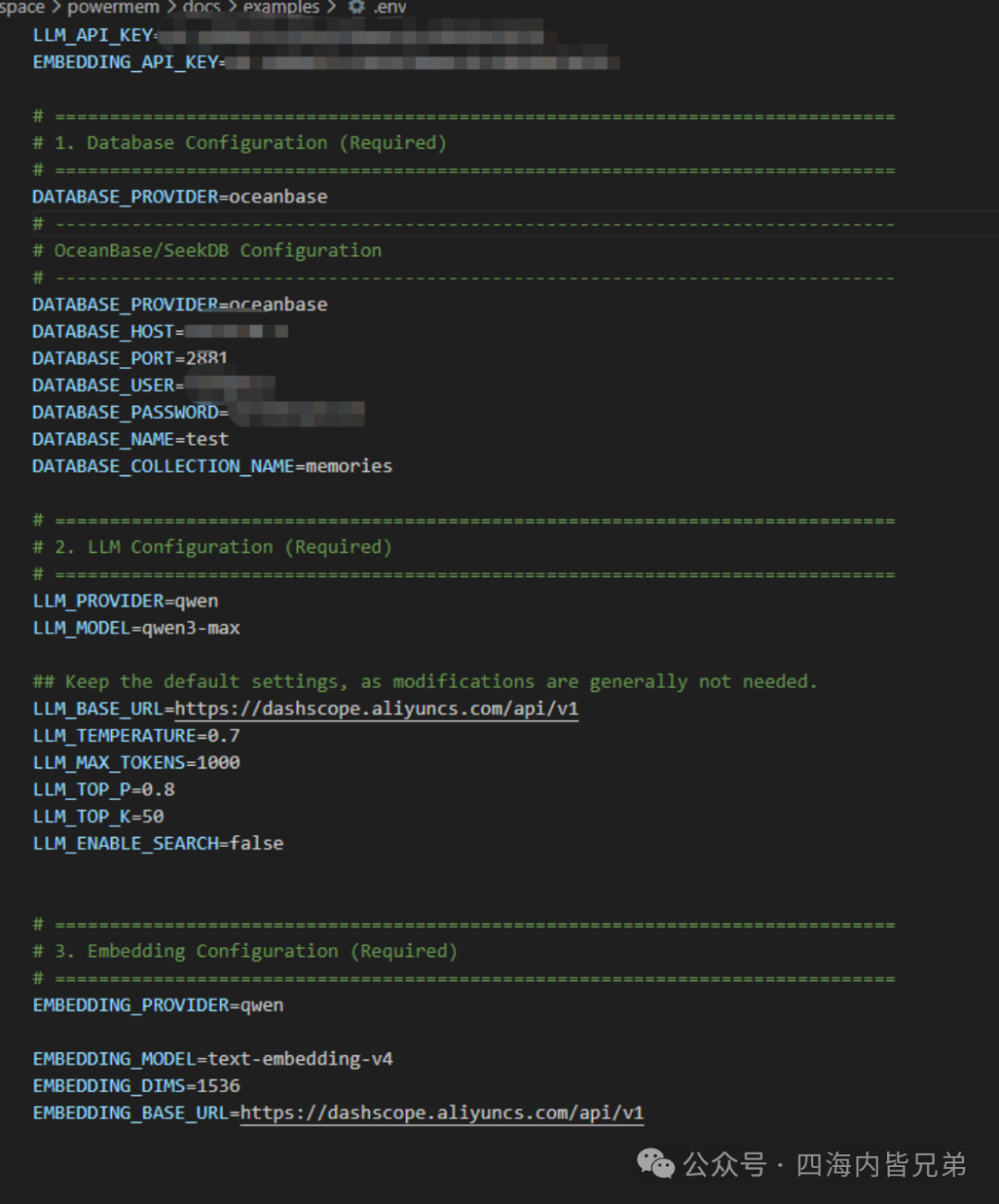
If you install this environment locally, the environment variable file will not be present. You need to create it manually. Since the downloaded PowerMem is on GitHub, it is not recommended to put the database connection information inside. The specific content is as follows:
-
You can see that it also involves the API key.
-
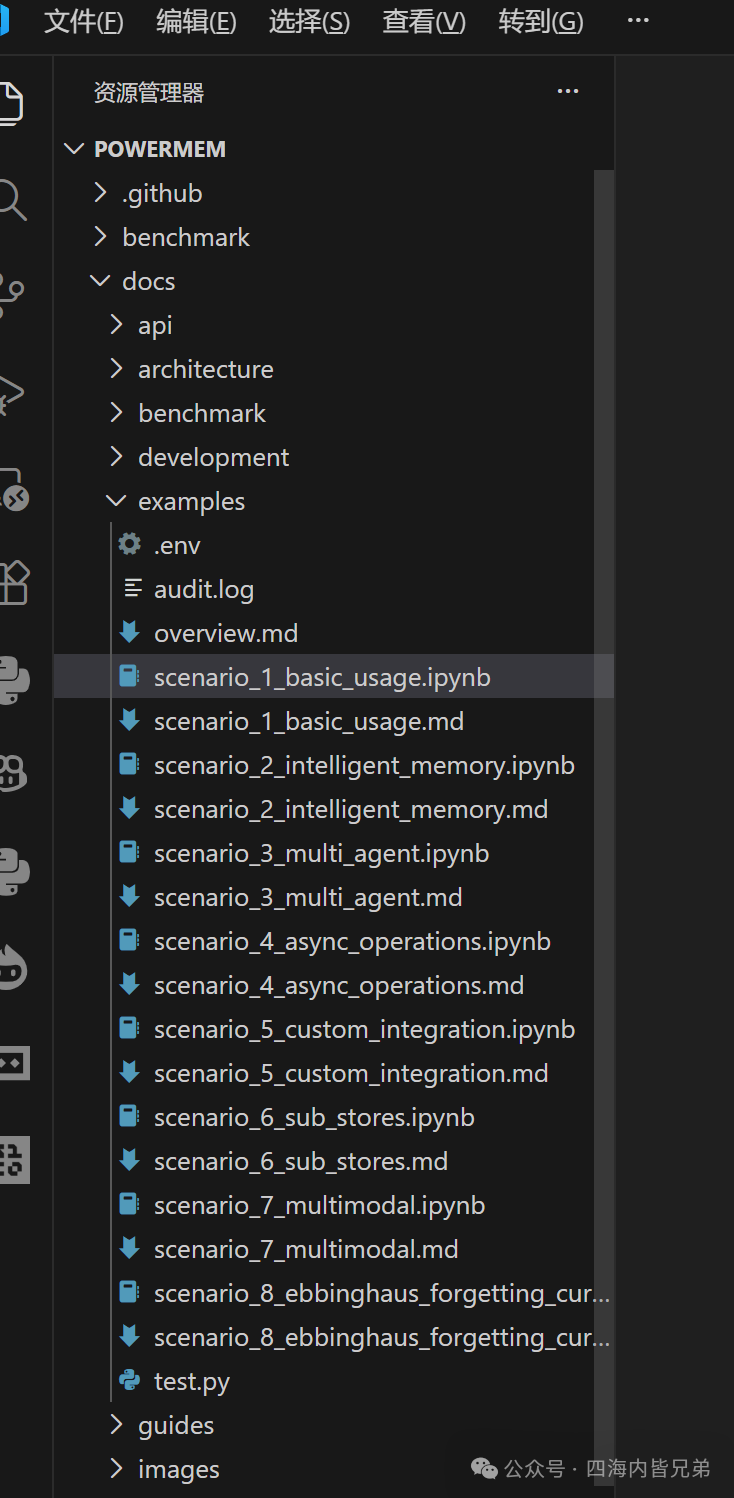
Navigate to workspace/powermem/docs/examples/ using the path on the left.
-
You can see there are 8 pairs of files. Each md file is an experiment description. Each ipynb is a dedicated file for Jupyter Notebook. This means that the code in this file can be run directly after installing the Jupyter plugin. So it’s better to install it in VSCode.
Running
-
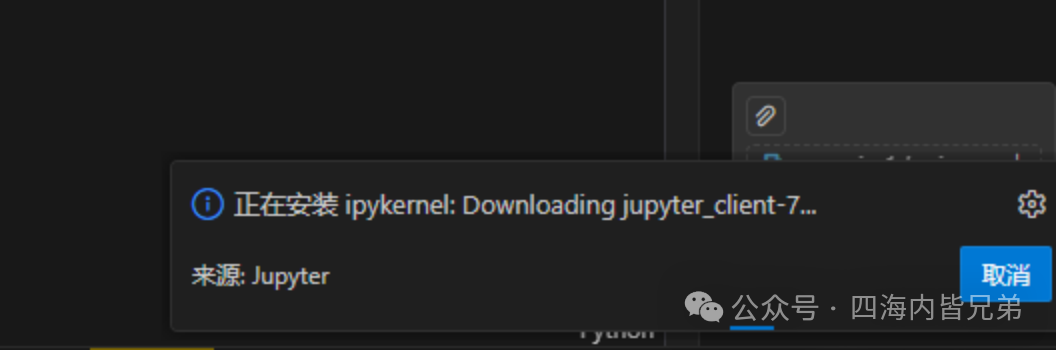
You can see that I have installed it. If not, you need to copy these codes to a newly created Python environment for installation.
-
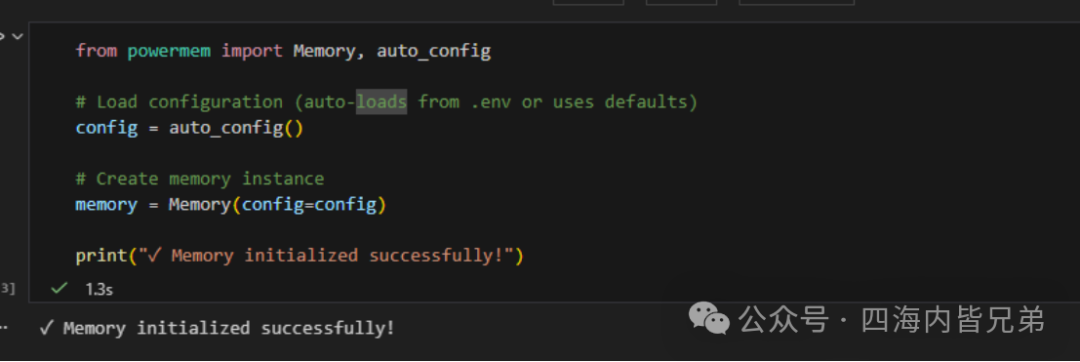
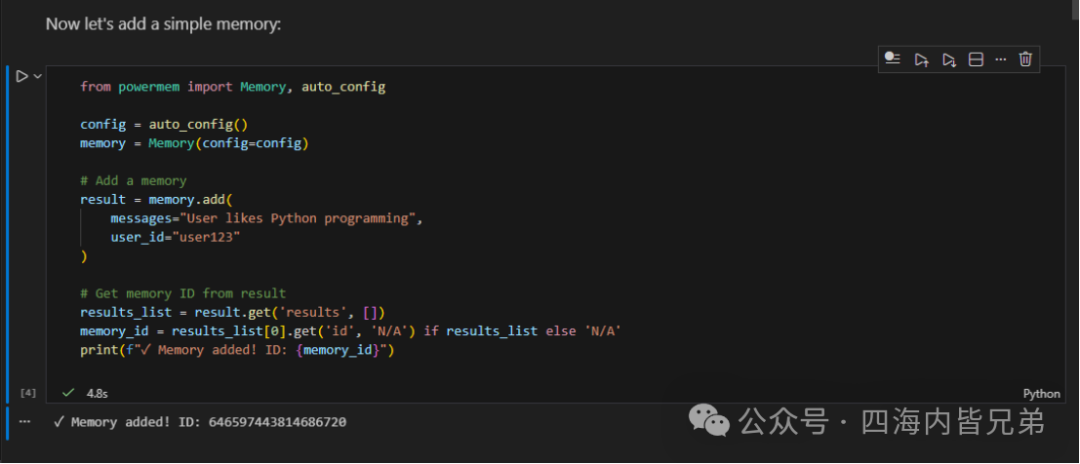
The installation effect is like this: running directly here. (This is the first time I used Jupyter, I didn’t know about it before).
-
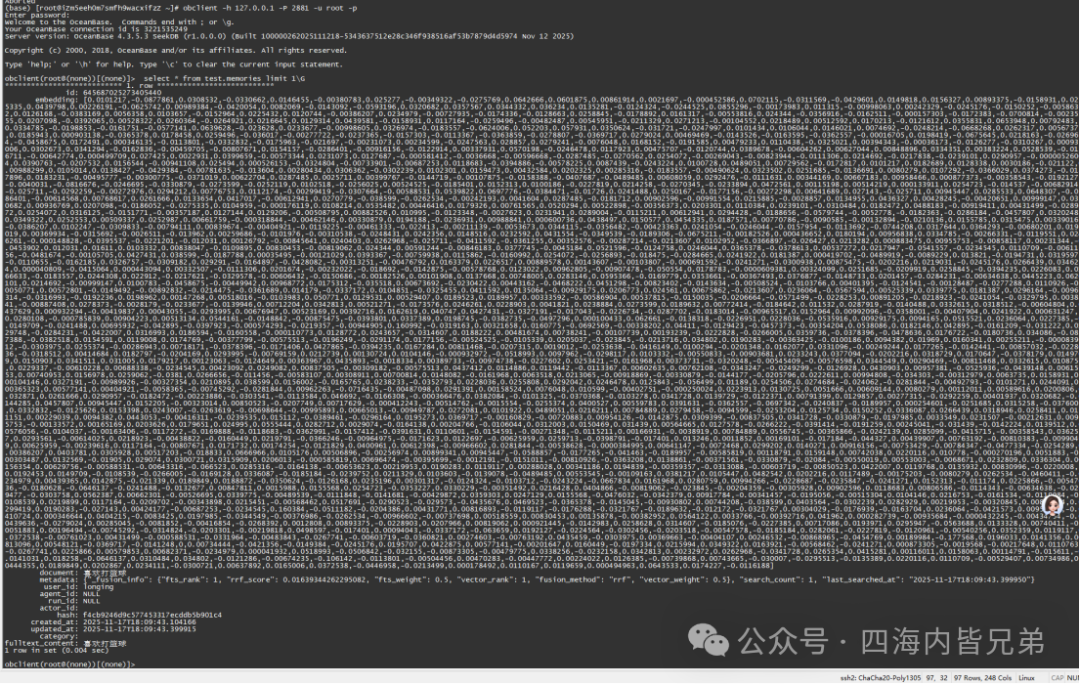
Since the previous env contains the database connection string, this data has been written into the SeekDB embedded database.
-
Verify in the database: obclient -h 127.0.0.1 -P 2881 -u root -p
-
select * from test.memories limit 1\G
-
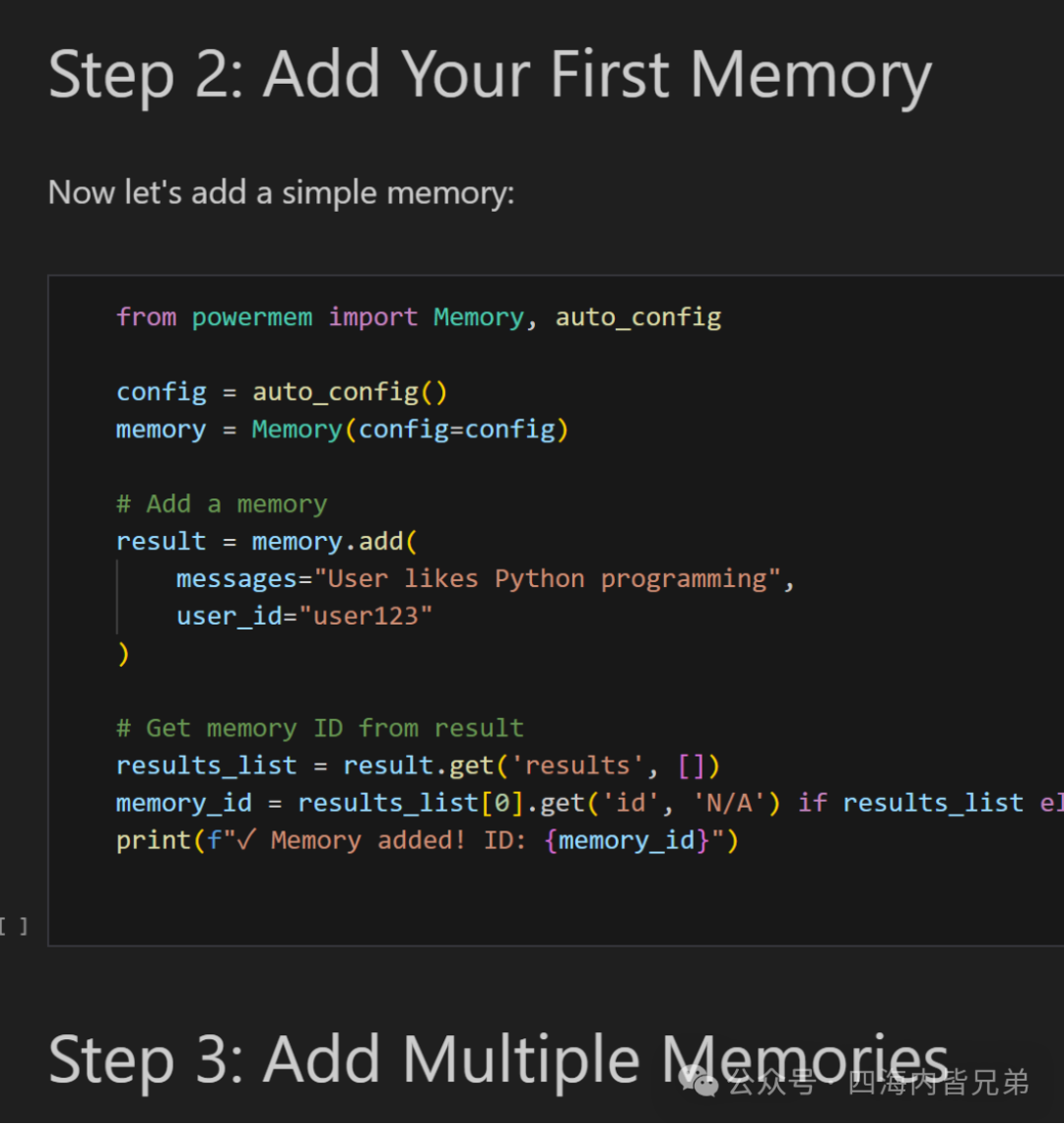
There are several steps in total, I will list them:
-
They include adding a memory, adding multiple memories, and later modifying a memory and deleting memories, etc. You can see that I mentioned each as a memory, so what is the significance of doing this? The purpose is that when we use AI for conversation, the number of tokens is limited. When it cannot fit, we have to open a new session. In this case, the AI can only start the conversation from scratch, and previous information cannot be grasped. Sometimes it may take time and effort to summarize previous content. However, with this, the AI can record important information into the database, so even in a new session (as long as it matches the same user ID), it can quickly find historical conversation information.
-
Thanks to OB’s teacher Jing Shun (alias) for helping me clarify doubts and assisting me with some issues.
-
In fact, SeekDB mainly focuses on embedded + lightweight mixed search, which is the value of SeekDB.