Introduction
Using development environments with graphical interfaces like Keil MDK or IAR, you can compile source code projects and download the generated executable files to the target microcontroller within the graphical interface. However, if you use command-line toolchains like ARMGCC, you need additional downloading tools to transfer the compiled executable files to the target microcontroller.
If you use the SEGGER J-Link debugger, you can pair it with SEGGER Ozone software or J-FLASH, J-FLASH Lite to achieve standalone downloading functionality. However, the J-Link debugger is expensive, and older versions of the J-Link debugger do not support newer microcontroller devices. In contrast, the open-source DAP-Link solution is more accessible. Command-line tools compatible with DAP-Link include openocd, pyocd, etc., but these tools may have compatibility issues with certain specific microcontroller devices, occasionally failing to recognize or connect to them, requiring developers to debug them to ensure they work properly. Additionally, for developers accustomed to debugging in graphical environments, command-line operations are not very user-friendly. Nevertheless, if you need to set up a continuous integration and automated testing system, these command-line-based tools are still indispensable.
For software developers focused solely on microcontroller development, there is a desire to solve the issue of downloading executable files in the simplest way possible. This article will summarize several easy-to-use methods for downloading MicroPython firmware files to the Lingdong MM32F5 microcontroller, specifically targeting situations using the DAP-Link debugger, through commonly used graphical tools to implement standalone downloading of executable files.
PS: The reason for using the methods described in this article for the MM32F5 microcontroller is also due to some subjective factors:
The author’s J-Link v8 no longer supports the STAR-MC1 (Arm Cortex-M33) core.
After a period of debugging with the combination of pyocd + DAP-Link, the author still could not connect to the MM32F5 microcontroller.
Using DAP-Link allows debugging of the MM32F5 microcontroller in Keil.
These tools can recognize common executable file types such as bin, hex, axf, elf, s19, etc. Users can try based on their needs.
Using Keil Project
The part of Keil IDE that implements the download function should also be an independent small tool internally, relative to the compilation process, which is key for the author to achieve downloading programs using Keil. Keil has not independently opened the internal downloading tool, so the author had to create an empty project without any source code, skipping the compilation part and only using the download program functionality. The specific steps are as follows:
1
Start Keil IDE, create a new project, and select the device type as the target microcontroller device.
The author actually created the `mm32f5.uvprojx` project file in the `d:\_workspace\keil\mm32f5` directory on the local machine.
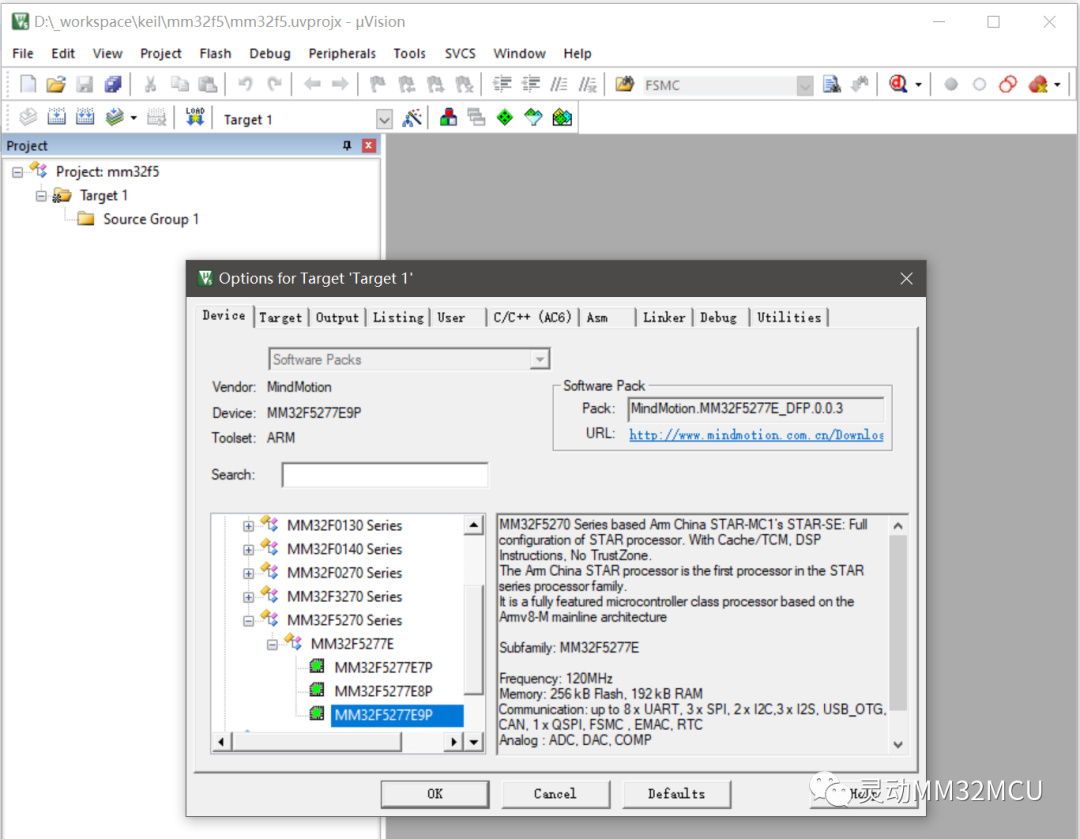
Figure 1 Creating a New Project in Keil IDE
2
In the `options` -> `Output` tab, specify the path of the executable file to be downloaded.
In this example, the author stored the `micropython.hex` file in the `mm32f5` directory. Click the `Select Folder for Objects…` button to specify the `mm32f5` directory, then enter the `micropython.hex` filename in the corresponding text box for `Name of Executable:`.
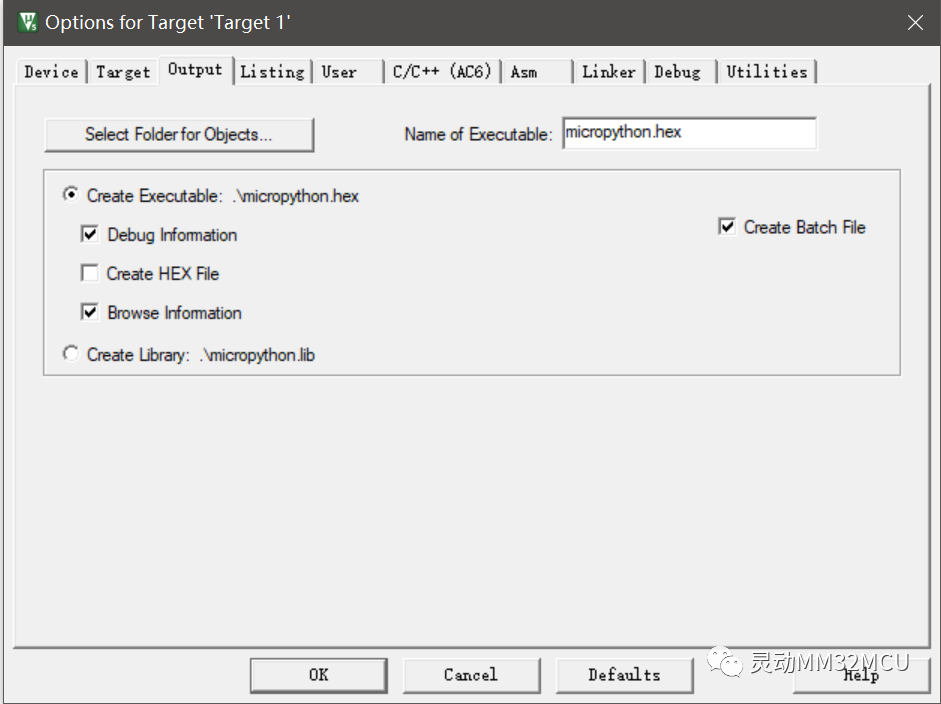
Figure 2 Specifying the Download File Path and Name in Keil Project
Literally, this specifies the path and filename for the compilation output, but in fact, the download process is bound to the compilation process, and the executable file generated by the compilation process will automatically be used as the input file for the download process by Keil.
3
In the toolbar of the main window, click the LOAD button to start the download.
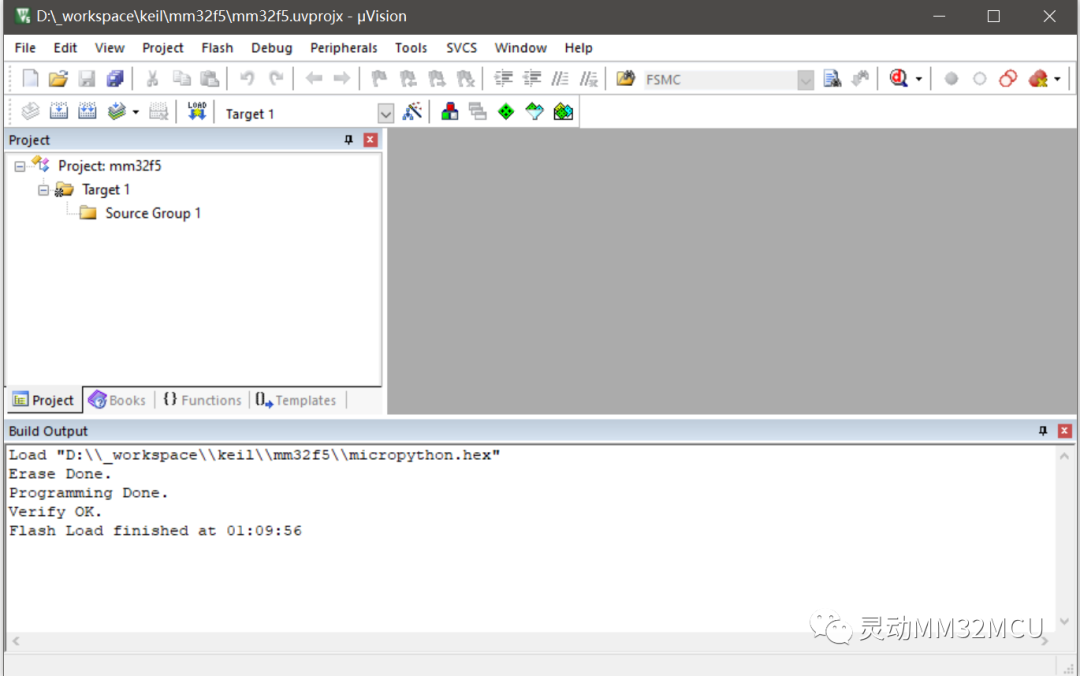
Figure 3 Downloading Executable Files to the Microcontroller in Keil Project
Through the `Build Output` window, you can see that the current erasure, download, and verification were successful.
4
Using Keil IDE also allows for command-line style download operations.
At this point, the project created using Keil IDE can be viewed as a configuration file for the `uv4.exe` program, for example, in the previously created `mm32f5.uvprojx` file, edit the `OutputDirectory` and `OutputName` fields to specify the path and filename of the program to be downloaded.
<?xml version="1.0" encoding="UTF-8" standalone="no" ?>
<Project xmlns:xsi="http://www.w3.org/2001/XMLSchema-instance" xsi:noNamespaceSchemaLocation="project_projx.xsd">

  <SchemaVersion>2.1</SchemaVersion>

  <Header>### uVision Project, (C) Keil Software</Header>

  <Targets>
    <Target>
      <TargetName>Target 1</TargetName>
      <ToolsetNumber>0x4</ToolsetNumber>
      <ToolsetName>ARM-ADS</ToolsetName>
      <uAC6>1</uAC6>
      <TargetOption>
        <TargetCommonOption>
          <Device>MM32F5277E9P</Device>
          <Vendor>MindMotion</Vendor>
          <PackID>MindMotion.MM32F5277E_DFP.0.0.3</PackID>
          <PackURL>http://www.mindmotion.com.cn/Download/MDK_KEIL/</PackURL>
          <Cpu>IRAM(0x30000000,0x1C000) IROM(0x08000000,0x40000) CPUTYPE("Cortex-M33") CLOCK(12000000) ELITTLE</Cpu>
          <FlashUtilSpec></FlashUtilSpec>
          <StartupFile></StartupFile>
          <FlashDriverDll>UL2V8M(-S0 -C0 -P0 -FD30000000 -FC1000 -FN1 -FF0MM32F5270_256 -FS08000000 -FL040000 -FP0($$Device:MM32F5277E9P$Flash\MM32F5270_256.FLM))</FlashDriverDll>
        ...
          <OutputDirectory>.</OutputDirectory>
          <OutputName>micropython.hex</OutputName>
        ...
Then in the Windows command line interface, enter the command to call Keil to download the code:
uv4.exe -f "d:\_workspace\keil\mm32f5\mm32f5.uvprojx" -j0 -o "d:\_workspace\keil\mm32f5\download_log.txt"
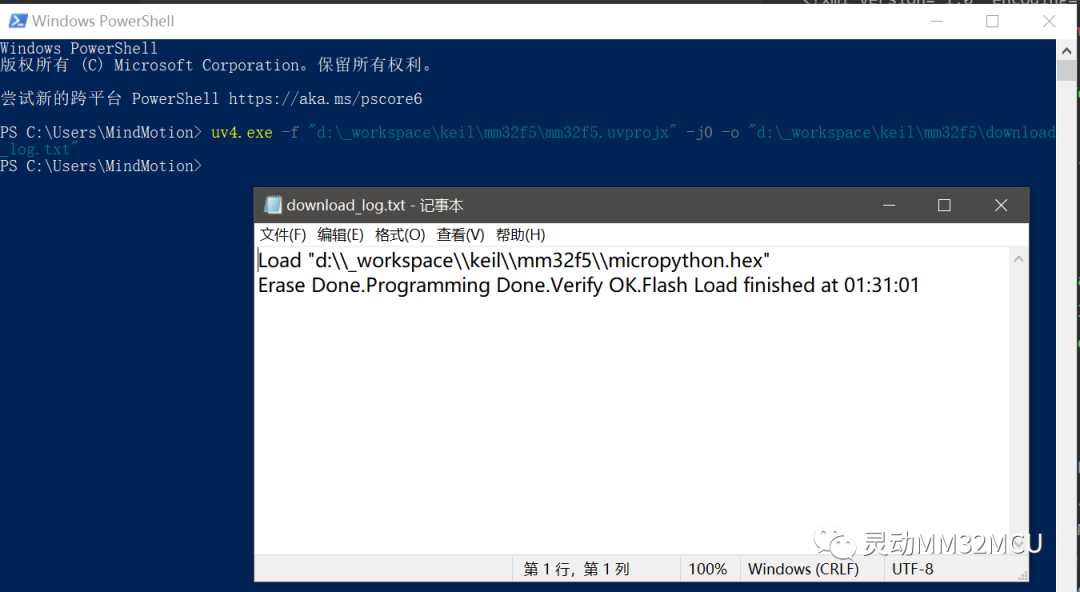 Using the command line has the downside that the command line calls Keil to execute the download process without any user interaction. The command line triggering the execution of the `uv4.exe` program is non-blocking, so you cannot determine whether the download process has ended based on whether the program returns. Although the command specifies output logs to a specified file, Keil does not create the output file only after the download ends; instead, it writes to the output file line by line. If the user opens this log output file during the download process, they will see the already executed operations. Therefore, you cannot determine the success of the download simply by whether the log output file is created. You must check the content of the log output file, and only when it contains records of successful downloads and verifications can you finally determine the download status.
Using Ozone
Developers familiar with the commonly used J-Link debugger will not be unfamiliar with Ozone. Ozone and J-Link are tools designed and released by SEGGER for debugging and downloading applications. Ozone is a graphical interface tool that can adapt to the J-Link debugger, allowing independent downloading of executable files to the target microcontroller and debugging. However, in reality, Ozone not only supports the J-Link debugger sold by SEGGER but also provides support for the open-source CMSIS-DAP (DAP-Link), meaning that using Ozone to connect to the target microcontroller via DAP-Link can also achieve standalone downloading and executing files as well as debugging. However, Ozone’s support for DAP-Link is merely an additional benefit, with almost every step prompting warnings, “This is a trial feature and has not been fully tested.”
The operation of using Ozone to adapt to DAP-Link is the same as that for using J-Link. The specific steps are as follows:
1
Start the Ozone software and select the target microcontroller device.
Upon starting the Ozone software, it will automatically detect that the DAP-Link debugger is connected to the current computer and then prompt a warning stating, “You must accept the following terms: 1. This software is only applicable for non-commercial use or evaluation; 2. SEGGER will not provide technical support.” Choose to accept “Accept”.
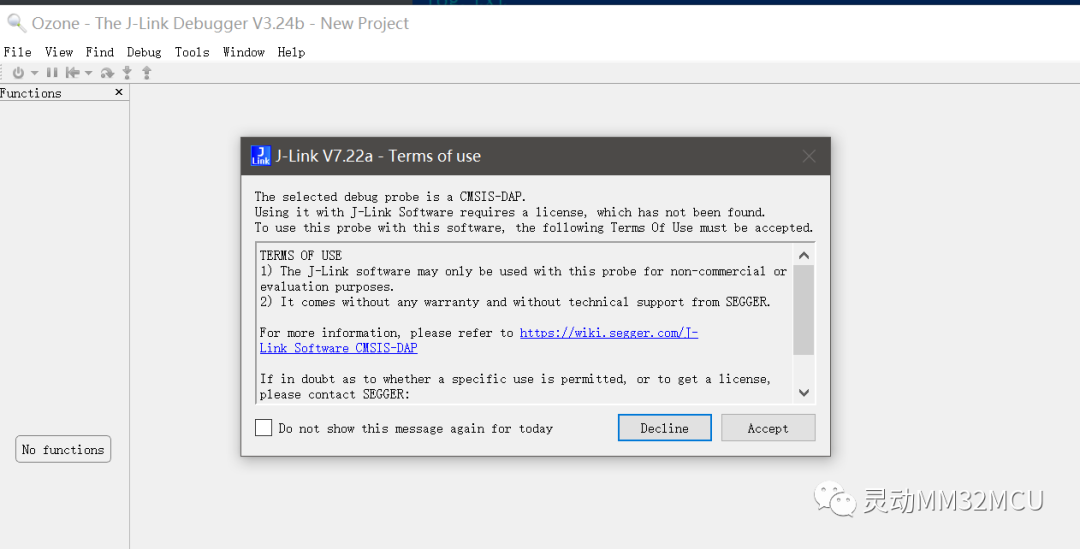
Figure 4 Starting Ozone
2
Select the target microcontroller device.
Once the target microcontroller device is confirmed, a warning prompt dialog will pop up again. You still need to accept “Accept”.
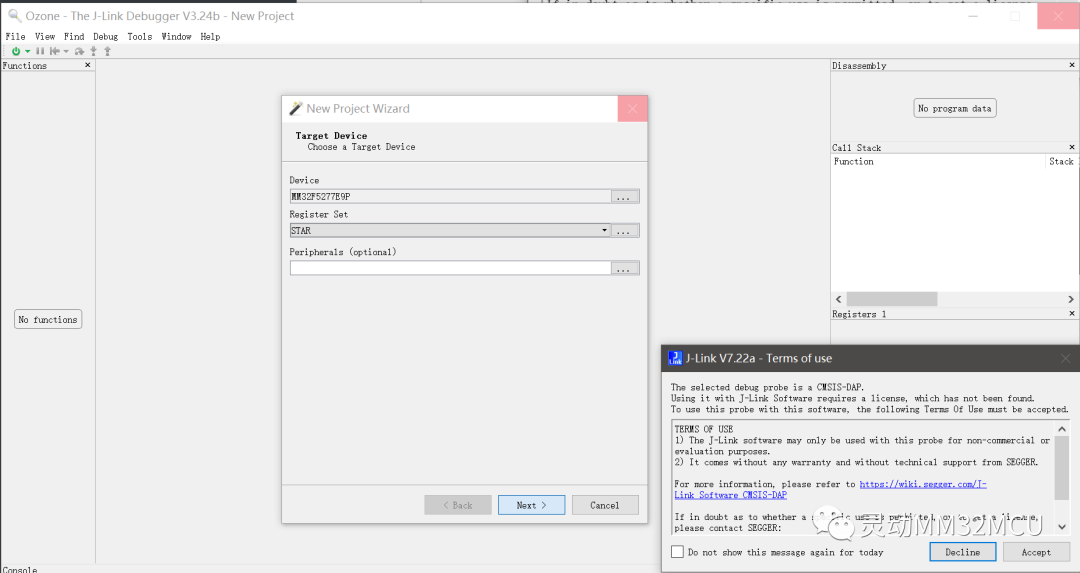
Figure 5 Selecting Target Device in Ozone
3
In the “Connection Configuration” dialog, you can see the recognized DAP-Link.
The connection speed of Ozone to the debugger is configured to 4MHz by default. Considering the situation with the low-speed USB interface in the author’s DAP-Link solution, the speed is changed to 1MHz for safety.
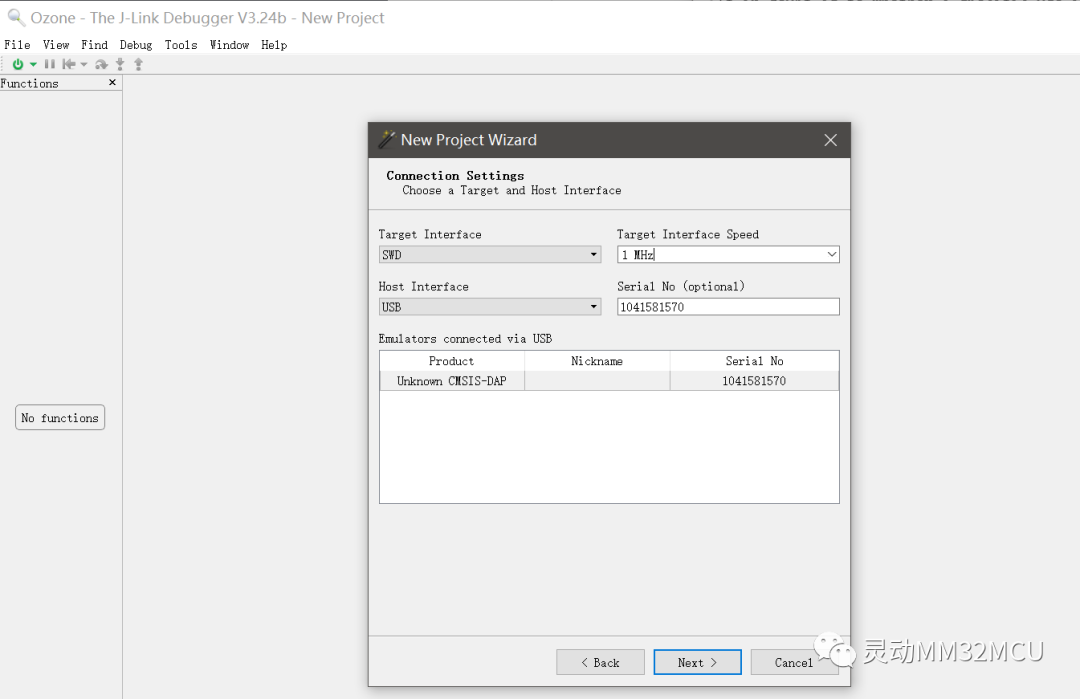
Figure 6 Ozone Displays Recognized DAP-Link Debugger
4
Select the executable file to be downloaded.
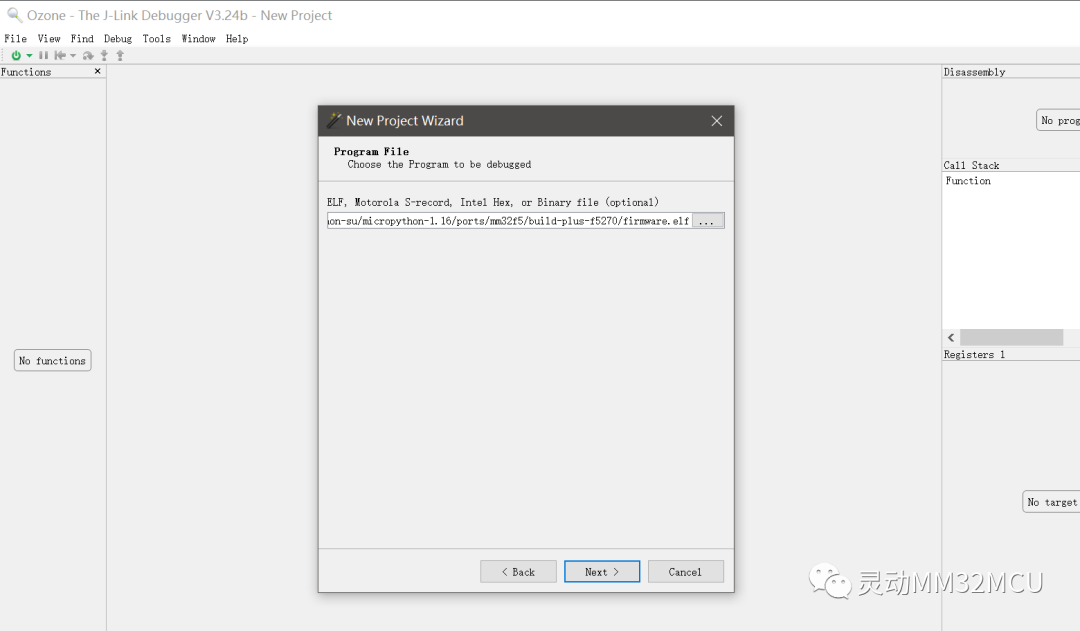
Figure 7 Selecting the Executable File to Download
5
Start the download.
Another prompt dialog appears. Choose to accept “Accept”.
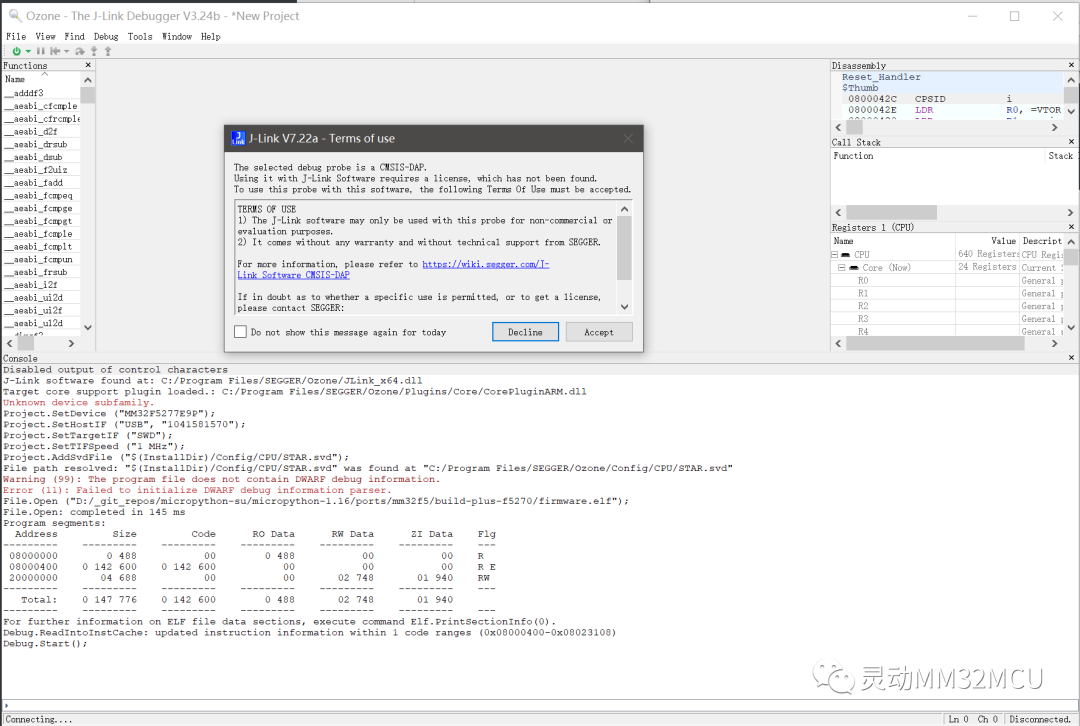
Another prompt dialog appears. Choose to accept “Yes”.
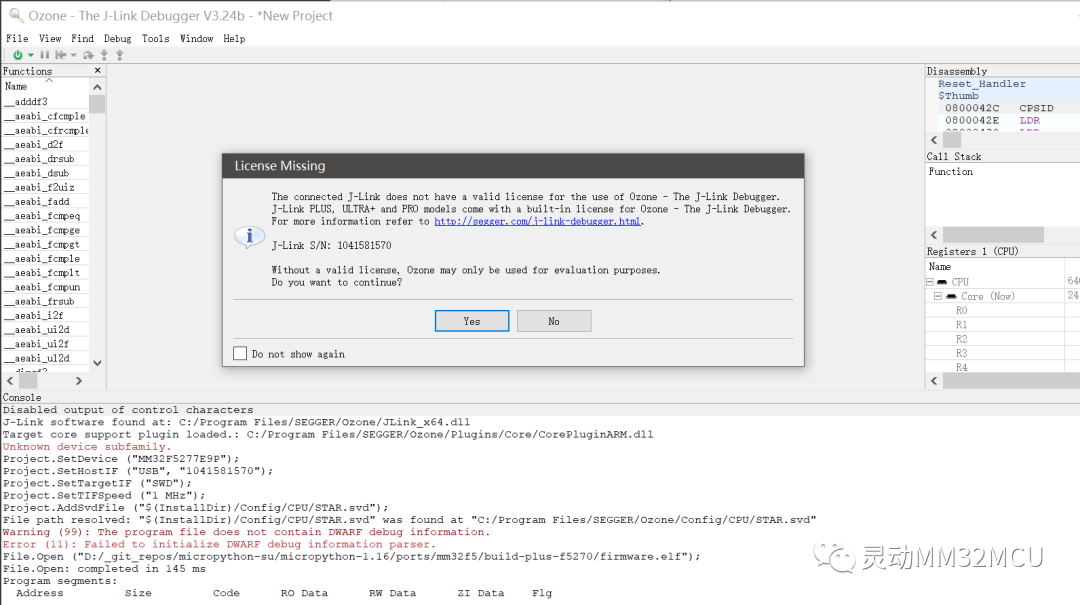
Figure 8 Starting Download Confirmation Second Warning
6
Download successful.
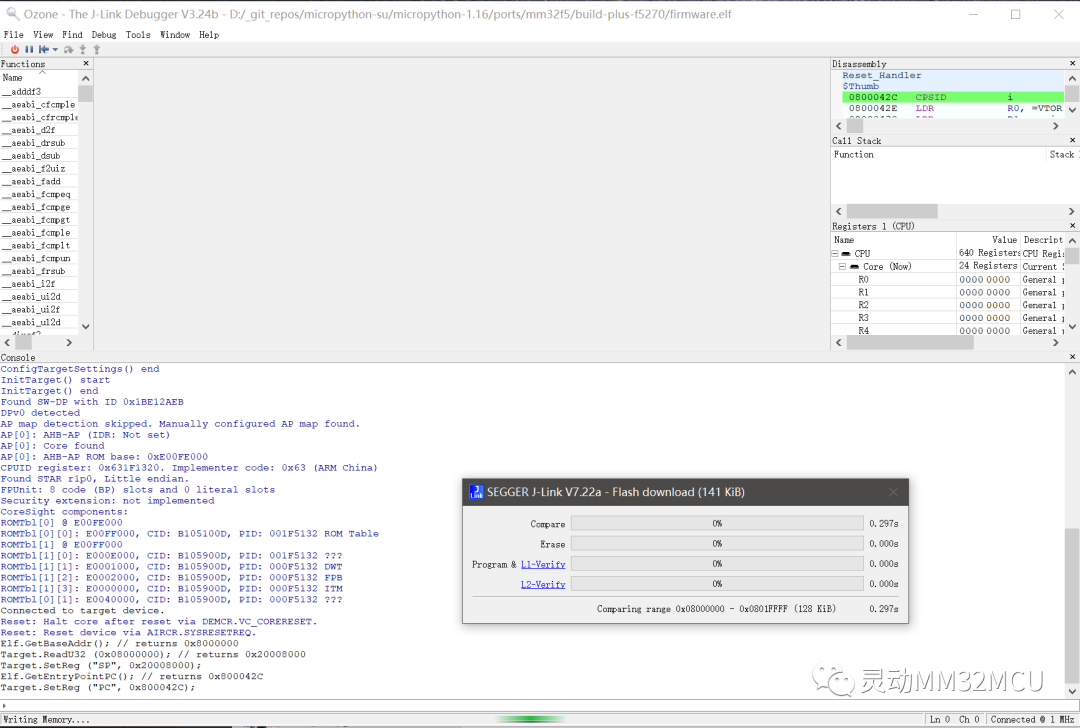
Figure 9 Download Successful Using Ozone
If you dislike the frequent pop-up warning dialogs, you can check the “Do not repeat this prompt” checkbox for some improvement.
Previous Highlights
Lingdong Micro Classroom Compilation
About Lingdong
Shanghai Lingdong Microelectronics Co., Ltd. was established in 2011 and is a leading provider of general-purpose 32-bit MCU products and solutions in China. The MM32 MCU products developed based on the Arm Cortex-M series cores have five major series: F/L/A/SPIN/W. Currently, over 200 models have been mass-produced, with cumulative deliveries exceeding 400 million units. Nearly 100 million outstanding products equipped with Lingdong MM32MCU are delivered to customers every year, ranking among the top in the local general-purpose 32-bit MCU companies.
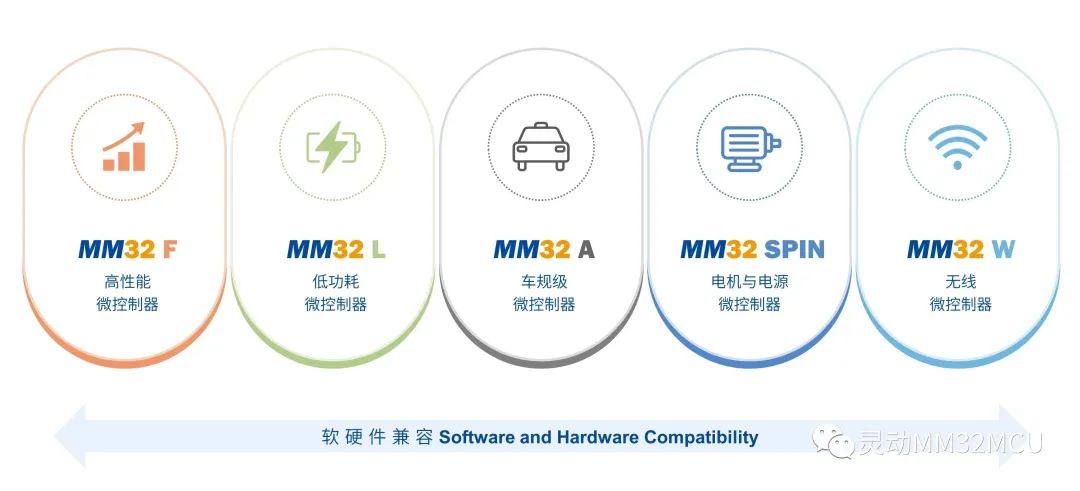
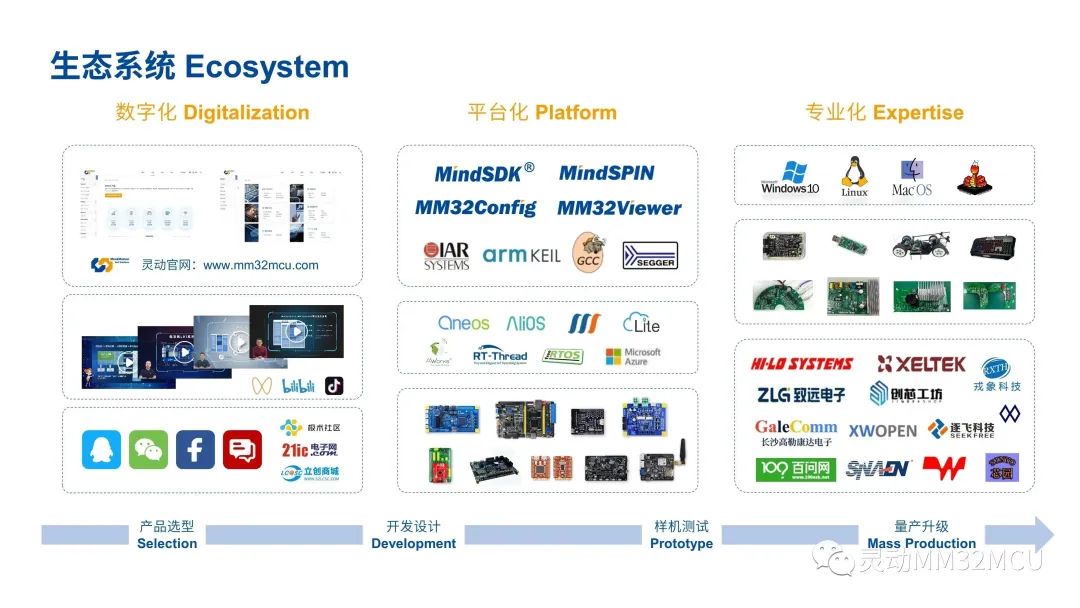
Lingdong’s customers cover various application fields, including smart industry, automotive electronics, communication infrastructure, medical health, smart home appliances, the Internet of Things, personal devices, mobile phones, and computers. Lingdong is one of the few local MCU companies in China that has received official support from Arm-KEIL, IAR, and SEGGER, establishing an independent and complete ecosystem for general-purpose MCUs. Lingdong always adheres to the spirit of “Integrity, Commitment, Innovation, Cooperation” to provide customers with comprehensive support from hardware chips to software algorithms, from reference solutions to system design.
Lingdong Co., Ltd.
WeChat ID: MindMotion-MMCU


Long press to identify the QR code to follow us
MORE
Official website: www.mm32mcu.com
WeChat public account: Lingdong MM32MCU
Lingdong MM32MCU Technical Forum:
bbs.21ic.com/iclist-696-1.html