Advanced Ecosystem for GEEHY G32R50x Series Real-Time Control MCUs with SEGGER J-Link/Flasher

Advanced Ecosystem for GEEHY G32R50x Series Real-Time Control MCUs with SEGGER J-Link/Flasher

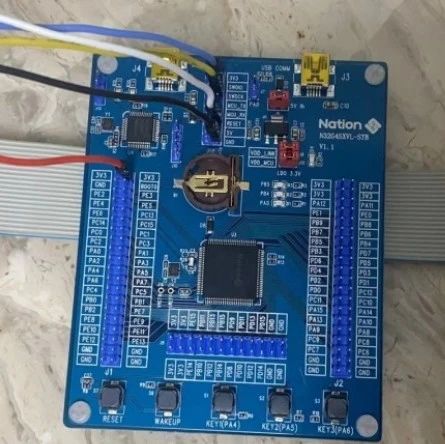
Recently, SEGGER announced through the J-Link Prime chip partner program, that its “out-of-the-box” J-Link debugger and Flasher programmer have completed ecological adaptation for the GEEHY G32R50x series real-time control MCUs. Deep Adaptation, Full Stack Acceleration Users can automatically recognize the G32R50x series real-time control MCUs through the J-Link debugger and Flasher programmer, enabling professional-level debugging … Read more


Advanced Ecosystem for GEEHY | Deep Integration of SEGGER J-Link/Flasher with G32R50x Series Real-Time Control MCUs!

Advanced Ecosystem for GEEHY | Deep Integration of SEGGER J-Link/Flasher with G32R50x Series Real-Time Control MCUs!

Recently, SEGGER announced through the J-Link Prime chip partner program, that its “out-of-the-box” J-Link debugger and Flasher programmer have completed ecological adaptation for the GEEHY G32R50x series real-time control MCUs. Deep Integration, Full Stack Acceleration Users can automatically recognize the G32R50x series real-time control MCUs through the J-Link debugger and Flasher programmer, enabling professional-level debugging … Read more

How to Migrate Projects from IAR to Embedded Studio

How to Migrate Projects from IAR to Embedded Studio

This article describes how to migrate an IAR EWARM project to SEGGER Embedded Studio (SES). With the built-in project importer in Embedded Studio, users can continue to use the IAR toolchain in SES or switch to the SEGGER toolchain integrated within Embedded Studio. Migrating projects to Embedded Studio allows users to directly benefit from SES’s … Read more

How to Set Up SEGGER Ozone Debugger for Automated Debugging

How to Set Up SEGGER Ozone Debugger for Automated Debugging

Ozone is a cross-platform code debugging software that supports Segger J-link and J-Trace debuggers. It can load executable files compiled by toolchains such as IAR, Keil, GCC, clang/LLVM, for debugging C/C++ source code and assembly instructions. The structure of the Ozone project file is a script language similar to C, allowing users to configure the … Read more

Introduction to RTT Viewer for MM32F013x

Introduction to RTT Viewer for MM32F013x

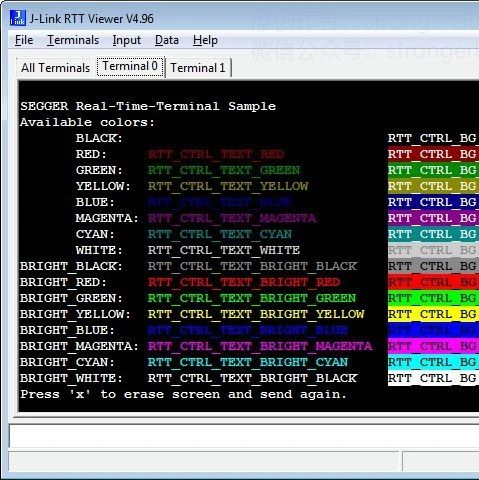
Click the image to learn more 01 Introduction to RTT Viewer SEGGER’s Real-Time Transfer (RTT) is a new technology for user I/O interaction in embedded applications. The J-Link RTT Viewer is a Windows GUI application that utilizes the RTT functionality on the debugging host, combining the advantages of SWO and semihosting, offering high performance. Using … Read more

Getting Started with Embedded Studio for MM32F013x

Getting Started with Embedded Studio for MM32F013x

Click on the image for details Embedded Studio is an all-in-one integrated development environment (IDE) for embedded systems, used for managing, building, testing, and deploying embedded applications. Embedded Studio also provides a powerful project manager and source code editor, along with an integrated C/C++ compiler and a debugger with advanced debug information windows. It also … Read more

Debugging nRF9160 Zephyr Applications Using Ozone

Debugging nRF9160 Zephyr Applications Using Ozone

Ozone is SEGGER’s free embedded software debugger. It is a powerful tool that allows you to gain deep insights into what is happening within embedded systems. It is particularly useful when debugging nRF9160 Zephyr applications. Organizing multiple threads and multi-image builds can be challenging, but this is the tool you want. In our previous blog … Read more

Open Source Project Collection for N32G45x MCU Using JLINK

Open Source Project Collection for N32G45x MCU Using JLINK

Guomin Technology MCU Forum: https://bbs.21ic.com/iclist-1098-1.html *Reading Instructions: The following is a brief summary; for detailed project descriptions and related source code, please click the original link to view. Development Component Tools Using JLINK Based on Guomin N32G45x Series MCU: RTT Viewer Application Note https://bbs.21ic.com/icview-3264404-1-1.html In projects where no serial port is reserved, if you want … Read more

JLink-RTT Print Output Configuration Tutorial

JLink-RTT Print Output Configuration Tutorial

Follow+Star Public Number, don’t miss out on exciting content Video Account | strongerHuangWeChat Official Account | strongerHuang 1Introduction SWO:Serial Wire Output, serial wire output RTT:Real Time Transfer, real-time transfer The previous SWO article implemented the principle of outputting information through the MCU’s SWO pin (to the display terminal SWV). The RTT discussed in this article … Read more

Step-by-Step Guide to Jlink Serial Printing Techniques

Step-by-Step Guide to Jlink Serial Printing Techniques

When debugging microcontroller programs, serial printing is a common method. Sometimes, when the hardware does not reserve a serial port, other methods are needed for printing and debugging.1. Jlink SEGGER RTTJlink SEGGER RTT is a very useful method that allows you to achieve printf-like functionality simply by using the SWD or JTAG interface of Jlink, … Read more