Lesson 6 of C Language: if Condition Judgement = Making Programs Make Decisions 🤔
Learn to judge from scratch, make your program smarter in 5 minutes
In the first five days, we learned to make the program “speak”, “remember”, “ask questions”, and “calculate”. Today, we will learn something even more powerful—how to make the program “make decisions”! 🧠
By mastering the if statement, your program can perform different actions based on conditions! Just like a human can “think”!
What is the if statement?
Imagine you are crossing the street:
Program without if:
-
No matter if the light is red or green, keep walking forward (very dangerous!)
-
The program executes in order and does not adapt
Program with if:
-
🟢 Green light → Go
-
🔴 Red light → Stop
-
The program makes different choices based on the situation
If is everywhere in life
-
Exams: Score >= 60 → Pass, otherwise → Fail
-
Shopping: Balance >= Item price → Can buy, otherwise → Insufficient balance
-
Weather: Rain → Bring an umbrella, no rain → Don’t bring an umbrella
The if statement is: a command that allows the program to make different choices based on conditions! 🚦
How does the if statement work?
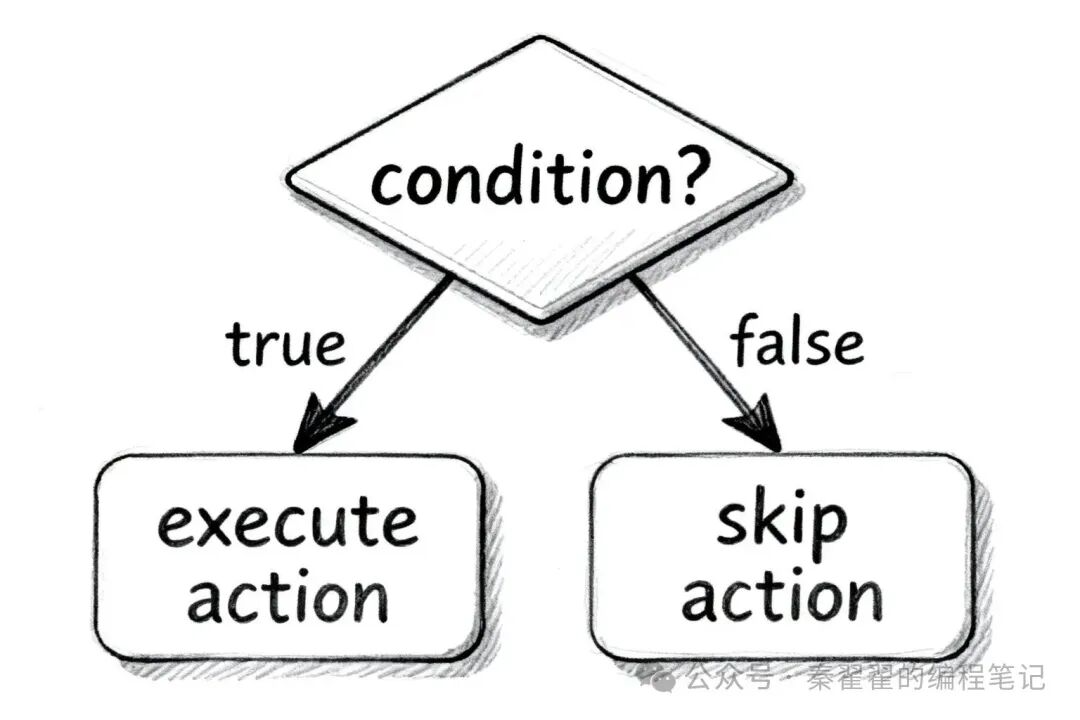
Basic Format
if (condition) {
    // Execute this code if the condition is true
}
Your First if Program
#include <stdio.h>

int main() {
    int age = 20;

    if (age >= 18) {
        printf("You are an adult! ");
    }

    return 0;
}
Workflow
-
Check the condition: Is
<span>age >= 18</span>true or false? -
If true: Execute the code inside the curly braces
<span>{}</span> -
If false: Skip the curly braces and continue executing
Output:<span>You are an adult!</span> (because 20 >= 18 is true)
If you change <span>age</span> to <span>15</span>, the program will not print anything (because 15 >= 18 is false).
Six Comparison Operators
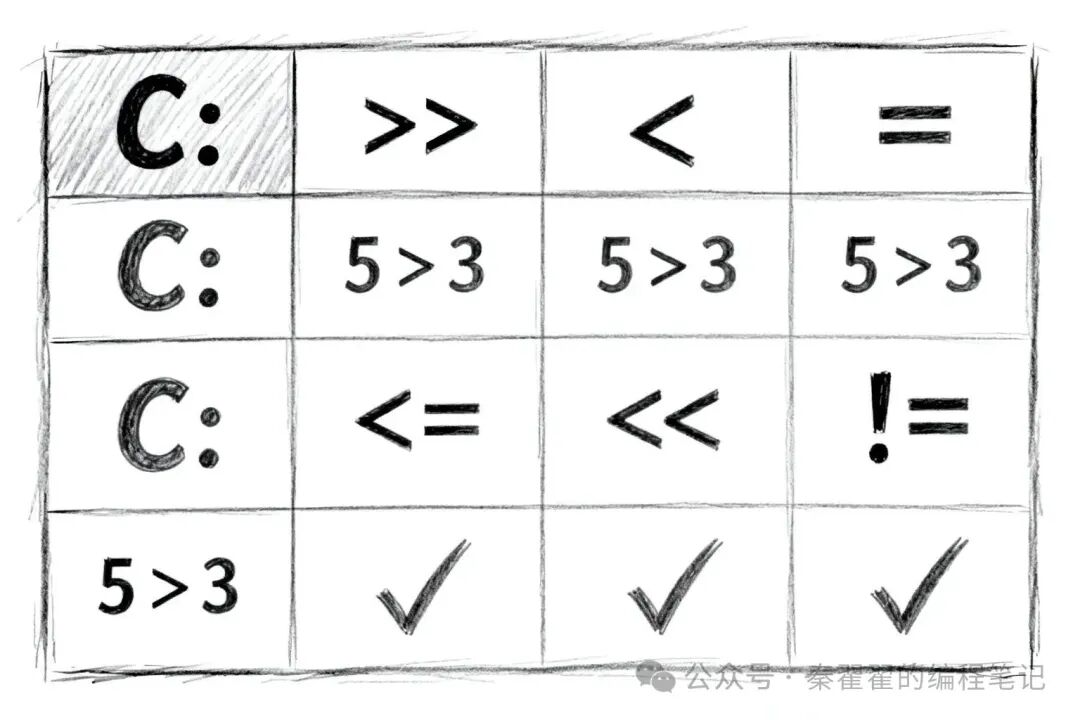
To determine the truth of a condition, comparison operators are needed!
1. Greater than (>)
int score = 85;
if (score > 60) {
    printf("Passed! ");
}
// Output: Passed! (because 85 > 60)
2. Less than (<)
int temperature = 10;
if (temperature < 15) {
    printf("It’s very cold! ");
}
// Output: It’s very cold! (because 10 < 15)
3. Greater than or equal to (>=)
int age = 18;
if (age >= 18) {
    printf("You can apply for a driver's license! ");
}
// Output: You can apply for a driver's license! (because 18 >= 18)
4. Less than or equal to (<=)
int price = 50;
if (price <= 100) {
    printf("Price is reasonable! ");
}
// Output: Price is reasonable! (because 50 <= 100)
5. Equal to (==) ⚠️
int answer = 42;
if (answer == 42) {
    printf("Correct answer! ");
}
// Output: Correct answer! (because 42 == 42)
⚠️ Important! To check equality, use <span>==</span> (two equal signs), not <span>=</span> (one equal sign)!
if (age == 18)  // ✅ Correct! Check if age equals 18
if (age = 18)   // ❌ Incorrect! This is an assignment, not a check
6. Not equal to (!=)
int status = 0;
if (status != 0) {
    printf("Error occurred! ");
} else {
    printf("All good! ");
}
// Output: All good! (because status equals 0)
if-else and else if
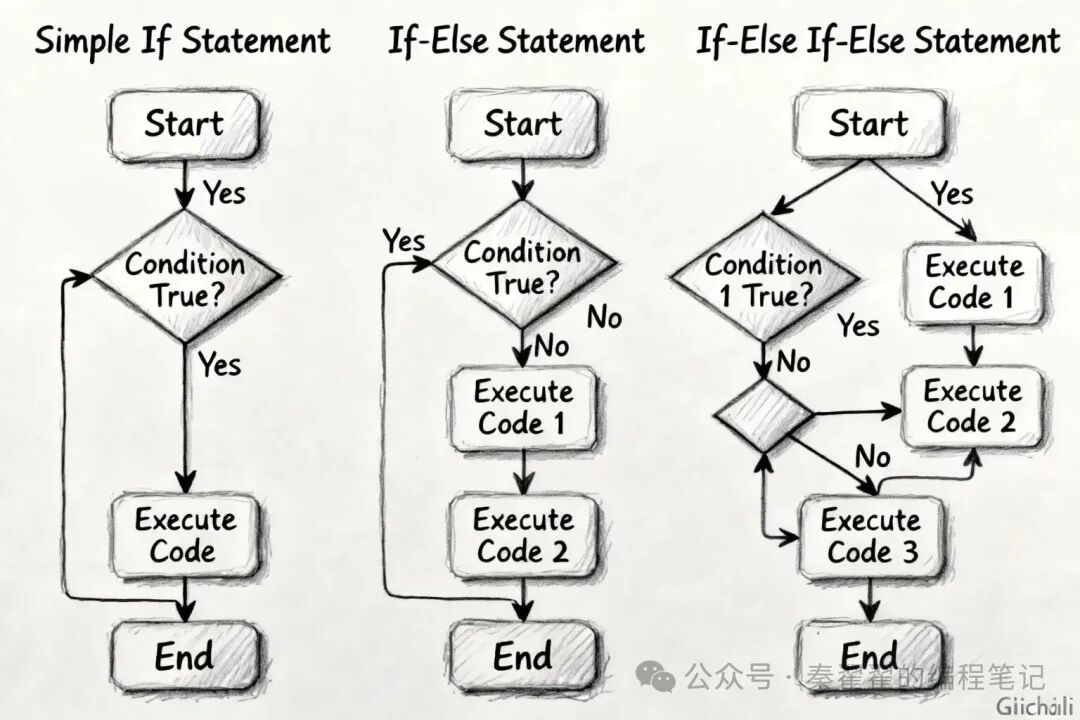
if-else: Two choices
Sometimes we need the logic of “otherwise…”:
int age = 15;

if (age >= 18) {
    printf("You are an adult ");
} else {
    printf("You are not an adult ");
}
// Output: You are not an adult
Workflow:
-
If the condition is true → Execute the code in if
-
If the condition is false → Execute the code in else
else if: Multiple choices
When multiple conditions need to be checked, use <span>else if</span>:
int score = 85;

if (score >= 90) {
    printf("Excellent! ");
} else if (score >= 80) {
    printf("Good! ");
} else if (score >= 60) {
    printf("Passed! ");
} else {
    printf("Failed! ");
}
// Output: Good!
Workflow:
-
Check the first condition:
<span>score >= 90</span>? False → Continue -
Check the second condition:
<span>score >= 80</span>? True → Execute here, thenskip all subsequent conditions -
The following
<span>else if</span>and<span>else</span>will not execute
Important rule: As long as one condition is true, execute the corresponding code and skip the entire if-else structure!
Complete Example: Grading System
Let’s write a complete program that gives a rating based on the score:
#include <stdio.h>
int main() {
int score;
printf("Please enter your score:");
scanf("%d", &score);
// Check score range
if (score > 100 || score < 0) {
printf("Invalid score! Please enter a score between 0-100. ");
} else if (score >= 90) {
printf("Rating: A (Excellent) ");
} else if (score >= 80) {
printf("Rating: B (Good) ");
} else if (score >= 70) {
printf("Rating: C (Average) ");
} else if (score >= 60) {
printf("Rating: D (Pass) ");
} else {
printf("Rating: F (Fail) ");
}
return 0;
}
Running Effect
Please enter your score: 85
Rating: B (Good)
What does this program do?
-
Prompts the user to enter a score
-
Checks if the score is valid (between 0-100)
-
Gives the corresponding rating based on the score
-
Checks from high to low, finds the first matching condition
⚠️ Common Mistakes for Beginners
Mistake 1: Using = instead of ==
int age = 18;
if (age = 20) {  // ❌ Incorrect! This is an assignment, not a check
    printf("Age is 20 ");
}

// ✅ Correct way
if (age == 20) {
    printf("Age is 20 ");
}
Mistake 2: Forgetting curly braces
// If there is only one line of code, you can omit the curly braces
if (age >= 18)
    printf("You are an adult ");

// But if there are multiple lines of code, curly braces are required!
if (age >= 18)
    printf("You are an adult ");
    printf("You can vote now ");  // ⚠️ This line will always execute, not controlled by if!

// ✅ Correct way
if (age >= 18) {
    printf("You are an adult ");
    printf("You can vote now ");
}
Mistake 3: Incorrect order of conditions
int score = 85;

// ❌ Incorrect order: The later conditions will never be reached
if (score >= 60) {
    printf("Passed ");  // 85 >= 60, execute here and end
} else if (score >= 80) {
    printf("Good ");  // Will never execute
}

// ✅ Correct order: Check from high to low
if (score >= 90) {
    printf("Excellent ");
} else if (score >= 80) {
    printf("Good ");  // 85 matches here
} else if (score >= 60) {
    printf("Passed ");
}
Mistake 4: Incorrect semicolon placement
if (age >= 18);  // ❌ Incorrect! There is a semicolon after if
{
    printf("You are an adult ");  // This curly brace is unrelated to if, will always execute
}

// ✅ Correct way
if (age >= 18) {
    printf("You are an adult ");
}
🎯 Today’s Takeaways
✅ Understood that the if statement allows the program to “make decisions”✅ Learned six comparison operators: > < < >= <= == !=✅ Mastered the structures of if, if-else, and else if✅ Understood the difference between == and = (important!)✅ Wrote a program that executes different code based on conditions
That’s it for Day 6! By learning the if statement, your program will be able to “think”!
Now you have mastered:
-
✅ Making the program speak (printf)
-
✅ Making the program remember data (variables)
-
✅ Making the program ask questions (scanf)
-
✅ Making the program calculate (operators)
-
✅ Making the program make judgments (if statement)
Next, we will learn how to make the program “repeat tasks”—loop statements! The program will become even more powerful! 🔁
🏆 Mini Challenge
Write an “Age Classification” program:
-
Prompt the user to enter their age
-
Output classification based on age:
-
Under 13 → “Child”
-
13-17 → “Teenager”
-
18-59 → “Adult”
-
60 and above → “Senior”
Tip:
-
Use
<span>scanf</span>to get user input -
Use
<span>if-else if-else</span>structure to judge -
Can check from low to high or high to low
Tomorrow we will learn loops, allowing the program to repeat tasks! Keep it up! 💪