Follow+Star Public Account Number, don’t miss out on exciting content

Author: strongerHuang
WeChat Public Account: strongerHuang
The recognition of STM32 by so many developers is largely due to its powerful ecosystem. This article describes various software tools within the STM32 ecosystem, including some technical details.1. Overview of the STM32 EcosystemSTM32 provides a complete set of development tools and software packages required for development. Below is an image to understand the STM32 ecosystem tools and software from a global perspective:
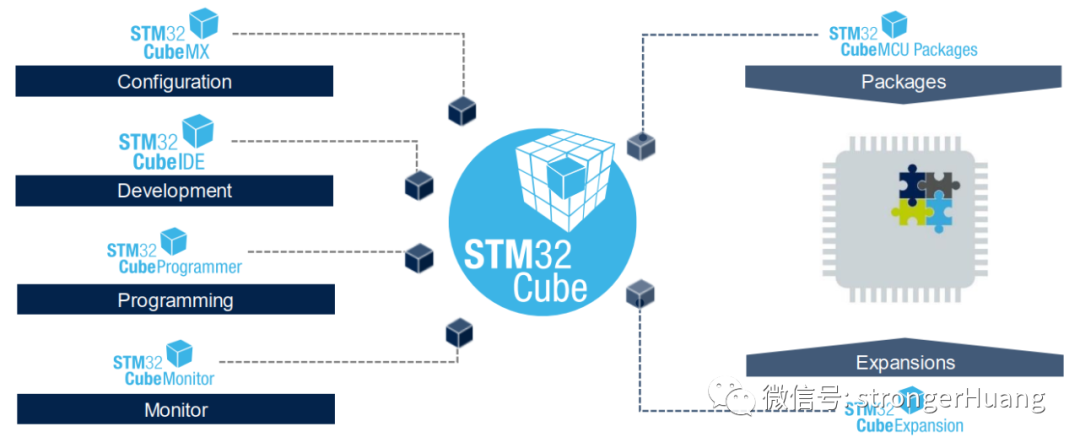
Divided into two main categories:1. Software Tools:These include STM32CubeMX, CubeIDE, CubeProgrammer, CubeMonitor, etc., on the left side.2. Embedded Software Packages:STM32 CubeMCU Packages and extension software packages CubeExpansions.Key Features of the STM32Cube Ecosystem:
-
Free to use;
-
Consistent interfaces for easy portability
-
Customizable and extensible
-
Easy to use and understand
-
Reduces development time and costs
-
······
(Of course, these are my own summarized features; there are many more, and contributions are welcome.)Next, I will describe the contents of each tool and software package in detail.2. STM32CubeMXSTM32CubeMX was launched in 2014, but the early versions had more bugs and were less user-friendly compared to now. Additionally, users were accustomed to the standard peripheral libraries, so the initial reception of STM32CubeMX was not favorable.To promote STM32CubeMX and encourage more users to adopt it, ST gradually stopped updating and maintaining the standard peripheral libraries for various MCUs in 2014 and 2015, steering users towards the HAL and LL libraries.
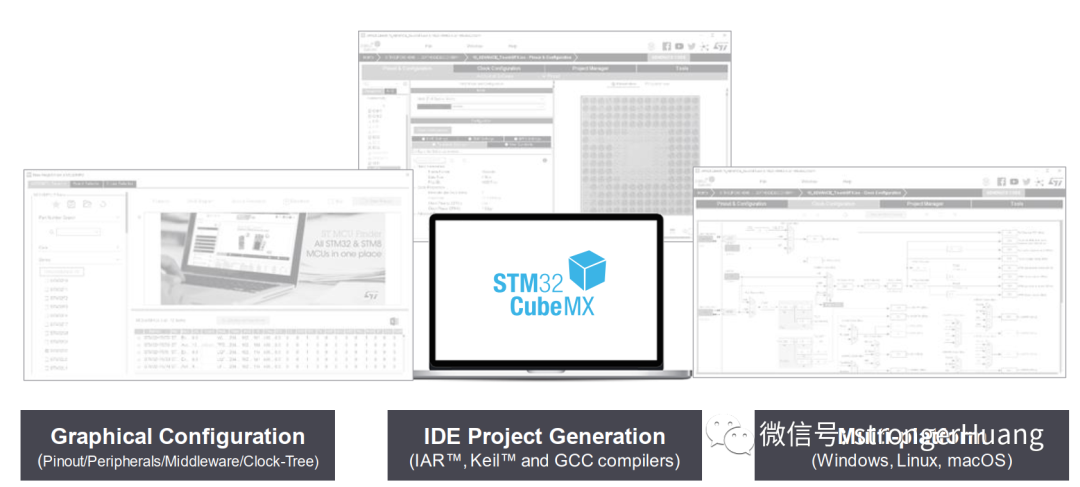
STM32CubeMX is a graphical software configuration tool that can generate STM32 initialization code projects using a graphical wizard.
Features of STM32CubeMX:
1. Intuitive selection of STM32 microcontrollers (MCUs) and microprocessors (MPUs).
2. Rich and user-friendly graphical interface:
– Automatically resolves configuration conflicts
– Peripheral and middleware functionality modes with dynamic validation of parameter constraints
– Dynamic validation of clock tree and configuration
– Power consumption prediction
3. Generates initialization code projects, including: EWARM, MDK-ARM, TrueSTUDIO, SW4STM32, etc.
4. Generates Linux device trees for certain MPUs.
5. Can run independently on Windows, Linux, and macOS, or as an Eclipse plugin.
For more information, you can refer to my article:STM32CubeMX Series Tutorial 01 – Introduction to STM32Cube ProductsAlso, you can check the latest introduction on the official website:www.st.com/stm32cubemxAdditionally, for tutorials on using STM32CubeMX, you can refer to my column:STM32CubeMX Series Tutorials3. STM32CubeIDESTM32CubeIDE was launched around April 2019, but its development history is quite long.The development of STM32CubeIDE can be traced back to the early Atollic TrueSTUDIO, which was an IDE tool developed by Atollic for embedded development (similar to Keil, IAR).In December 2017, ST acquired Atollic, and TrueSTUDIO for STM32 was born.In April 2019, ST officially launched STM32CubeIDE, which is essentially an “upgraded version” of TrueSTUDIO for STM32, although this “upgrade” involved significant changes.Here, I recommend referring to an article I previously shared:Simple Steps to Migrate from TrueSTUDIO to STM32CubeIDEBelow is an image to understand the development history of STM32CubeIDE:
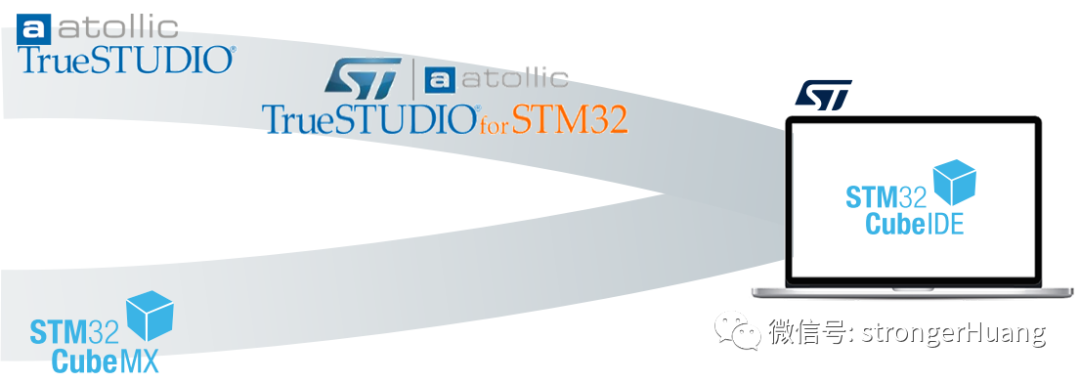
STM32CubeIDE is a multifunctional integrated development tool (IDE) that integrates TrueSTUDIO and STM32CubeMX. It is part of the STM32Cube software ecosystem.It is an advanced C/C++ development platform with IP configuration, code generation, code compilation, and debugging capabilities for STM32 microcontrollers.Official address:https://www.stmicroelectronics.com.cn/en/development-tools/stm32cubeide.htmlFor more information, you can refer to my previously shared article:Introduction, Installation, Configuration, Code Generation, and Online Debugging of STM32CubeIDE4. STM32CubeProgrammerSTM32CubeProgrammer has a long history as well; the early ST chip download tool was STVP (ST Visual Programmer), which engineers familiar with tools before 2010 might recognize, but it was gradually replaced by ST-LINK Utility.Many engineers still use ST-LINK Utility, but the official tool has replaced it with STM32CubeProgrammer and has stopped updating ST-LINK Utility.For more information, you can refer to an article I previously shared:Do You Know These Tools: STVD, STVP, ST-LINK Utility?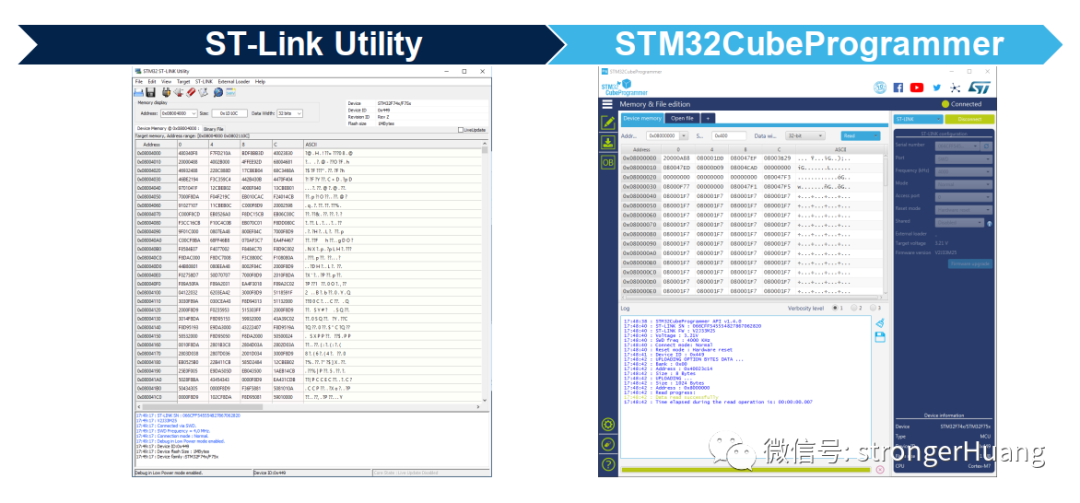 STM32CubeProgrammer shares many similarities with ST-LINK Utility, but it introduces new features such as secure programming.For more information, refer to the article:Key Points About STM32CubeProgrammer5. STM32CubeMonitorSTM32CubeMonitor is a new tool launched by ST in 2020, designed to help debug and diagnose STM32 applications by reading and displaying variables in real-time.
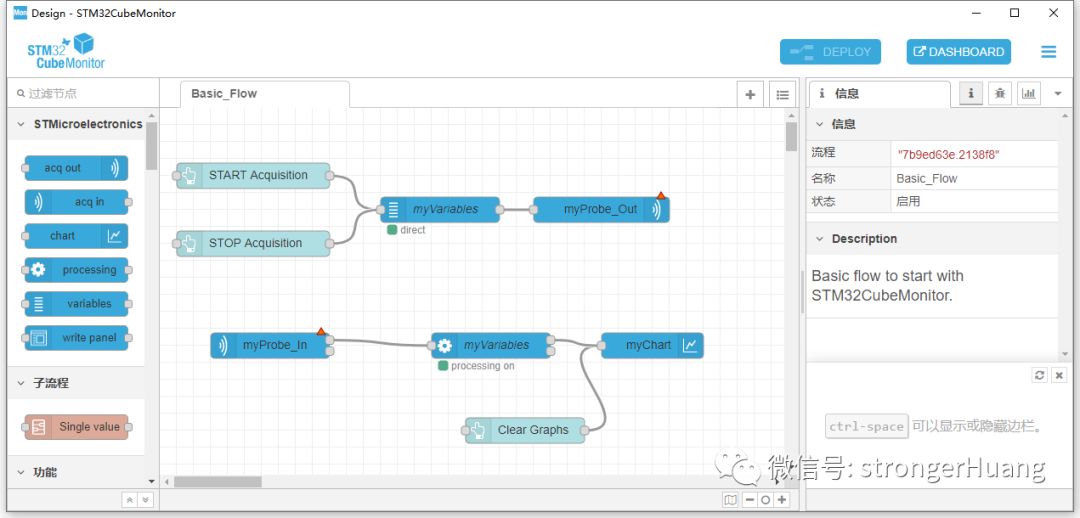 STM32CubeMonitor also has a development history; its predecessor was STM Studio. Its main function is monitoring, such as monitoring variables: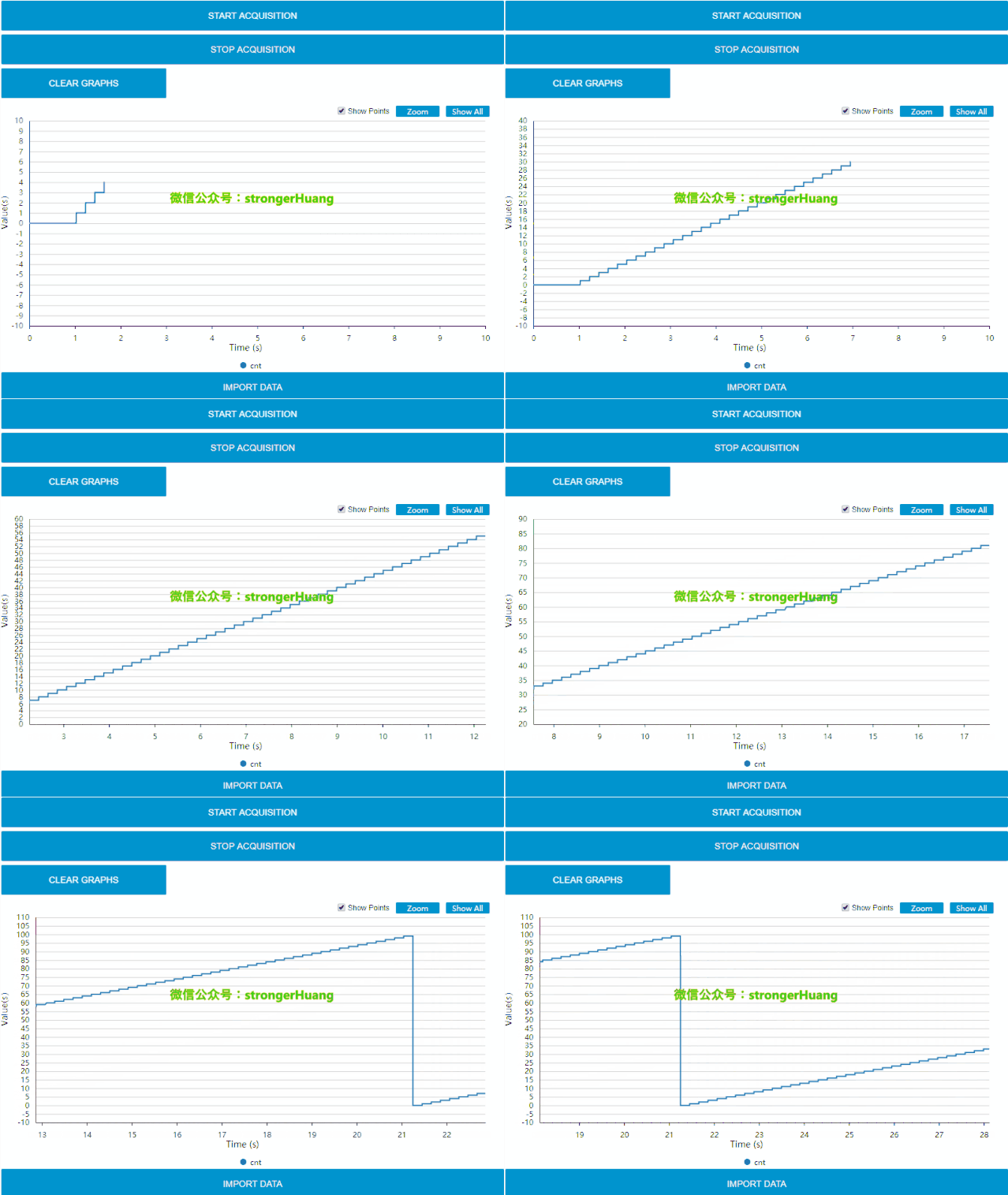
Main Features:
• Graphical flow-based editor, no programming required to build dashboards
• Connects to any STM32 device via ST-LINK (SWD, JTAG protocol)
• Reads and writes variables in RAM in real-time while the target application is running, parsing debugging information from the application executable file
• Supports direct mode or snapshot mode
• Focuses on application behavior of interest
• Allows data logging to files and replay for detailed analysis
• Provides customizable visualizations with configurable display windows (such as curves and boxes) and a variety of widgets (such as gauges, bar graphs, and charts) to monitor multiple targets simultaneously
• Remote monitoring with native support for multiple display formats (PC, tablet, mobile)
• Direct support for the Node-RED open community
• Supports operating systems: Windows, Linux Ubuntu, and macOS
(The above is translated from Youdao Dictionary and may contain errors)
For detailed information, refer to the article:Introduction, Download, Installation, and Usage Tutorial for STM32CubeMonitor
Official website:
www.st.com/stm32cubemonitor
CubeMonitor Extensions:
With the Node-RED open community, STM32CubeMonitor offers rich extension capabilities, refer to:
https://wiki.st.com/stm32mcu/wiki/STM32CubeMonitor_tool_suite_overview
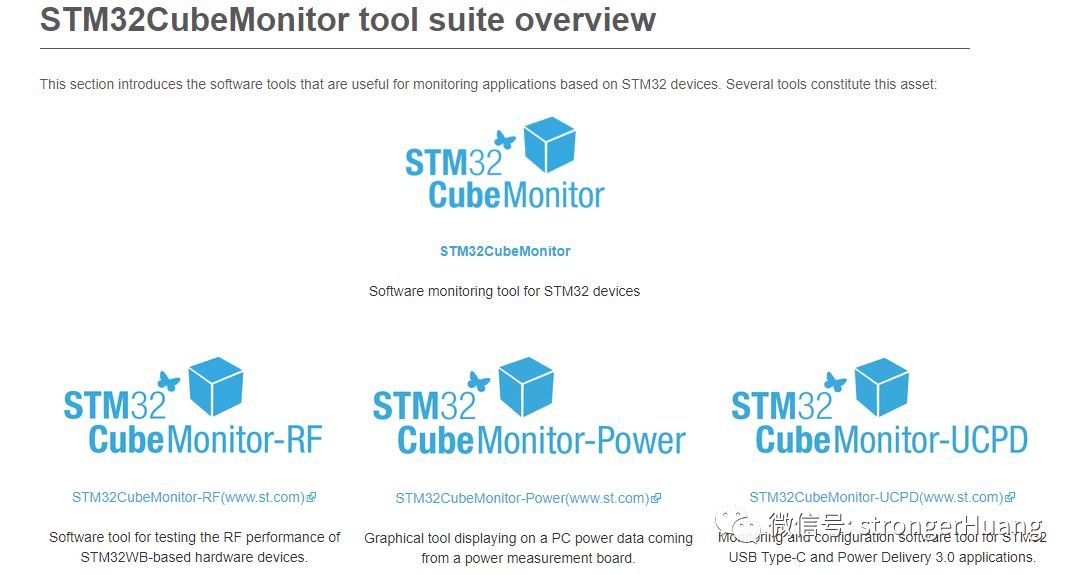
1. STM32CubeMonitor-RF
Website:
www.st.com/stm32cubemonrf
STM32CubeMonRF is an abbreviation for STM32CubeMonitor-RF, a tool for monitoring wireless devices, currently mainly used for monitoring the transmission/reception performance of STM32WB with Bluetooth (BLE) and 802.15.4 devices.
2. STM32CubeMonitor-Power
Website:
www.st.com/stm32cubemonpwr
STM32CubeMonPwr is an abbreviation for STM32CubeMonitor-Power, a tool that enables developers to quickly analyze the low-power performance of target boards.
3. STM32CubeMonitor-UCPD
Website:
www.st.com/stm32cubemonucpd
STM32CubeMonUCPD is an abbreviation for STM32CubeMonitor-UCPD, a tool for monitoring and configuring USB Type-C and Power Delivery applications.
6. STM32CubeMCU PackagesThe STM32Cube ecosystem has a wide variety of embedded software packages, but they are clearly categorized. Below is an image showing the application structure of embedded software packages:
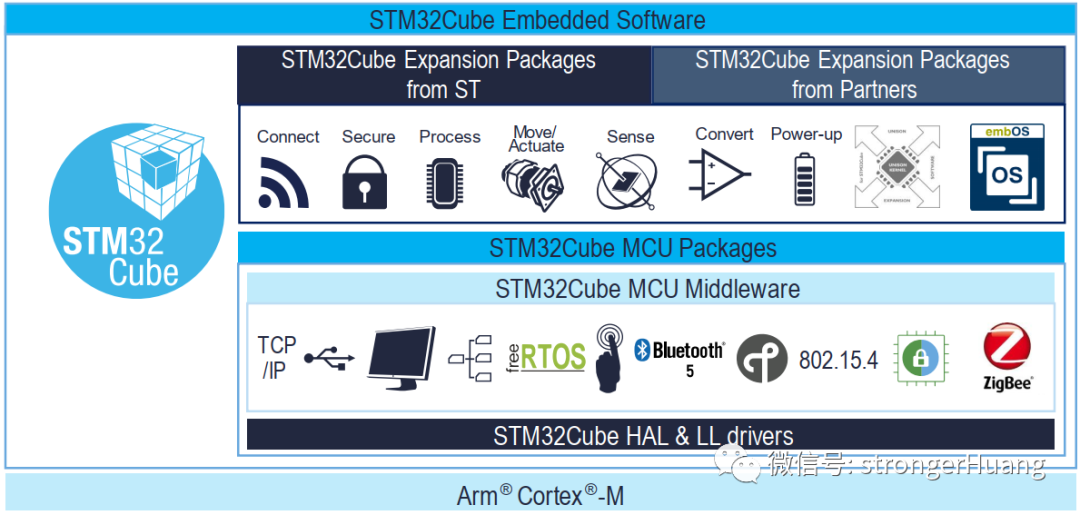
MCU Packages refer to MCU software packages, which are the most commonly used and familiar software packages:
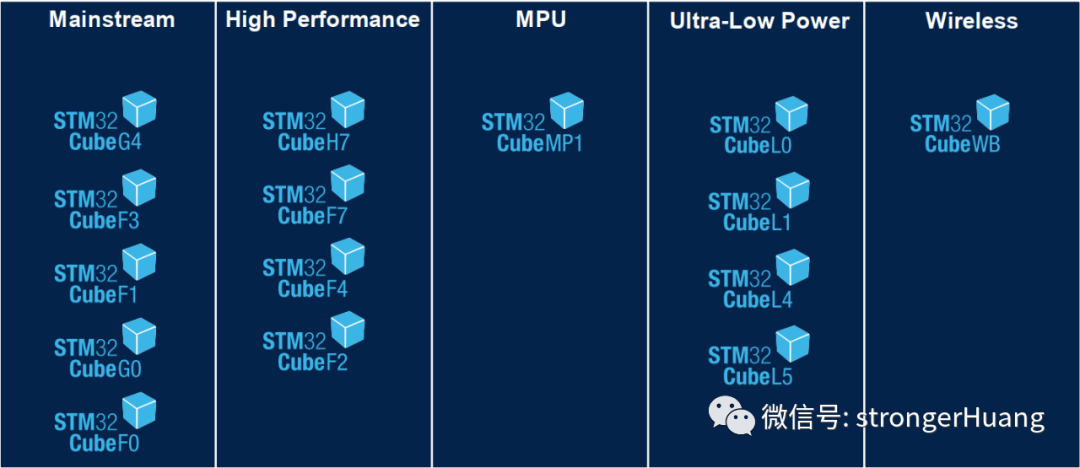
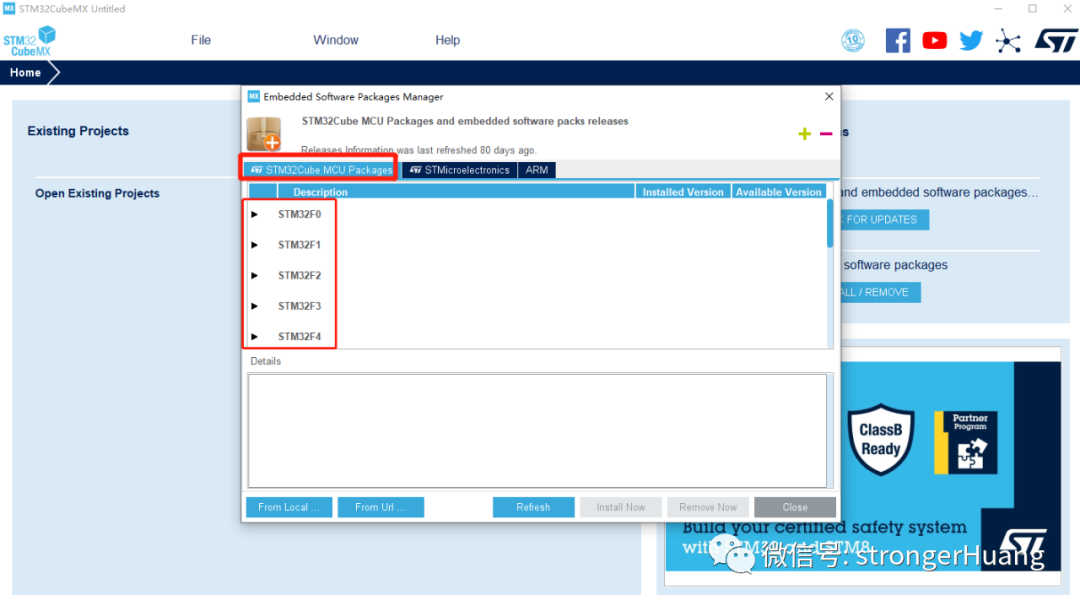
In the STM32CubeMX software package manager, you can view and manage (delete, add) the packages:
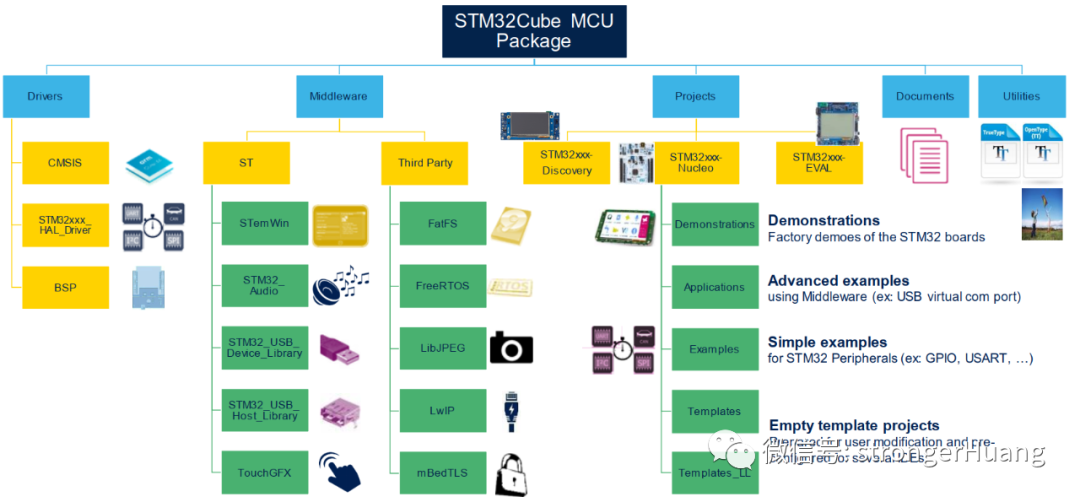
MCU software packages can be divided into two categories:
-
Low-level drivers HAL and LL
-
Middleware
Among the middleware, there are both ST’s own and third-party options, including: FreeRTOS, FatFS, LwIP, Open Bootloader, Bluetooth 5 stack, Zigbee 3 stack, USB Host & Device stacks, etc.
Below is an image to comprehensively understand the MCU software packages:
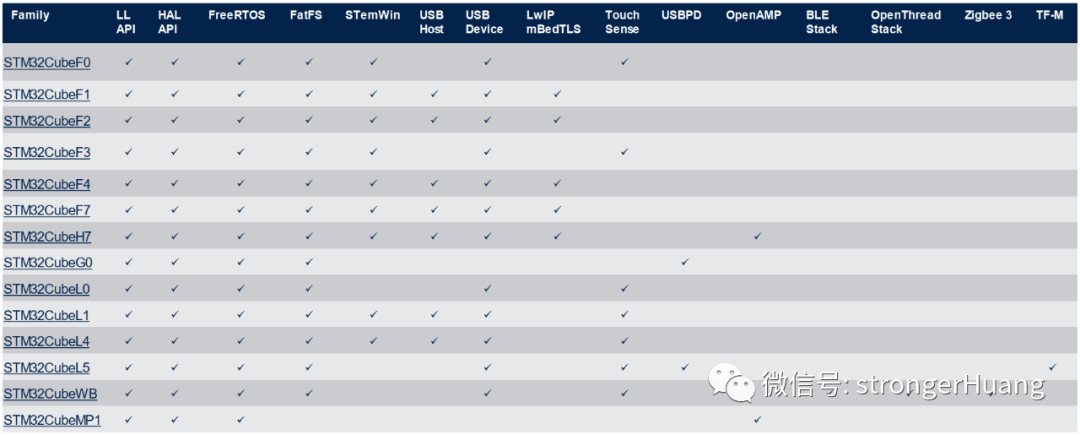
Support status of each package:
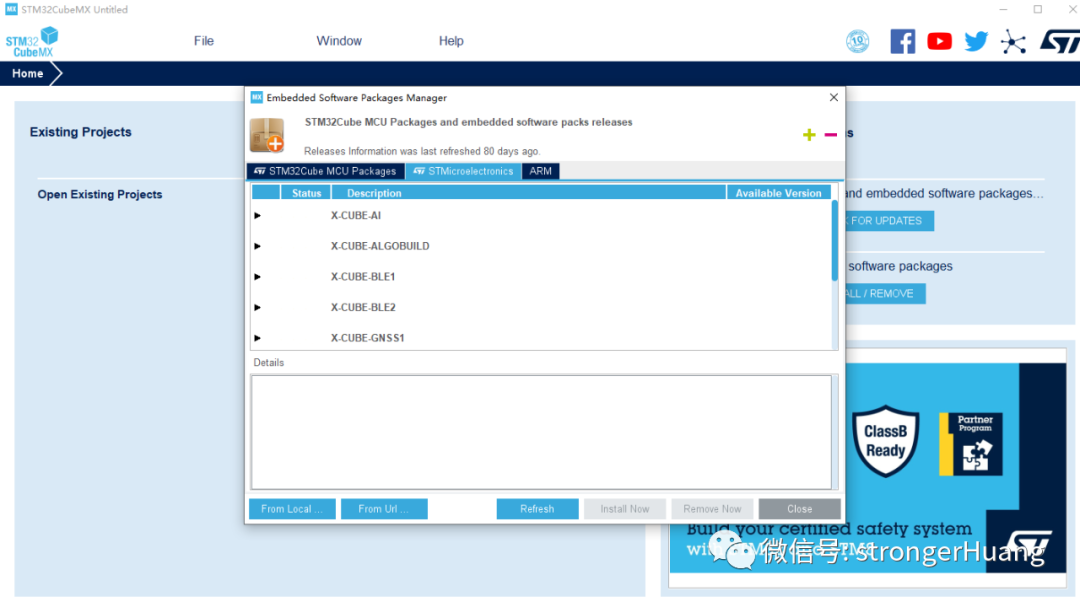
7. STM32ExpansionSTM32 expansion packages are also part of the STM32Cube ecosystem, with both ST’s own and third-party expansion packages available.For example:X-CUBE-AI, X-CUBE-BLE1, X-CUBE-NFC4, and many more.Below is a classification:
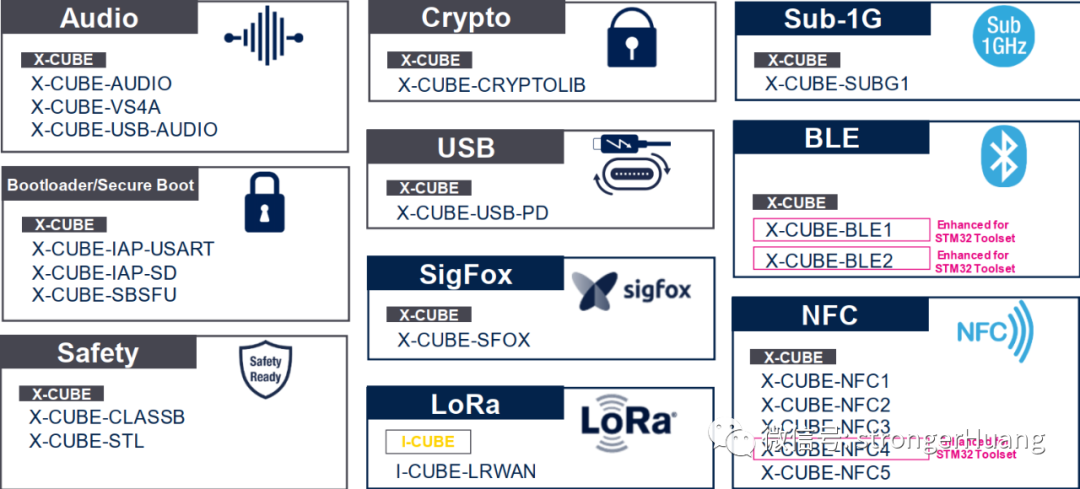
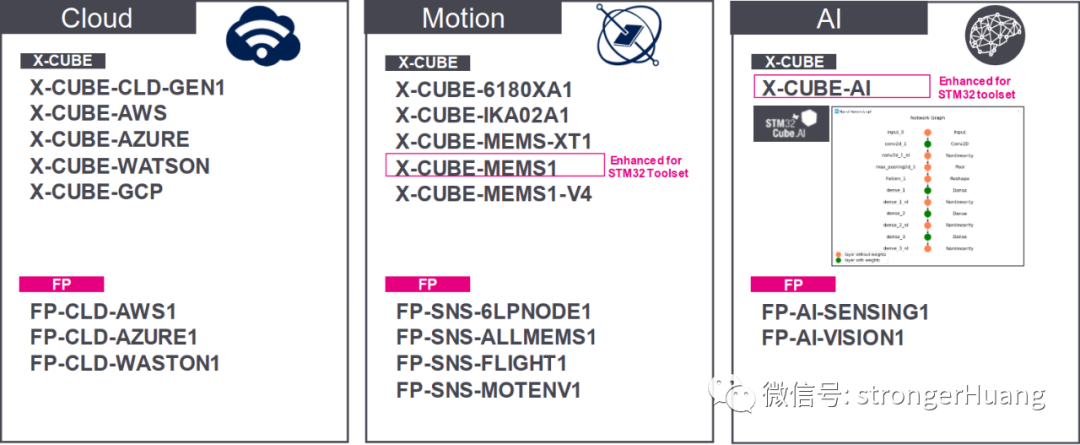
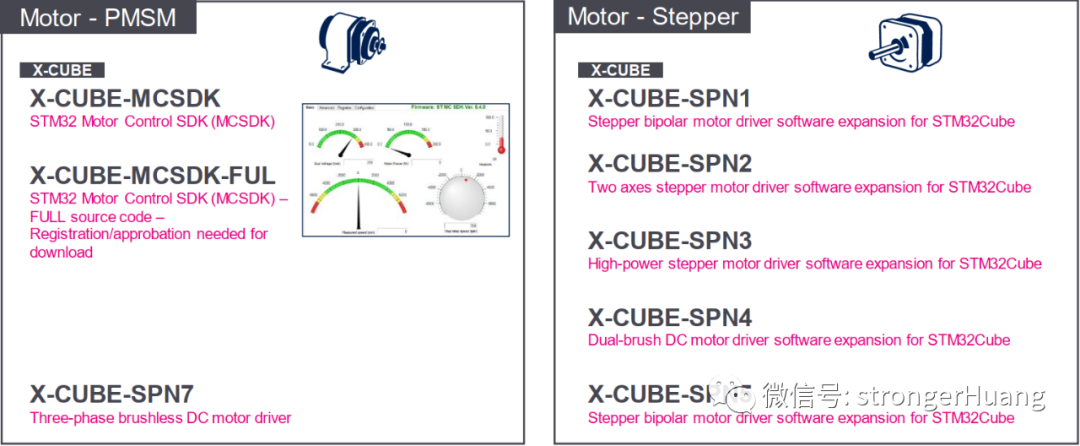
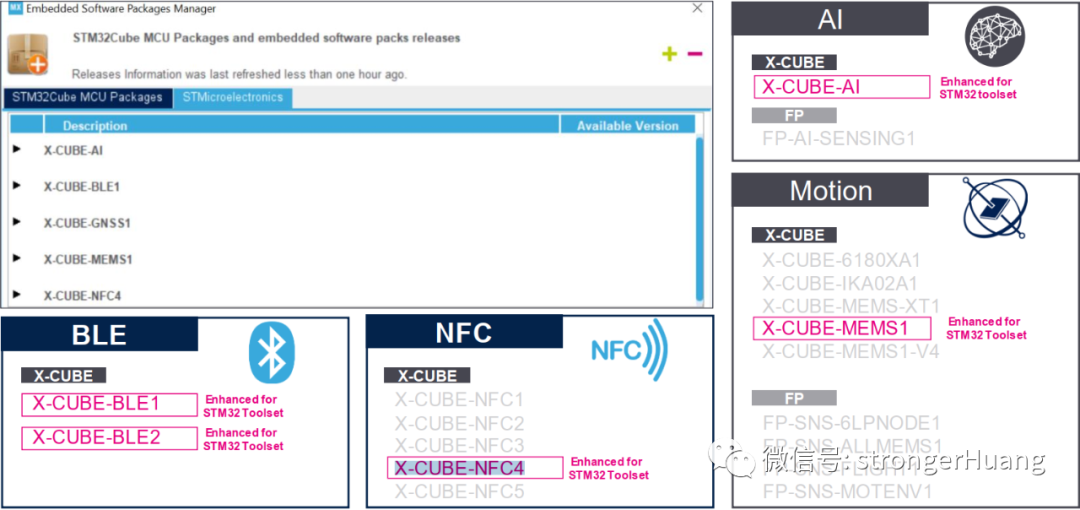
Similarly, you can view and manage (delete, add) the expansion packages in the STM32CubeMX software package manager:
8. ConclusionThis article summarizes all the software tools in the STM32Cube ecosystem as of October 2020, along with relevant details.The details of the software tools in the STM32Cube ecosystem are quite extensive, and not all need to be mastered. Beginners can start with STM32CubeMX and MCU software packages (HAL) and gradually expand their knowledge.Finally, everyone can reply in the background with “STM32Cube Ecosystem” to see more related content.Recommended Reading:
[Column] STM32CubeMX Series Tutorials
Introduction, Download, Installation, and Usage Tutorial for STM32CubeMonitor
Installation and Configuration of STM32CubeIDE, Code Generation, and Online Debugging
FollowWeChat Public Account “strongerHuang”, reply “1024” to see more content, and reply “Join Group” to join the technical exchange group according to the rules.

Long press to go to the public account included in the image to follow