[01] Introduction
The new motherboards based on the AMD platform’s B550 chipset were fully released in mid-June. Compared to its predecessor, the X570, the B550 was originally positioned as a mid-range product and was launched a full year later. During this year, the X570 underwent several price adjustments and has now formed a relatively perfect price and positioning connection with the B450. So, what specific advantages does the B550 offer? How can it effectively enhance its competitiveness? This article will analyze and compare the two.
[02] Appearance Display
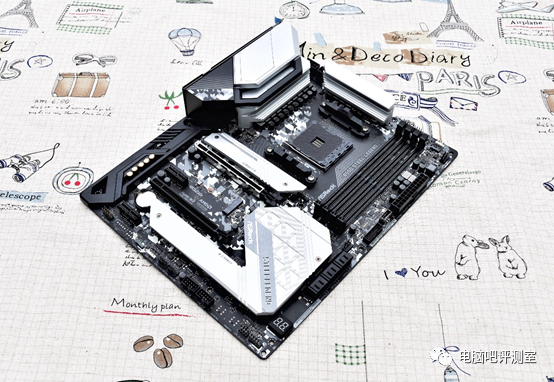
▲ The B550 Steel Legend inherits most of the classic elements from the X570 Steel Legend, including a black and white checkered PCB, silver and gray heatsink modules, and a camouflage-style rear I/O shield, all of which are retained in the new motherboard.
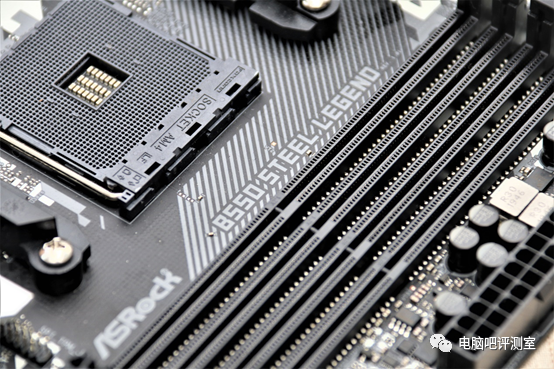
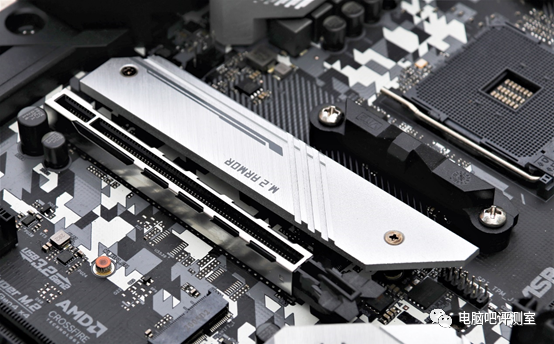
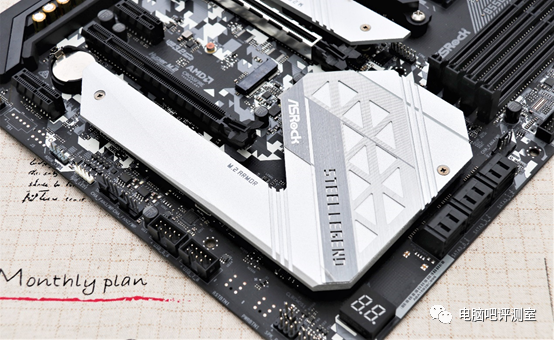
▲ However, there are differences; for example, the heatsink cover at the bottom of the motherboard is no longer a semi-enclosed design like the X570. The M.2 heatsink above has been separated. Since the B550 chipset has lower power consumption and heat generation, it no longer uses the active cooling system (with a small fan) previously unified in the X570, but rather a conventional passive cooling system, which is a downgrade in this aspect.
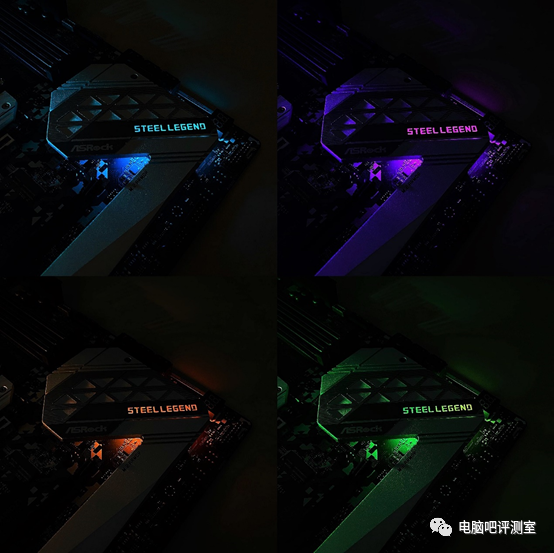
▲ The “STEEL LEGEND” features a hollow transparent font design, with RGB LED lights arranged below, which light up when powered on.
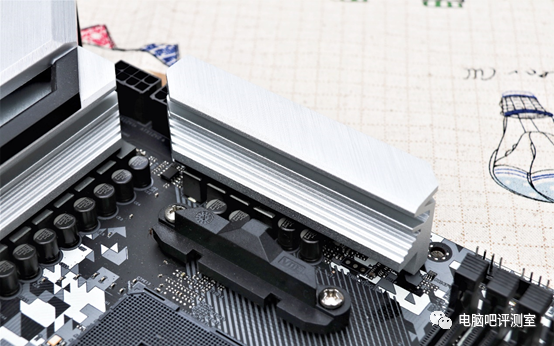
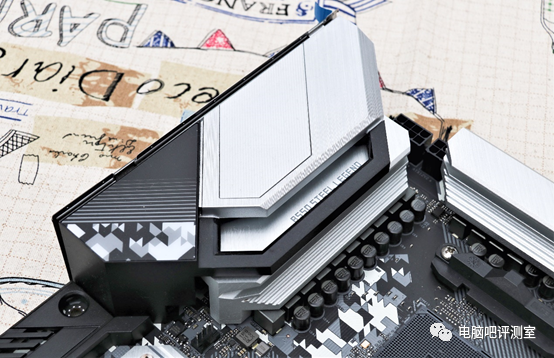
▲ The CPU power supply MOS heatsink module and the rear I/O shield of the B550 STEEL LEGEND. The overall shape remains highly similar to its older brother, the X570, with the previously large “S” on the I/O shield becoming a hidden design, only visible when powered on. There are a total of 14 main inductors here, and specific phase power supply details and enhancements can only be determined upon disassembly.
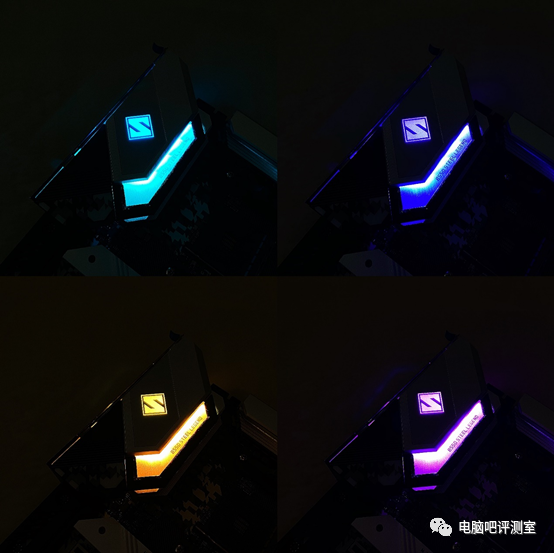
▲ Once powered on, the “S” on the I/O shield becomes visible. The brightness is very high, especially in the side wing area. I actually don’t know why the brightness is so high; if your cooler doesn’t come with lighting, it can be directly illuminated by this.
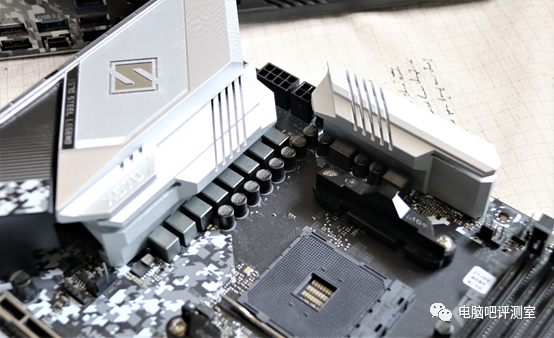
▲ The CPU power supply MOS heatsink module and the rear I/O shield of the X570 STEEL LEGEND. In the old design, you can clearly see the “S” on the I/O shield, and the X570 has only 10 power inductors, which is 4 less than the B550. According to earlier disassembly, the power supply is 2 (GT) + 4 (CPU core/4-phase to 8 design) for a total of 6 phases (10 phases) of power supply, with an auxiliary power supply for the CPU being 8+4PIN.
[03] Detail Display
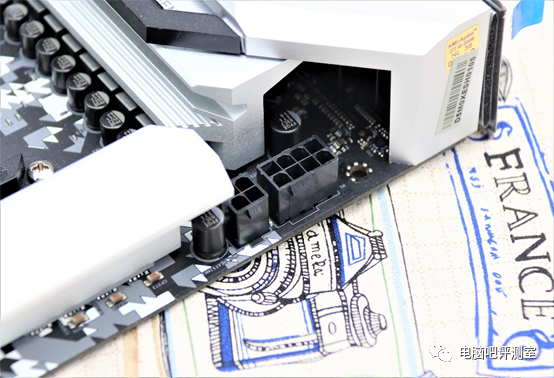
▲ The CPU auxiliary power supply for the B550 STEEL LEGEND is 8+4PIN, which is a standard mainstream design, consistent with most other B550/X570 motherboards.
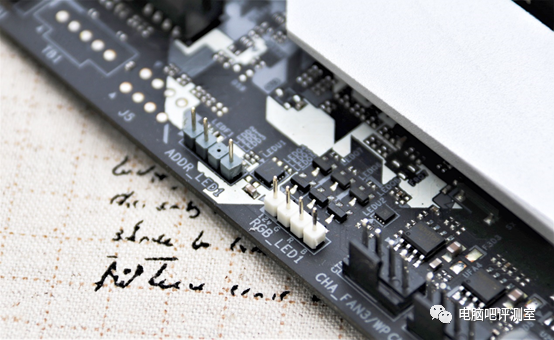
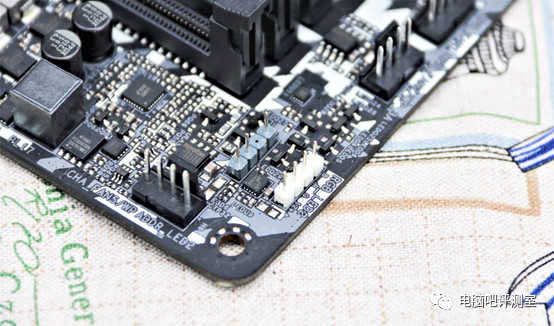
▲ The B550 STEEL LEGEND features two sets of lighting pins, located at the bottom of the motherboard and the upper right corner, each containing a 12V/4-pin standard RGB pin and a 5V/3-pin standard ARGB pin. Although the X570 STEEL LEGEND also has two sets of pins, the upper right set only has one RGB pin, lacking ARGB. It can be seen that the status of ARGB devices has been significantly enhanced.
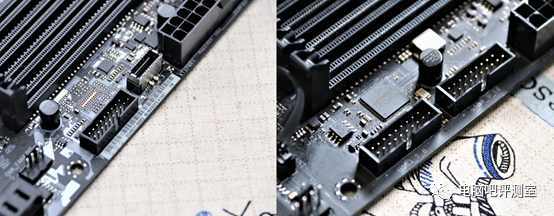
▲ The B550 STEEL LEGEND (left) has 2 Type-A + 1 Type-C front ports;
▲ The X570 STEEL LEGEND (right) has 4 Type-A front ports. In comparison, the B550’s design is more in line with current trends, as there are not many cases with four front USB 3.0 expansions (most have two USB 2.0), and slightly higher-end cases generally set up a front Type-C interface. However, the B550 has removed the Thunderbolt 3 expansion pin (located next to the ARGB pin in the previous image).
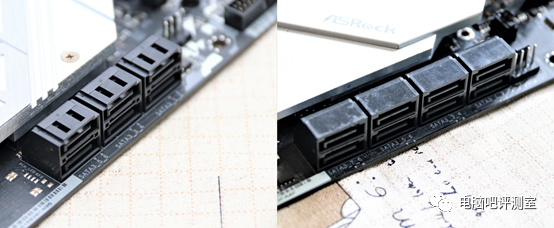
▲ The B550 STEEL LEGEND (left) has a total of 6 SATAIII ports;
▲ The X570 STEEL LEGEND (right) has a total of 8 SATAIII ports.
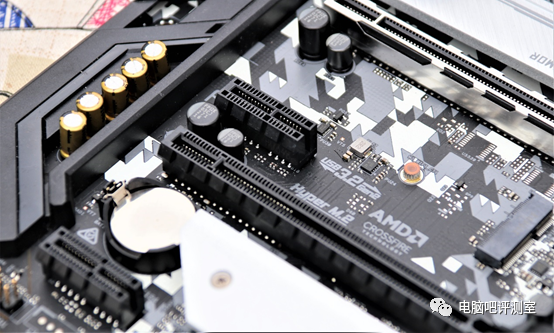
▲ The B550 STEEL LEGEND retains ASRock’s consistent open PCI-E X1 interface design, allowing for compatibility with longer devices.
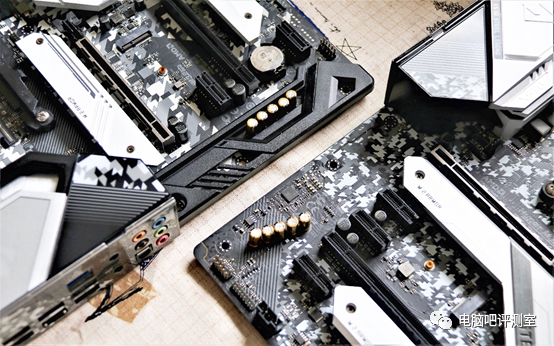
▲ The B550 STEEL LEGEND (left) and X570 STEEL LEGEND (right) have added plastic protective covers in the audio area, enhancing the aesthetic.
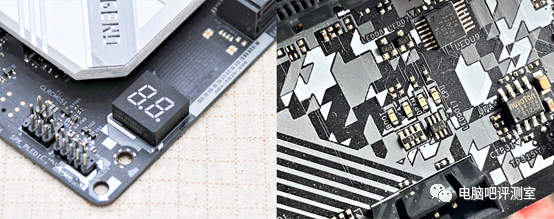
▲ The B550 STEEL LEGEND (left) and X570 STEEL LEGEND (right) have made a significant improvement by replacing the traditional debug indicator lights (4 items) on the X570 with a more advanced digital display indicator, significantly increasing the number of detectable error items. It’s worth noting that the recently released high-end chipset, the Z490 Steel Legend, does not have this feature.
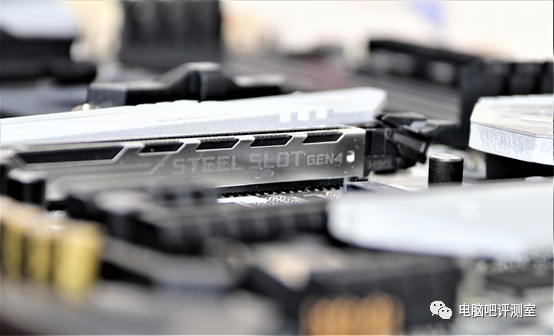
▲ The B550 chipset natively supports PCI-E 4.0 for discrete graphics cards (slots) and one M.2 interface (natively PCI-E 4.0 direct connection) (both require a 3rd generation Ryzen processor). However, that’s about it; other channels for data exchange between the chipset and CPU, as well as the PCI-E channels built into the chipset, are all 3.0. Overall, the situation is quite similar to the previous B450’s cracked support for PCI-E 4.0.
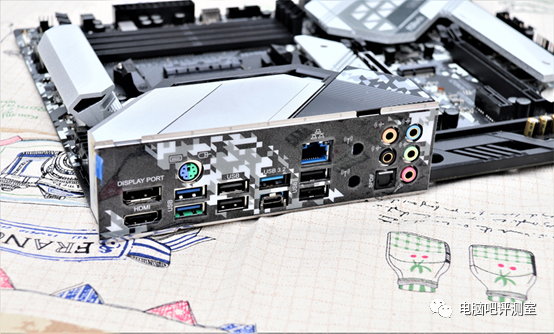
▲ Display of the rear I/O ports, including 2 USB 3.2 Gen 2 (10.0Gb/s) ports, in Type-A + Type-C configuration.
[04] Motherboard Disassembly
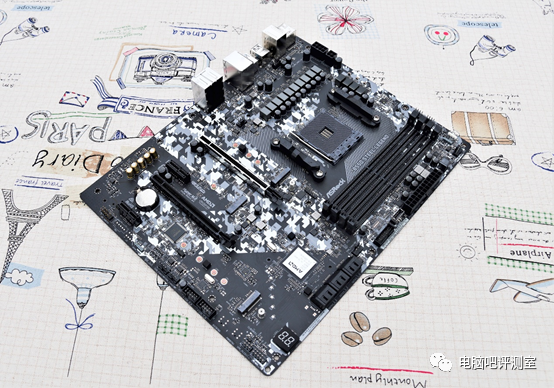
▲ Overview of the motherboard disassembly.
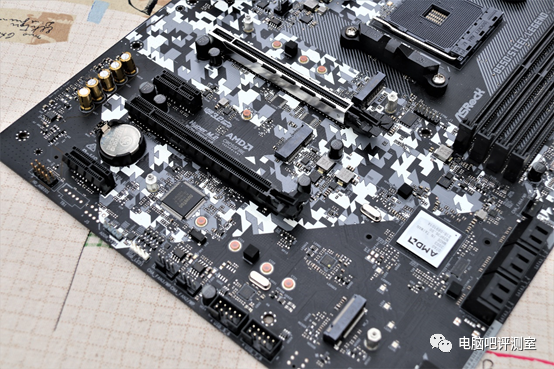
▲ The B550 STEEL LEGEND has a total of 3 M.2 interfaces, including one 2280 specification (near the CPU) PCI-E 4.0*4 (CPU direct connection) full-speed interface, one 22110 specification (near the bottom of the motherboard) PCI-E 3.0*2 (chipset channel) half-speed interface, and one M.2 WIFI interface.
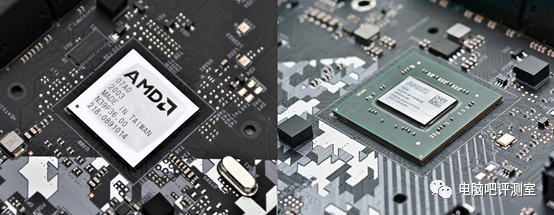
▲ The AMD B550 chipset (left) and the X570 chipset (right).
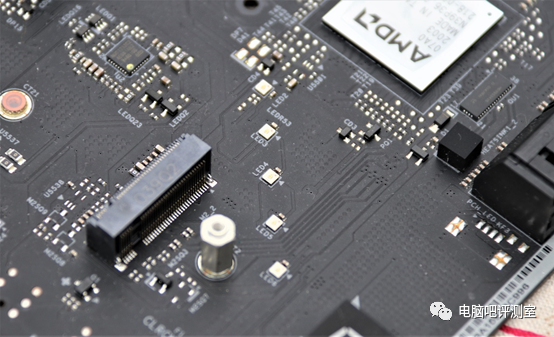
▲ The LED light group near the B550 STEEL LEGEND chipset.
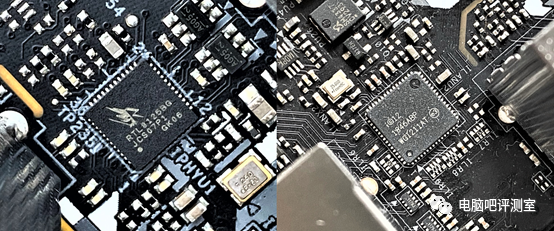
▲ The B550 STEEL LEGEND (left) uses a high-performance Realtek RTL8125BG Dragon gaming 2.5G network card; the X570 STEEL LEGEND (right) uses a conventional Intel I211-AT standard Gigabit network card. Therefore, the B550 has a significant upgrade in this area.
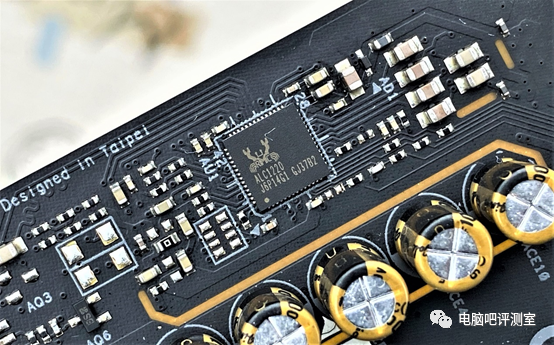
▲ The integrated sound card is still the high-end ALC1220, equipped with 5 professional audio capacitors.
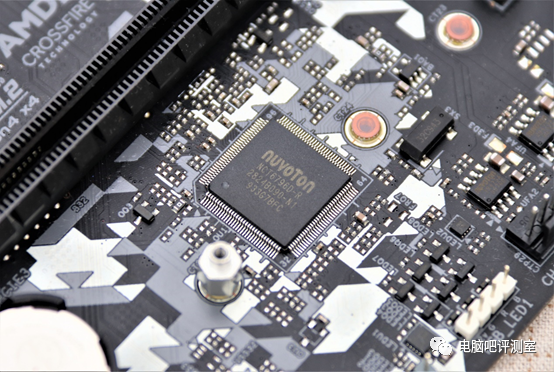
▲ From Nuvoton, the NCT6796D-R, a common Super IO chip, primarily used to monitor the temperature, fan speed, voltage, and other aspects of the motherboard’s hardware.
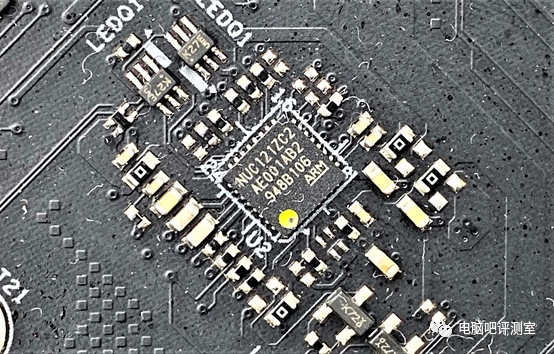
▲ From Nuvoton, the NUC121ZC2AE, a 32-bit chip based on ARM architecture, can provide a USB interface without a CPU and chipset, and can directly refresh the BIOS with the FlashBack chip on the motherboard, making it very practical.
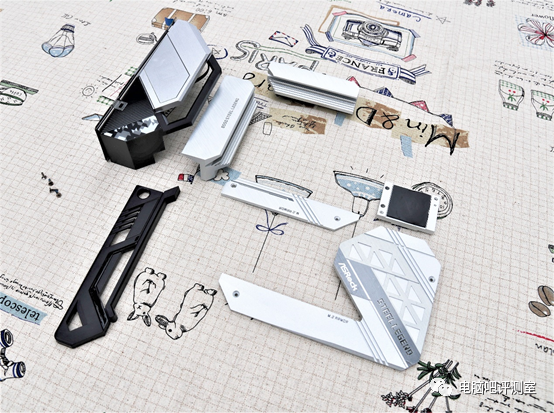
▲ Heat dissipation module and protective cover.
[05] Motherboard Power Supply
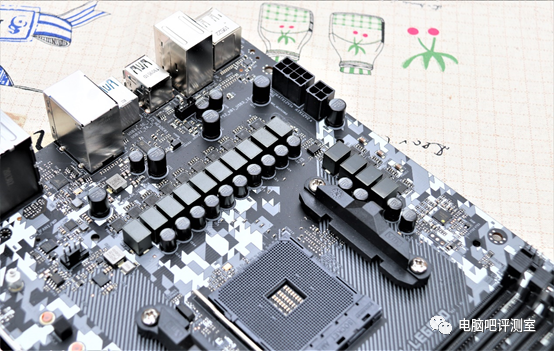
▲ Overall layout of the power supply. There are a total of1460Ahigh-efficiency inductors + 1450A Dr.MOS.
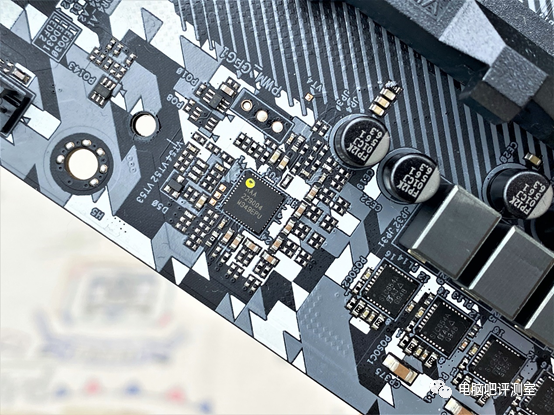
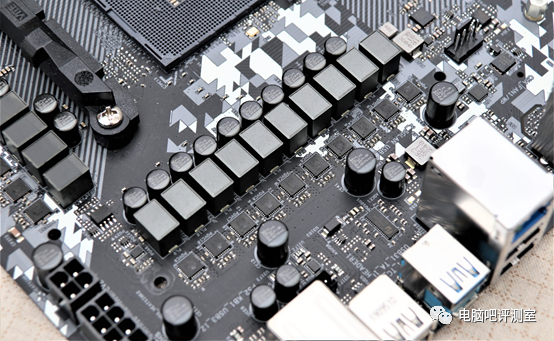
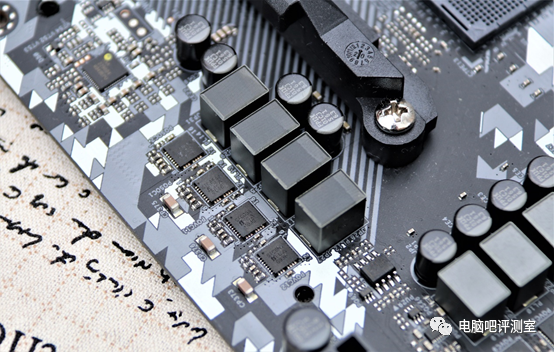
▲ The PWM main control chip is RAA229004, theoretically providing 6+2 phase power supply, where 2 phases are for SOC power supply, and the other 6 phases are doubled through 6 chips on the back of the motherboard to 12 phases, specifically for CPU core power supply. The Dr.MOS model is SIC654.
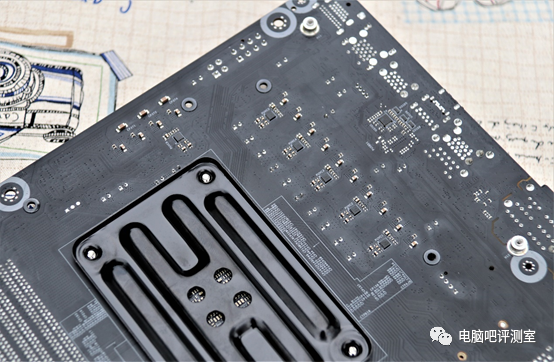
▲ The B550 has a significant power supply upgrade compared to the X570. The B550 STEEL LEGEND has a total of 6 phase doubling chips, with a total power supply design of 2+6 (*2)=8 (14) phases.
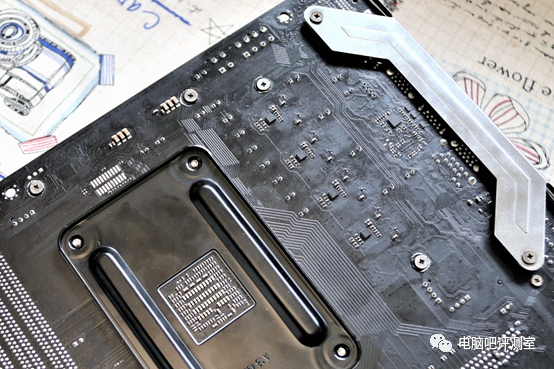
▲ The X570 STEEL LEGEND has a total of 10 60A high-efficiency inductors + 10 50A Dr.MOS. The back has a total of 4 phase doubling chips, with a total power supply design of 2+4 (*2)=6 (10) phases.
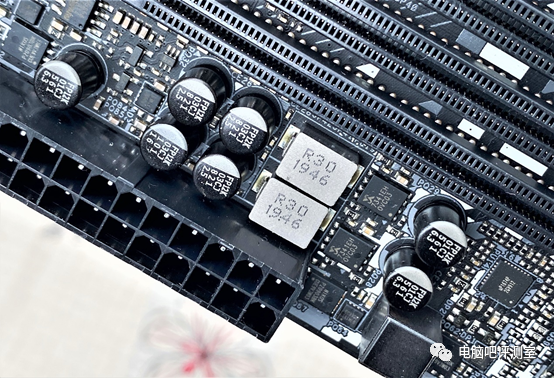
▲ The B550 STEEL LEGEND memory power supply.
[06] Conclusion
[Product Advantages] (Based on comparison with X570 STEEL LEGEND)
① Retains most excellent features comprehensively;
② Network card upgraded to 2.5G;
③ Comes with a debug display indicator;
④ The CPU power supply is significantly enhanced, allowing for better performance of processors like the R9-3900X and overclocking of R5/R7.
[Product Disadvantages]
① Higher price, even more expensive than X570;
② Limited chipset functionality, overall less expansion capability than X570.
The entire B550 product line seems to be a hybrid “deformed” development based on B450/X570. In terms of nominal specifications and the capabilities of the chipset itself, it is indeed the perfect successor to the current B450. However, from the perspective of the functions and material designs equipped by major manufacturers, it appears to be a second high-end solution following the X570. After all, a year later is enough time for manufacturers to change their immature views on the third-generation Ryzen processors (and the R9 series released a few months later). The B550’s excessive strength may also be a remedial measure to open up a wider range of overclocking experiences.
If you find this article appealing, remember to give it a thumbs up!

Welcome to join the official Computer Bar group 5:820217939
Welcome to the second-hand hardware exchange group of Computer Bar: 1079537679.
Follow Bilibili @Computer Bar Testing Room, @Wing King or Weibo @Jian Zhen JZ, @DDAA117