Click the blue text to follow us
#1 Introduction
In previous articles, we have introduced that the TI Cup 2021 National College Student Electronic Design Competition board is now open for application. There will be a question in the 2021 electronic design competition that specifies the use of TI’s MSP430/432 series microcontrollers. So, the first step in using a microcontroller is to set up the development environment, and the 430 microcontroller cannot bypass CCS. Today, I will present a beginner-friendly installation tutorial for CCS 10.4.
Code Composer Studio is an integrated development environment (IDE), abbreviated as CCS software. It supports the development of TI’s microcontrollers and embedded processor products. Code Composer Studio includes a complete set of tools for developing and debugging embedded applications.

It includes an optimized C/C++ compiler, source code editor, project build environment, debugger, analyzer, and many other features. The intuitive IDE provides a single user interface that guides you through every step of the application development process. Familiar tools and interfaces enable users to get started faster than ever.
Code Composer Studio combines the advantages of the Eclipse software framework with TI’s advanced embedded debugging capabilities, providing embedded developers with a compelling and feature-rich development environment.
#2 Preparation
1. First, disable antivirus software.
2. Official CCS version details and download links:
http://software-dl.ti.com/ccs/esd/documents/ccs_downloads.html
This page provides the most accurate and detailed introduction to each version of CCS, installation, and changes. You can choose the corresponding version to download based on the emulator and development platform you are using.
3. The installation package can be obtained from the public account Electronic Think Tank or by contacting the customer service of the Taobao store Shenchuang Electronics (you can also directly add the technical customer service WeChat: ethinkt) to get the Baidu Cloud download link.
#3 Installation Guide
This article takes the latest version CCS 10.4 from the TI official website as an example to introduce the detailed software installation method. The installation methods for other versions of CCS software are similar.
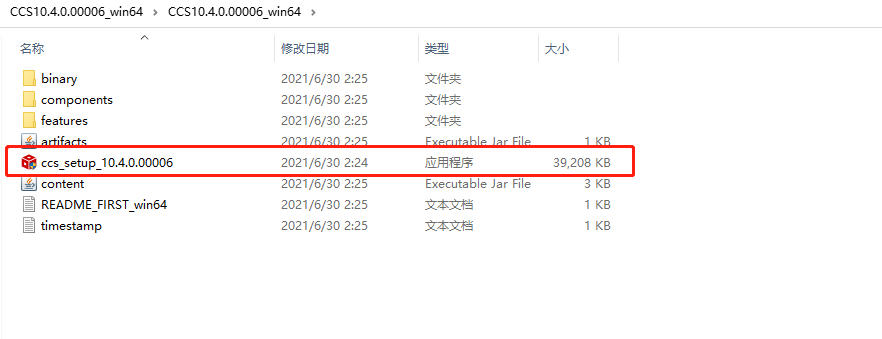
Step 1: Open the installation package.
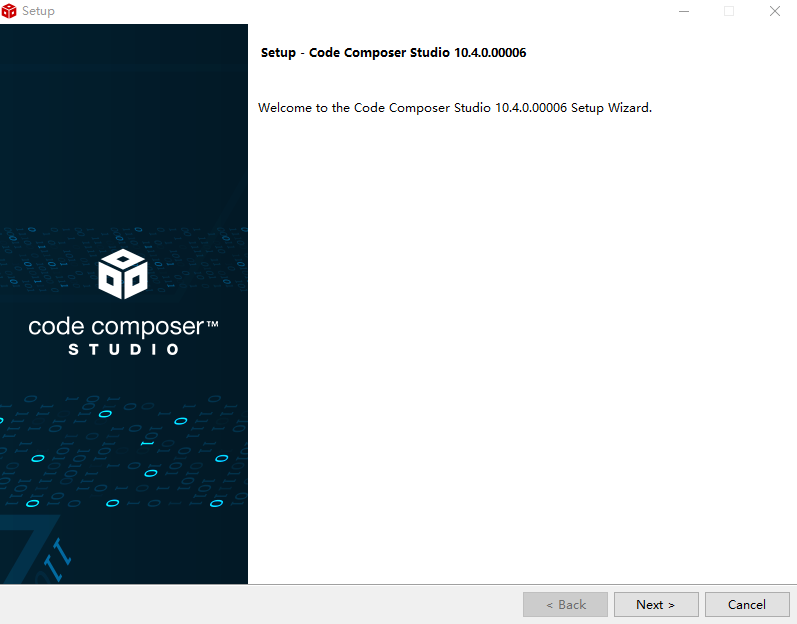
Step 2: Click NEXT.
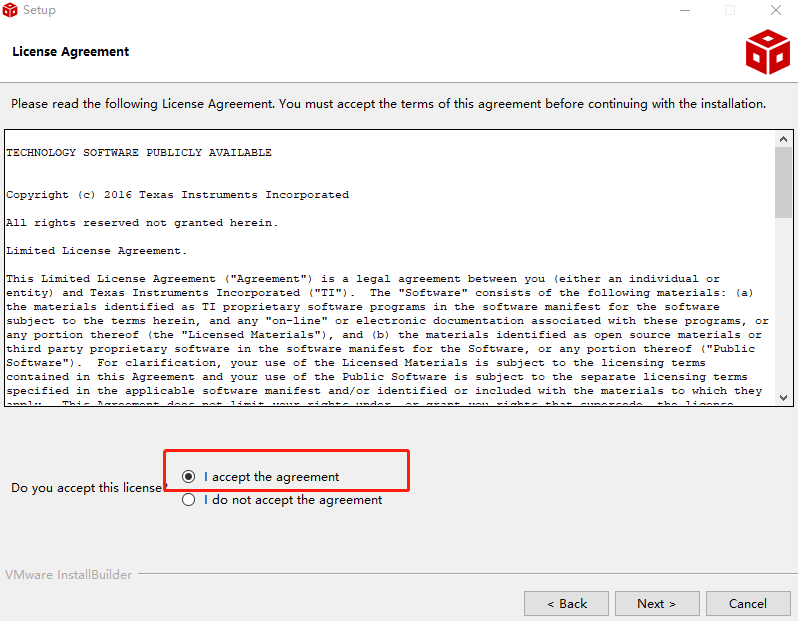
Step 3: Click to agree to the agreement.
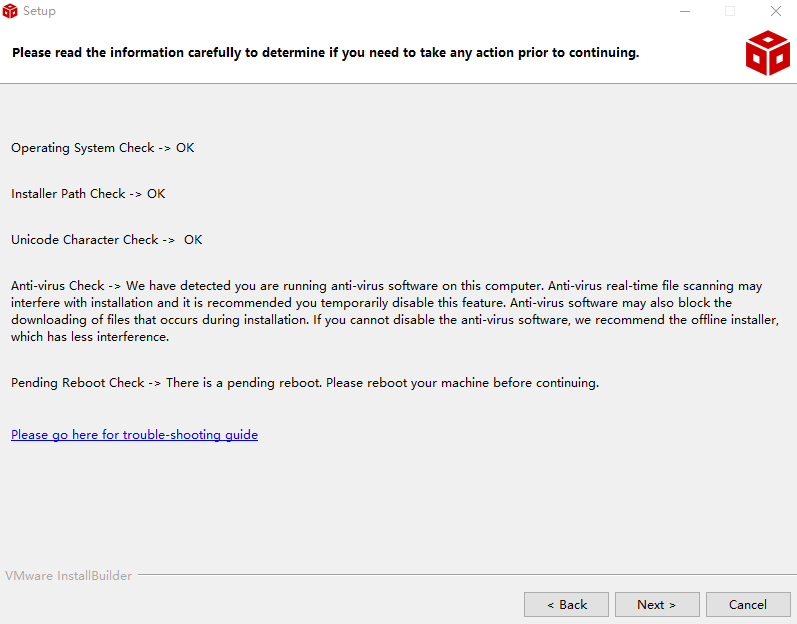
Step 4: Click NEXT.
Step 5: Select the installation path.
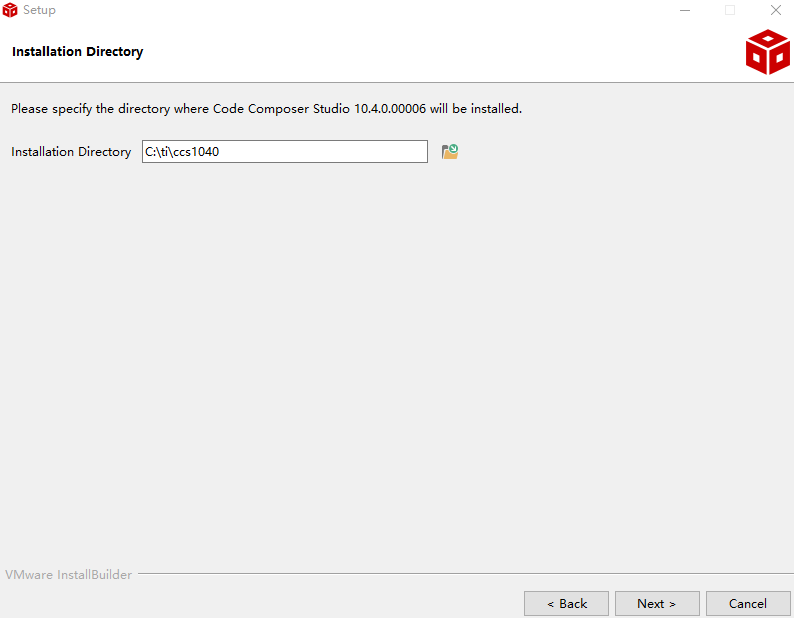
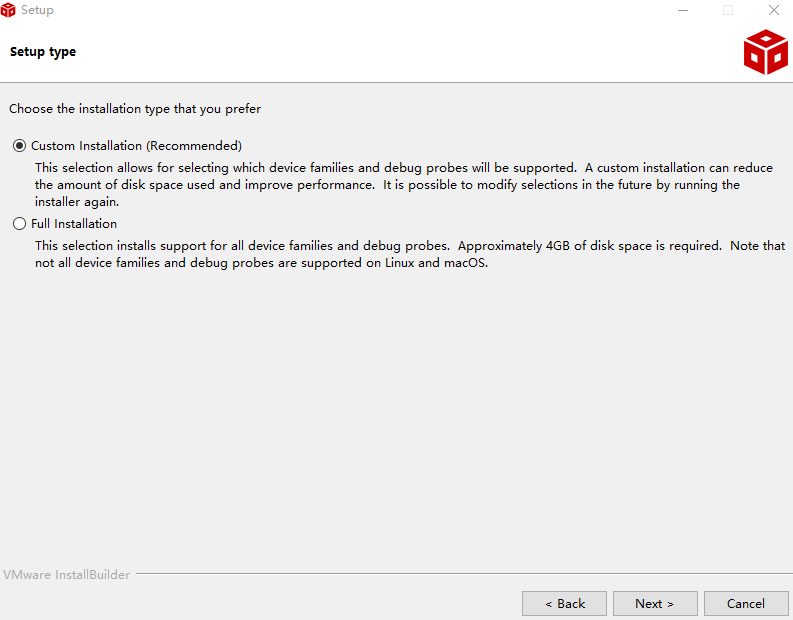
Step 6: The following installation method selection page will pop up. The first option is to customize the installation to support the device series and debugging emulator you want; the second option is a complete installation that supports all available device series and debugging emulators. Here, select the first option.
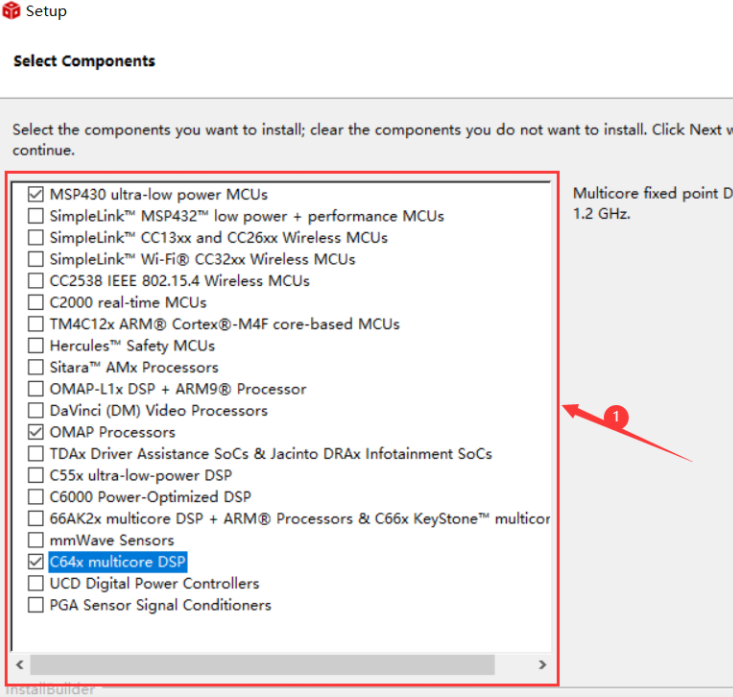
Step 7: Choose the microcontroller to install, generally these two are enough.
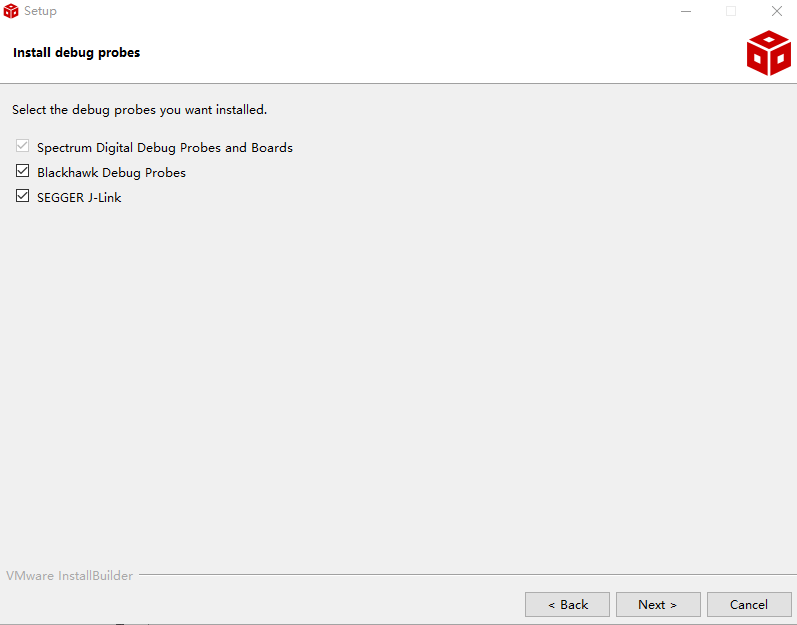
Step 8: This dialog allows users to enable support for certain common third-party debugging emulator devices. The available options depend on the device series selected in the previous dialog. You can check all:
Step 9: Click NEXT.
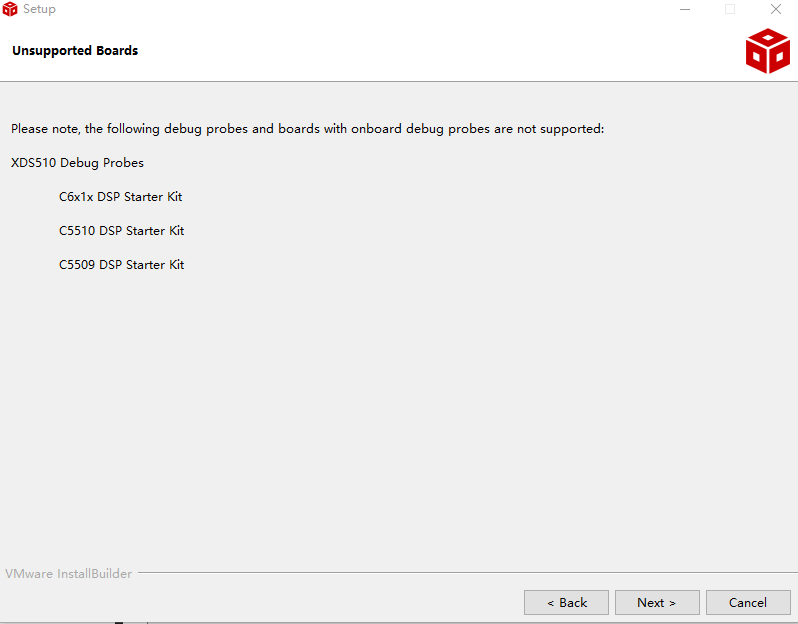
Step 10: Click NEXT.
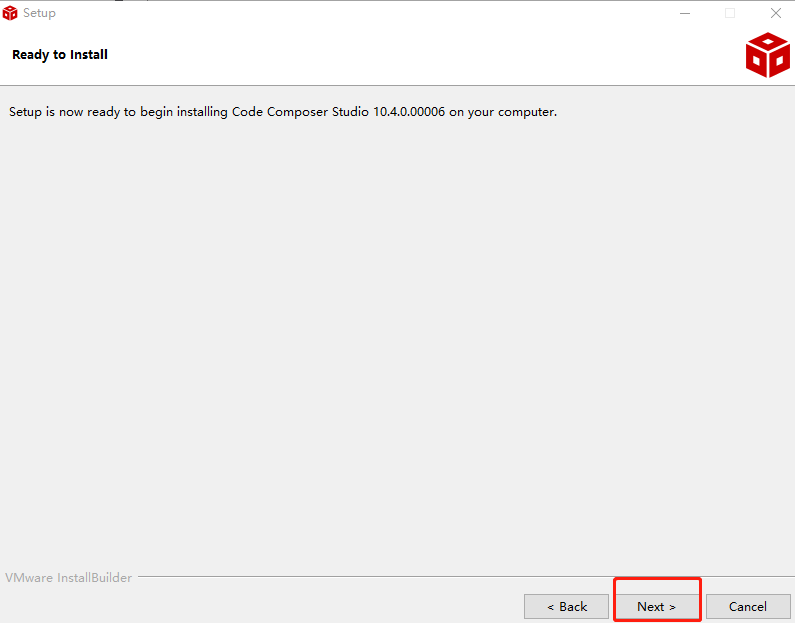
Step 11: Installation is in progress; click NEXT when completed.
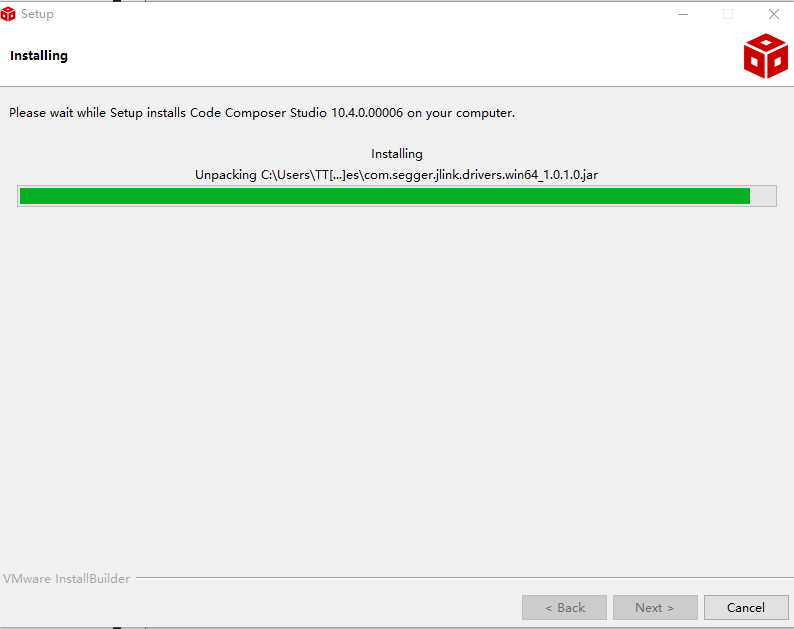
Step 12: Click FINISH when completed.
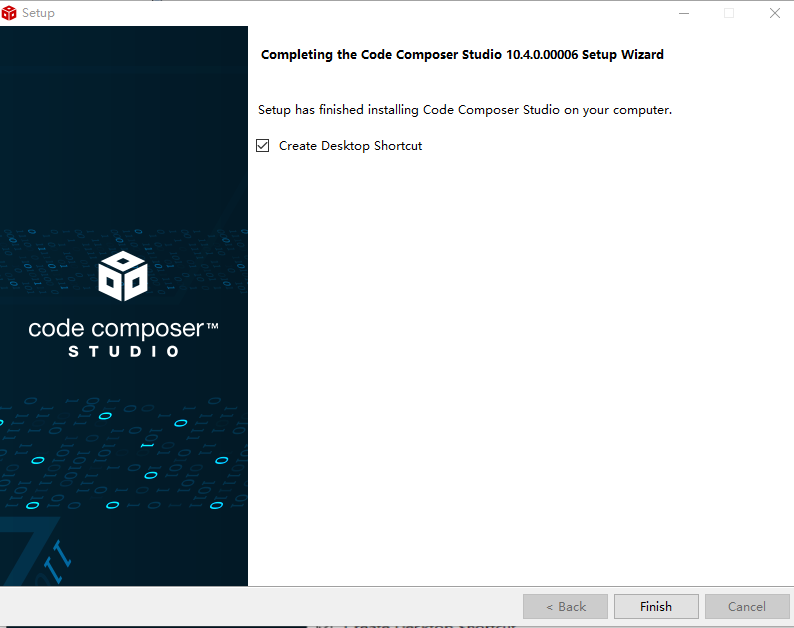
Congratulations, your installation is now complete.
By following the public account “Electronic Think Tank“, reply with “CCS Installation Guide” to obtain the complete PDF tutorial and the latest version installation package of CCS 10.4.

Electrical Competition Special | Analysis of Control Questions
Electrical Competition Special | Analysis of Aircraft Questions
How to choose the 2021 electronic competition board?
The TI Cup 2021 National College Student Electronic Design Competition board is now open for application.
Official notice for the 2021 National College Student Electronic Design Competition (National Competition) – Get on board!
Which high-value competitions can science and engineering students participate in in 2021?