*Author:Xue Bi 0xroot @ Vulnerability Box Security Team
0×01 Signal Capture
In this article, we will demonstrate a wireless replay attack on a wireless egg vibrator of a certain brand model using GnuRadio and SDR hardware.
The common frequency bands for wireless remotes in the market typically operate at 315MHz, 433MHz, and a few may use 868MHz or 915MHz.
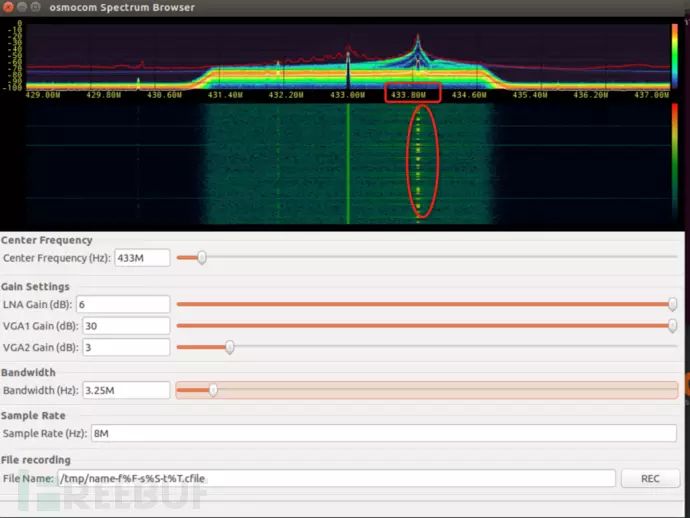
We can use SDR hardware like TV sticks, HackRF, or BladeRF to determine the working frequency of the remote: open the software and press the remote, and you will see a significant response on the waterfall plot: osmocom_fft -F -f 433e6 -s 4e6
gqrx
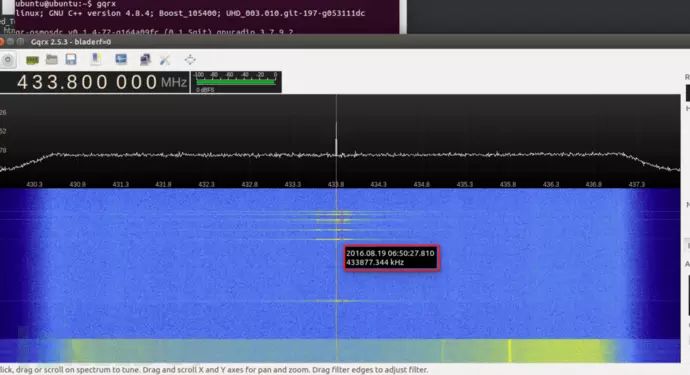
Wireless remote center frequency: 433870000
0×02 Recording Signal
SDR software typically supports recording signals, allowing you to save the remote signal as a WAV audio file or in .cfile, .raw formats.
Here we use GnuRadio Companion flowgraph to implement signal recording and replay.
wget http://www.0xroot.cn/SDR/signal-record.grc
gnuradio-companion signal-record.grc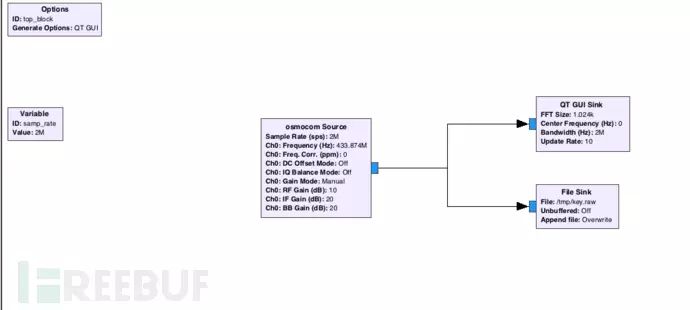
The left osmocom Source module calls the SDR hardware, and we set its center frequency to 433.874MHz, with a sampling rate of 2M:
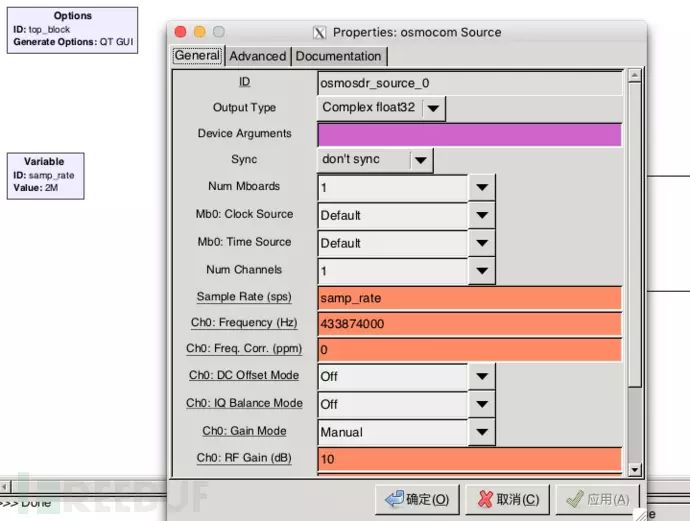
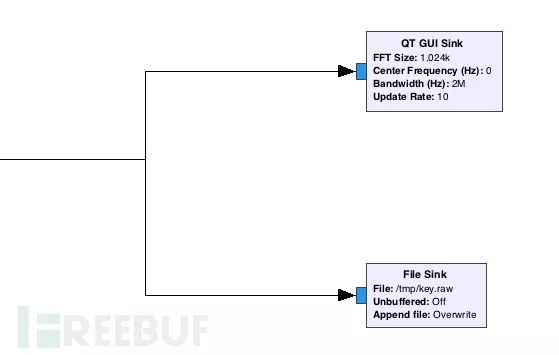
The upper right QT GUI Sink module displays the captured signal on the waterfall plot, and the lower right File Sink saves the recorded signal as /tmp/key.raw:
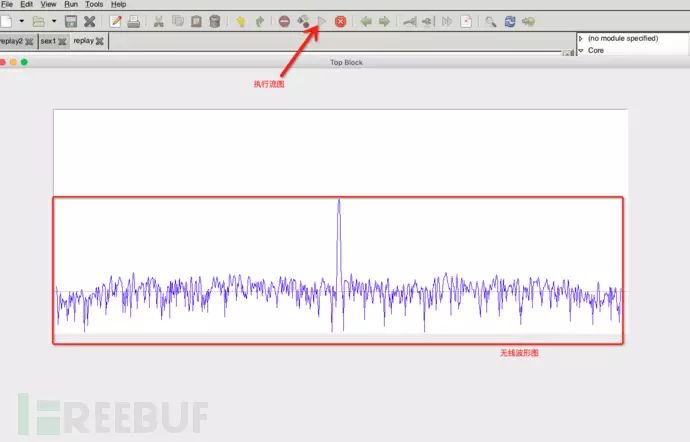
Execute the flowgraph, press the remote button before:
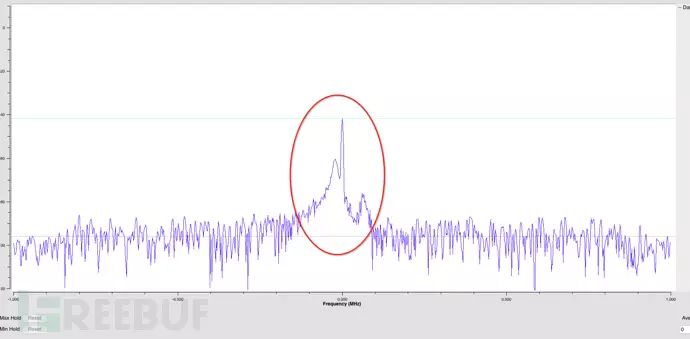
Press the remote:
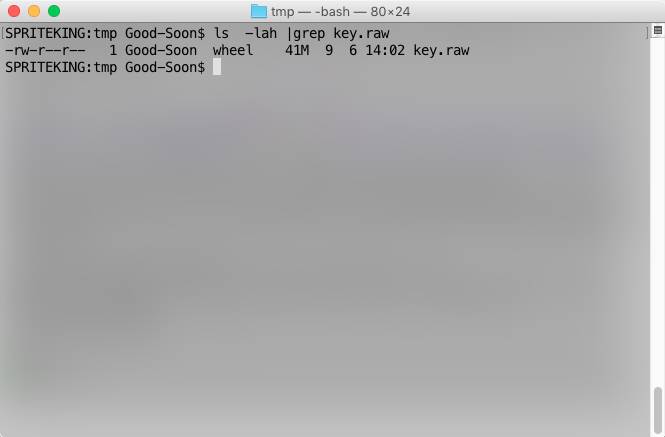
Navigate to the /tmp cache directory:
0×03 Signal Replay
Next, we will write a flowgraph for signal replay using GnuRadio Companion:
wget http://www.0xroot.cn/SDR/signal-replay.grc
gnuradio-companion signal-replay.grc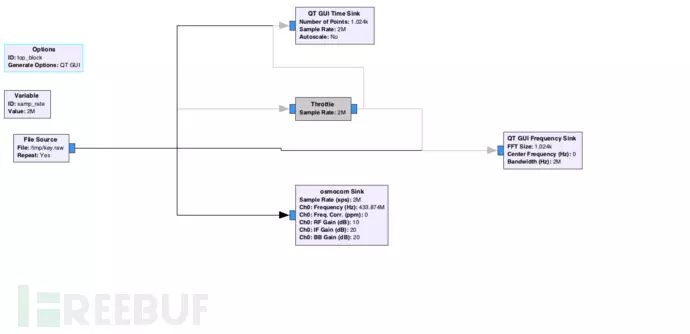
The left File Source calls the captured key.raw signal file, and the osmocom Sink calls HackRF or BladeRF to transmit the signal. Meanwhile, the QT GUI Time Sink and QT GUI Frequency Sink modules display the time axis (time domain) and frequency amplitude (frequency domain) on the screen. Execute the flowgraph: 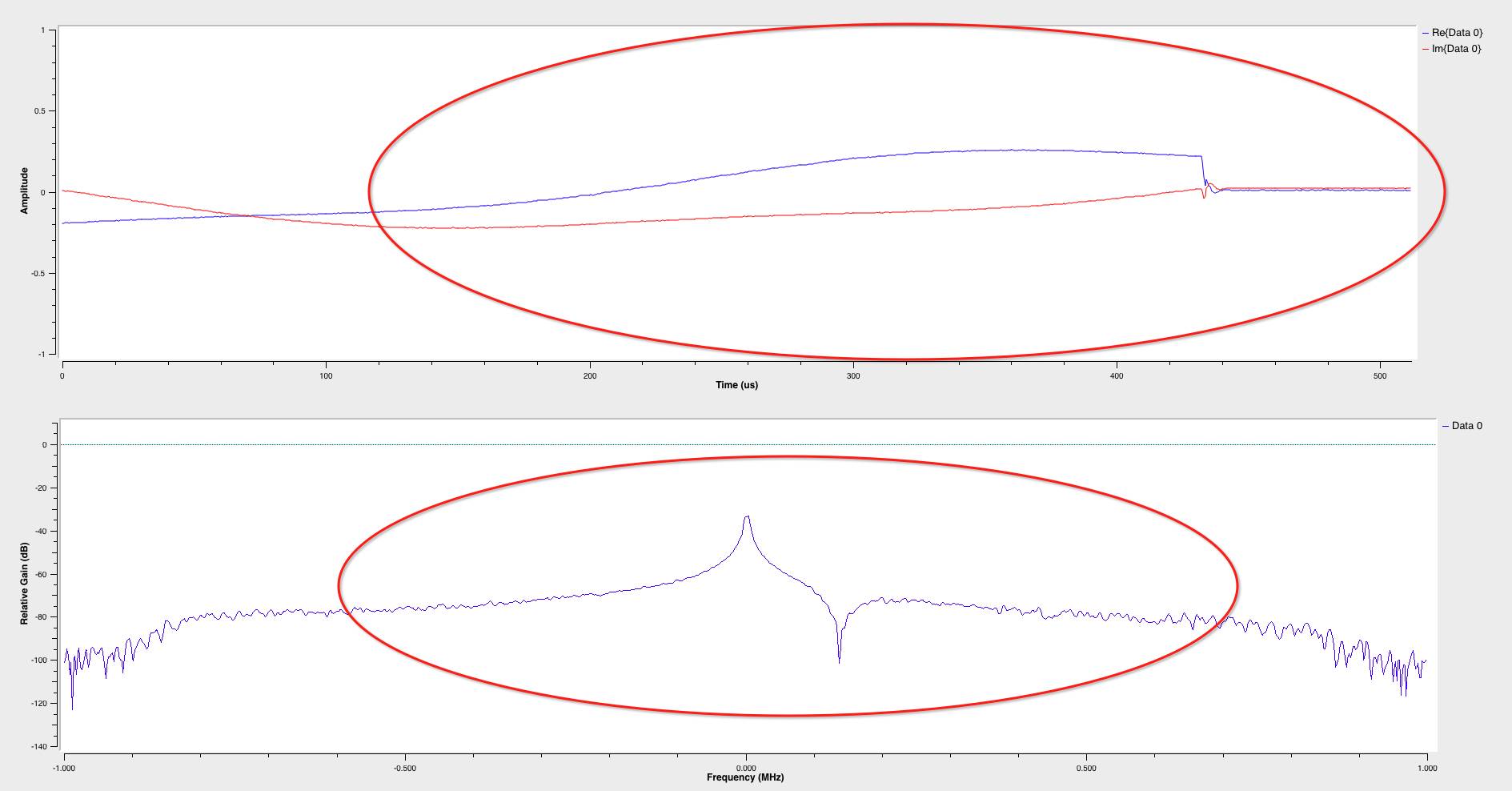
Bingo!
0×04 Demonstration Video
0×05 Signal Analysis
inspectrum key.raw
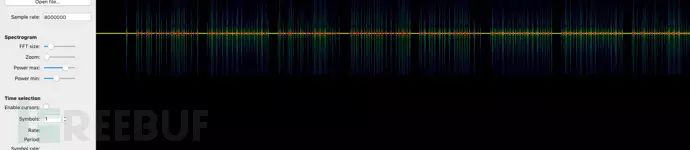
For signal analysis & transcoding details, refer to: How to Use SDR + Inspectrum to Reverse Analyze Wireless Remote Signals.
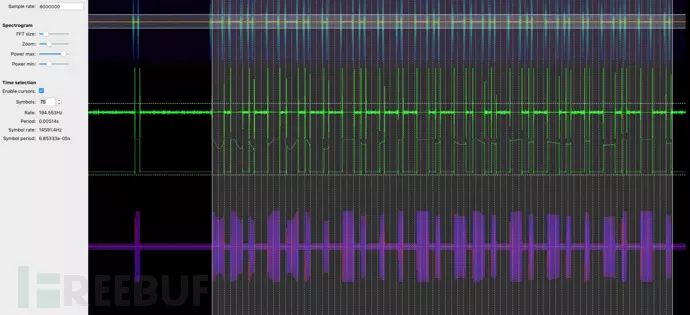
s = ''
a = [0.333033, 0.326189, 0.0332124, 0.388094, 0.326704, 0.0154539, 0.322883, 0.0270275, 0.0150091, 0.443235, 0.362946, 0.027745, 0.430879, 0.443824, 0.0277048, 0.330736, 0.0290668, 0.0133217, 0.376686, 0.0123277, 0.00931546, 0.446231, 0.397617, 0.0162406, 0.447861, 0.0050071, 0.0109479, 0.389289, 0.0271959, 0.0138626, 0.32109, 0.0268736, 0.0129828, 0.401142, 0.326009, 0.0303488, 0.379368, 0.0229494, 0.0134011, 0.318115, 0.346288, 0.017666, 0.333818, 0.326769, 0.0141554, 0.341832, 0.0291055, 0.0153984, 0.446665, 0.399975, 0.024566, 0.316297, 0.0159851, 0.010876, 0.428384, 0.444201, 0.0214323, 0.376211, 0.00628675, 0.0105036, 0.44565, 0.0195615, 0.012549, 0.445242, 0.366523, 0.0225733, 0.324775, 0.0192127, 0.0134437, 0.318991, 0.381386, 0.0149852, 0.00882163, 0.447015]
for i in a:
    if i > 0.1:
        s +='1'
    else:
        s +='0'
print s
python test.py
11011010011011010010011010010010011010011011010011010011010010011010011001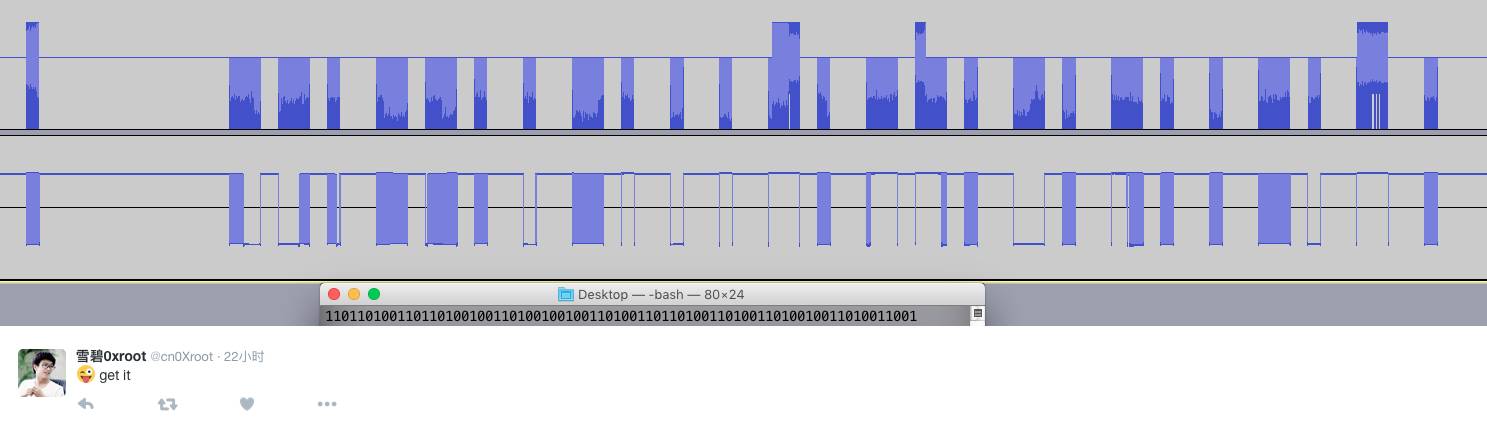
pip install bitstring`python
import bitstring
bitstring.BitArray(bin='11011010011011010010011010010010011010011011010011010011010010011010011001').tobytes()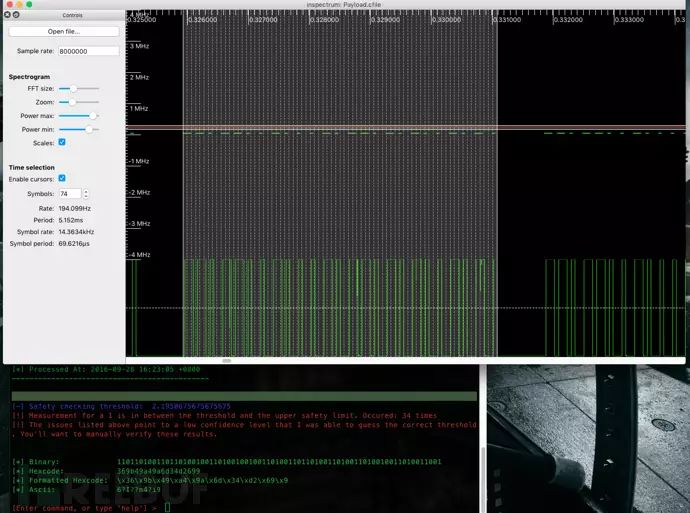
Automated RF/SDR Signal Analysis [Reverse Engineering]
Payload: \x36\x9b\x49\xa4\x9a\x6d\x34\xd2\x69\x9Thanks to tresacton‘s help (GitHub)
0×06 Hacking The World with Watch
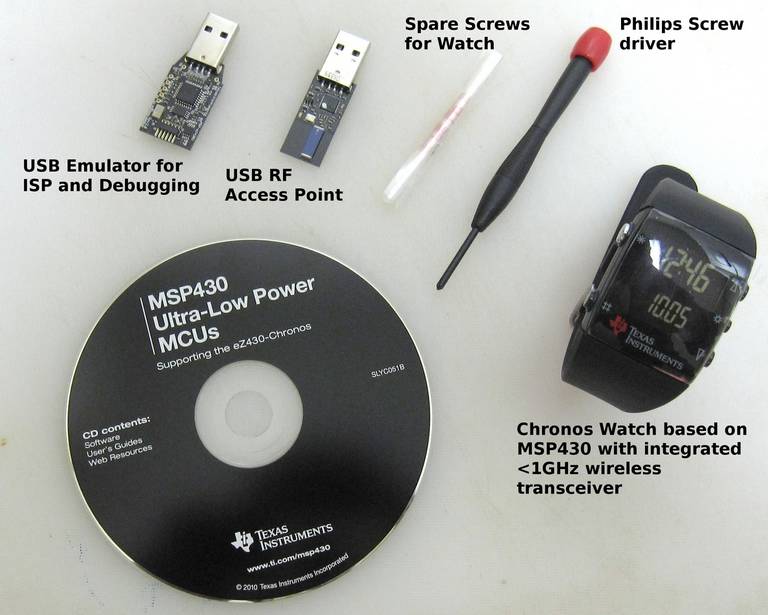
The EZ430 Chronos watch produced by Texas Instruments supports transmitting wireless signals below 1GHz due to its use of the MSP430 chip, covering various common wireless remote frequencies (315MHz, 433MHz, 868MHz, 915MHz):
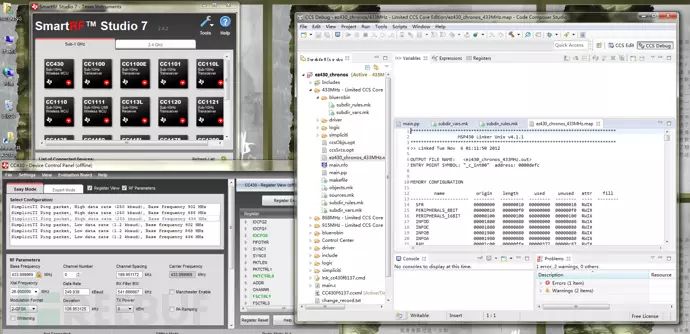
6.1 Setting Up Development Environment
Download from the TI Texas Instruments official website: (registration required)
CCS Studio (Code Composer Studio): http://processors.wiki.ti.com/index.php/Download_CCS
FET-Pro430-Lite program: http://www.elprotronic.com/download.html
SmartRF Studio: http://www.ti.com.cn/tool/cn/smartrftm-studio
And the miChronos project code on GitHub: http://github.com/jackokring/miChronos
Baidu Cloud Disk: https://pan.baidu.com/s/1hsse2Ni
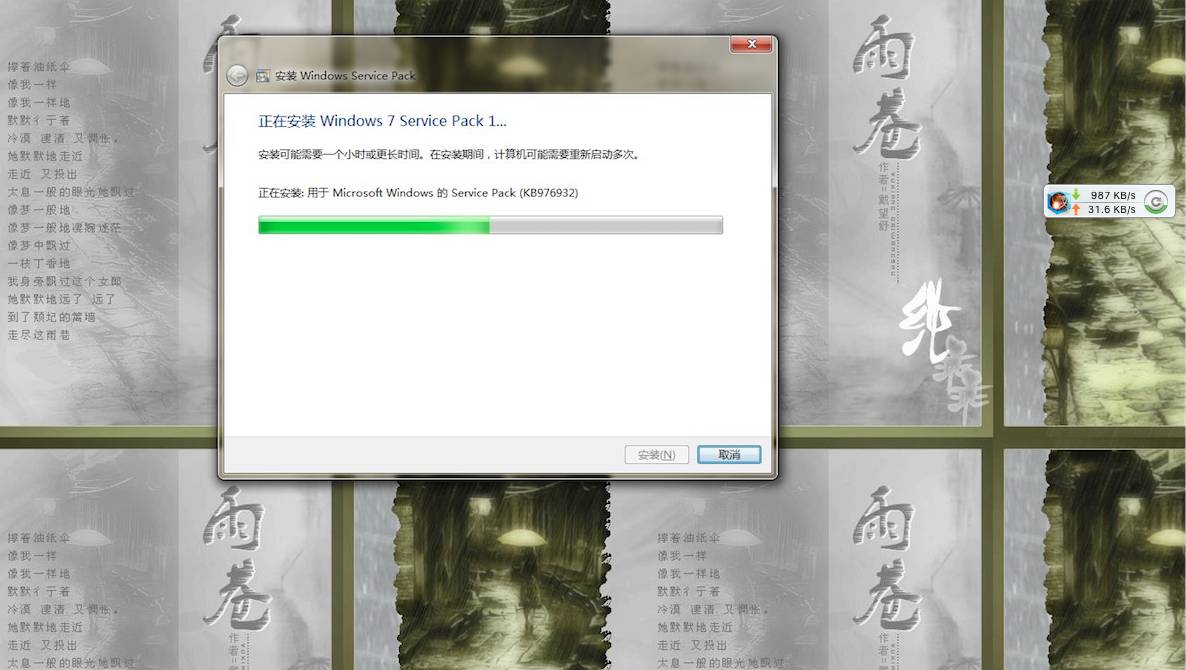
If Windows 7 is not Service Pack 1, you need to download and install Windows 7 and Windows Server 2008 R2 Service Pack 1 (KB976932) patch, otherwise you cannot install Code Composer Studio. Download link: https://www.microsoft.com/zh-cn/download/confirmation.aspx?id=5842
Once the development environment is set up, you can program the signal payload into the watch to control devices.
0×07 Thanks & References
YouTube Michael Ossmann: Software Defined Radio with HackRF, Lesson 11: Replay
How to Use SDR + Inspectrum to Reverse Analyze Wireless Remote Signals
Automated RF/SDR Signal Analysis [Reverse Engineering]
TI eZ430-Chronos Hacking Quickstart
The Hackable Watch: A Wearable MSP430 MCU
You Can Ring My Bell! Adventures in Sub-GHz RF Land…
TI EZ430 Chronos Watch, Quick Guide / Tutorial to Hacking the Firmware