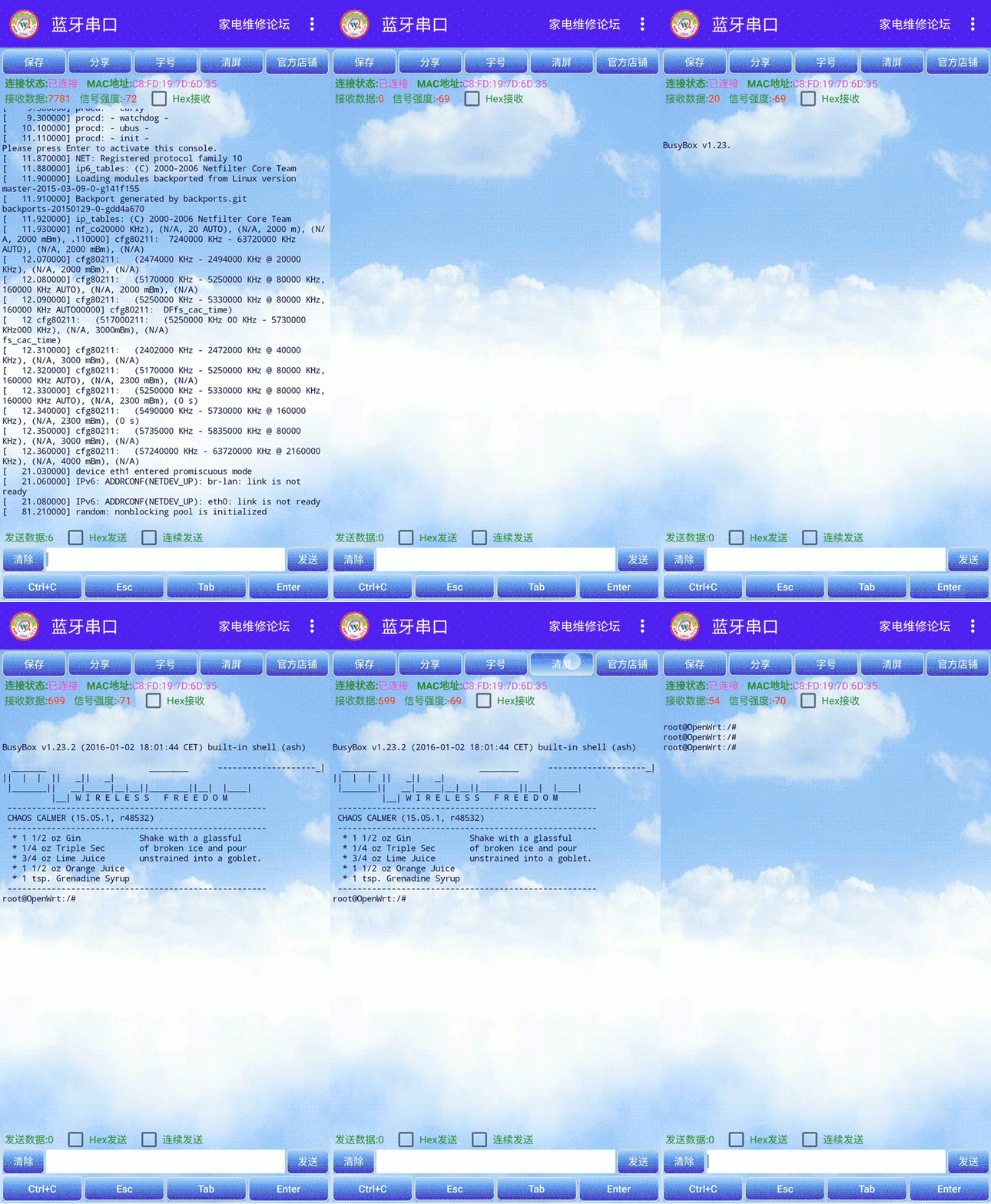
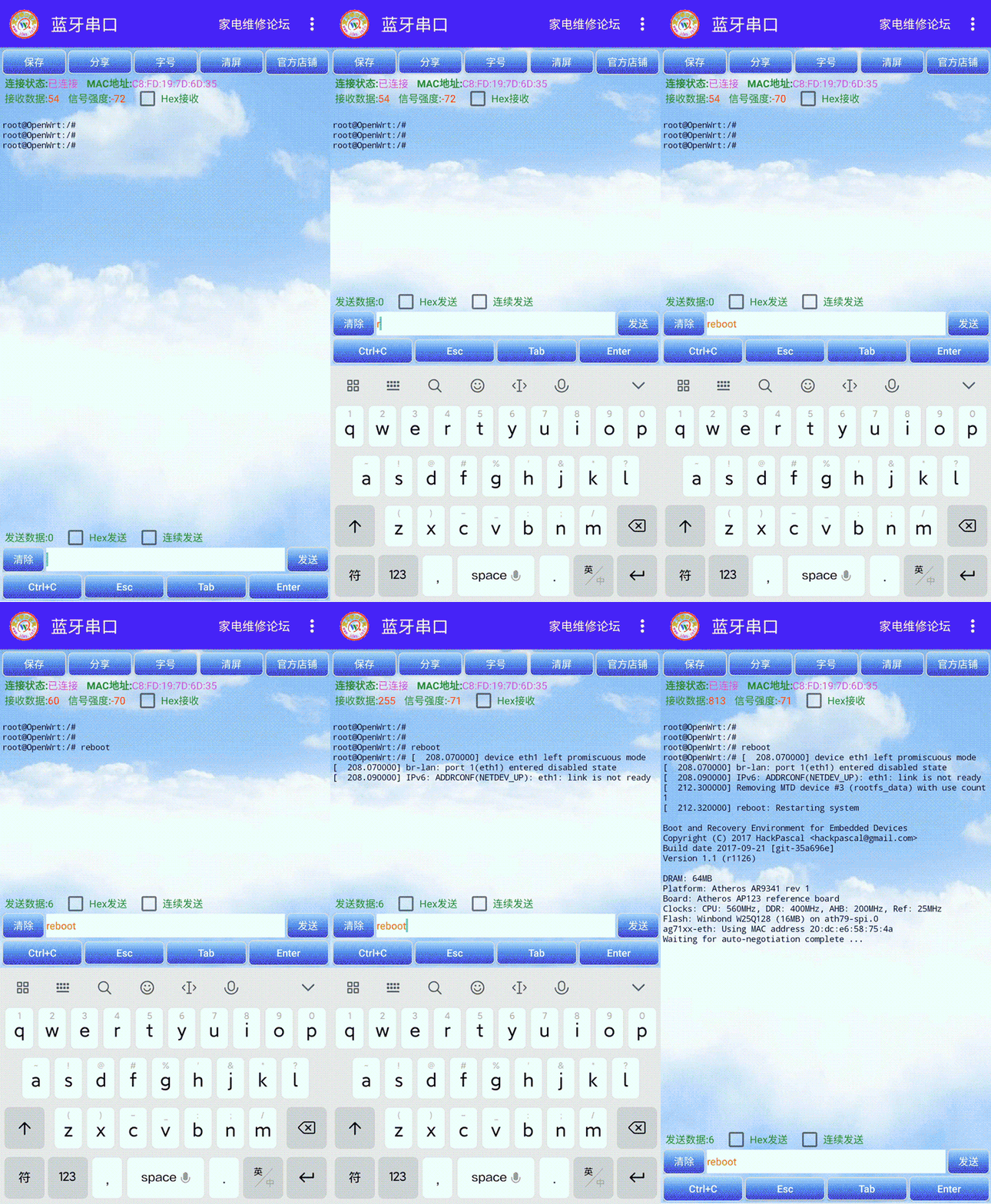
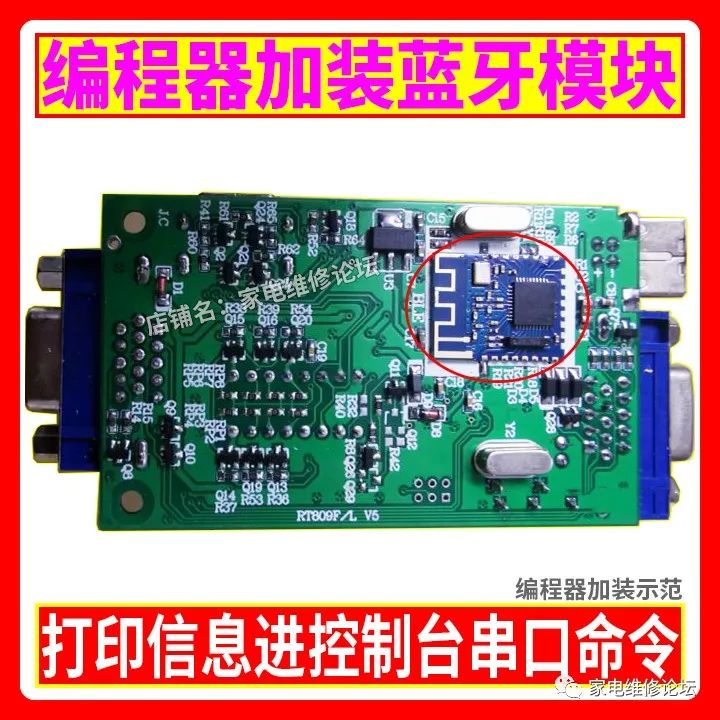
After installing the Bluetooth module on the programmer, you can conveniently use your mobile phone to view print information and enter the console to execute various serial commands. This Bluetooth serial APP has practical features such as saving print information, sharing print information, setting font size, clearing screen information, entering the console, sending serial commands, and executing serial commands.
Reply with 【Programmer】 on WeChat to download the Bluetooth serial APP.
Purchase Dedicated Bluetooth Serial Module:
https://item.taobao.com/item.htm?id=619731291566
Introduction to Bluetooth Serial APP Usage:
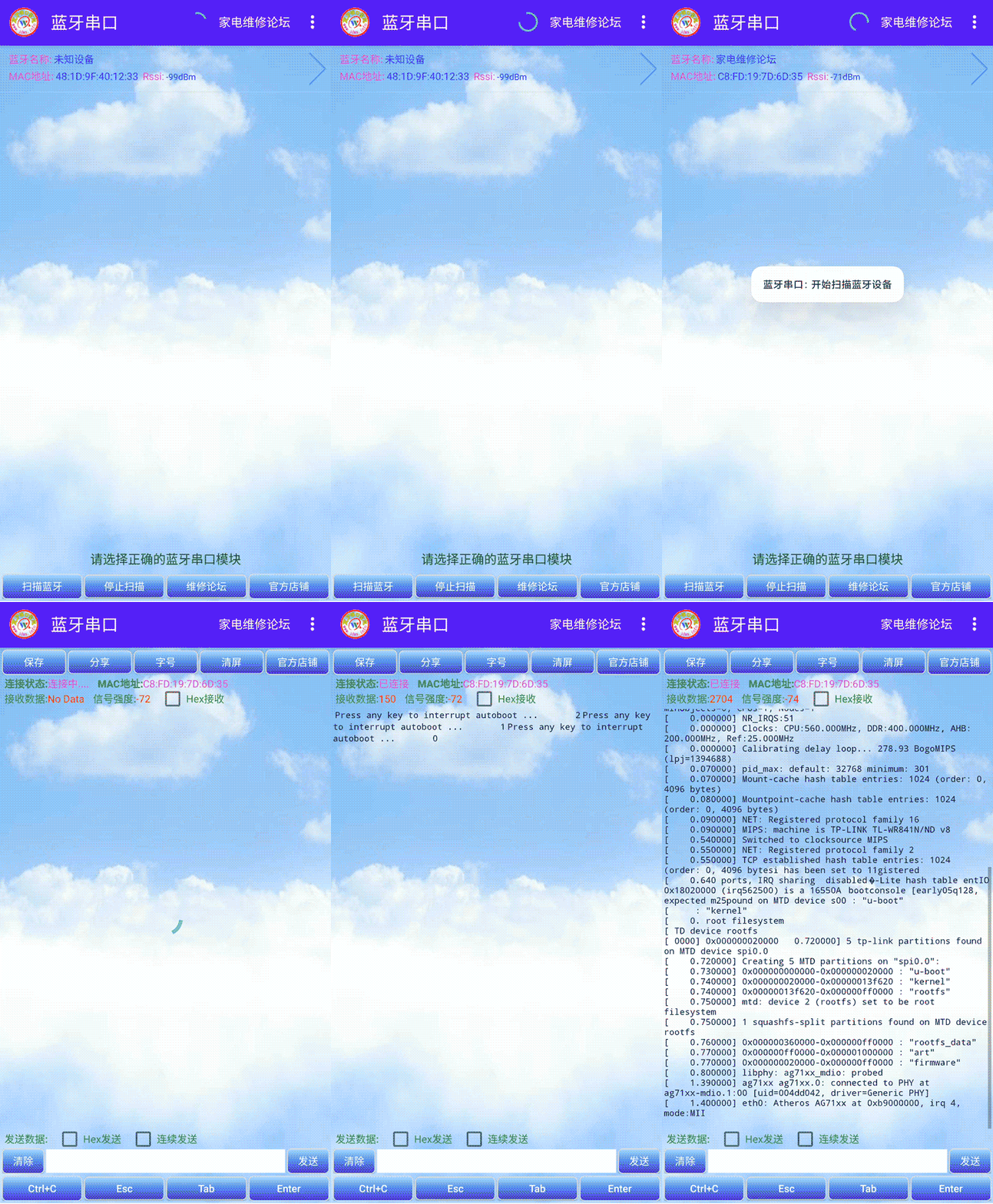
When you open the Bluetooth serial APP, the first screen displayed is the search interface, which will automatically search for Bluetooth modules. You can also click to search manually. Once you find the Bluetooth name and MAC address of your installed module, click to enter the printing interface. At this point, providing power to the mainboard will display the print information.
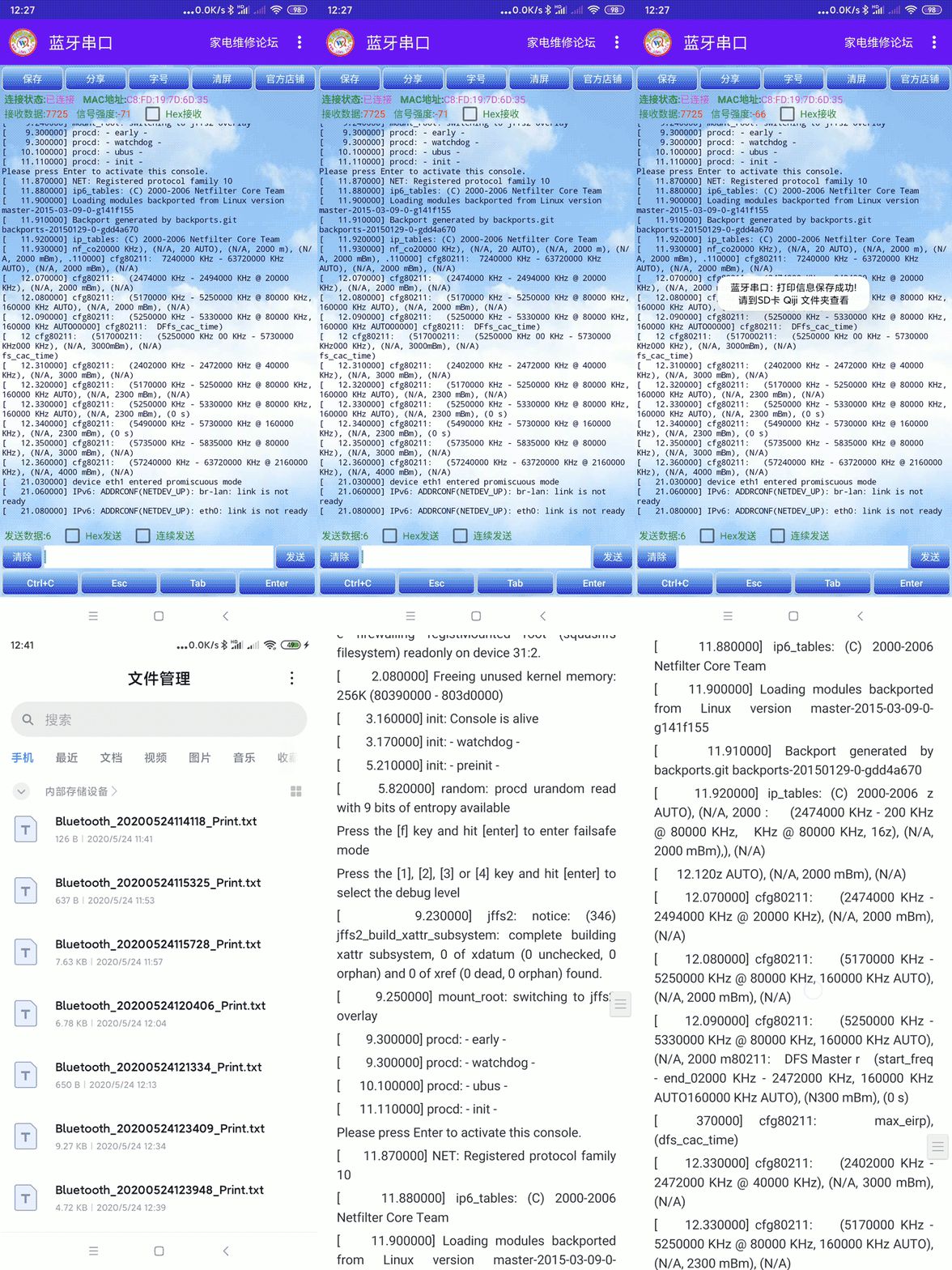
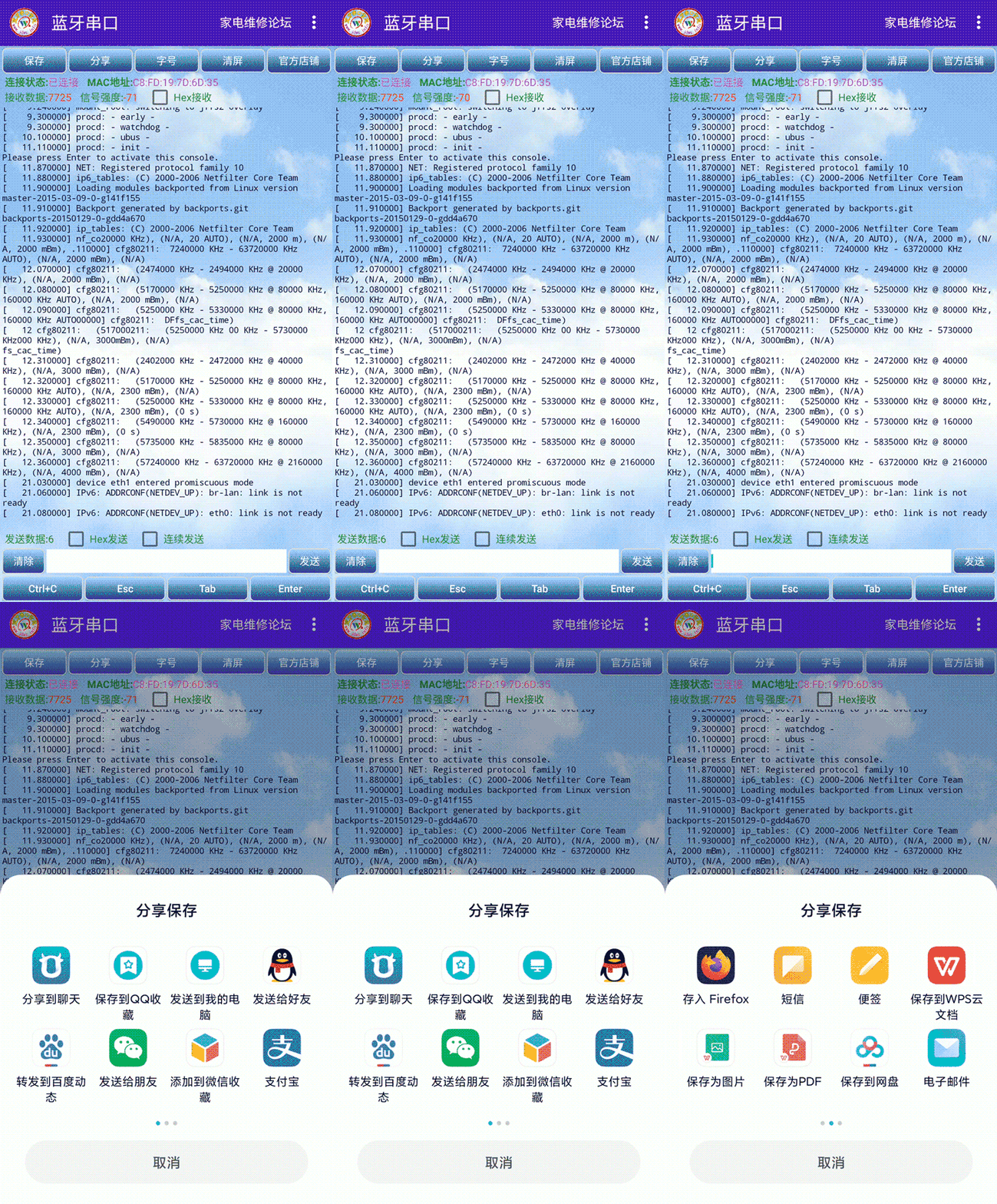
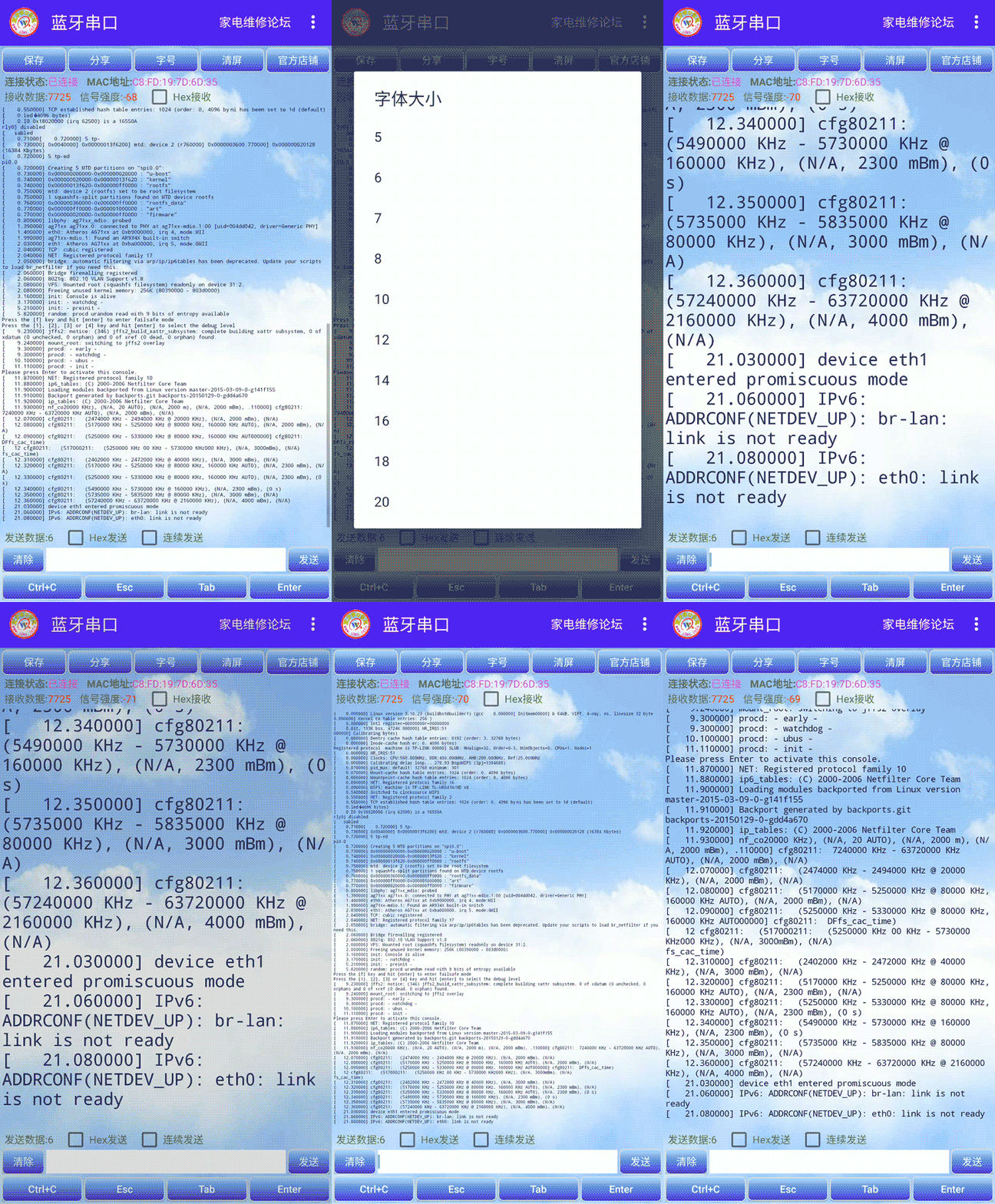
You can click the save button on the information interface to save the print information to your phone; in the file manager, there is a Qiji folder containing the saved print information files. Clicking the share button allows you to directly send print information to WeChat friends or QQ friends for analysis. Clicking the font size button lets you set the font size of the print information interface.
The following Ctrl+C, ESC, TAB, Enter (return) keys simulate a computer keyboard, making it easy to enter the console and input various serial commands. For example, some TV mainboards require you to press the return key Enter to enter the console and input the cu command for main program upgrades, all of which can be operated via your phone, making it very convenient and quick.
Bluetooth Serial Module Installation Instructions:
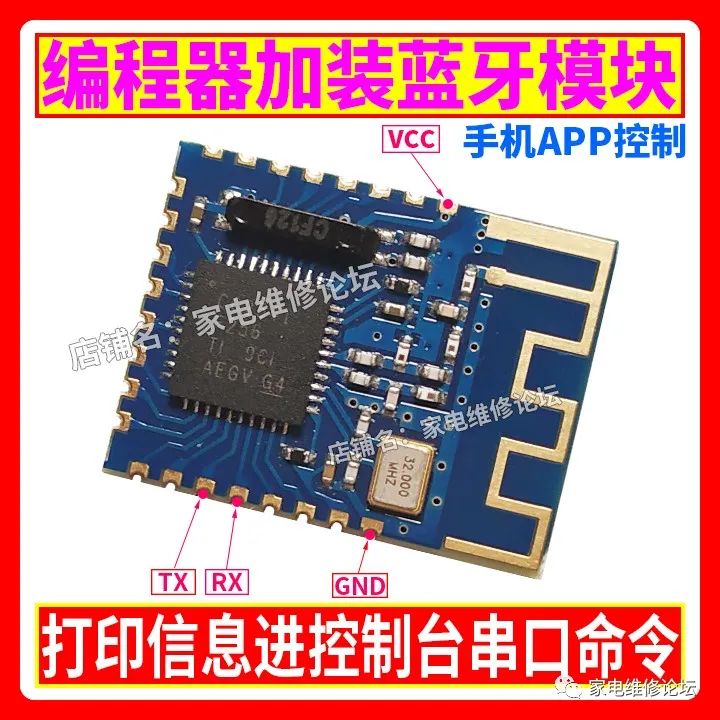
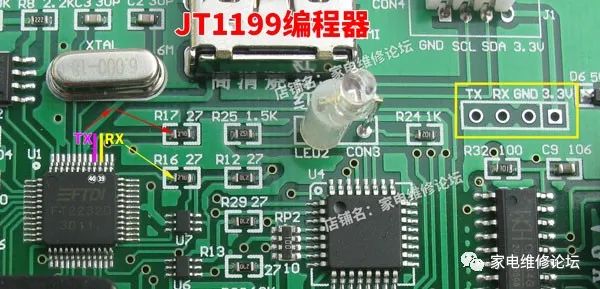
You only need to connect four wires: find the four functional pins on the Bluetooth module labeled VCC, GND, RX, TX and connect them to the corresponding points on the programmer to complete the installation task. Then download the Bluetooth serial APP we provide to use it. The new version of the programmer has reserved installation positions and functional lead pins for the Bluetooth module. Below are the pin position diagrams for different hardware versions of the programmer for your reference.
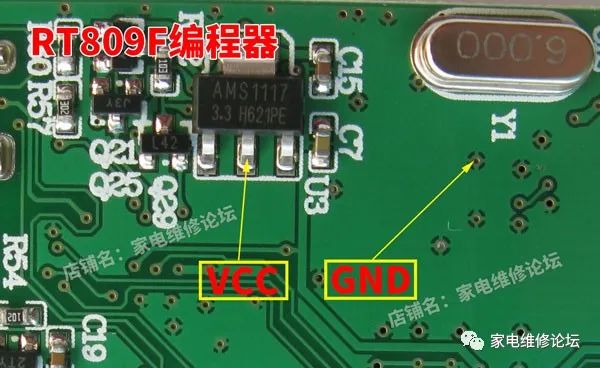
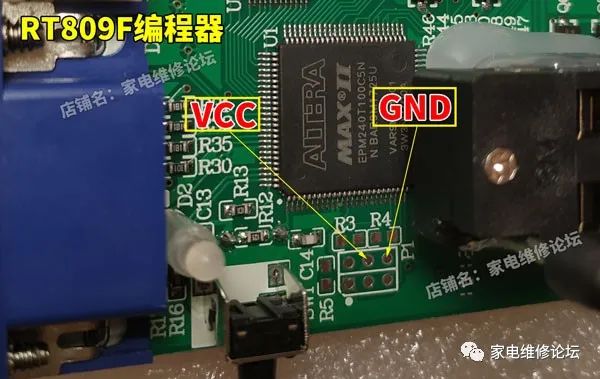
RT809FProgrammer Installation Instructions:
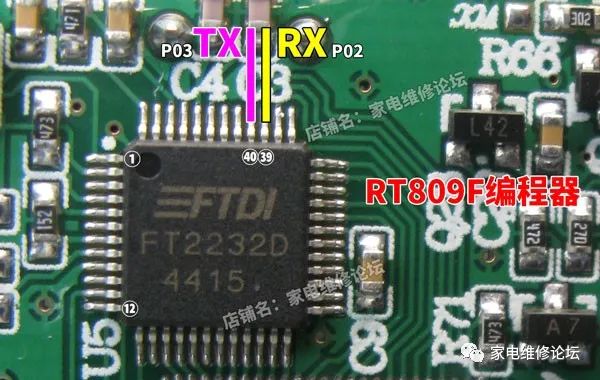
Bluetooth module RX (P02) connects to pin 39 of FT2232D through a 100-ohm resistor.
Bluetooth module TX (P03) connects directly to pin 40 of FT2232D.
Bluetooth module VCC connects directly to the 3.3V power output pin of the programmer.
Bluetooth module GND connects directly to any ground point on the programmer ensuring good contact.
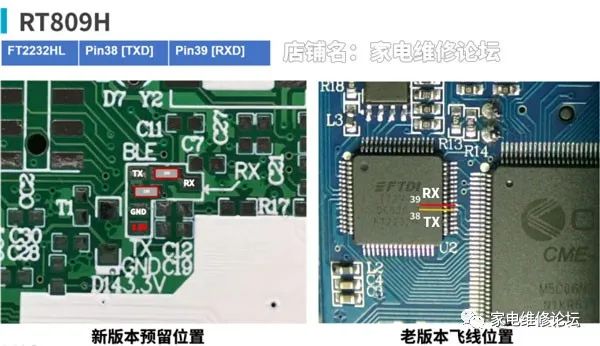
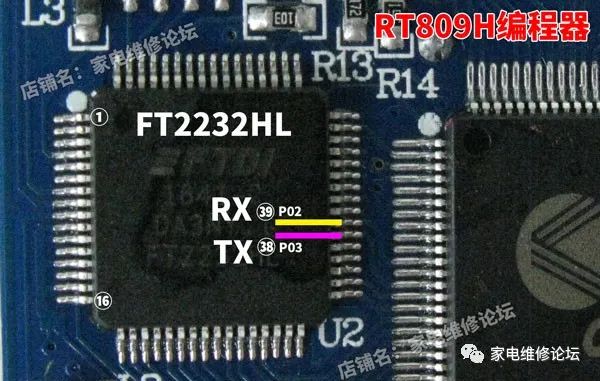
RT809HProgrammer Installation Instructions:
Bluetooth module RX (P02) connects to pin 39 of FT2232HL through a 100-ohm resistor.
Bluetooth module TX (P03) connects directly to pin 38 of FT2232HL.
Bluetooth module VCC and GND connect to the appropriate points marked on the programmer.
Purchase Dedicated Bluetooth Serial Module:
https://item.taobao.com/item.htm?id=619731291566
Reply with 【Programmer】 on WeChat to download the Bluetooth serial APP.