Introduction
In industrial sites or during embedded development debugging, communication interface debugging often becomes a “headache” for developers. A simple data transmission issue can take half a day, and the lack of handy tools can exacerbate the debugging process. Today, I discovered a comprehensive and user-friendly cross-platform communication debugging tool—OKDebug, which can significantly enhance debugging efficiency and become a reliable assistant in your development journey.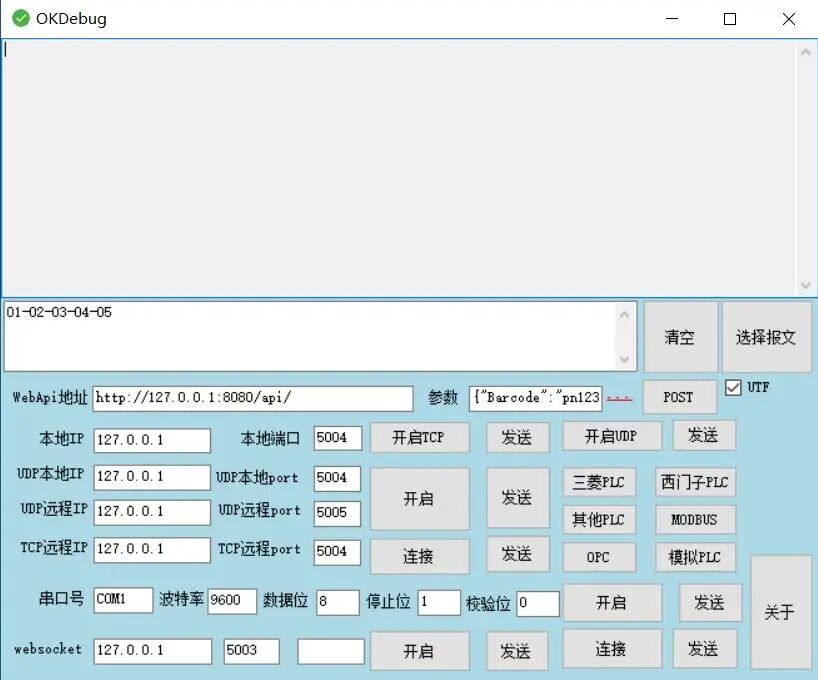
Project Overview
OKDebug not only supportsHTTP, WebSocket, TCP/UDP, RS232/485 serial communication, but also coversmainstream PLC protocol debugging such as Mitsubishi and Siemens. Its design philosophy of “lightweight” and “modular” integrates various communication methods through a unified interface, allowing you to say goodbye to the hassle of frequently switching software and easily handle complex debugging scenarios.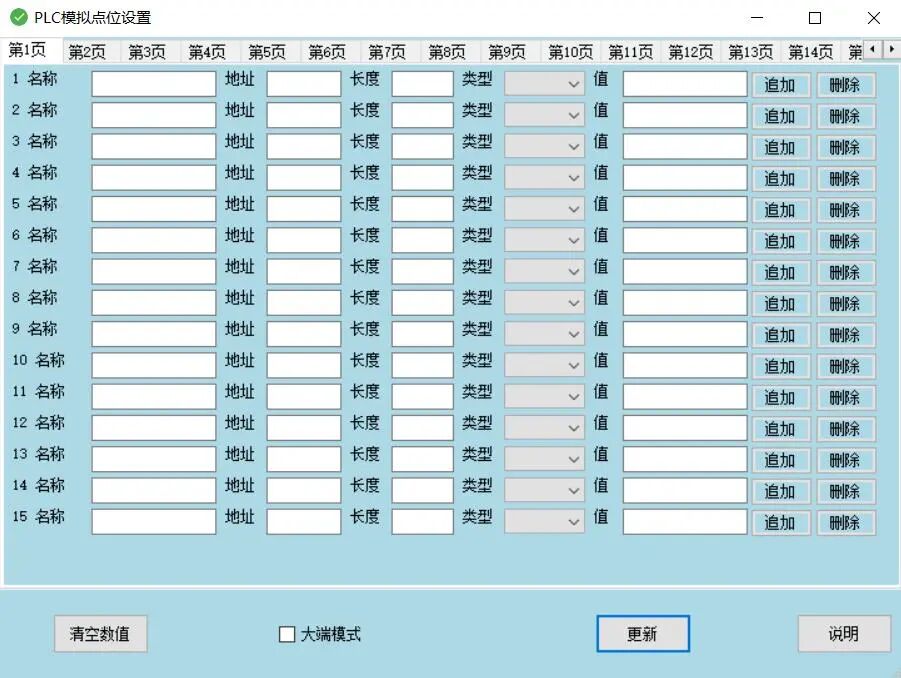
Feature Highlights
1. Network Communication Debugging
TCP/UDP Debugging: Supports local and remote connections, allowing custom local ports (e.g., 5003, 5004) and remote IPs (e.g., 127.0.0.1).Custom Messages: Can send custom messages like Barcode:Pn123 and view received data in real-time.Parameter Configuration: Supports configuration of parameters such as check bits and stop bits to meet different communication needs.WebSocket Extension: Suitable for real-time communication scenarios such as IoT device monitoring.
2. Serial Debugging
Module Integration: Integrates RS232/485 serial communication modules, supporting COM port selection (e.g., COM1).Parameter Adjustment: Can set baud rate (default 9600), data bits/stop bits for quick device response testing.Applicable Scenarios: Particularly suitable for debugging hardware such as sensors and controllers.
3. PLC Protocol Support
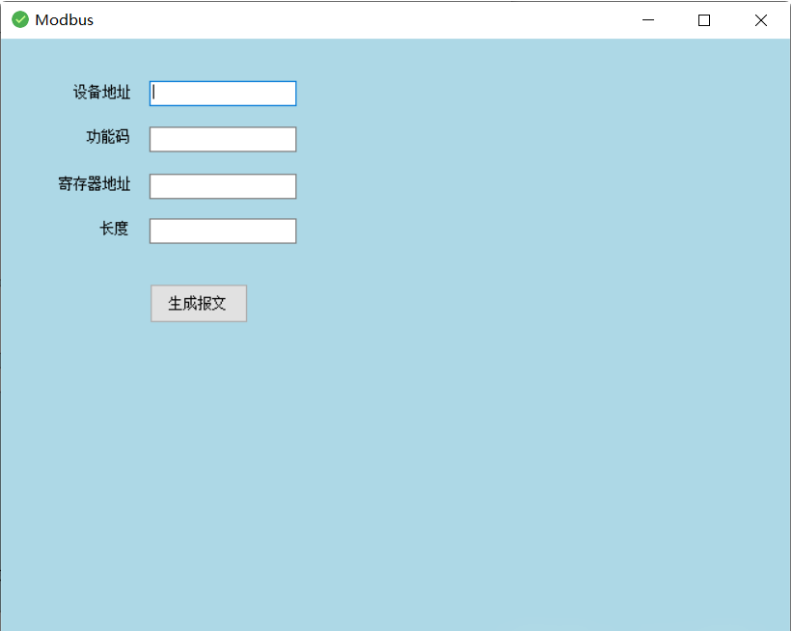
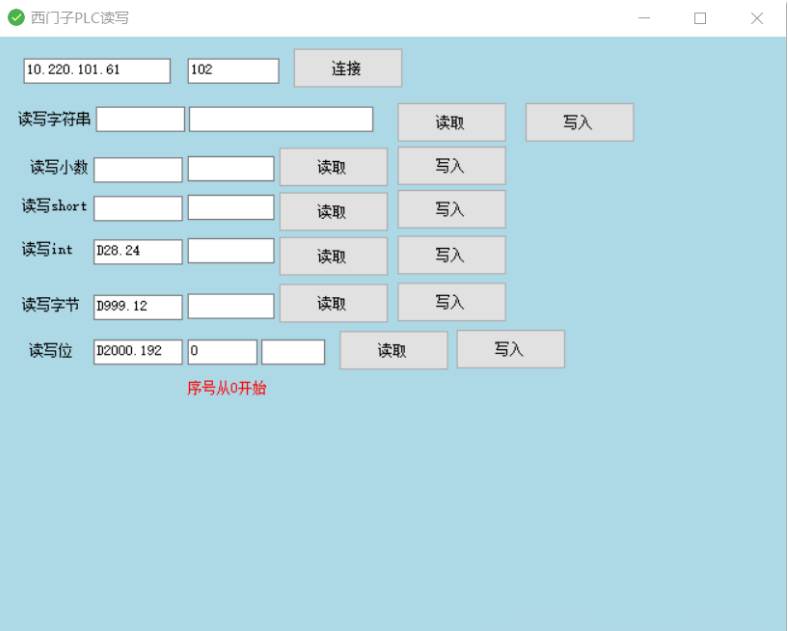
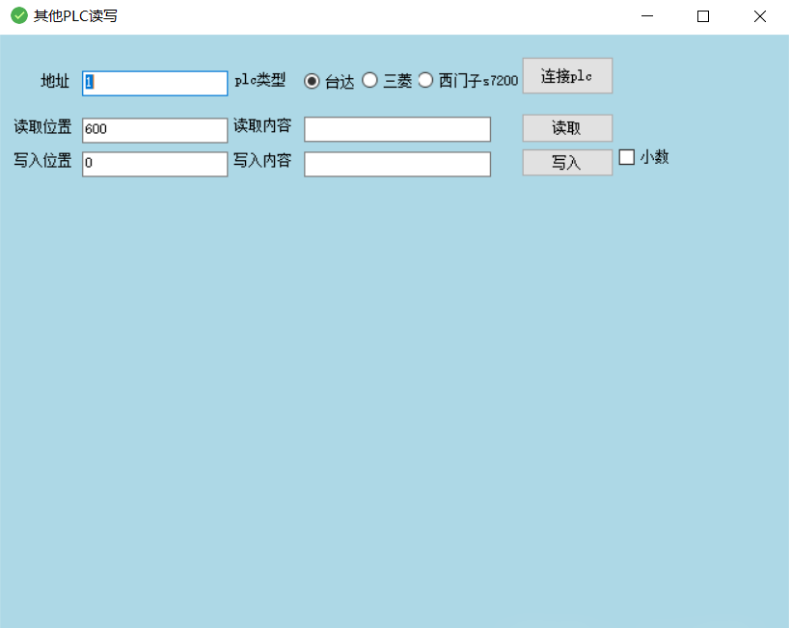
Mainstream Protocol Coverage: Includes mainstream PLC protocols such as Mitsubishi PUC and Siemens MODBUS.Simulated PLC Functionality: Provides a simulated PLC to verify logical correctness, reducing dependence on hardware environments.Operation Modes: Communicate with real devices through the “Connect” button or use the “Simulated PLC” mode for offline development.
4. Advanced Features
POST Requests and WebService Calls: Convenient for interfacing with web service APIs.Clear and Prestore: Provides a “Clear” button to quickly reset the debugging window, and the “Select Message” function allows pre-storing commonly used commands to enhance efficiency.
Project Features
Modular Design
Each communication module is independently packaged, allowing users to flexibly enable or disable functions based on their needs. For example, when debugging only the serial port, the network communication-related interface can be hidden to simplify the operation process.
Real-time Data Visualization
- • Dual-mode display: Received data is displayed in both text and hexadecimal formats, supporting timestamp recording.
- • Data Comparison: The UDP/TCP debugging window can simultaneously display sent and received content, facilitating data consistency verification.
Technical Implementation
Frontend Technology Stack
WebSocket Communication: Uses the Socket.IO library to ensure the stability of real-time data transmission.
Backend Architecture
TCP/UDP Communication: Implemented through native net and dgram modules.Serial Debugging: Relies on the serialport library.PLC Protocol Parsing: Adopts a modular plugin design.
Performance Optimization
High-frequency Data Processing: For high-frequency data scenarios such as serial communication, employs Web Worker multi-threading technology to avoid interface lag.Concurrent Processing: Enhances concurrent processing capabilities through asynchronous IO models (e.g., Promise).
Code Example
private void StartWebsocketServer()
{
    if (string.IsNullOrEmpty(this.txtWebsocketPort.Text.Trim()))
    {
        MessageBox.Show("Port number cannot be empty!");
        return;
    }

    int port = Convert.ToInt32(this.txtWebsocketPort.Text.Trim());
    _WebSocketServer.NewSessionConnected += WebSocketServer_NewSessionConnected;
    _WebSocketServer.NewMessageReceived += WebSocketServer_NewMessageReceived;
    _WebSocketServer.SessionClosed += WebSocketServer_SessionClosed;

    ServerConfig serverConfig = new ServerConfig
    {
        Ip = "127.0.0.1",
        Port = port
    };

    if (!_WebSocketServer.Setup(serverConfig) || !_WebSocketServer.Start())
    {
        MessageBox.Show("Service listening failed to start!");
        return;
    }

    this.btnStartWss.Text = "Started";
    this.btnStartWss.ForeColor = Color.White;
    this.btnStartWss.BackColor = Color.Green;
}
Conclusion
OKDebug, with its comprehensive feature coverage, lightweight design philosophy, and open-source collaboration model, redefines the standards for communication debugging tools. Whether you are a beginner looking to get started quickly or a developer seeking deep customization, OKDebug can provide reliable support. Give it a try and make your debugging work more efficient and easier!
🌐【Scan to make friends】🌐–If you have project or technical needs, please contact the editor–

Recommended Reading
• A lightweight data synchronization tool supporting 20+ data sources for IoT smart hospital platforms
• An IoT low-code platform that allows for casual work
• This is the benchmark for IoT low-code platforms
• This platform uses “full protocol compatibility + zero latency monitoring” to enhance device management
• A streaming media platform supporting the GB28181 protocol is here
• Open-source IoT gateway iBoot: Let your Java code dominate factory devices
• FUXA open-source configuration tool: Drag-and-drop development + all-platform monitoring tool, efficiency booster
• Avoid pitfalls in IoT server monitoring