In industrial automation scenarios, Mitsubishi and Siemens PLCs are often used together due to project requirements, and the communication issues between cross-brand devices are often a “high-frequency pain point” for engineers. Today, we will take the Mitsubishi FX5U series and Siemens S7-1200 PLC as examples to break down the practical steps of two mainstream communication solutions, helping you quickly establish a data link between devices.
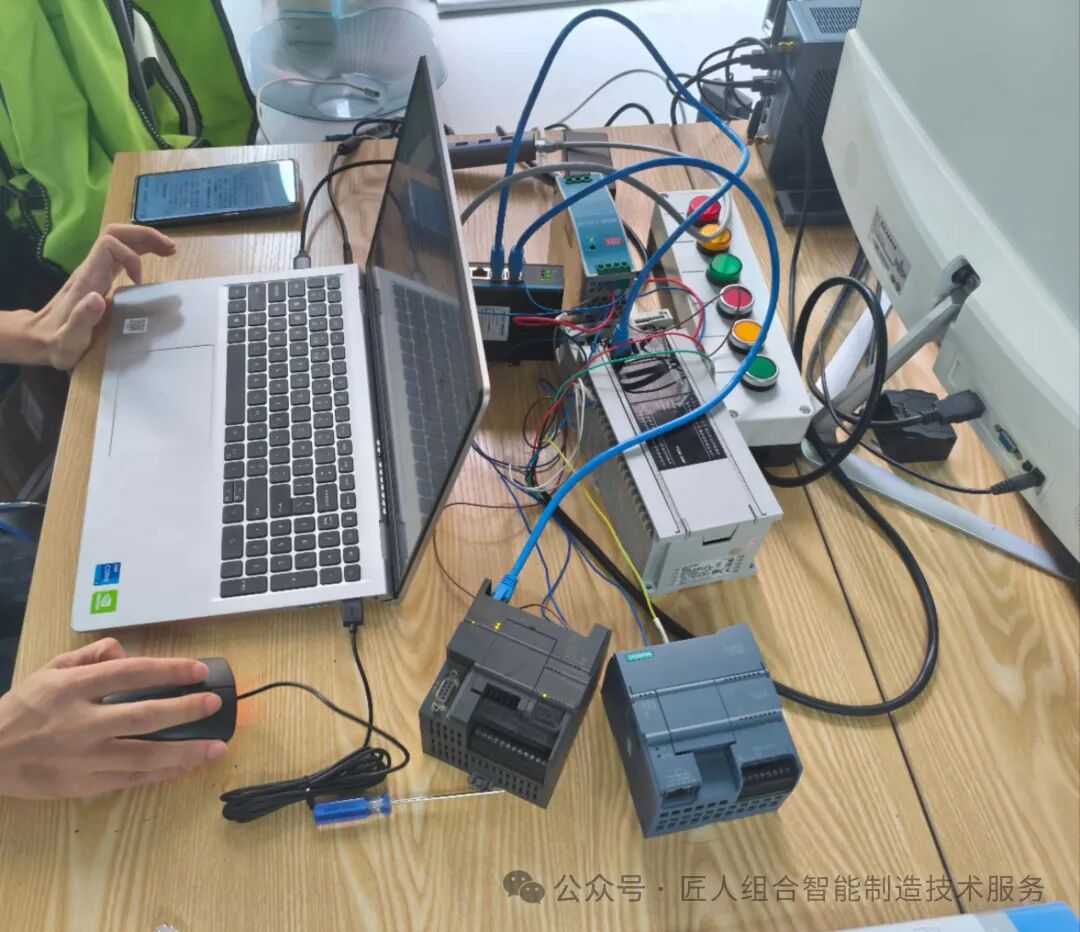
1. Communication Solution Selection: Choosing the Right Direction to Avoid Detours Cross-brand PLC communication primarily revolves around selecting a protocol that is “supported by both parties.” Among the adaptation solutions for FX5U and S7-1200, Modbus TCP and PROFINET are the two most mature and commonly used options, which can be flexibly chosen based on project requirements: 1. Modbus TCP: An open-source protocol that requires no additional hardware, suitable for small to medium-scale data exchanges (such as digital control and limited analog transmission), with low cost and strong compatibility. 2. PROFINET: An industrial Ethernet protocol led by Siemens, requiring the FX5U to be paired with a dedicated communication module (such as FX5-ENET/IP), offering fast transmission speeds and high stability, suitable for high-precision and real-time scenarios (such as production line synchronization control).
2. Practical Solution One: Modbus TCP Communication (Low-Cost Option) Modbus TCP is based on Ethernet, requiring only that both PLCs be connected to the same local area network, and communication can be achieved through software configuration, divided into three steps:
1. Hardware and Network Preparation (1) Hardware List: Mitsubishi FX5U (with Ethernet port), Siemens S7-1200 (with PN port), switch, network cable. (2) Network Configuration: Assign IP addresses in the same subnet to both PLCs (e.g., set FX5U to 192.168.0.10 and S7-1200 to 192.168.0.20), ensuring that the computer can ping both devices simultaneously.
2. Configuration on Mitsubishi FX5U Side (GX Works3 Software) (1) Create a new project, add FX5U CPU, and in “Parameters” → “Built-in Ethernet Port Settings,” confirm that the IP address and subnet mask are correct. (2) Go to “Function Blocks” → “Modbus TCP,” set FX5U as “Modbus Slave,” configure the slave address (e.g., 1), and map the data registers that need to be exchanged (e.g., D0-D10 corresponding to the input area of S7-1200). (3) Download the program to FX5U and restart the PLC to make the configuration effective.
3. Configuration on Siemens S7-1200 Side (TIA Portal Software) (1) Create a new project, add S7-1200 CPU, and set the IP address in “Device Configuration” to be in the same subnet as FX5U. (2) In “Instructions” → “Communication,” call the “MB_CLIENT” (Modbus Client) instruction, filling in the FX5U’s IP address, slave address, and the address mapping for data reading/writing (e.g., reading FX5U’s D0, corresponding to S7-1200’s MW0). (3) Write simple logic (e.g., triggering the “REQ” signal of the MB_CLIENT instruction), download the program to S7-1200, and confirm the communication status through “Online Monitoring” (the “Done” light indicates successful communication).
3. Practical Solution Two: PROFINET Communication (High Real-Time Option) If the project has high real-time requirements, communication must be done via the PROFINET protocol, which requires adding a PROFINET-compatible module to FX5U. The steps are as follows: 1. Hardware and Preliminary Preparation (1) Additional Hardware: Mitsubishi FX5-ENET/IP module (supports PROFINET slave functionality), insert the module into the expansion slot of FX5U. (2) Firmware Requirements: Ensure that the firmware version of S7-1200 is ≥V4.0 and the firmware version of FX5-ENET/IP module is ≥V1.1.
2. Configuration on Mitsubishi FX5U Side (GX Works3 Software) (1) Add the FX5-ENET/IP module to the project, go to “Module Parameters” → “PROFINET Settings,” set FX5U as “PROFINET Slave,” and record the automatically generated “Device Name” (e.g., FX5U-PN-01). (2) Map the PROFINET data area: Map FX5U’s input/output points (e.g., X0, Y0) or registers (e.g., D0) to the PROFINET “Input Mapping Area” and “Output Mapping Area,” determining the data length (e.g., 2 bytes).
3. Configuration on Siemens S7-1200 Side (TIA Portal Software) (1) In the “Device Configuration” of S7-1200, click “Add New Device” → “PROFINET IO” → “Others,” input FX5U’s “Device Name,” search for and add the FX5U slave. (2) Complete the association between the “IO Controller and IO Device,” and confirm FX5U’s mapping address in “Hardware Configuration” (e.g., input mapped to I0.0-I1.7, output mapped to Q0.0-Q1.7). (3) Download the configuration to S7-1200, activate PROFINET communication online, and check the communication status through the “Diagnostic Buffer” (no errors indicate success).
4. Communication Troubleshooting: 3 High-Frequency Problem-Solving Tips 1. Network Unreachable: First, check if the IP addresses are in the same subnet and if the network cables are loose. Use a computer to ping the PLC IPs to rule out hardware or network faults. 2. Modbus Communication Failure: Confirm that FX5U’s slave address and data register addresses match the parameters of S7-1200’s MB_CLIENT instruction, and check the “Error” codes of “MB_CLIENT” (e.g., code 6 indicates IP error, code 10 indicates no response from the slave). 3. PROFINET Unable to Associate: Check if the firmware version of the FX5-ENET/IP module is compatible, and ensure that the “Device Name” input on S7-1200 matches exactly with that on FX5U (case-sensitive).
Conclusion The communication between Mitsubishi FX5U and Siemens S7-1200 is essentially a process of “protocol matching + address mapping”: choose Modbus TCP for low cost and PROFINET for high real-time performance. As long as you configure parameters according to the steps and verify addresses, cross-brand PLC collaboration can be efficiently implemented. If you encounter special scenarios during practical operations (such as large data transmission or redundant communication), feel free to leave a message in the comments section to discuss solutions together.