
Project Name: Open Source Vision – OpenVisualSense-Lite
Project Author: qzc13457
Introduction
An open-source “camera”!
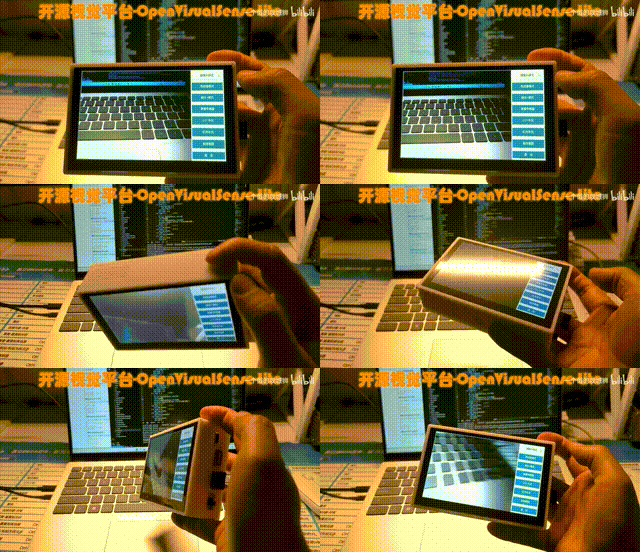
Can be used for – maintenance/soldering/debugging assistance…
Also can be used for learning embedded development board expansion!
01Project Functions“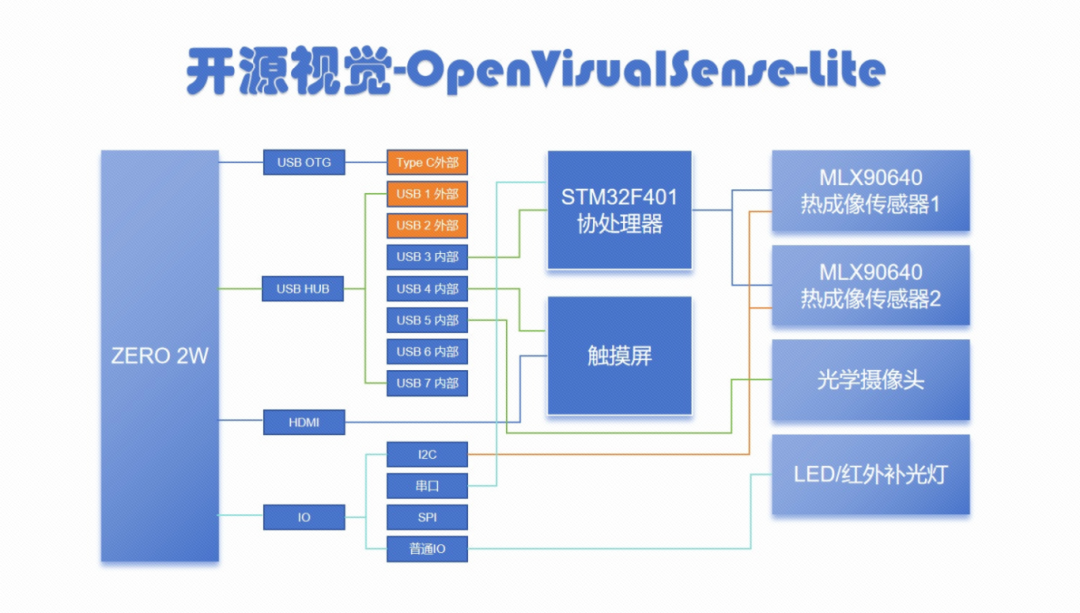 1
1
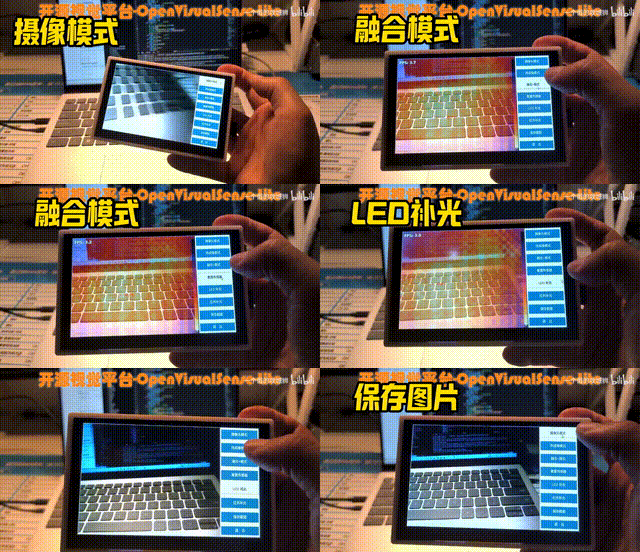
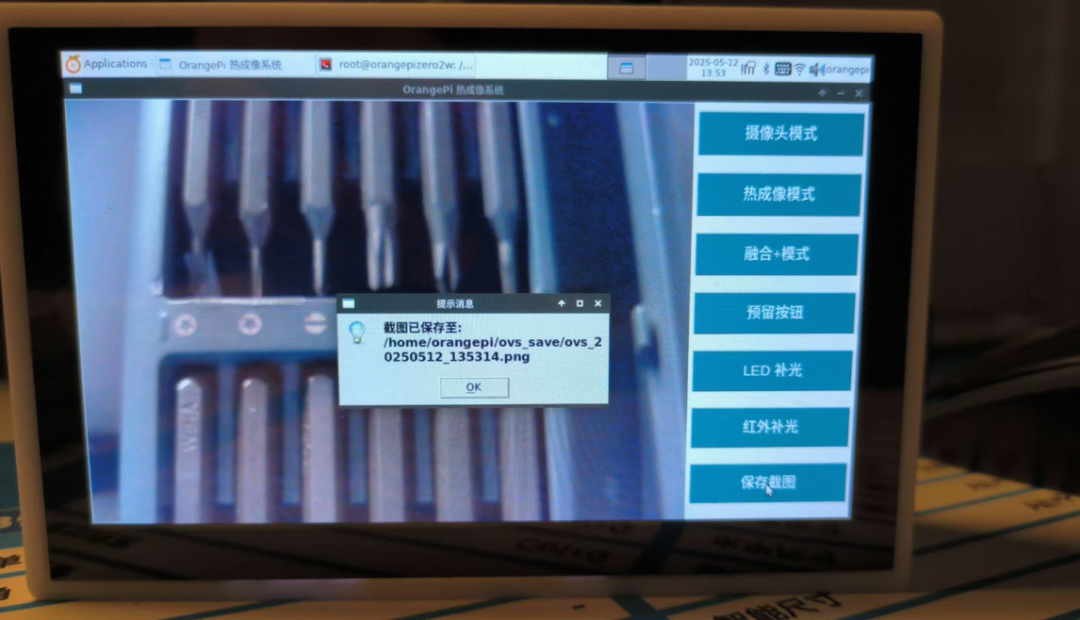
Image Acquisition, which is the ordinary camera mode
2
Thermal Imaging
3
Fusion Imaging Mode
4
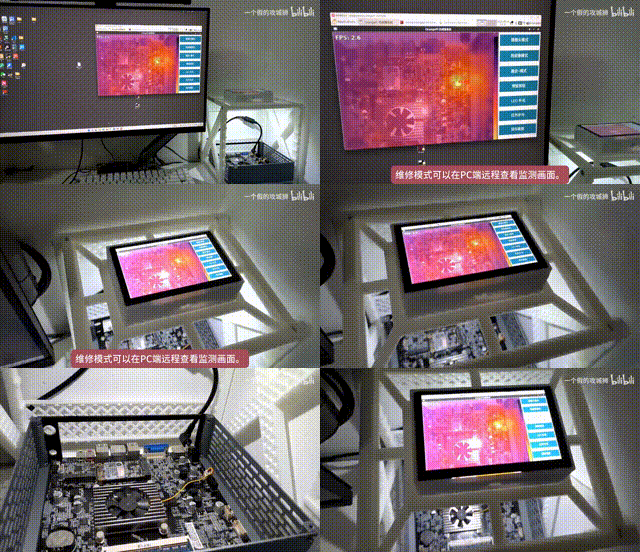
Remote Mode (specifically designed for hardware debugging and monitoring)
5
Save Images
6
LED Fill Light/Infrared Fill Light
Let’s demonstrate! ▼
Remote Mode Demonstration ▼
Also created a maintenance rack, which allows remote monitoring of the screen through a PC in maintenance mode
So, how was it designed?
02Hardware Design“
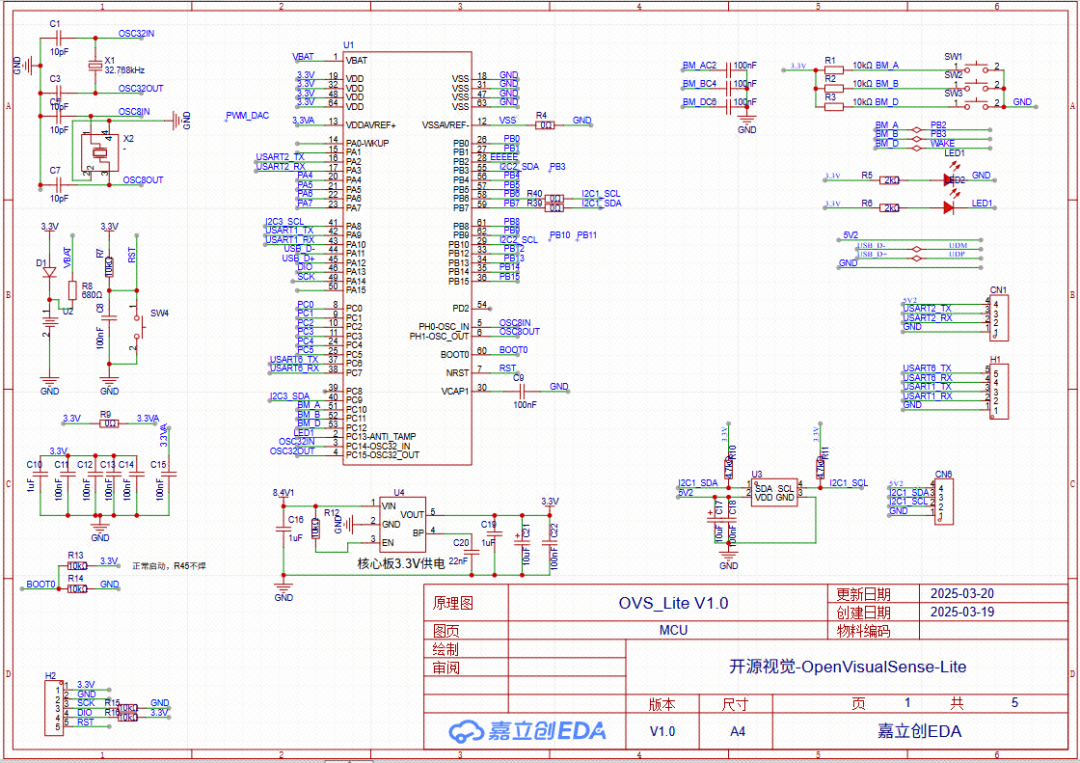
MCU_Schematic
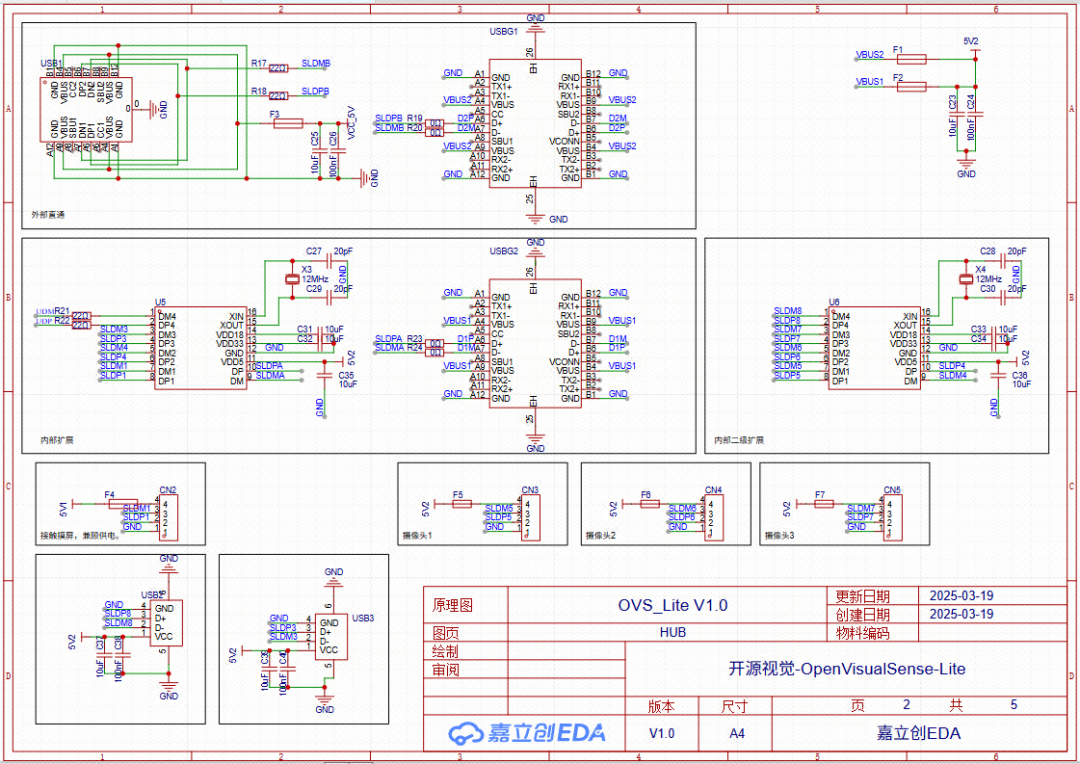
HUB_Schematic
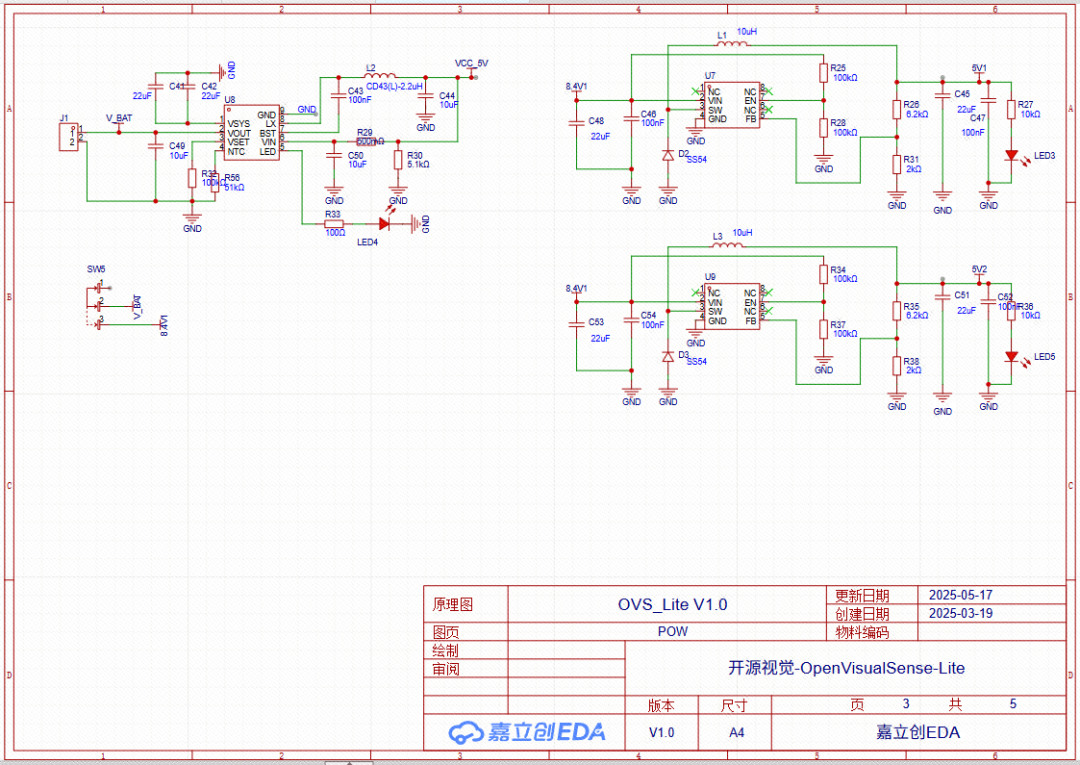
POW_Schematic
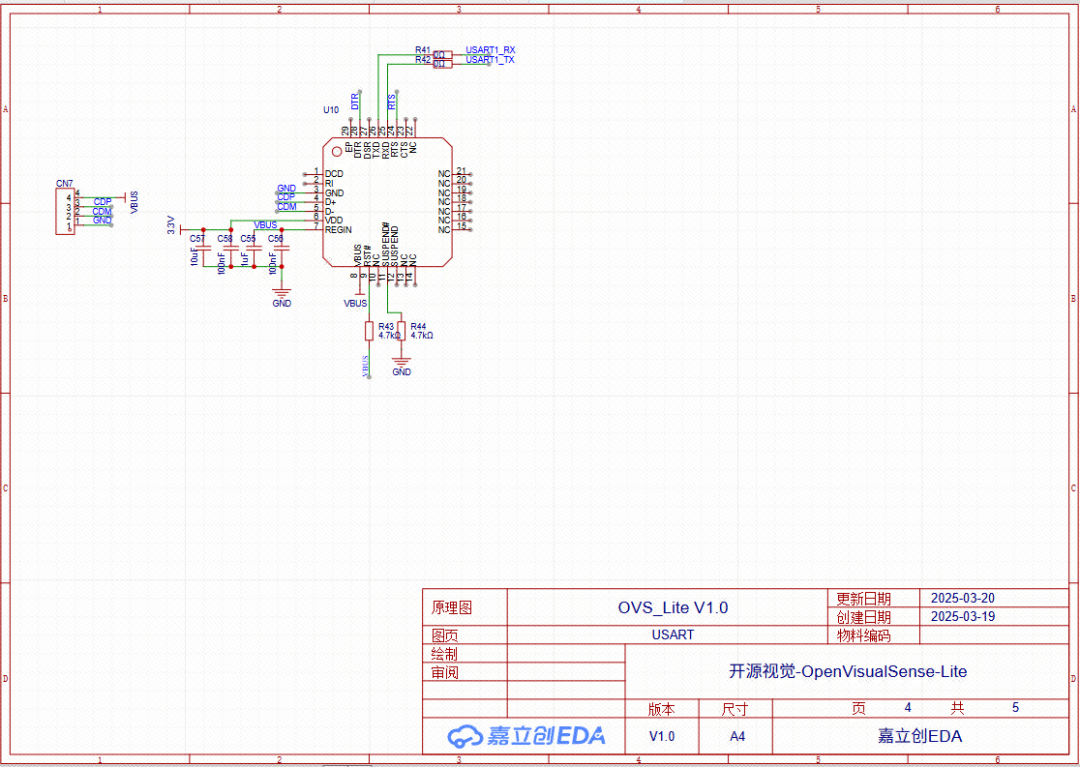
USART_Schematic
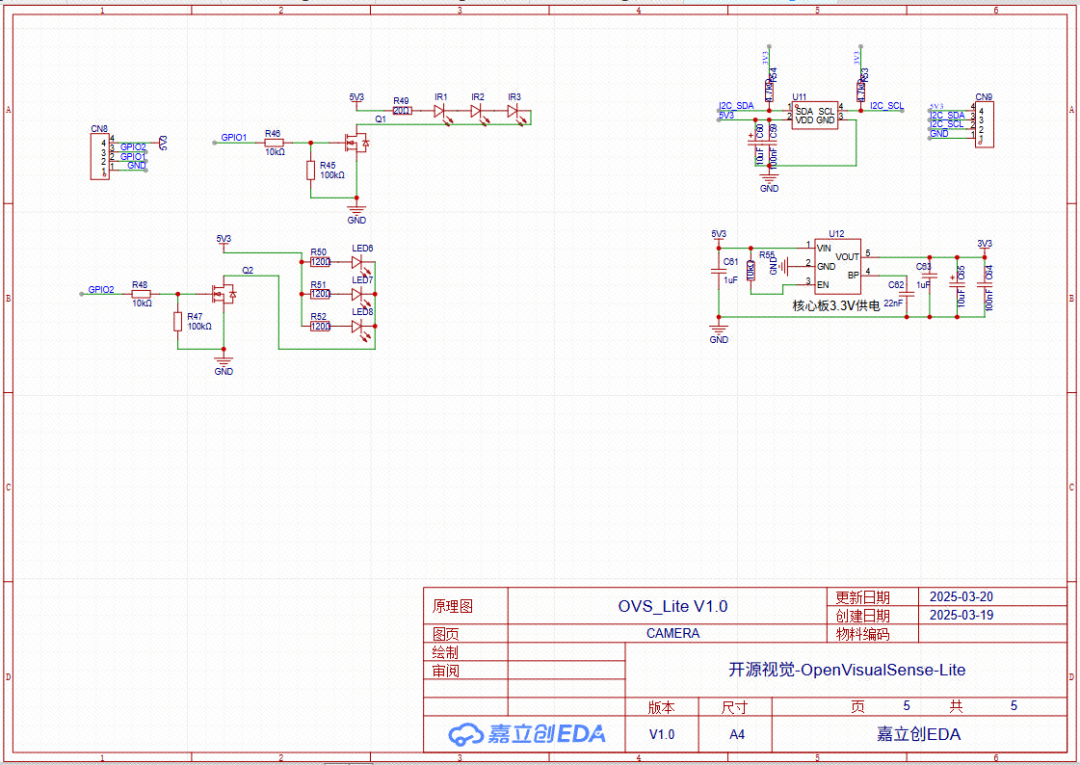
CAMERA_Schematic
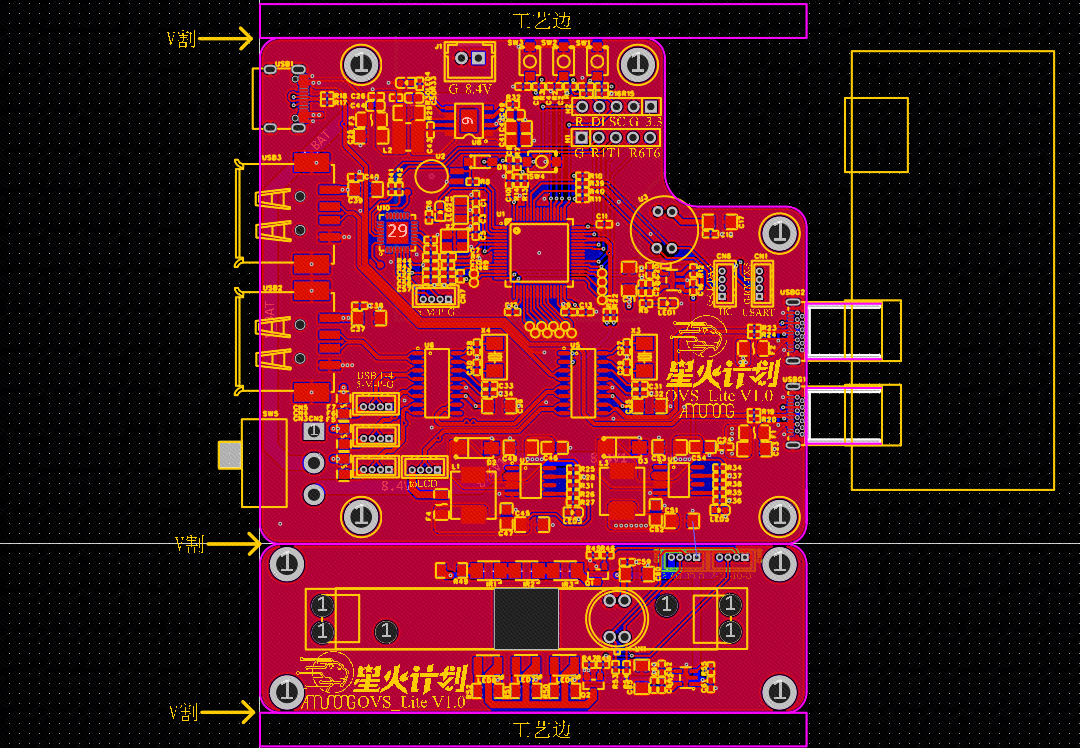
OVS_Lite V1.0_2_PCB Diagram
The project is based on orangepi design, here are its basic parameters:
1
Main Processor: Allwinner H618
Supports up to 8K@24fps H.265 video decoding; 4K@25fps H.264 video encoding
2
Memory: 4G RAM, sufficient for image processing needs
3
Touch Screen: Five inches, 1024×600 resolution
4
Camera: 300/500 Megapixels
5
Thermal Imaging Sensor: MLX90640, with 768 pixels
6
Co-processor: STM32F401, for low-level hardware driving
7
Interfaces: 1 Type-C, 2 USB 2.0 interfaces
03Software Code“
Software Environment Configuration: Ubuntu, Python 3.12
Camera Image Acquisition: Python + OpenCV
This section will focus on how I implemented the thermal imaging function.
01 Hardware Connection
Camera: Connected to ZERO2W via USB interface.
MLX90640:
-
Connected to ZERO2W via I²C interface;
-
Processed data through the co-processor before sending it to ZERO2W.
02 Image Fusion Algorithm
Step 1: Data Alignment and Interpolation
-
Interpolating the 32×24 low-resolution temperature matrix of MLX90640 to the camera image resolution (e.g., 640×480)
Step 2: Temperature Visualization and Fusion
-
Converting temperature data to color mapping (pseudo-color)
-
Adjusting the pseudo-color image size to match the visible light image
-
Fusing images (transparency overlay)
-
Fusion Ratio
03 Main Program Flow
Key Optimization Points:
-
Time Synchronization: Reading camera and sensor data simultaneously through multithreading/asynchronous methods to avoid timing discrepancies.
-
Temperature Calibration: Environmental temperature compensation calibration for MLX90640.
-
Performance Optimization: Implementing interpolation algorithms (e.g., OpenCL) in C/C++ to enhance real-time performance.
04 Extended Functions
-
Temperature Annotation: Marking the highest/lowest temperature points in the image.
-
Video Stream Fusion: Modifying the code for continuous capture mode to achieve real-time temperature monitoring.
Baseboard Hardware Driver ▼
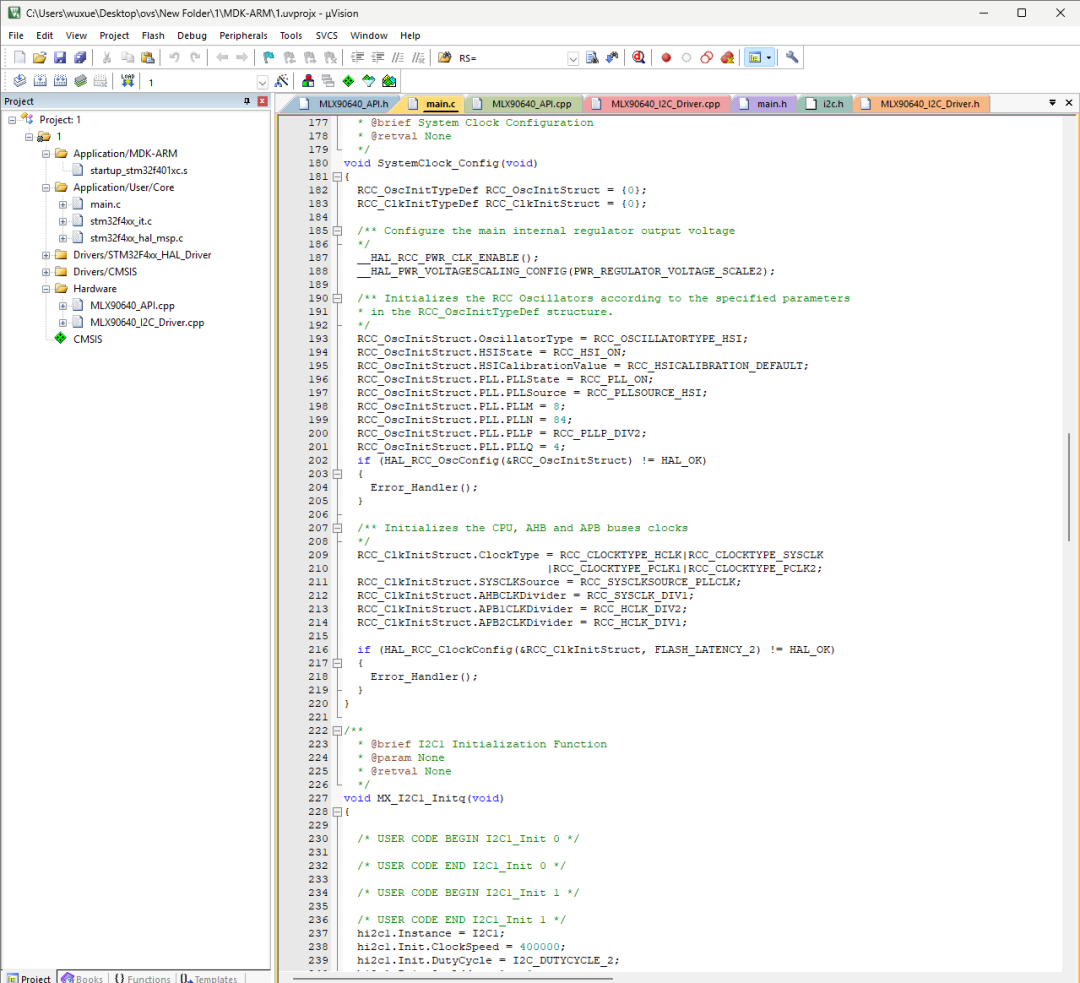
Code Snippet Display
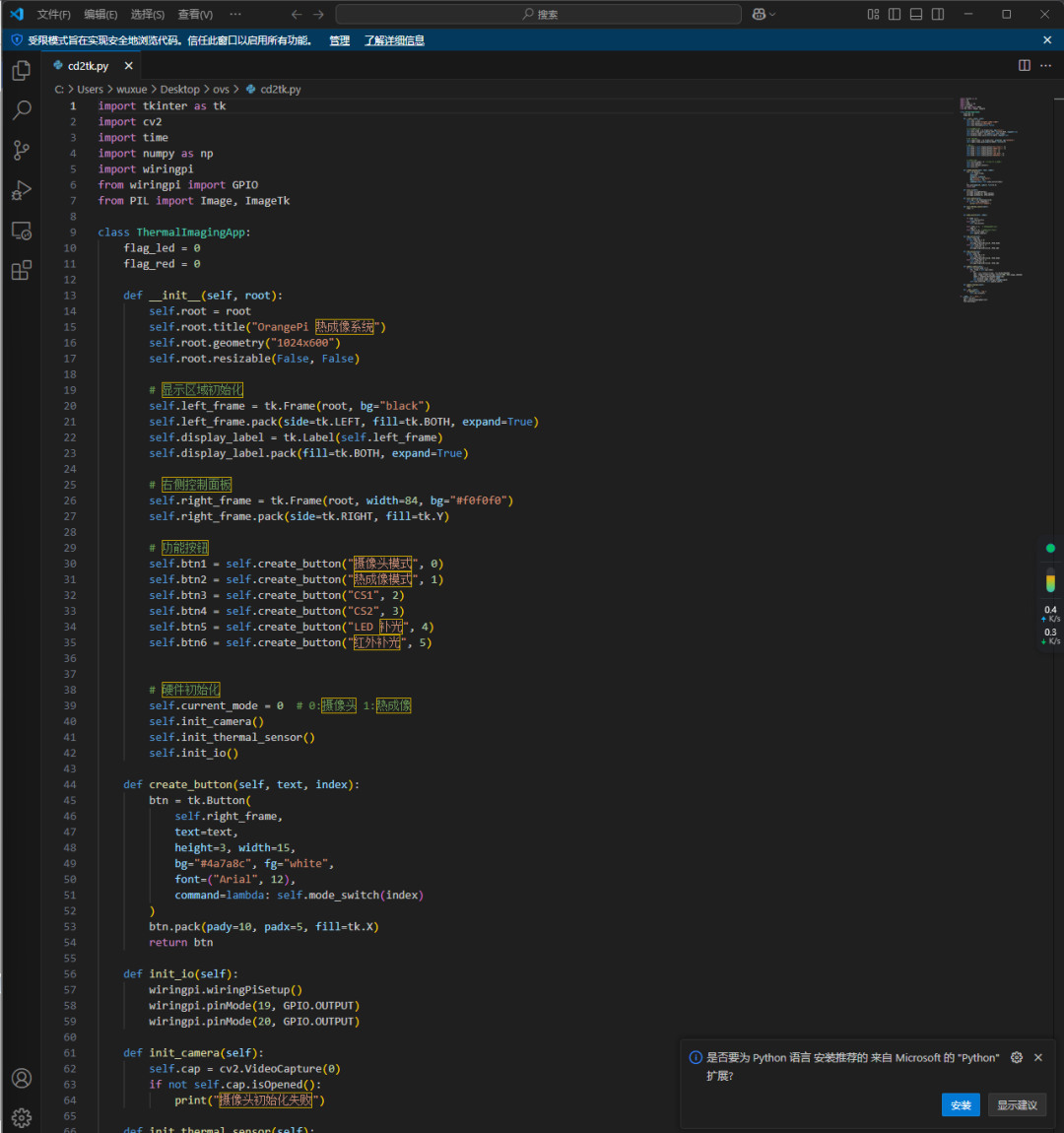
Host Computer ▼
Code Snippet Display
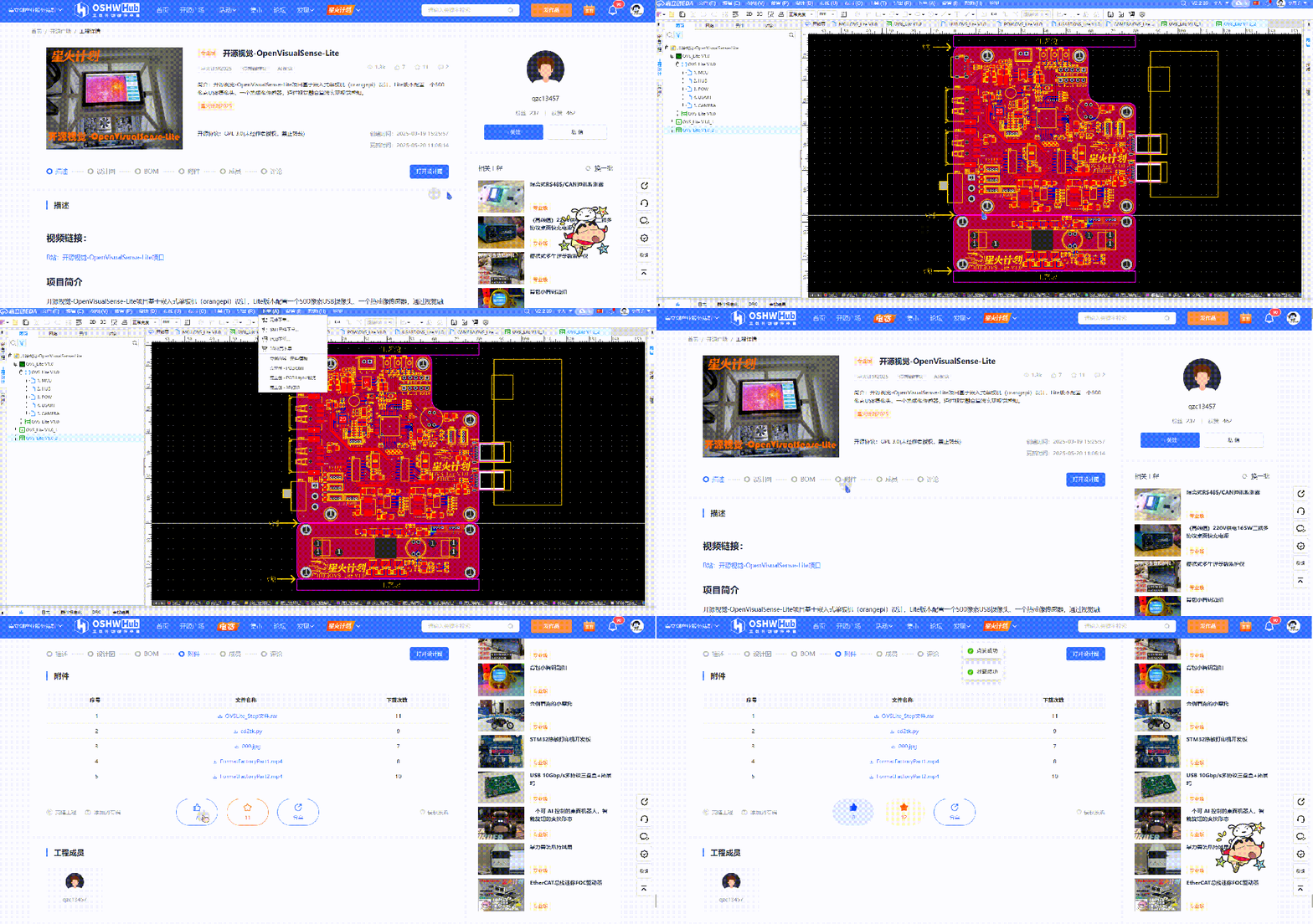
05Open Source URL“
This project has been open-sourced!
——Want to replicate it? Want to give the author a thumbs up? You cancopy the open-source URL to go to the original text.
Open Source URL: https://oshwhub.com/qzc13457/ovs_lite
Scan the code to directly access the original text.
The author participated in the “Lichuang Open Source Hardware Platform” Spark Program event, go to the original text, give the author a “like + collect” to cast a vote, this data will affect the annual award of the work~Everyone is welcome to support the author! By the way, give a thumbs up to the editor too~ Hehe
【Spark Program can reimburse materials】500-20,000+Cash rewards (up to 30,000).
【Spark Program Details】https://oshwhub.com/activities/spark2025
【Spark Program Suitable Audience】 Suitable for those who want to open source, or want to practice projects + increase project experience.
If you want to inquire + sign up for the Spark Program, you can add 【Activity Sauce】, note 【Spark】


*This article is a reprint of user creation from the “Lichuang Open Source Hardware Platform”, the description may have been edited or may not be the latest version, please refer to the specific project description of the Lichuang Open Source Hardware Platform. All images, fonts, trademarks, and other assets involved in the project and project description belong to their respective owners, if there is any infringement, please contact for deletion.
The project open-source agreement is subject to the specific project description and requirements of the open-source hardware platform.
If you see this, give me a thumbs up! ClickRead the original text to view the original project