JLink Usage Tips: Merging Programming Files
JLink Usage Tips: Merging Programming Files

Introduction IAP (In-application programming) allows firmware updates over the network without disassembling the device. The firmware of an IAP system typically consists of two parts: the BootLoader Code and the Application Code, stored at different starting addresses: During system operation, the Bootloader program runs first to check the status and determine whether to execute the … Read more
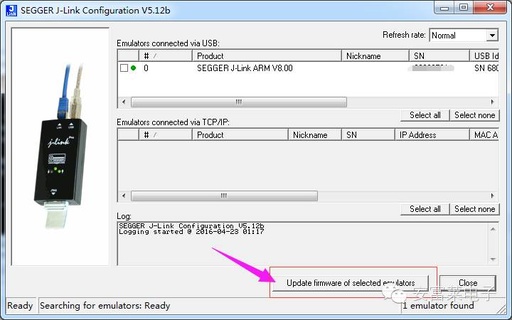
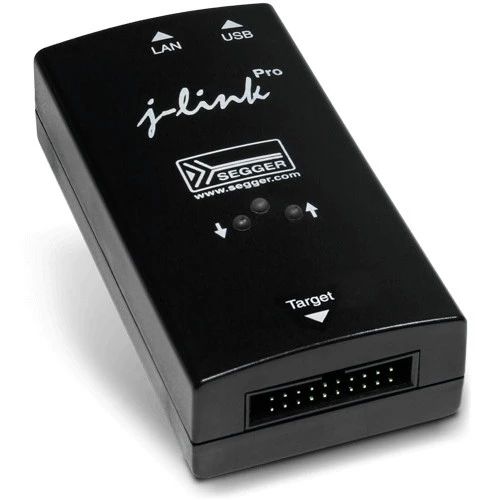
Relationship Between JLINK Firmware, Driver, and Hardware Versions, and Upgrade Methods

Relationship Between JLINK Firmware, Driver, and Hardware Versions, and Upgrade Methods

The relationship between JLINK firmware, JLINK drivers, and JLINK hardware versions, as well as methods for firmware upgrades. Beginners often get confused about these issues, so let’s briefly discuss them.1. JLINK Hardware VersionFirst, let’s talk about the JLINK hardware versions, which include V7, V8, and V9. This should not be a problem for everyone. How … Read more

JLink Tips for Downloading HEX Files to Microcontrollers

JLink Tips for Downloading HEX Files to Microcontrollers

Introduction This article introduces how to use SEGGER’s official software JFlash for program downloading, supporting Hex and Bin files. Downloading and Installing JFlash First, install the JFlash software. After installation, the JLink driver will be installed by default, which includes the following tools: JFlash, primarily used for program downloading and reading. JFlashLite, a mini version … Read more

Common Issues and Solutions for Jlink Downloader

Common Issues and Solutions for Jlink Downloader

1 Many beginners encounter difficulties when using the Jlink downloader, often facing various issues that can be quite confusing. This document aims to illustrate some common problems and their solutions, providing reference for those just starting to use the Longqiu Jlink downloader, helping to reduce unnecessary efforts in their learning process. If there are any … Read more

STM32 Development Board JLINK Debugging Steps

STM32 Development Board JLINK Debugging Steps

▼Click the card below to follow our public account for more exciting content▼ Welcome to follow the 【Master Microcontroller and Embedded Systems】 public account, reply with keywords to get more free videos and materials Reply with 【Join Group】, 【Microcontroller】, 【STM32】, 【Hardware Knowledge】, 【Hardware Design】, 【Classic Circuits】, 【Thesis】, 【Graduation Project】, 【3D Packaging Library】, 【PCB】, 【Capacitor】, 【TVS】, … Read more

Using STLink, JLink, and DAP on Linux

Using STLink, JLink, and DAP on Linux

In a previous article titled “RT-Thread Wild Step Debugging Method,” an example of step debugging on Ubuntu was demonstrated. The article did not specify which type of Link was used. This article will discuss the three most common Links (JLink, STLink, CMSIS-DAP Link) and how to use them on Ubuntu. Let the Video Speak Tools … Read more

JLink Usage Tips: Merging Programming Files

JLink Usage Tips: Merging Programming Files

JLink Usage Tips: Merging Programming Files Introduction IAP (In-Application Programming) allows firmware to be upgraded conveniently over the network without disassembling the device after product release. The firmware in an IAP system generally consists of two parts: the BootLoader Code and the Application Code, stored in different starting address spaces: During system operation, the Bootloader … Read more

JLink Tips for Reading and Writing SPI Flash Memory

JLink Tips for Reading and Writing SPI Flash Memory

JLink Tips Series Tutorial Introduction Most people who play with microcontrollers know that JLink can flash Hex files as an ARM emulator debugger, but not many know that it can also flash SPI Flash. This article will introduce how to use JLink to write or read SPI Flash memory. Among the tools included in the … Read more

Introduction to JLINK RTT: Replacing UART with RTT

Introduction to JLINK RTT: Replacing UART with RTT

In microcontroller development, printing debug information usually relies on serial ports. However, if no serial port is reserved, the RTT (Real-Time Transfer) function of the JLINK debugger can serve as an alternative. RTT enables real-time communication between the target device and the debugging host through the JLINK debugger, supporting log output and data collection while … Read more