Using Xray for Proxy Traffic Splitting on Domestic Servers/Linux Systems to Solve the Challenge of Accessing Overseas Resources
Using Xray for Proxy Traffic Splitting on Domestic Servers/Linux Systems to Solve the Challenge of Accessing Overseas Resources

When using a Linux system in a domestic environment, it is common to encounter restrictions when accessing GitHub, slow code fetching speeds, or even being unable to pull code at all. This can severely impact work efficiency, especially during daily development or deployment processes when timely access to required repositories is crucial. Similar issues often … Read more

How to Run Docker as a Non-Root User in Linux?

How to Run Docker as a Non-Root User in Linux?

Have you ever had this experience? While typing commands on a Linux server, you decide to try Docker, but when you run <span>docker run</span>, the system coldly responds with “permission denied”. You sigh, switch to root, use sudo, and the container starts, but there’s always a nagging feeling—what if a script goes awry and root … Read more

Implementing Dynamic Relay Updates for RustDesk: Achieving Low-Latency, High-Quality Remote Desktop Access

Implementing Dynamic Relay Updates for RustDesk: Achieving Low-Latency, High-Quality Remote Desktop Access

Word count: 1715, reading time approximately 9 minutes Mark “Home Cloud Life” as a “Star⭐” to never miss the latest articles My home broadband does not have a public IPv4 address, but fortunately, it is NAT1 type, allowing for hole punching with tools. However, RustDesk has a peculiar design where the server’s port 21116 must … Read more

Installing Docker Environment on Linux Ubuntu Server

Installing Docker Environment on Linux Ubuntu Server

After remotely accessing the Linux server, use the following commands to install Docker. sudo apt-get update # Update the system # Add dependencies sudo apt-get install ca-certificates curl gnupg lsb-release sudo mkdir -p /etc/apt/keyrings # Create a keyrings directory # Add Docker's official GPG key curl -fsSL https://download.docker.com/linux/ubuntu/gpg | sudo gpg –dearmor -o /etc/apt/keyrings/docker.gpg # … Read more

Innovative Uses for Mac: Practical Guide to Building a Home Server with macOS

Innovative Uses for Mac: Practical Guide to Building a Home Server with macOS

Table of Contents: 1. Advantages of Using macOS as a Home Server 2. Basic Environment Setup 1. Installing Homebrew Package Manager (Core Software Installation Source) 2. Enabling Screen Sharing 3. Enabling Remote Login 3. Recommended Core Services 1. File Sharing/Private Cloud 2. Media Center 3. Download Management 4. Notes and Documents 5. Database 6. System … Read more

S2.08. Alpine Linux LXC Ultra-Lightweight Template

S2.08. Alpine Linux LXC Ultra-Lightweight Template

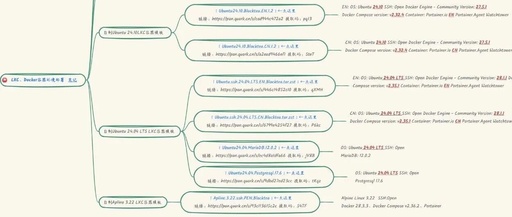
Alpine Linux Ultra-lightweight LXC container template, smaller and faster, can also set up container services https://www.alpinelinux.org/ Creating CT, select Alpine’s CT template Enter LXC and set up # Change source, I personally choose Nanjing University, feel free to choose mkdir -p /home/Update cd /home/Update apk add bash wget https://linuxmirrors.cn/main.sh chmod +x main.sh bash main.sh # … Read more

Essential Operations: Automated Docker Deployment with Ansible, Understandable for Beginners

Essential Operations: Automated Docker Deployment with Ansible, Understandable for Beginners

Ansible is an automation tool written in Python that can achieve cluster automation management and perform common operational tasks.Many companies today use cluster deployment services, ranging from a few virtual machines to hundreds or thousands. Sometimes, it is necessary to perform operational tasks on a single cluster or multiple clusters, and at this point, Ansible … Read more

Goodbye, Wine and Virtual Machines! Running Windows Applications Natively on Linux

Goodbye, Wine and Virtual Machines! Running Windows Applications Natively on Linux

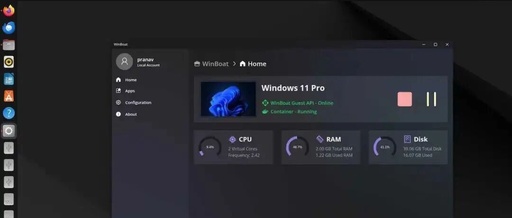
If you have ever tried to run Windows applications on Linux, you know how challenging it can be. Many people use Wine or WinApps to solve this problem, but the results are often unsatisfactory, and compatibility issues can arise. Traditional virtual machines can work, but they feel cumbersome and consume a lot of resources. Dual-booting … Read more