 Focusing on Automation Training for 14 Years
 Jicheng Training Network
 Today, I will share a valuable article to help everyone understand what constitutes a perfect PLC program and provide guidelines and suggestions for PLC programming in practice.
 01The Design Requirements for a Perfect PLC Program
A complete PLC program is not just about making the system operational; it also requires comprehensive comments, excellent architecture, good scalability, a complete alarm protection system, and a simulation system before operation.
1. Simplicity
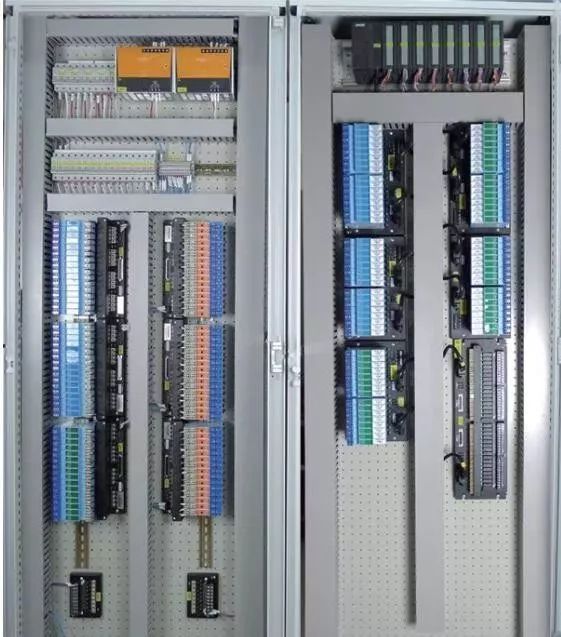
Make the PLC program as simple as possible. Simplicity means using standardized program frameworks and simple instructions whenever possible.
To achieve simplicity, optimize the program structure on a larger scale by simplifying the program with control flow instructions. On a smaller scale, replace single-function instructions with more powerful ones and pay attention to the order of instructions.
2. Readability
The designed program should be easily readable. This not only helps the program designer deepen their understanding of the program and facilitates debugging, but it also makes it easier for others to understand and maintain the program. When necessary, it can help promote the program.
To improve readability, the designed program should be as clear as possible. Pay attention to hierarchy and implement modular design to the point where object-oriented methods can be used. Use standard designs as much as possible.
In special cases of language programming, it is generally advisable to use ladder diagram programming for easier readability.
Moreover, I/O allocation should have a regular pattern for easier memory and understanding. If necessary, add comments. The use of internal devices should also follow rules; do not use them arbitrarily.
Readability should be considered from the start of program design, though it may not be completely achievable. During debugging, the addition or reduction of instructions and changes in the use of internal devices can make a previously clear program somewhat chaotic. Therefore, leave some leeway for adjustments during design and tidy up after debugging to enhance the quality of the designed program.
The comments in the program should at least cover the following aspects:
A. System Comments: Copyright holder of the entire program and its intended use.
B. Program Block Comments: Main purpose of this program block and the author.
C. Segment Comments: Purpose of this segment of code.
D. Variable Comments: Importance needs no elaboration, includes I/O comments and intermediate variable comments.
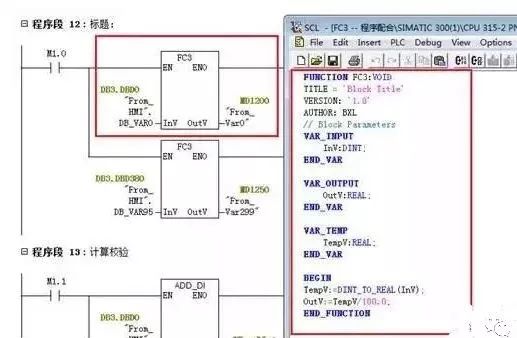
As for confidentiality considerations, I believe it should be addressed through encryption algorithms or block encryption, rather than through the clever reduction of comments.
3. Correctness
PLC programs must be correct and should be verified through actual work to prove they can operate correctly. This is the most fundamental requirement for PLC programs; if this cannot be achieved, no other aspect matters.
To ensure correctness, instructions must be used accurately, and internal devices must be used correctly. Accurate instruction use is linked to a clear understanding of the instructions. Therefore, the meanings and usage conditions of the instructions must be well understood. If necessary, small programs can be written to test unclear instructions.
Even the same instruction may have different details due to variations in the PLC’s production batch or model series, so consult the programming manual carefully.
Correct usage of internal devices is also important. For example, some PLCs have power-fail protection while others do not. Ensure that power-fail protection devices are used where necessary, and vice versa.
In summary, accurate instruction use and correct internal device usage are fundamental requirements for a PLC program.
For example, Siemens’ rising and falling edges require the use of variables with memory functions as intermediate variables, like M points or DB points. Using the FC’s temp variable will lead to issues.
4. Reliability
Programs must not only be correct but also reliable. Reliability reflects the stability of the PLC program, which is a basic requirement.
Some PLC programs may work correctly under normal working conditions or legal operations, but fail under abnormal conditions (like temporary power outages followed by quick reconnection) or illegal operations (like pressing buttons out of order or simultaneously). Such programs are not very reliable or stable, indicating poor quality.
A good PLC program can recognize abnormal working conditions and connect them back to normal conditions, making the program adaptable to various situations. A good PLC program can reject illegal operations without leaving any “traces,” only accepting legal operations.
Interlocking is a common method for rejecting illegal operations, which is frequently used in relay circuits and can also be inherited by PLCs.
5. Modifiability
Make the program easy to modify, allowing for convenient changes.
One of the features of PLCs is flexibility, allowing them to be adapted to various situations through modifications or redesigning of the program.
Redesigning the program is necessary when changing the PLC’s process requirements, which requires not only reprogramming but also reallocation of I/O. In most cases, modifications can be made without complete reprogramming, which requires the program to be adaptable and easy to modify.
Modifiability also implies elasticity, meaning that only minimal changes are needed to alter parameters or modify actions.
6. Expandability
Many programs may be completed before arriving on-site, but additional programs may need to be added once on-site. To avoid disrupting the overall system structure, it is necessary to reserve a certain amount of space in each functional area as a backup.
Sufficient margins should be left in hardware, and software should consider manual, automatic, and semi-automatic modes, leaving space accordingly.
7. Complete Alarm System
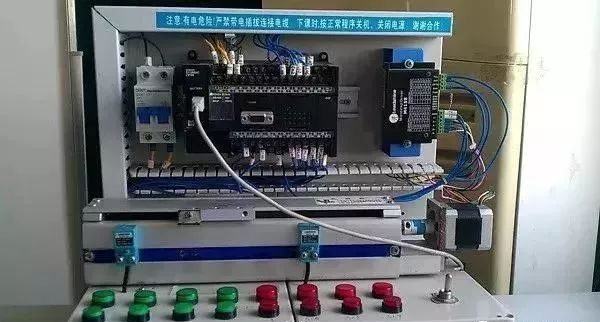
PLC systems are often used in industrial environments, where each accident can cause varying degrees of loss. To ensure proper accident handling or to minimize losses during incidents, it is essential to focus on PLC alarms and protections, making it a vital component of the system.
8. Program Simulation
To ensure the debugging progress on-site or to demonstrate to clients, it is often necessary to conduct full automation simulation of the program before arriving on-site. To achieve this, a simulation portion must be added to the program, which will be disconnected after normal on-site operation. To enable simulation functionality, the following tasks need to be performed:
(1) Convert the actual PLC I/O points into intermediate variables or data block variables;
(2) Write simulation programs for each device based on process requirements.
In the process of designing PLC programs, those that meet the above requirements can be considered good programs.
02PLC Program Design Specifications
1. Choose the appropriate PLC model and I/O count, selecting special function modules when there are special functional requirements.
2. Familiarize yourself with the selected PLC programming instructions and compilation software.
3. Plan soft components, including internal relays, holding relays, data registers, timers, counters, etc.
4. Plan the program, generally following the sequence of fault extraction, fault handling, manual handling, automatic handling, and output handling. For larger projects or equipment, process functional units should be handled in segments or blocks. For example, in an automated production line with elevators, transfer devices, and rotary devices, programming should be done according to these units.
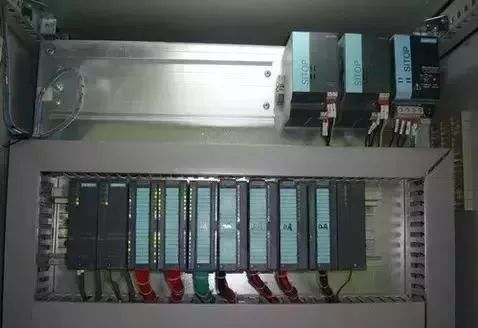
5. A brief segment comment should be added before each segment of the program written in blocks, explaining the function of that segment, and if necessary, indicating the corresponding process flow. The sequence of block or segment programs should generally follow the order of the process flow to enhance the program’s readability.
6. Before designing the program, abstract the devices to extract common factors such as stop, emergency stop, overload, limits, timeouts, safety light curtains, collision stops, and door switches, placing them in the start loop or main control and interlocking loop as a prerequisite for the entire program structure. Based on this, the program can be divided into two main functional areas: automatic and manual.
7. Extract shared factors from the manual functional area of the program structure, such as manual controls and factors that jeopardize personnel safety, placing them in manual main control and interlocking loops to protect, shield, and alarm manual control.
8. Extract shared factors from the automatic functional area of the program structure, such as automatic controls, limits, and timeouts, placing them in automatic main control and interlocking loops to protect, shield, and alarm automatic control devices. The general principle is to strictly limit equipment entry while allowing flexible exit under safety conditions.
9. When designing the program, a total reset function should be included to allow users to quickly restore normal operation in case of equipment failure. The total reset must fully consider the safety of equipment and personnel during the reset process.
10. When switching from automatic mode to manual mode, the program should clear outputs and intermediate states from the automatic mode. Particularly when using the SET instruction in automatic mode, it must be cleared with the RESET instruction in manual mode.
11. It is strictly forbidden to use double outputs in program compilation, meaning the same output statement or output coil should not appear more than once in the program. For outputs under different mode conditions, intermediate relays should be used for transfer, finally concentrating them together to the output point.
12. When using touch screens, control areas and status areas shared with the PLC should not be programmed for other functions.
13. For special PLC modules, check whether their control areas and status areas occupy working words before use. If they do, these working words should not be programmed for other functions.
14. Chinese comments should be added to PLC inputs, outputs, intermediate relays, timers, counters, data registers, etc. Inputs and outputs should also include component names and positions. For corresponding input points, it is generally assumed that peripheral switches connect to NO contacts; those requiring NC contacts must be indicated in the comments. All comments should be clear and unambiguous, avoiding vague references.
15. After project debugging is complete, the final software program must be retained, and the saved file name should include project number/author/date information/version number, etc.
16. Regarding program encryption: the passwords for encrypted programs must be saved in a dedicated file, indicating the corresponding username + password + permissions, and distributed to at least two people to prevent loss of access due to password loss.
03Programming Suggestions
1. When PLCs and upper computers (or touch screens) form a monitoring system, the screen often requires control modes like “manual” and “automatic” (generally only one can be active at a time). In the program, the “MOV” instruction can be used. For example, when selecting “manual,” move the constant 1 to a register VB10; when selecting “automatic,” move 2 to the same register VB10. By checking the data in the register, you can determine the control mode of the system. The benefit of this approach is its ease of understanding, avoiding the complexities of interlocking.
2. When the program involves analog control, if the read analog values have minimal error, time filtering can be applied with a delay. If the read data has significant errors, other filtering methods, such as averaging, should be employed; relevant materials can be consulted.
3. During program debugging (especially when modifying equipment and integrating your program with existing ones), if conditions are met but the output coil does not engage, check if this part of the program is between statements like JUMP or GO TO. Another possibility is that after interrupting the program, conditions are met but outputs do not engage, indicating this part of the program is not being scanned.
4. In sequential control programs, where one action is completed before entering the next, I find the +10+10 control mode very convenient.
The idea is to preset a register initialized to 0, and when the system starts, add 10 to it, making the register 10. When the register equals 10, the first action can be performed; after completing the first action, add 10 again, making the register 20 for the second action; after completing the second action, add 10 again, making it 30. This way, by checking the register’s data, you can determine which action to complete. If a jump action is needed, you can skip adding 10 and add 20, 30, etc., depending on actual needs.
Why add 10 instead of 1? Because after adding 10, if a segment needs to be inserted, you can choose any position among the 10 available spaces.
5. During program design, when process faults occur (not controlled by the control system), it is best to maintain the fault phenomenon and trigger visual and audible alarms until the operator resets it, making them aware of the system fault. Otherwise, if a shutdown occurs, others may mistakenly think there is a problem with your program. Generally, this should be considered when designing a new system.
6. Frequently called subprograms can be made into sub-modules for repeated use.
7. Since the motion of various steps in the working cycle of production machinery requires a certain amount of time, and these times have specific limits, these times can be used as a reference. When the action of the step to be checked begins, a timer can be started with a set time that is 20% to 30% longer than the normal duration of that action. The output signal of the timer can be used for alarms or automatic shutdown devices. If the time taken for a step action exceeds the specified time and does not transition to the next step within the preset timer duration, the timer will issue a fault signal, stopping the normal working cycle and initiating alarm or shutdown procedures, which is commonly referred to as over-timing protection.
8. Some safety detection switches (like emergency stop buttons, safety light curtains, limit switches, etc.) should use normally closed (NC) inputs.
9. For safety and energy-saving considerations, design outputs to activate only when needed and stop output once in position, rather than keeping outputs active continuously and only stopping when needed.
10. The principle of action for executing elements should be to prefer not to move rather than move incorrectly!
11. For single device control: a single device must have soft manual/automatic switching, and during soft manual operation, it should have start/stop functionality. When switching from automatic to soft manual, the device must not stop; when switching from soft manual to automatic, the device’s start/stop depends on the automatic program.
12. Single devices (such as pumps, fans, and other large equipment) must rotate after running for 24 hours, and running time must be accumulated, except when the start/stop sequence is set by the upper computer, which is set by the operator.
Source: Network, copyright belongs to the original author, please delete if infringedPrevious Recommendations01Electrical Masters’ Private Tool Kit (Electrical Simulation Software + 16 Sets of Electrical Industry PPT)02Comprehensive Electrical Calculation EXCEL Sheets, Automatically Generated! No Need to Ask for Electrical Calculations!03Bluetooth Headphones, Electrical/PLC Introductory Books Available? Come Get Your Electrical Gifts!

 If you like, click here
 Free PLC and Electrical Courses, click to read the original text