Click the blue text
PLC Automation Hub
Follow us
In industrial automation systems,real-time data interaction between multiple Siemens PLCs is key to achieving intelligent control. This article will delve into the configuration steps of GET/PUT instructions and demonstrate the cross-PLC interaction ofBoolean, Integer, Real, and String data types through complete SCL code.
1. Five Steps to Implement GET/PUT Communication
-
Establish Connection Configuration
-
Add all PLC stations in the TIA Portal project
-
Connect PLCs in the network view (no connection parameters need to be set)
-
Set a fixed IP address for each PLC
Create Shared Data Block
-
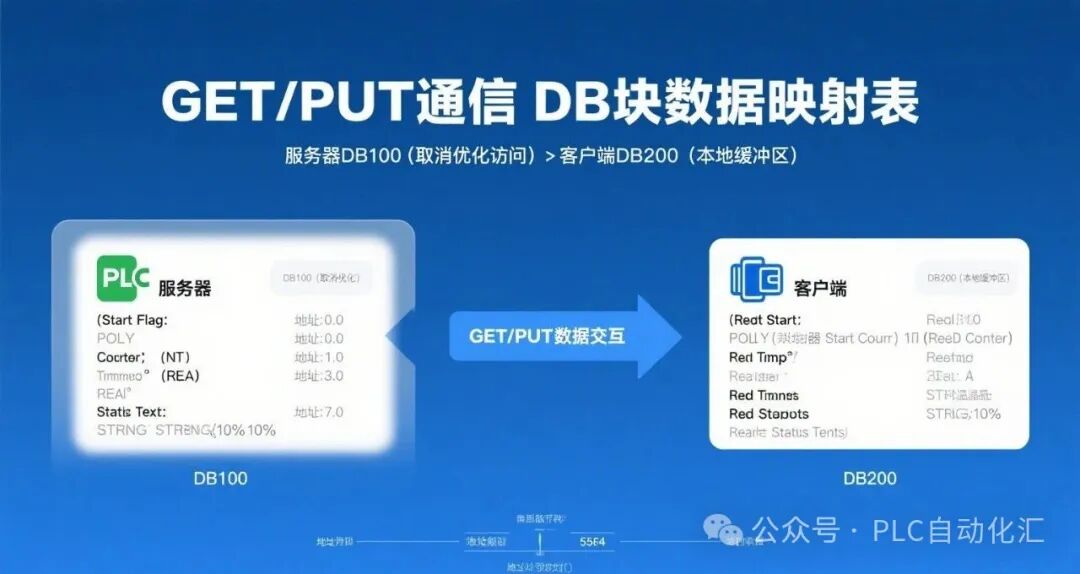
Create DB100 on the server-side PLC (disable “Optimize Block Access”)
-
Define multi-data type variables:
VAR
Start_Flag : Bool; // Boolean
Counter : Int; // Integer
Temperature : Real; // Real
Status_Text : String[10]; // String
END_VAR
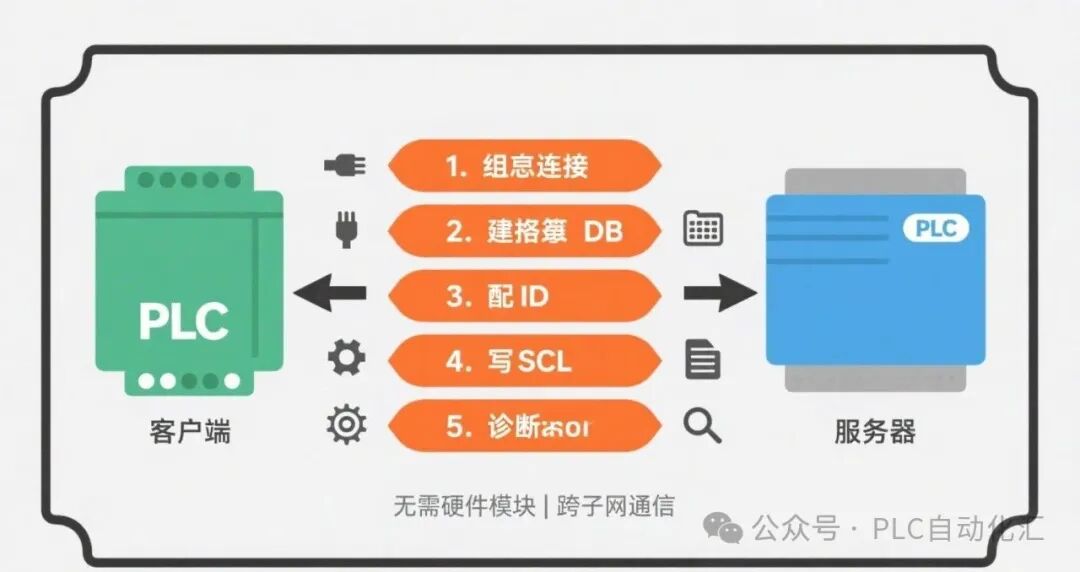
Configure Connection Parameters
-
Create a new S7 connection in the “Connections” of the client PLC
-
Select the partner PLC as the server
-
Record the automatically generated connection ID (e.g., 0x00000001)
Write Client Program
-
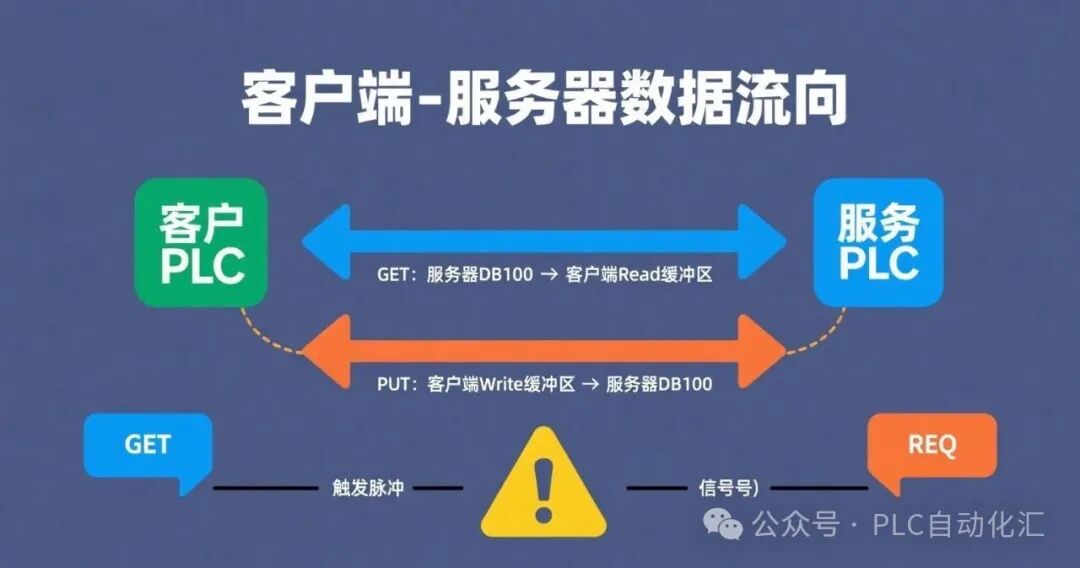
Use GET to read remote data
-
Use PUT to write local data
-
Handle communication status flags
Verify Communication Status
-
Monitor communication status bits (DONE/ERROR)
-
View data block changes online
-
Use diagnostic buffer to troubleshoot errors
2. SCL Example of Multi-Data Type Interaction
Server-side PLC (Data Provider)
// Data block DB100 (disable optimized access)
DATA_BLOCK “ServerData”
VAR
// Address mapping: starts at 0.0
Start_Flag : BOOL := FALSE; // Address 0.0 (1 byte)
Counter : INT := 0; // Address 1.0 (2 bytes)
Temperature : REAL := 0.0; // Address 3.0 (4 bytes)
Status_Text : STRING[10] := ‘Ready’; // Address 7.0 (12 bytes)
END_VAR
Client-side PLC (Data Exchange End)
// Data block DB200 (local buffer)
DATA_BLOCK “ClientBuffer”
VAR
// GET read buffer
Read_Start : BOOL;
Read_Counter : INT;
Read_Temp : REAL;
Read_Status : STRING[10];
// PUT write data area
Write_Start : BOOL := TRUE;
Write_Counter : INT := 100;
Write_Temp : REAL := 25.5;
Write_Status : STRING[10] := ‘Running’;
// Communication status
GetDone : BOOL;
PutDone : BOOL;
GetError: BOOL;
PutError: BOOL;
StatusCode: INT;
END_VAR
// Communication program (called in cyclic interrupt OB)
VAR_TEMP
GetREQ : BOOL;
PutREQ : BOOL;
END_VAR
// Trigger command (1Hz pulse)
GetREQ := “Clock_1Hz”.Q;
PutREQ := “Clock_1Hz”.Q;
// Read server data
GET(
REQ := GetREQ,
ID := W#16#1, // Connection ID
ADDR_1 := P#DB100.DBX0.0 BYTE 19, // Read entire structure
RD_1 := P#DB200.DBX0.0 BYTE 19, // Store in read area
DONE => “ClientBuffer”.GetDone,
ERROR => “ClientBuffer”.GetError,
STATUS => “ClientBuffer”.StatusCode
);
// Write data to server
PUT(
REQ := PutREQ,
ID := W#16#2, // Another connection ID
ADDR_1 := P#DB100.DBX0.0 BYTE 19, // Server address
SD_1 := P#DB200.DBX10.0 BYTE 19, // Local write area
DONE => “ClientBuffer”.PutDone,
ERROR => “ClientBuffer”.PutError,
STATUS => “ClientBuffer”.StatusCode
);
// Data processing example
IF “ClientBuffer”.GetDone THEN
// Reset counter when receiving start signal
IF “ClientBuffer”.Read_Start THEN
“ClientBuffer”.Write_Counter := 0;
END_IF;
// Update status text when temperature is too high
IF “ClientBuffer”.Read_Temp > 50.0 THEN
“ClientBuffer”.Write_Status := ‘Overheat!’;
END_IF;
END_IF;
3. Key Points for Multi-Data Type Processing
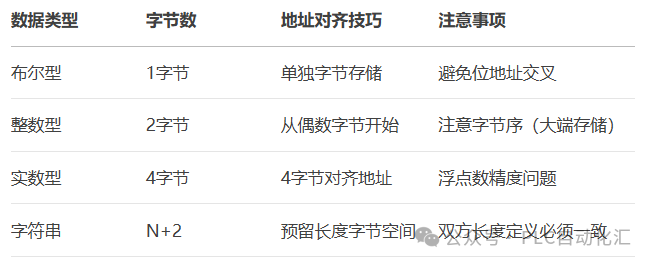
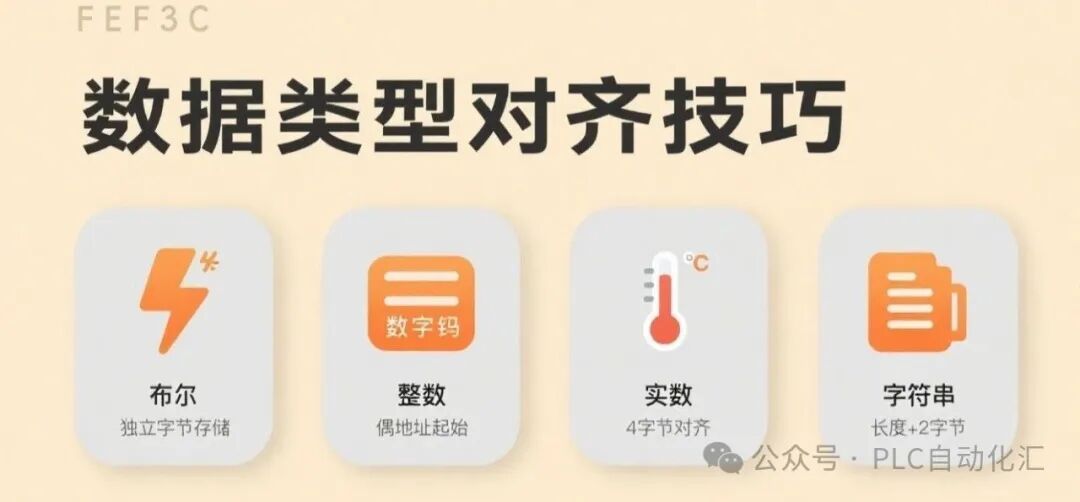
String Processing Tips:
Use
<span><span>STRING[length]</span></span>to define explicitlyReserve 2 bytes for length information header
Maximum length should not exceed 254 characters
4. Communication Status Diagnosis and Debugging
-
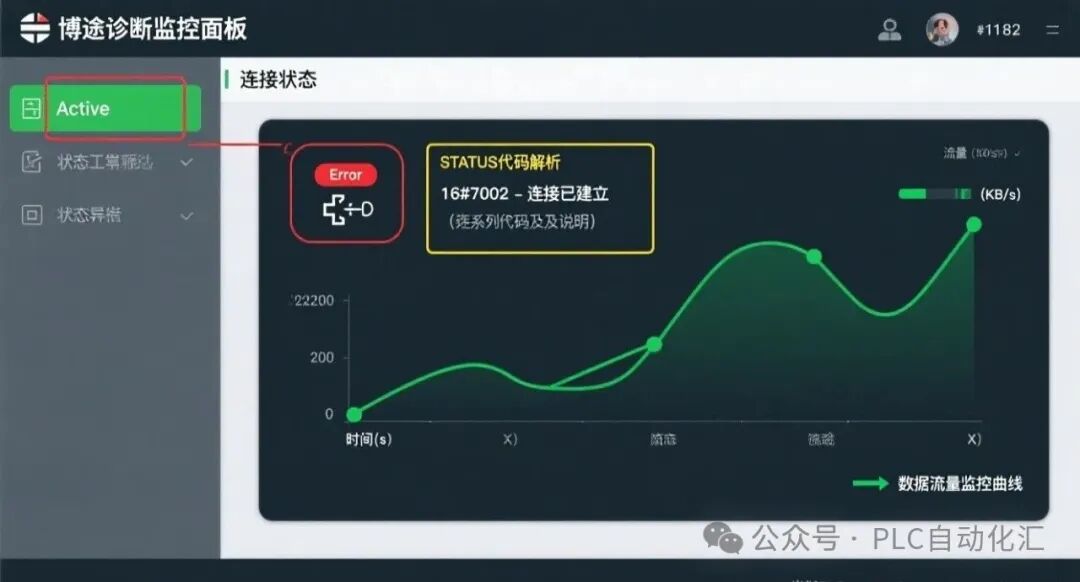
Status Code Analysis:
CASE StatusCode OF
0: // Success
16#7002: // Invalid connection ID
16#7005: // Data length exceeds limit
16#80A2: // Remote object does not exist
END_CASE;
-
Real-time Monitoring Tips:
-
Use the “Communication Status” panel to view active connections
-
Check data traffic in “Online and Diagnostics”
-
Enable “Force Monitoring” to view data changes in real-time
Common Troubleshooting:
1. Connection failure → Check firewall settings and IP connectivity
2. Data misalignment → Ensure both sides have identical data block structures
3. Invalid write → Check the “write protection” status of the server DB
4. String truncation → Verify that length definitions match
5. Advanced Application Techniques
-
Data Packaging Optimization:
// Use structures to encapsulate data
TYPE “ProcessData” :
STRUCT
StartCmd : BOOL;
Counter : INT;
TempSet : REAL;
Msg : STRING[10];
END_STRUCT;
END_TYPE
-
Timed Polling Strategy:
// Different data uses different update frequencies
IF “FastCycle”.Q THEN GET(…, ADDR_1:=P#DB100.DBX0.0 BYTE 3);
IF “SlowCycle”.Q THEN GET(…, ADDR_1:=P#DB100.DBX3.0 BYTE 16);
-
Data Verification Mechanism:
// Add CRC check bits
“ClientBuffer”.Write_CRC := CALCULATE_CRC(
ADDR := P#DB200.DBX10.0 BYTE 18,
LEN := 18
);
GET/PUT instructions are an economical and efficient solution for communication between Siemens PLCs. Through the SCL examples in this article, you have mastered the core technology of multi-data type interaction. In practical applications, it is recommended to:
-
Add verification mechanisms for important data
-
Use independent BOOL variables for critical control signals
-
Transfer large volumes of data in batches
-
Shorten polling cycles for data with high real-time requirements
#Industrial Automation #PLC Programming #Siemens SCL #Industrial Communication #Smart Manufacturing
If you want to learn Siemens SCL programming, you can purchase the first book below; if you want to learn ladder diagrams, you can buy the second book, which has detailed examples from basics to advanced.
Your support is the motivation for my creation, thank you all, and I wish you success and happiness in your work!
Recommended Reading:
- Exerting all efforts! Nine-step guide to stable operation of Siemens PLC
- Siemens S7-1500 PLC Troubleshooting: Transforming into an industrial “doctor” to quickly “cure” production line downtime!
- [10-Year Siemens PLC Veteran Upgrade Path] From screwing modules to mastering communication architecture: My blood and tears technical stack pitfall guide
- Three “weapons” of servo motors: Detailed explanation of position/velocity/torque control (with Siemens SCL practical code)
- Core Secrets of Siemens PLC Programming: What are FB, FC, DB, OB? You will understand after reading this!
- Why can’t PLC engineers with a monthly salary of 20,000 retain talent? The “career burnout” behind high salaries is consuming this industry!
- Siemens PLC Programming: Ladder Diagram vs SCL, which one is for you? A beginner’s guide with practical code!
- Say goodbye to “spaghetti code”! Siemens PLC sequential programming “three-step method”, double efficiency without pitfalls!
- Siemens SCL communication heartbeat monitoring: A practical guide to industrial-grade heartbeat programs
- Siemens 1200 and Weintek tag communication: Say goodbye to manual address filling, this “smart translator” makes debugging three times faster!
- Siemens SCL Practical: A step-by-step guide to writing station control function blocks
- Siemens S7-1200 Mixed Programming Practical: The golden combination rules of SCL and LAD
- Electrical Automation Encirclement: Ten years of hard work for this heartfelt industry experience summary
- Siemens SCL workstation control program: Start-stop control + three-color light + buzzer alarm
- Mitsubishi FX3U PLC Dual Pump Constant Pressure Water Supply Explained: Intelligent switching between frequency conversion and power frequency + safety emergency stop system
- Electrical Automation Major Graduation Guide:
- Employment direction and salary prospects fully analyzed
- Electrical Automation College Students: Starting salary not inferior to undergraduates? Full disclosure of the technical counterattack roadmap!
- Siemens S7-200 SMART Free Port Communication Explained: Introduction to flexible serial communication solutions
- Siemens SCL Full-Function Servo Control Ultimate Solution: 8 Motion Modes + 5 Safety Protections
- Let data speak! A scientific guide for choosing majors for science vs. liberal arts students (with employment salary & trend analysis)
Share to let more people see

Like
Collect
Share