Hello everyone, I received a submission from a fan asking me to explain the differences between Static and Temp variables. Newcomers in the field may find these two concepts a bit difficult to understand.
In this article, I will clarify the differences between Static and Temp variables through a few simple examples, along with an explanation of the working principles of PLC program execution function blocks. We will discuss why these two types of variables exist, what problems they are used to solve, and the precautions to take when using them.
The first example is very simple. When the input parameter req is True, the variable is incremented by 1. We have created UDINT type variables in both the Static and Temp areas to store the total number of valid requests received.
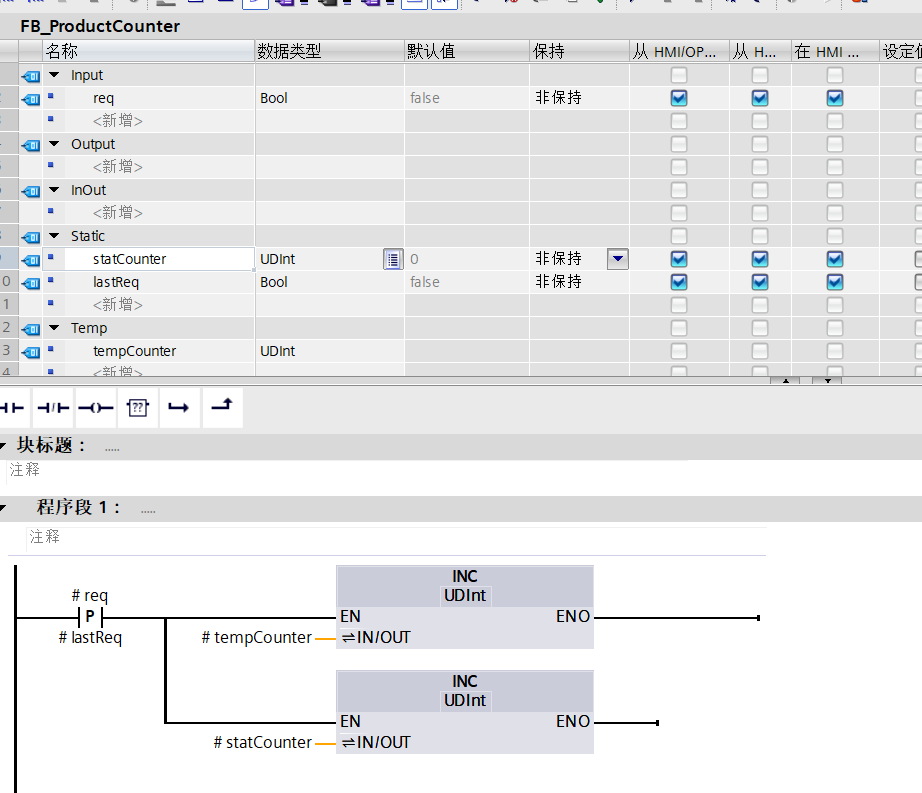
Testing this, we can see that as the request signal req changes, tempCounter remains 0, while statCounter continues to accumulate.
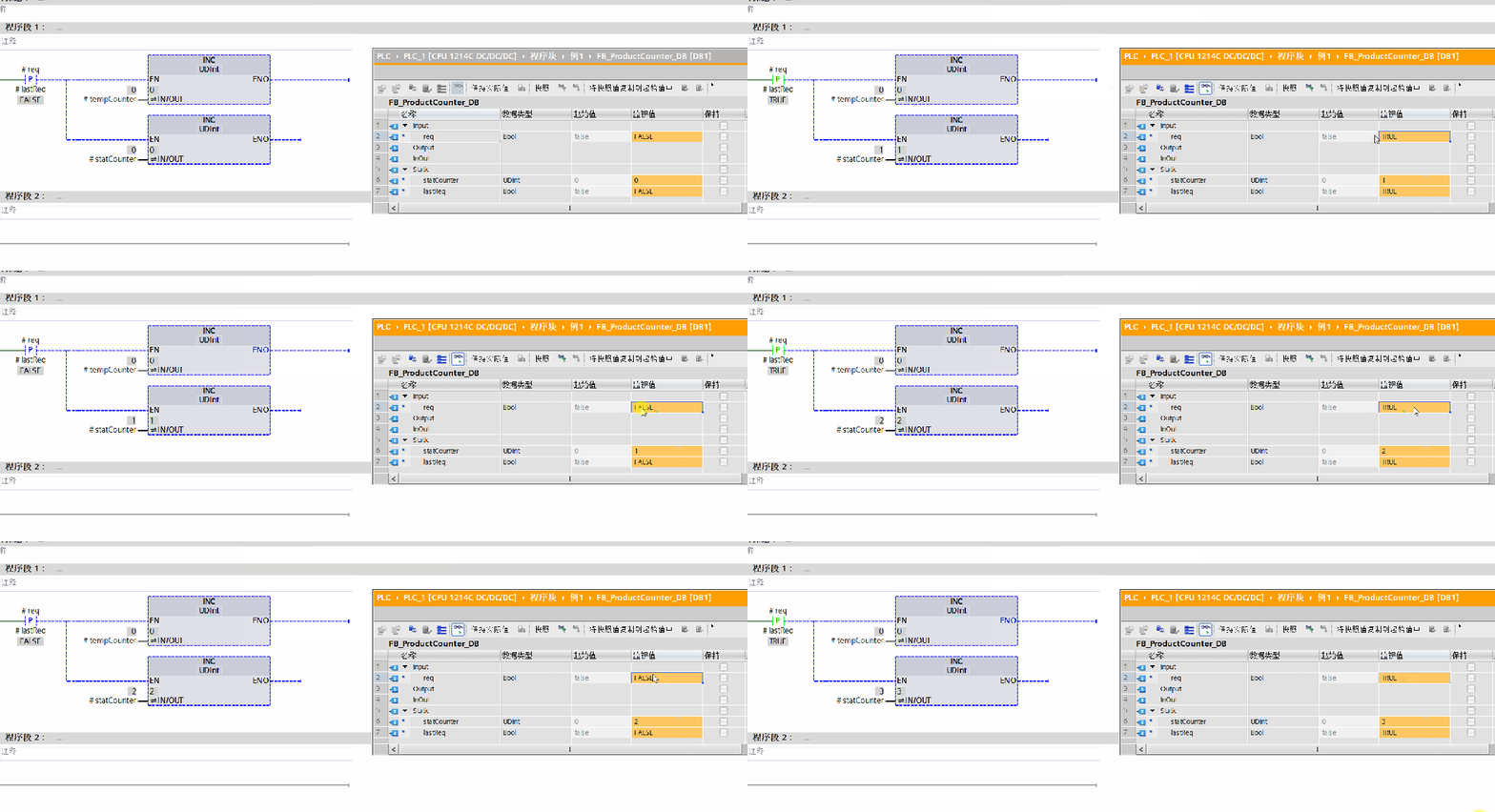
Why is this the case? Both variables are defined within the FB function block, but one is in the Static area and the other in the Temp area. Why do the results differ? In fact, tempCounter will have a value of 1 for a brief moment; we can test this.
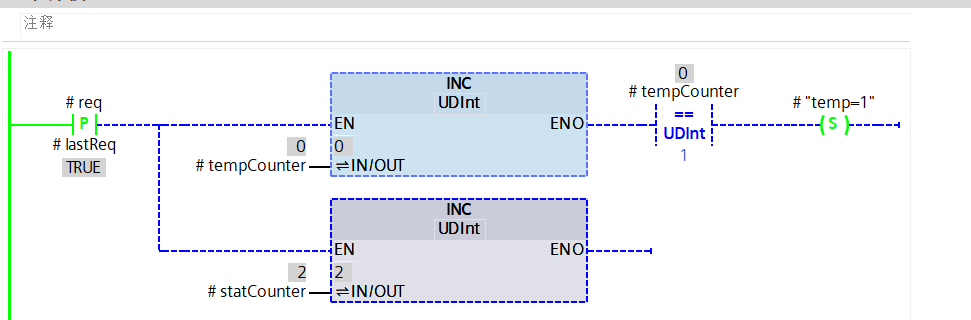
This is precisely where their differences lie. Looking at the names, Temp means temporary, which implies that the variables defined under it only exist temporarily and will only exist for a limited time. What is this limited time? It is the execution time of the current block. The Temp area variables are created when the program executes this block, and they are destroyed once the program finishes executing this block.
On the other hand, Static means static, which implies that it always exists and is not created during program execution. The variables in the Static area are created when you download the program to the PLC and remain present indefinitely.
This is why we often say that Static area variables have memory, while Temp area variables do not.
The life of Temp is a continuous cycle, like drinking the Meng Po soup, with no memories of past lives. Static, however, is immortal and eternal.
Now, let’s look at the execution process of the function block. When the program executes the defined function block in the Main OB, it allocates a region in a storage area usually called the stack, marking it for its use. In this area, the Temp area variables are created, and the function block program is executed. If this function block contains other functions or function blocks, Temp area variables will also be created in the stack area when those are executed. Once the corresponding function or function block execution ends, the area allocated in the stack for it is marked as unused.
This is why it is said that Temp area variables need to be initialized when used, because that storage area has already been used and is dirty; you do not know whether the last value left in it was 100 or 0.
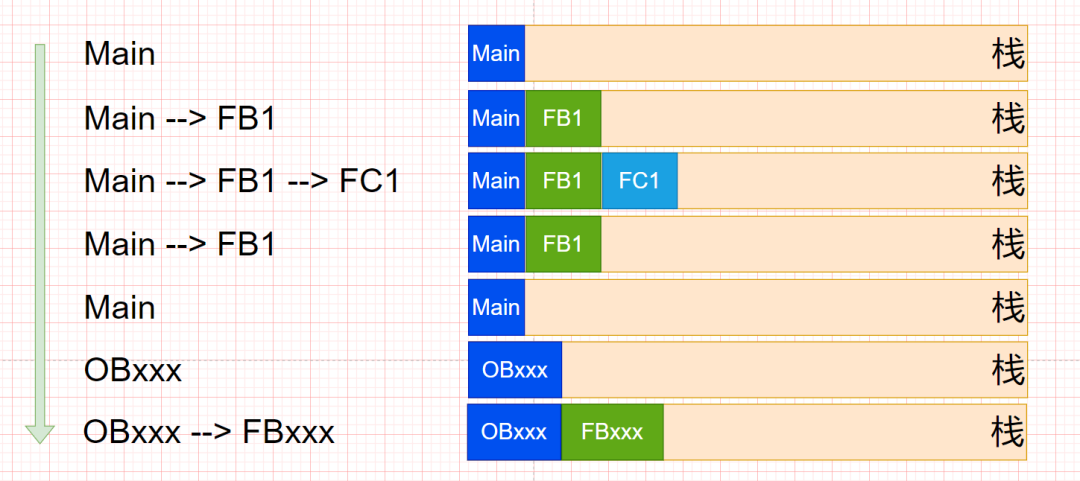
Now let’s look at a second example. Suppose we have several FBs and FCs that call each other. In the resource call structure, we can see that local data, or temporary variables, only occupy space during the execution period, while Static area data exists on the DB data block.
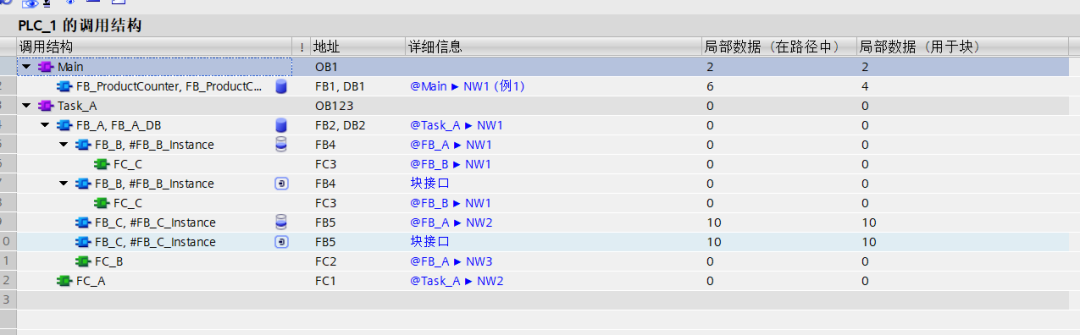
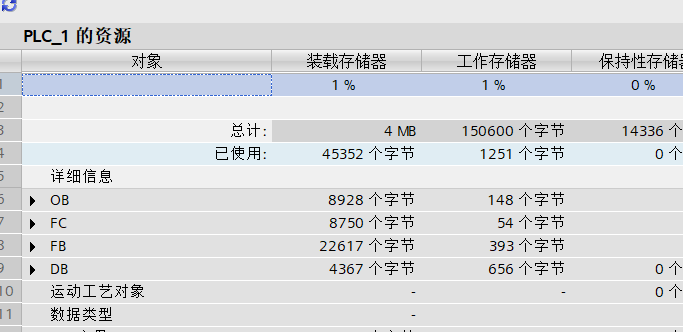
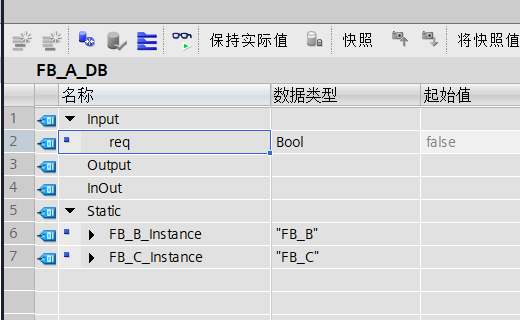
So why do we need Temp variables? Can’t I just use Static variables?
Of course, but this will lead to two problems. Let’s look at this piece of code.
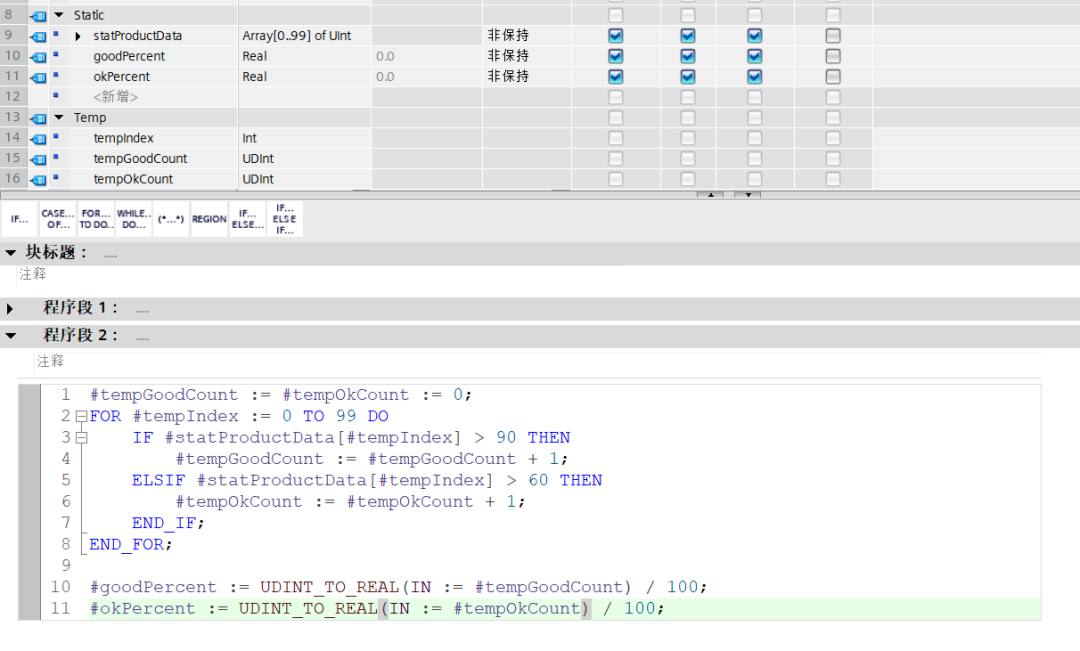
This is a simple program for counting product yield. It is just a small piece of code that uses 3 Temp variables. While it is possible to define them all as Static without affecting functionality, it will occupy space in the Static area. We know that the working space of a PLC is limited, which is the first problem: unnecessary space usage. The second problem is that when we look at this DB data block, there will be many variables used for temporary calculations, making it less concise, especially when the program size is large.
Therefore, for variables that are only used for temporary intermediate calculations, it is better to store them in Temp.
Alright, that’s it for this article. If you found it helpful, please give it a like and follow.
If you have any questions or would like to submit an article, feel free to leave a comment or send me a private message.