MATLAB, as a high-performance numerical computing and visualization software, is widely used in various fields; it integrates numerical computation, symbolic computation, data visualization, and algorithm development, and is particularly suitable for matrix operations, algorithm implementation, and data analysis. This raises a question: with such outstanding computational capabilities, how can MATLAB, which easily handles complex formulas and algorithms, be integrated into embedded system software? In embedded systems, we often face scenarios involving formula calculations; for simple arithmetic operations, embedded C or C++ can be easily accomplished; however, for complex matrix operations and multi-level formula calculations, the advantages of programming languages diminish. To address this issue, the MATLAB Coder plugin provides an excellent solution; it allows for the conversion of formulas into scripts within MATLAB, where calculations and validations can be performed, and then the functions of these scripts can be converted into C, C++, lib, and other files using the MATLAB Coder plugin. This article mainly introduces the process of converting to C language;
- Complete the script writing
First, we need to write the implementation process of the formula or algorithm into a script; this is also a strong point of MATLAB, which provides a large number of basic functions to complete the functionality; this article uses a simple function: function1.m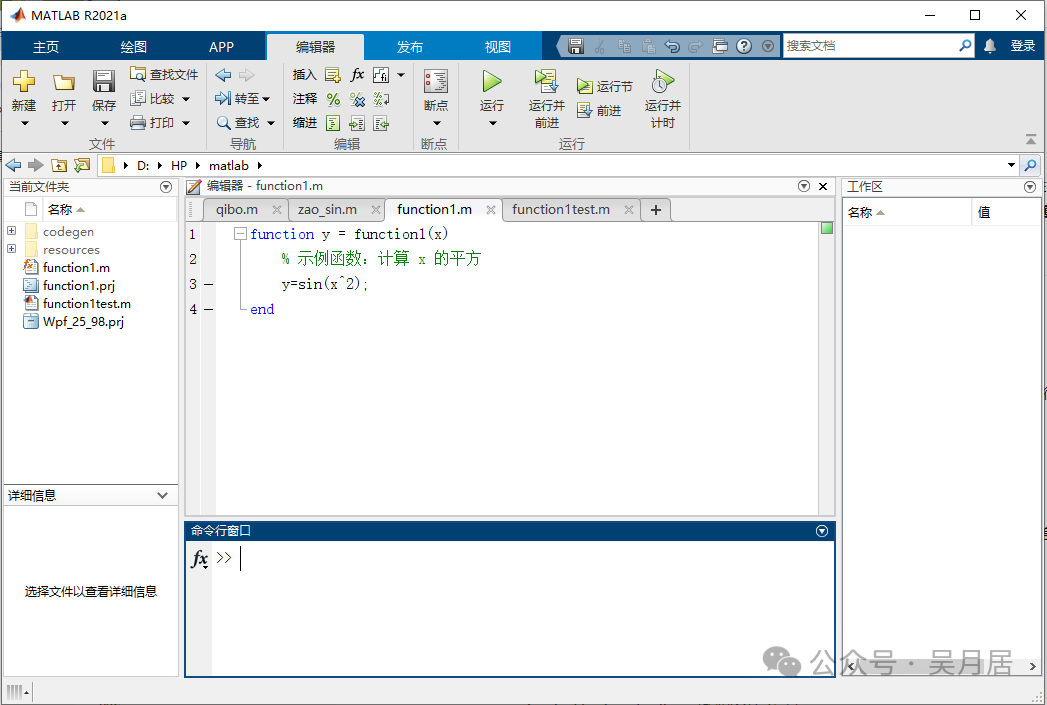 Next, create a script function1test.m to validate this function script: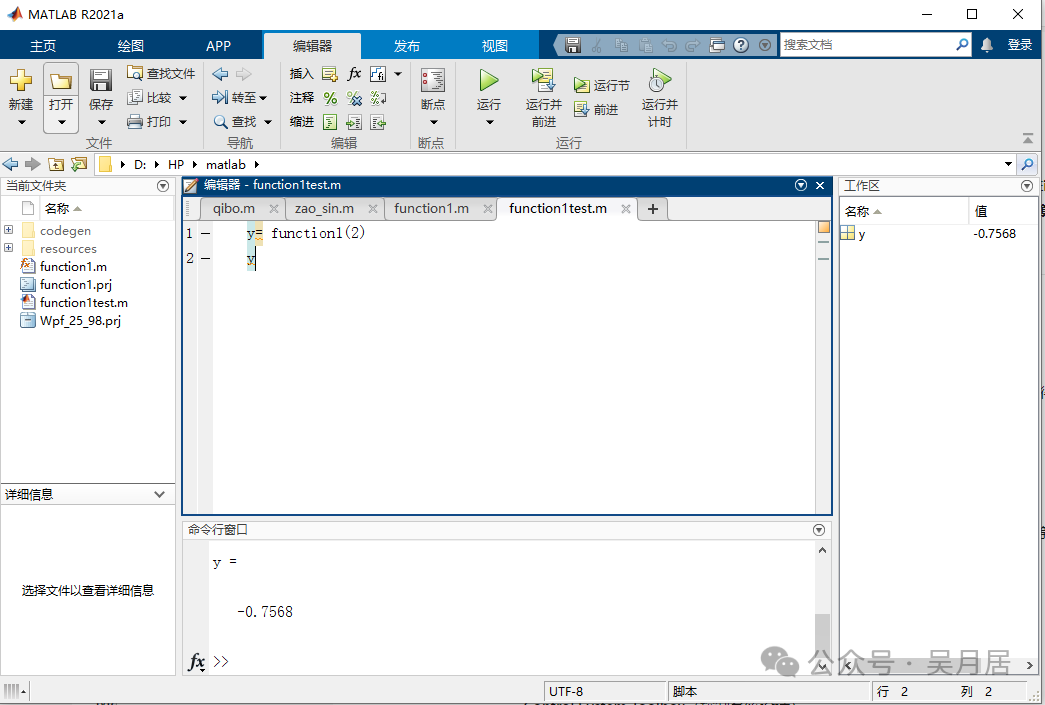
- Enable MATLAB Coder for conversion
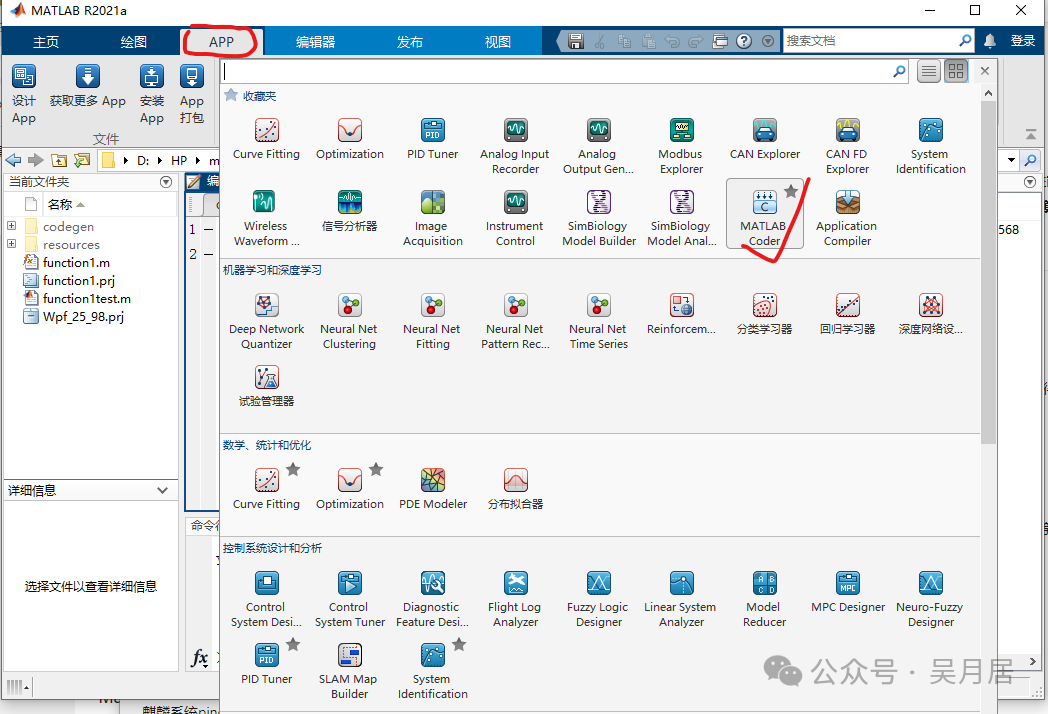 Click to open the MATLAB Coder plugin
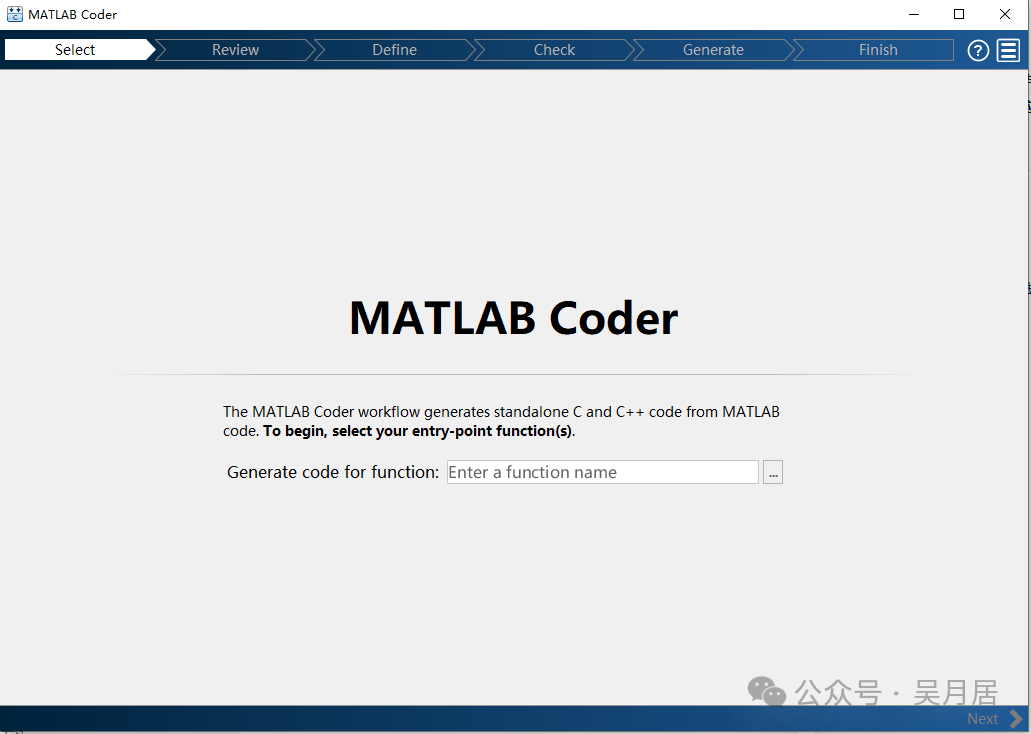 Then open the script file to be converted
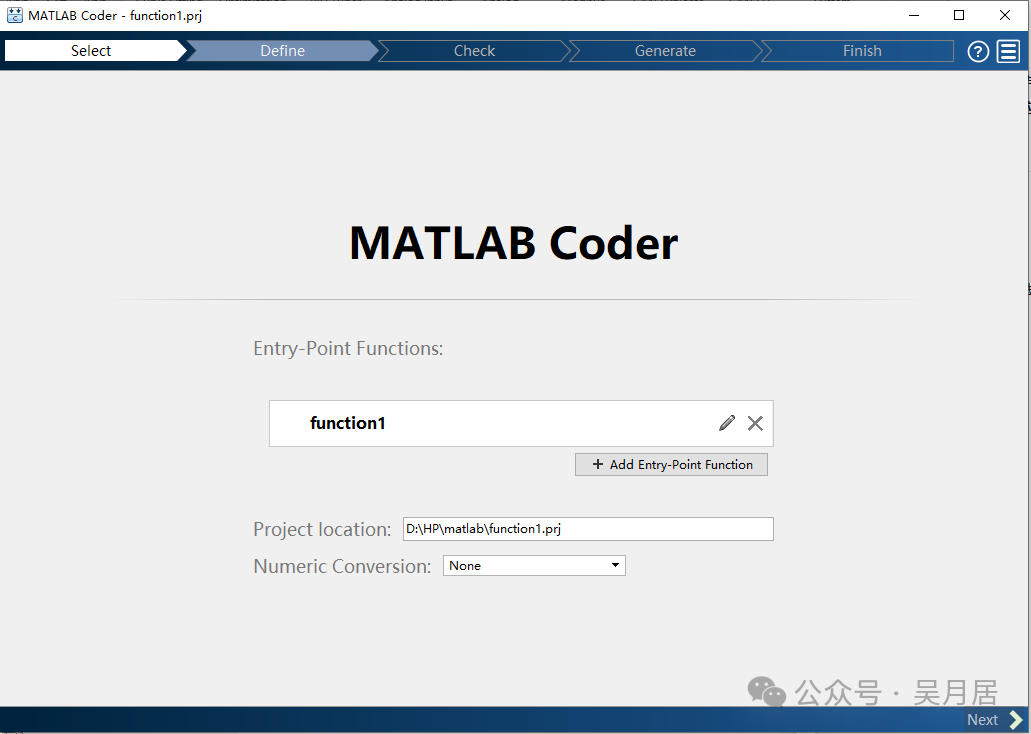 Click NEXT;
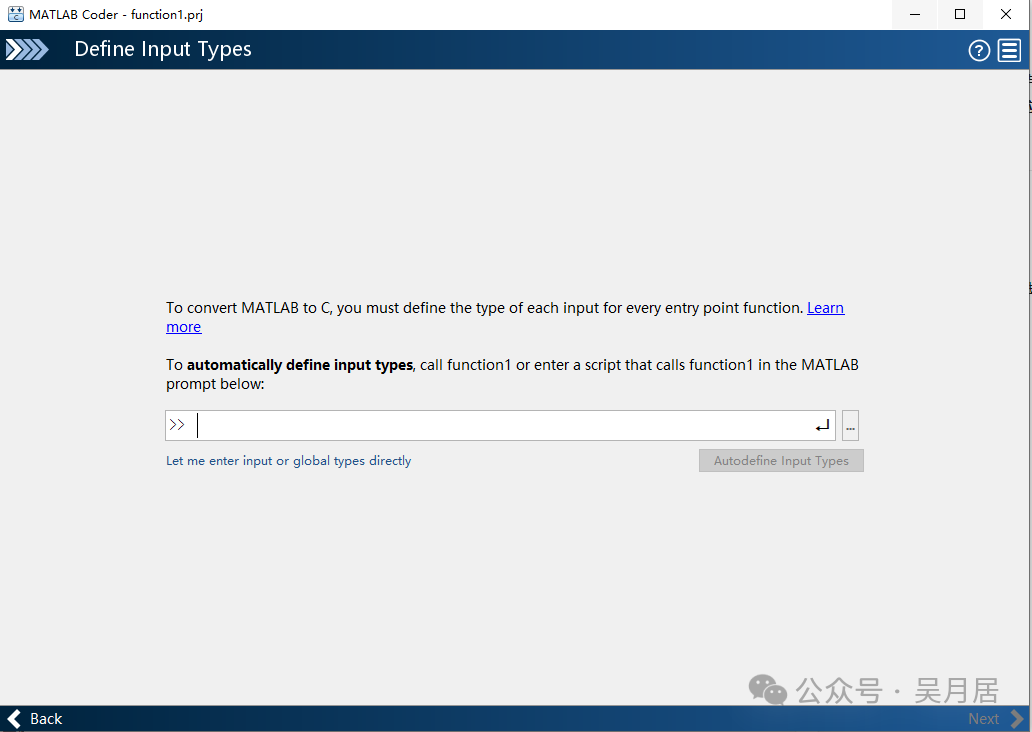 Here, you need to specify the types of input parameters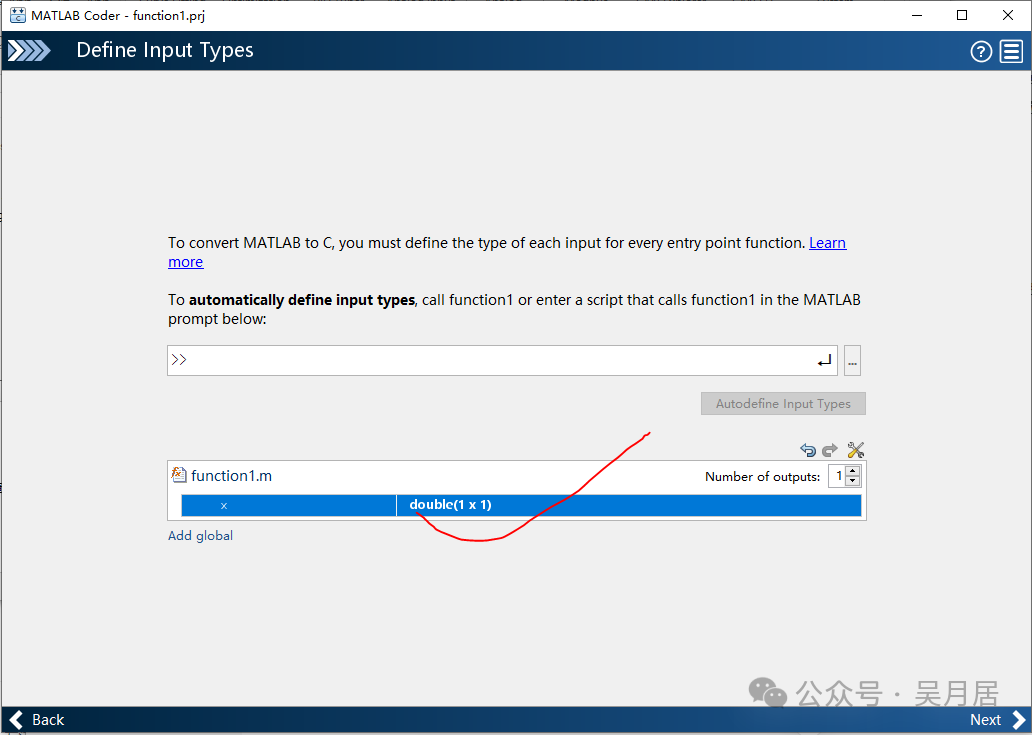
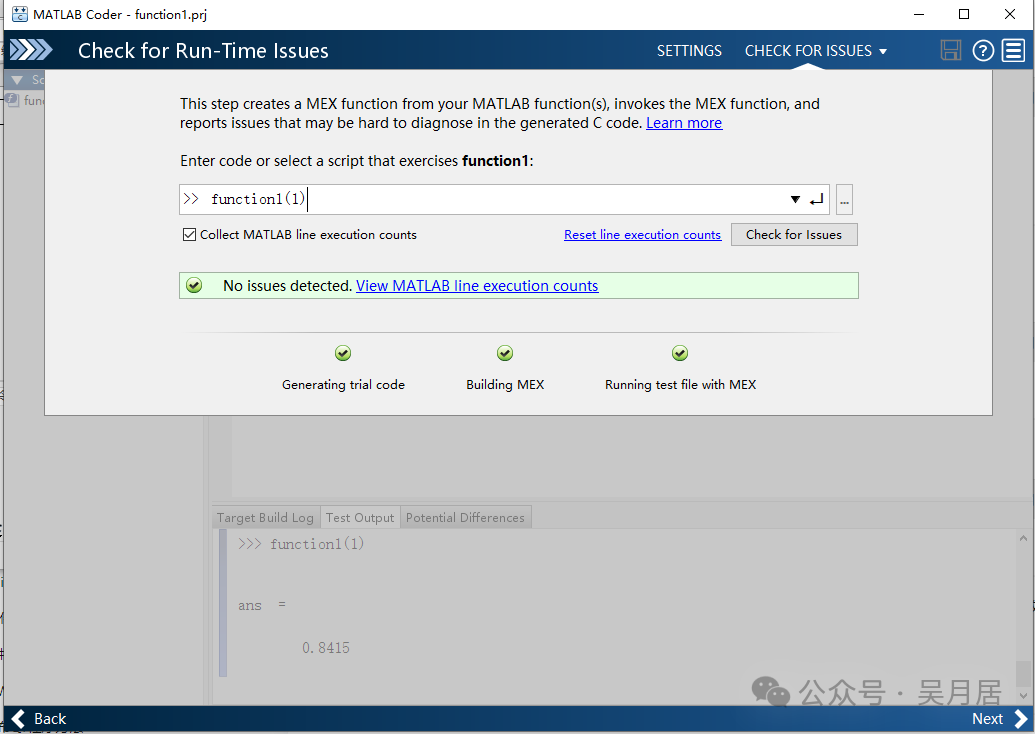 Check for Run-Time Issues is a validation test function, this part can be tested or not; if you trust your function, you can skip the test,
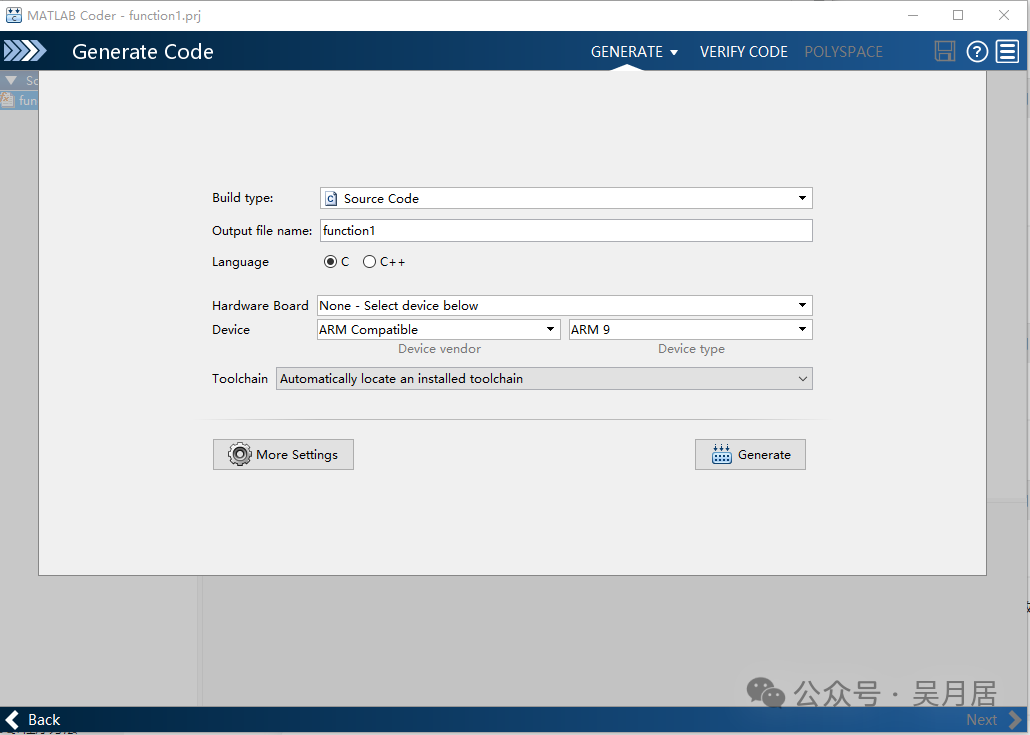 This step is quite critical;build type: there are multiple types, such as source code; lib; dll; exe, etc.Language: c, c++hardware Board: there are multiple platformsDevice: this article selects the ARM9 platformToolchain: is the compilation toolchain, this article selects the automatically matched one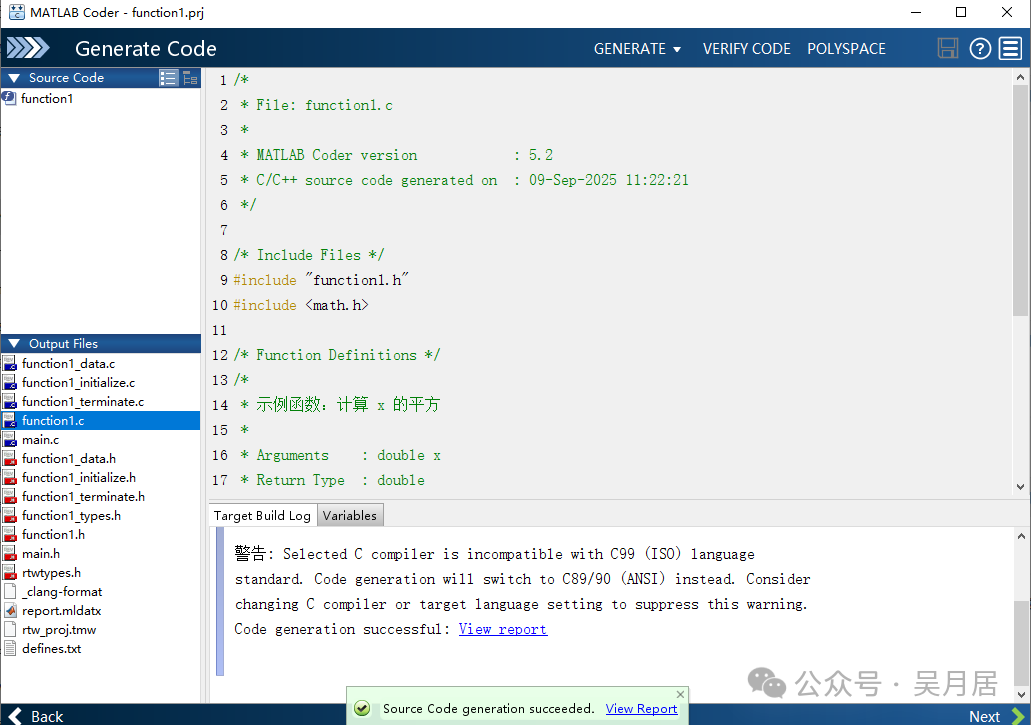
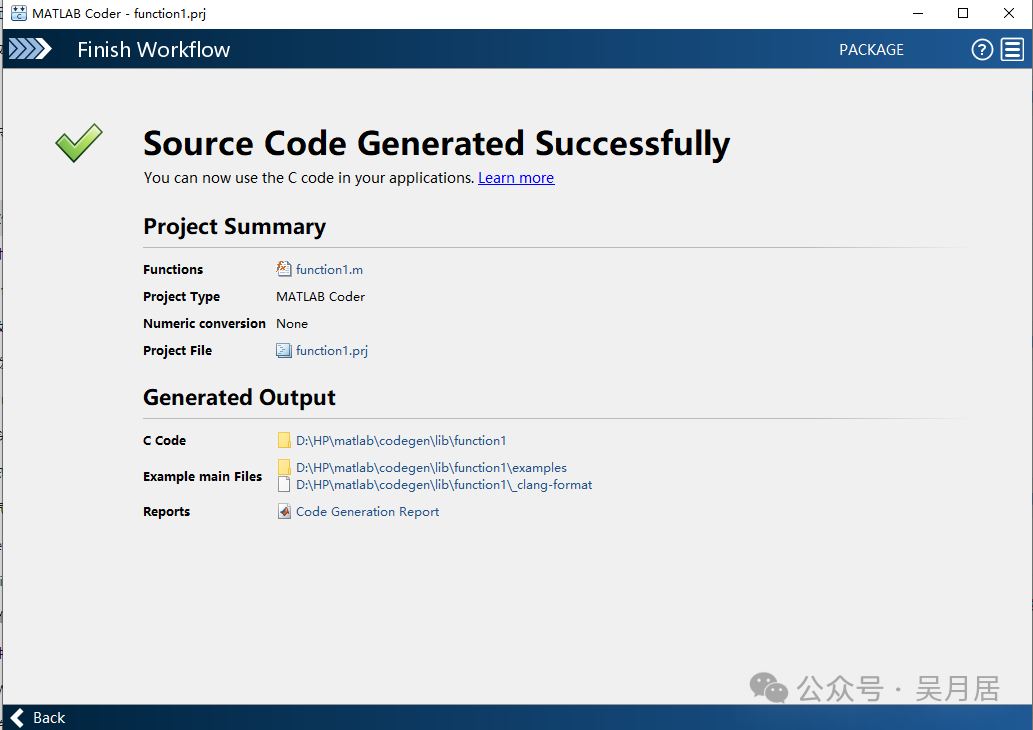
- Generate files
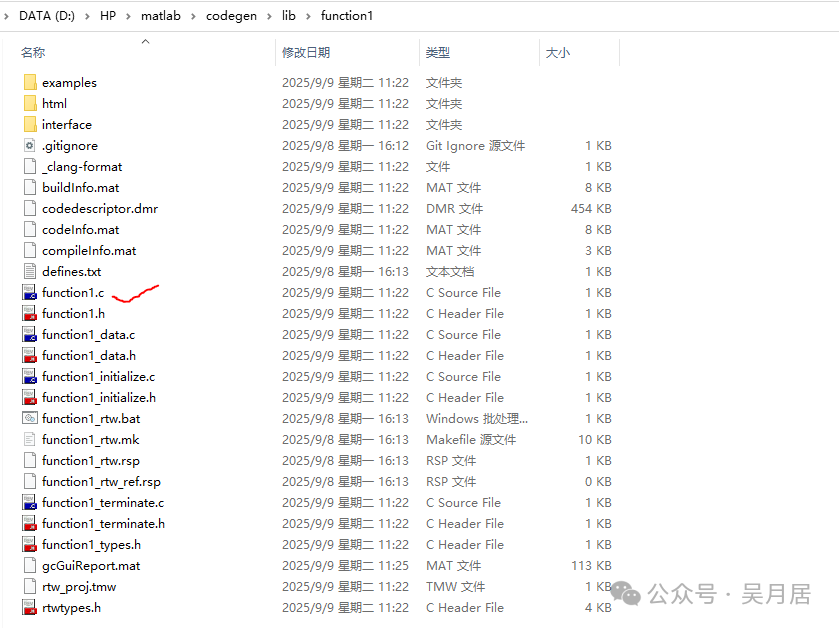
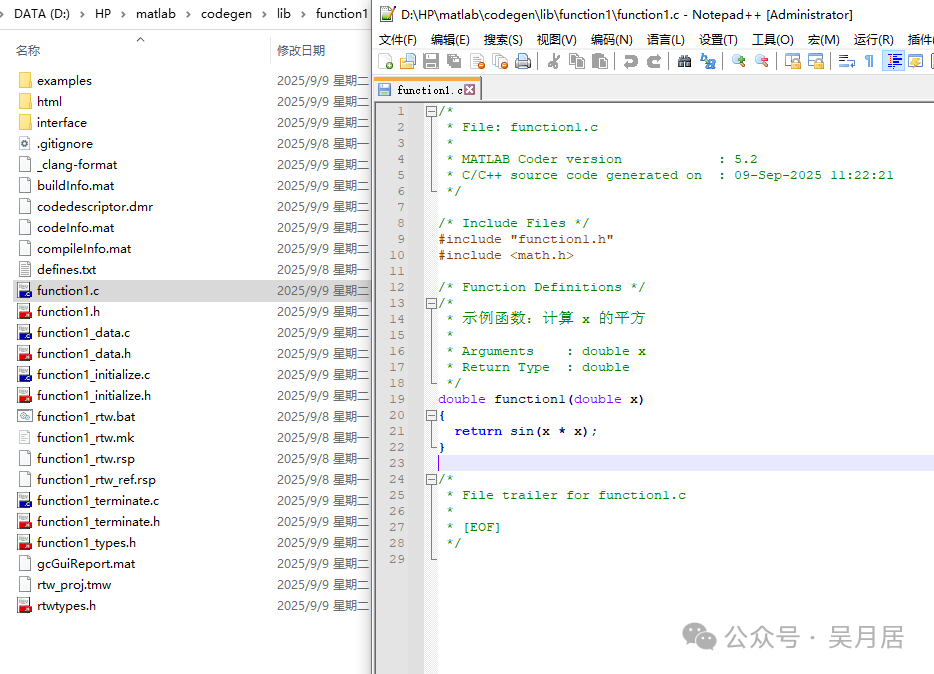 Then you can place the generated folder into the embedded software project for development use; this article only briefly introduces the overall process of conversion, and there are many details worth exploring further; feel free to reach out