The flexible SINUMERIK can realize many of your ideas. If you want to usePLCto read the current processing program segment, no problem, let’s arrange it!First, you need to find the variable. It is recommended to search in the book “SINUMERIK ONE / NC variables and PI services” (List Manual). I searched for the keyword “current block” and found it.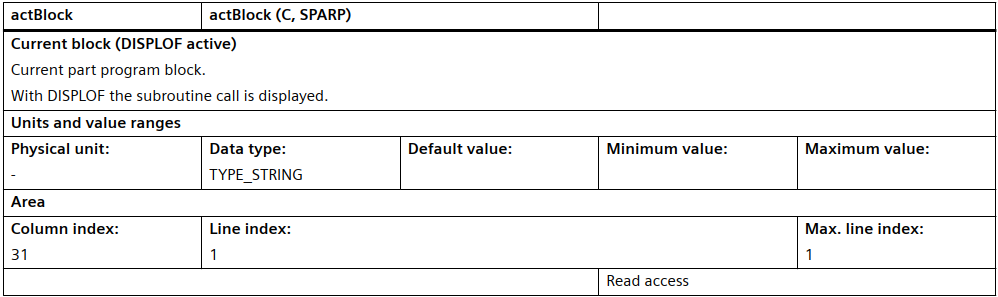 Chinese version:
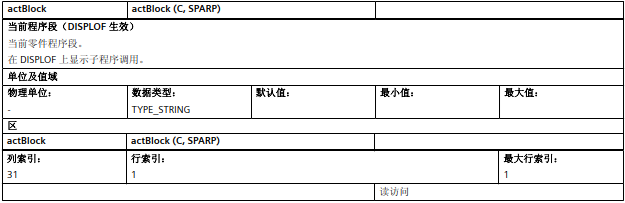 The Chinese translation is not very accurate, please refer to the English above.
The SPARP group of variables provides part program information.
Next, we open the “NC Var selector” software and check the information in the help section:
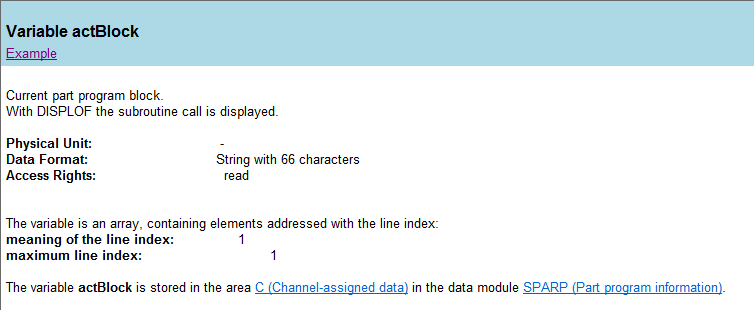
Although the content is the same as in the manual, there is an important piece of information here: “Data Format” states that it is a string of 66 characters. Is this a limitation? We can test it later.
In the “NC Var selector”, we select the variable, specify the DB block number, compile to generate the source file, and then call FB2 in the PLC to read this variable. For the specific process, please refer to “ONE PLC Programming – Using Basic Program Block FB2“
We start an NC program:
N10 g0 g500 x0 y0
N20 g1 g54 x100 F500
N30 g1 g54 Y100
N40 m02
During the execution of the program, we trigger FB2 to read the program segment and get:

Next, we will write a long program segment to see if there is a 66-character limit.
Modify the program:
N10 g0 g500 x0 y0
N20 g1 soft ffwon g54 x123.456789 y123.456789 z123.456789 c123.456789 F500
N40 m02
Read again:

Indeed, there is a 66-character limit.
As for what the “DISPLOF” command is, and how it affects the display of the current program segment, please search for it yourself in this public account and try it out on SINUTRAIN.
If you find the article useful, please help share it, thank you!