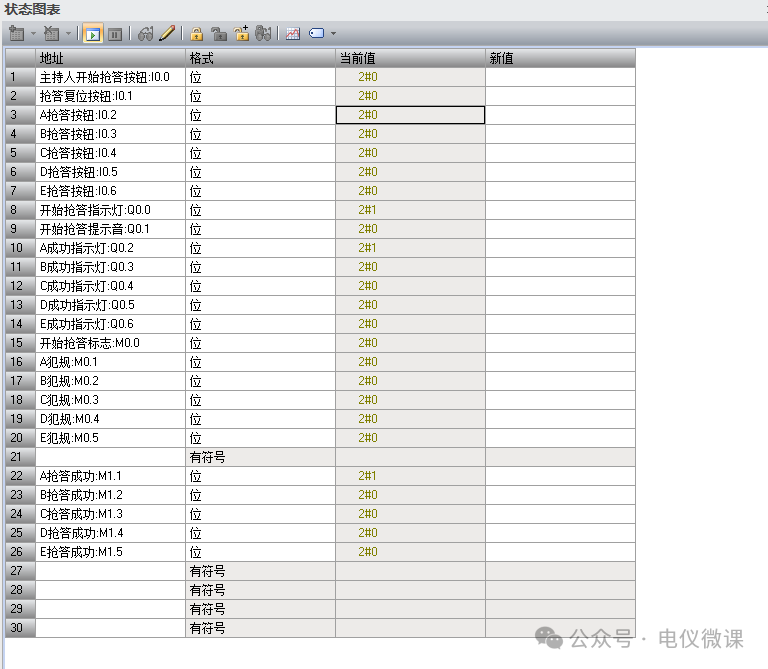
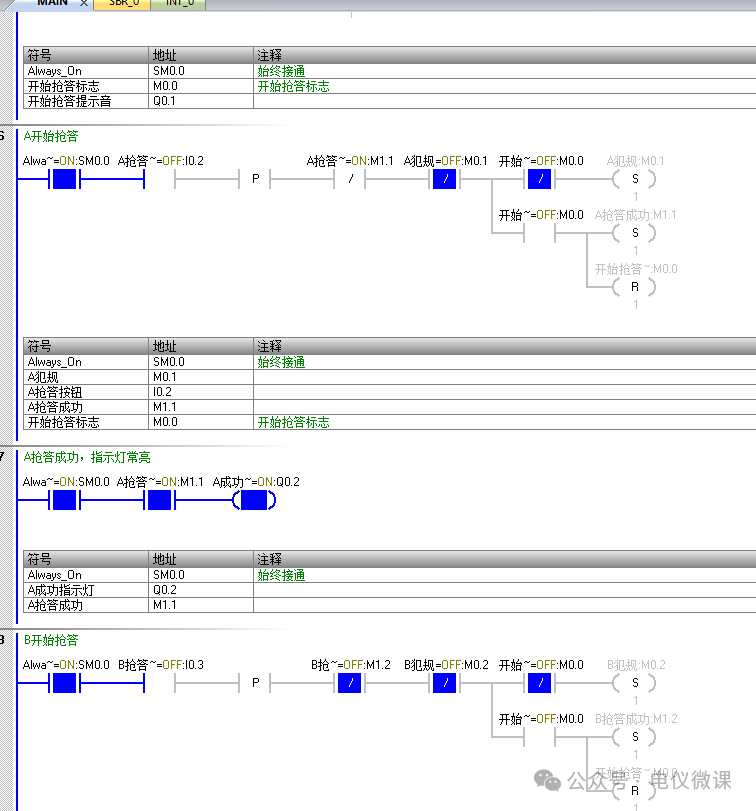
1. Design Requirements:
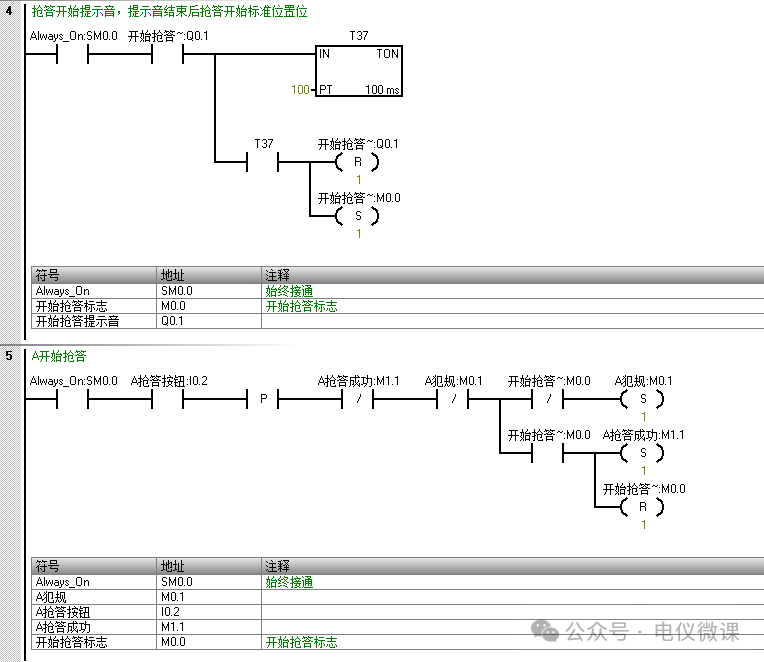
1. There are five buzzers A, B, C, D, and E. When the host presses the buzzer start button (I0.0), the buzzer indicator light (Q0.0) lights up, and the buzzer prompt sound (Q0.1) rings for 3 seconds. Only after the prompt sound ends can the buzzers be pressed.
2. Pressing the buzzer button before the prompt sound ends is considered a foul, and the buzzer qualification is canceled.
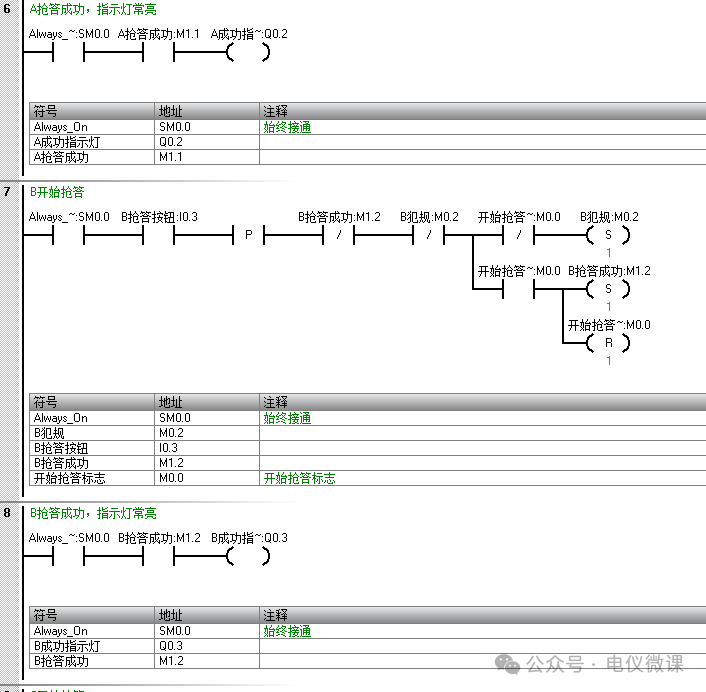
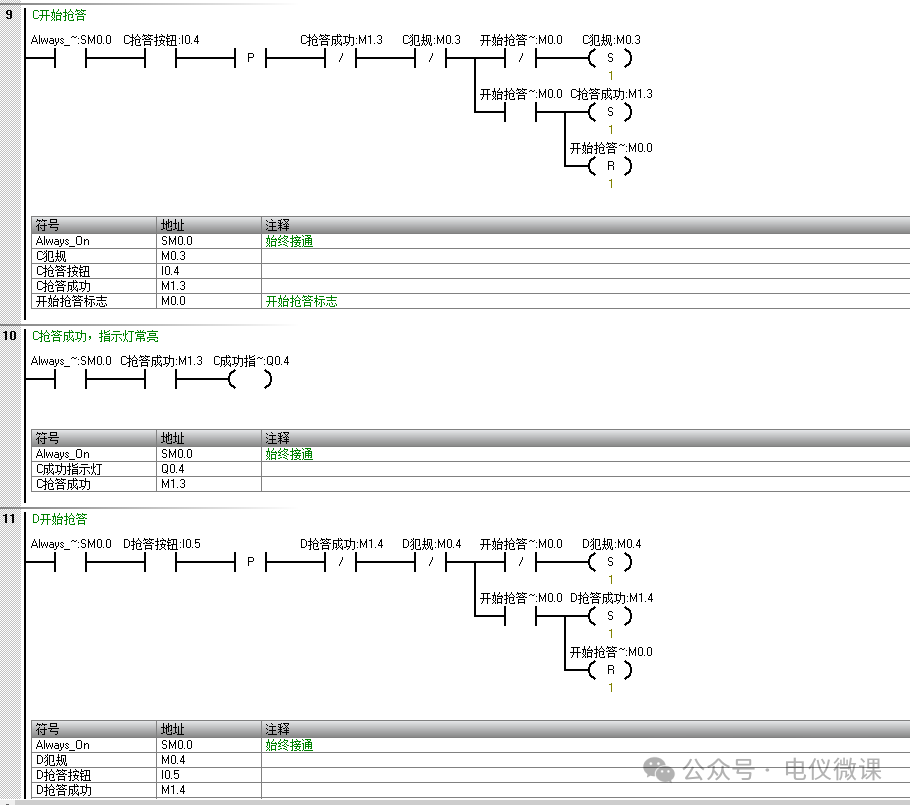
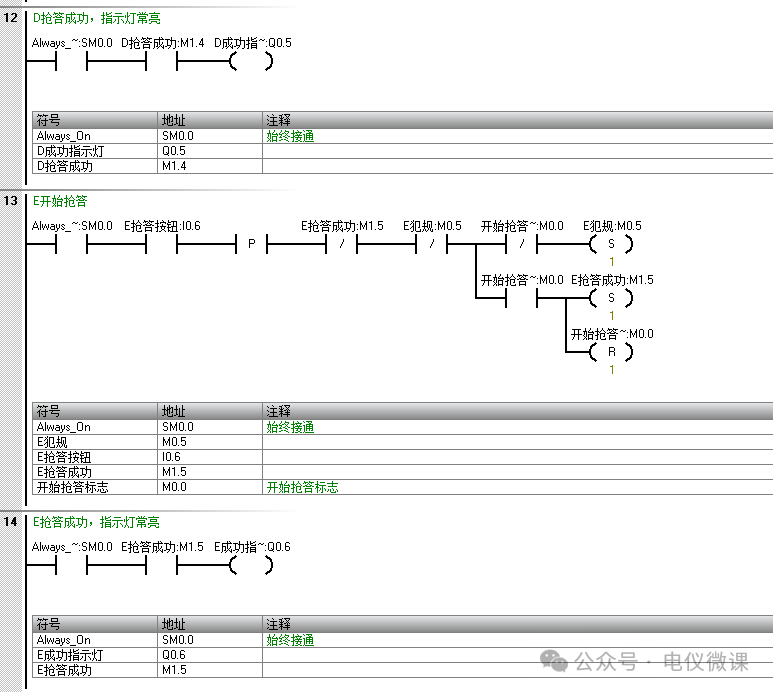
3. The first person to press the buzzer button successfully buzzes in. The other four will have their buzzers invalidated.
4. The buzzer success indicator light lights up.
5. The host presses the reset button (I0.1), and all lights will turn off.
2. IO Table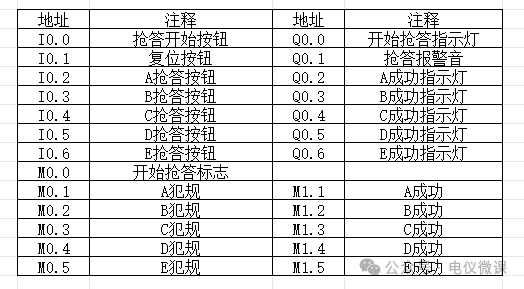 3. Program Design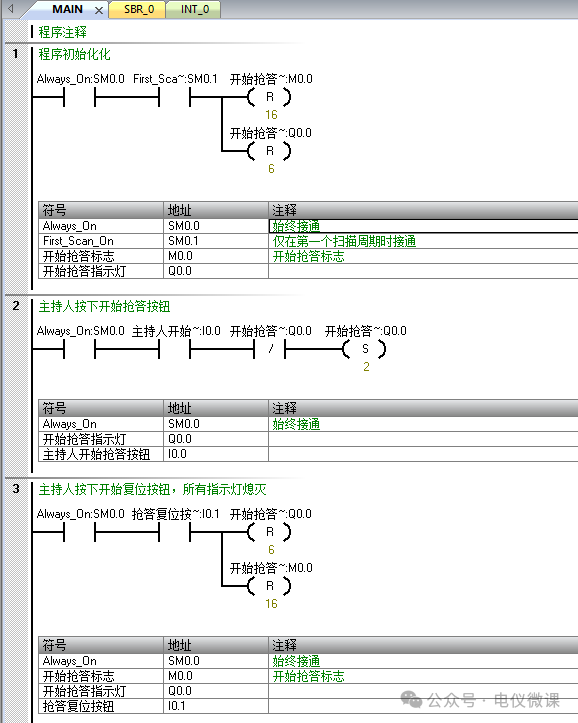
 4. Download Test