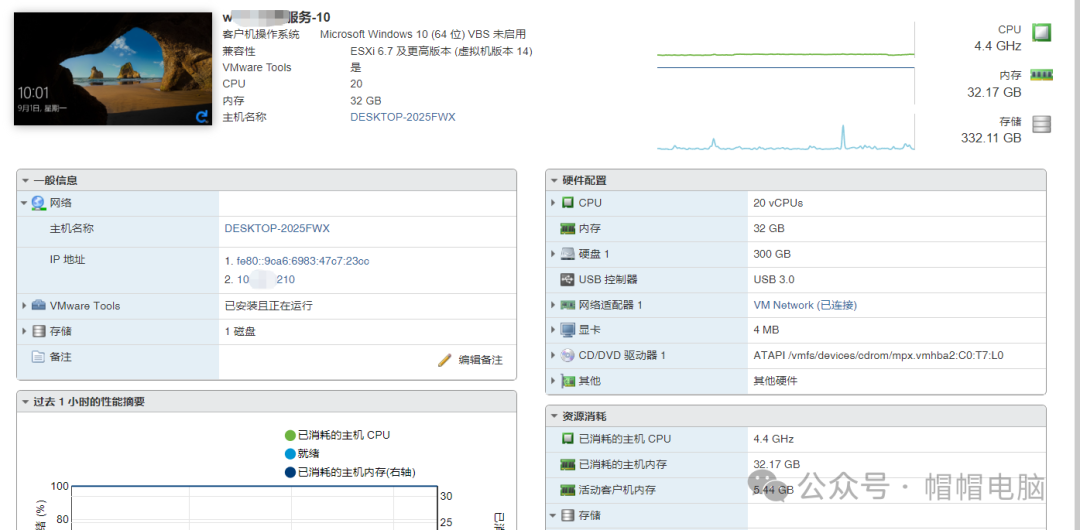
 Click the above to follow Hat Hat Computer for more computer knowledge.Every company has various servers, and you may remember that a few days ago, Hat Hat posted about an application server that was particularly slow, with extremely high resource load. However, the server’s host configuration was quite high, yet the number of users logged in was very low. This is a strange issue. After I posted about this problem last time, many friends contacted me to offer suggestions. Today, I will address this issue, as three heads are better than one!First, let’s take a look at the problem. The image below shows the system host configuration.
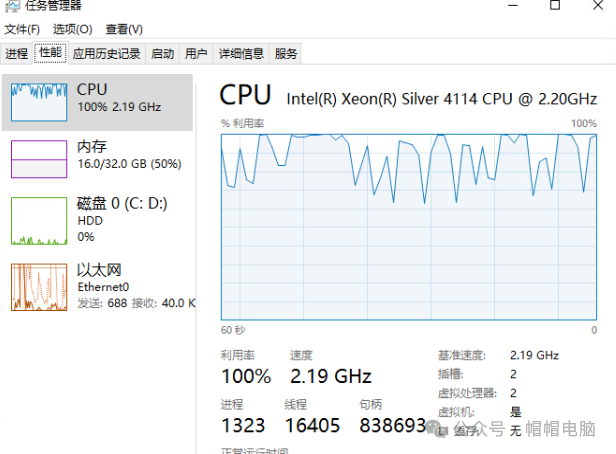
 Next is the task manager screen of the server after remote access. Those with keen eyes can spot the problem: CPU usage is at 100%, and the processor has only 2 cores.
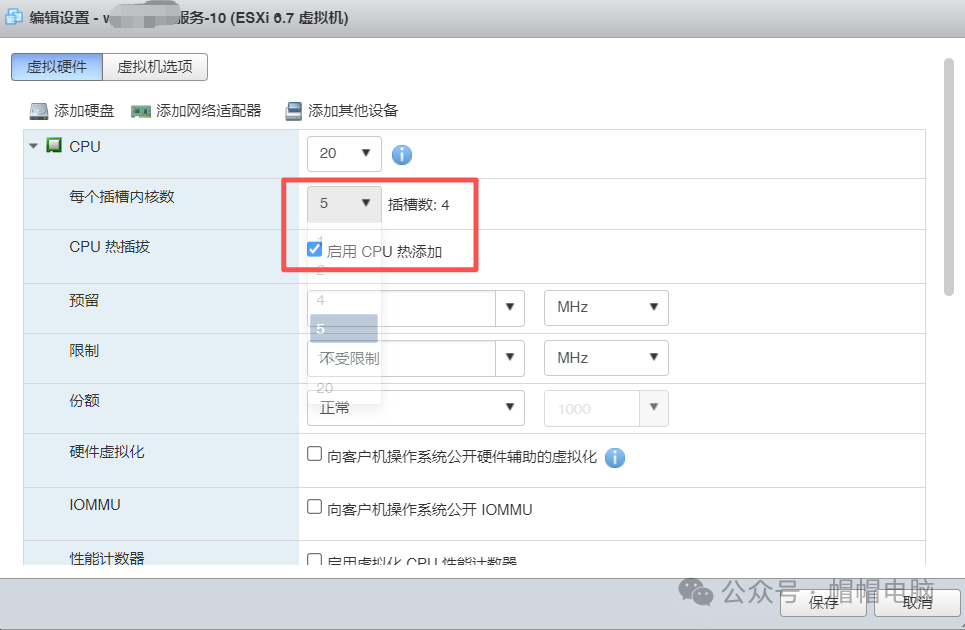
 Many fans have messaged and commented, suggesting that adjusting the host configuration settings in virtualization could improve this issue. So, let’s give it a try.First, log into the virtualization backend and shut down the virtual machine (make sure to notify others to save their work before shutting down). Click on edit above.
 In the virtual machine edit page, select CPU, change the “Number of cores per socket” to 5 (it should be a multiple of 2), and check the box for “Enable CPU hot add”. Then click save.
 Restart the system and check the performance. Enter the desktop, open the task manager window, and click on performance to see that the “sockets” and “virtual processors” have increased.
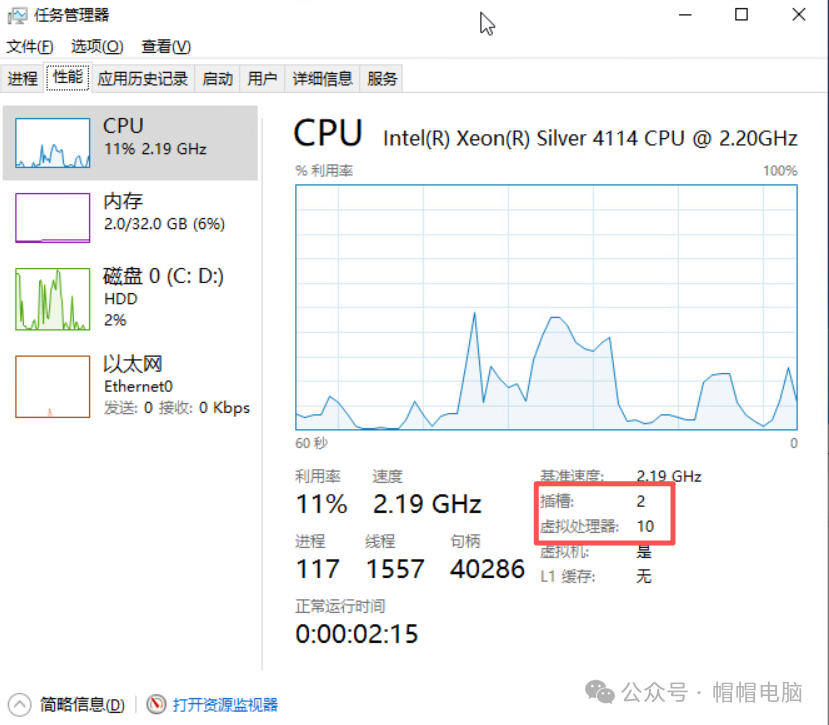 It seems that in the virtualization backend, the meaning of the number of cores per socket is how many cores there are. Changing it to “5” results in 10 cores. If you don’t understand, right-click and change to “Change Graph To” and select “Logical Processors” to see 10 boxes.
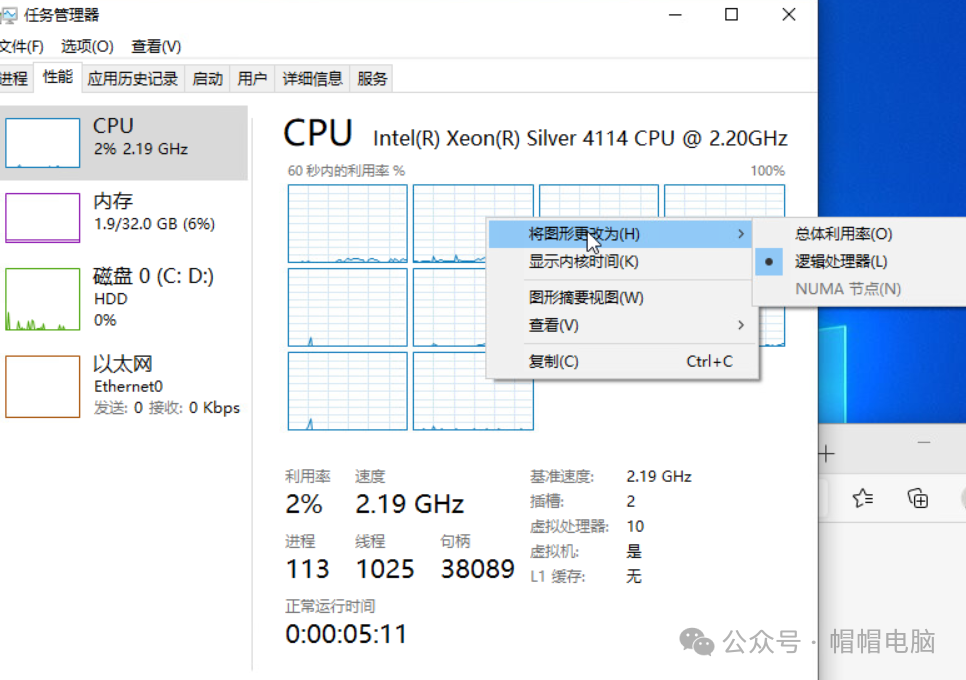 The processor and memory usage have now decreased. Many people may not understand this, but those who have used cloud servers know that insufficient memory can lead to high processor load. If the processor cannot keep up, it can also cause high memory load. Therefore, computer performance is a comprehensive factor.Here, I would like to thank our many Hat Hat fans and friends for providing ideas to solve this problem. You all are amazing!If you liked this article, you might also enjoy reading the following articles: “Encountering an unbelievable problem where the application server has allocated many cores and memory capacity but is always overloaded.” “You have never seen a fully automated installation of a shared printer on a computer, which can be easily completed by writing a script. Don’t miss this one!” “I am about to deploy Flying Cow storage for my colleagues, and the most asked question is how to access it remotely. Is this easy to solve?” “Now it’s a problem; the account with administrator privileges cannot access the remote desktop and is stuck on a blue screen with a message to please wait.”