Flash the controller firmware
1. Download the official firmware
Please select and download the controller firmware suitable for your robot from the table below.

Download link: originbot_controller_firmware_v1.0.1
2. Connect the flashing data cable
(1) Disconnect the serial communication connection between the controller and the Xuri X3 board.
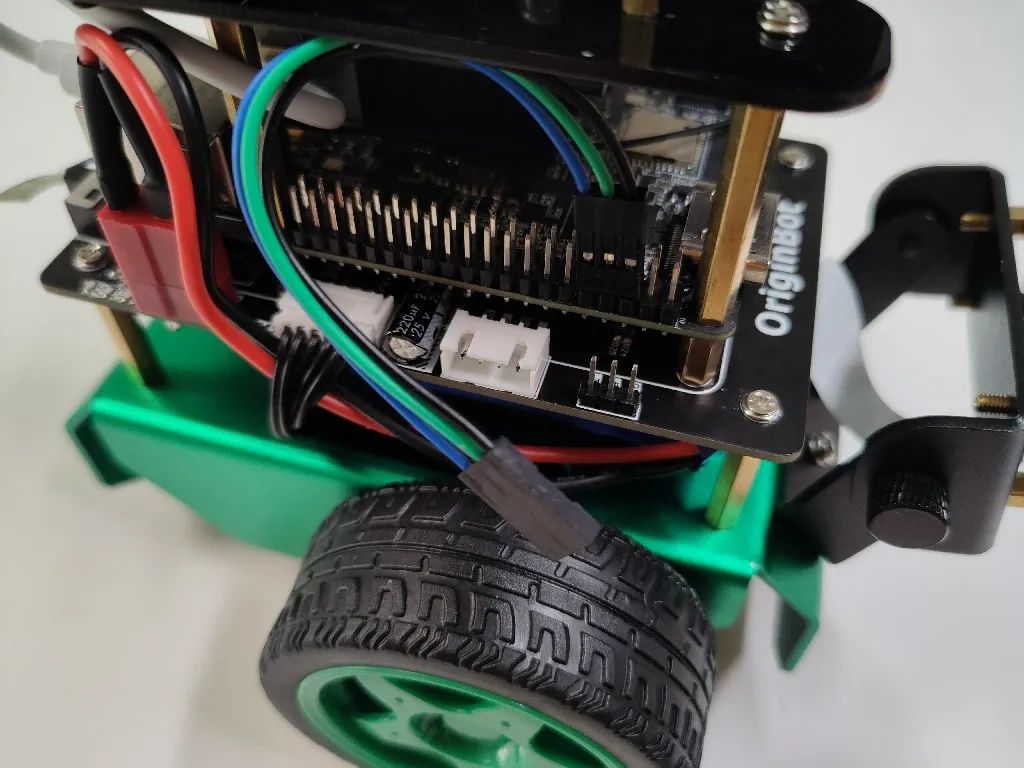
(2) During firmware flashing, power will be supplied by the Type-C cable that will be connected later. To ensure proper flashing, do not turn on the robot’s main power switch.
(3) Use the Type-C cable to connect the “Burning” port of the expansion board to the computer (you can use the Type-C cable that comes with the radar).
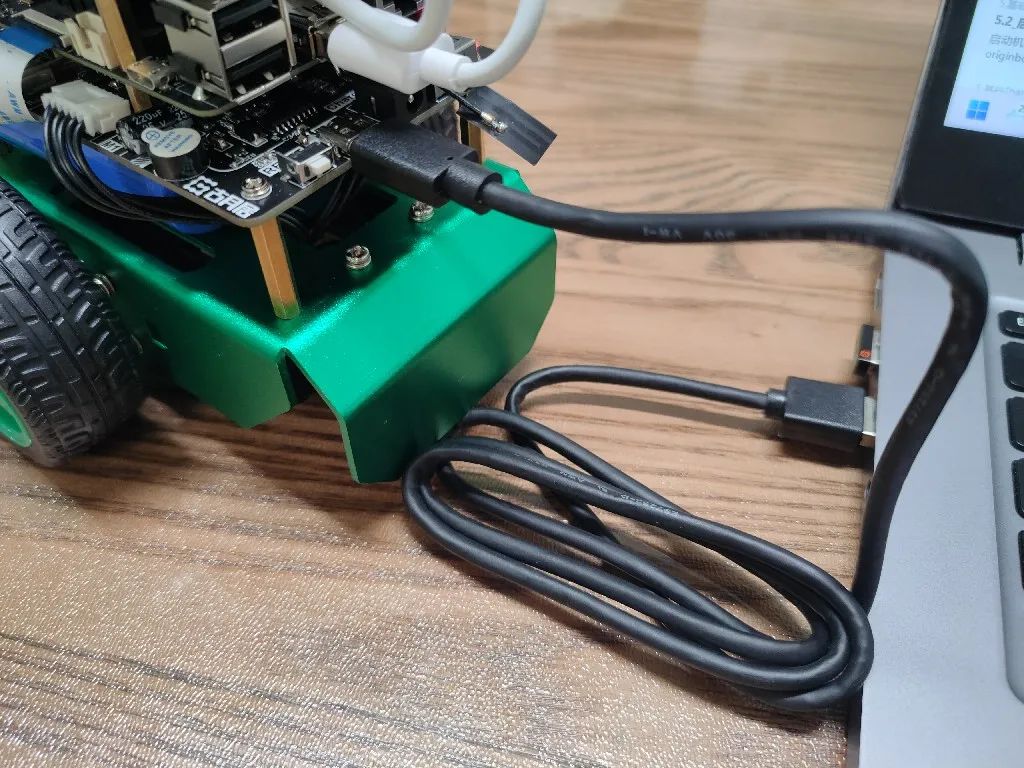
3. Download the official firmware
(1) Start the flymcu software on the computer (click here to download);
(2) Click Port and select the serial port for flashing the firmware (choose the serial port with the “CH340” number);
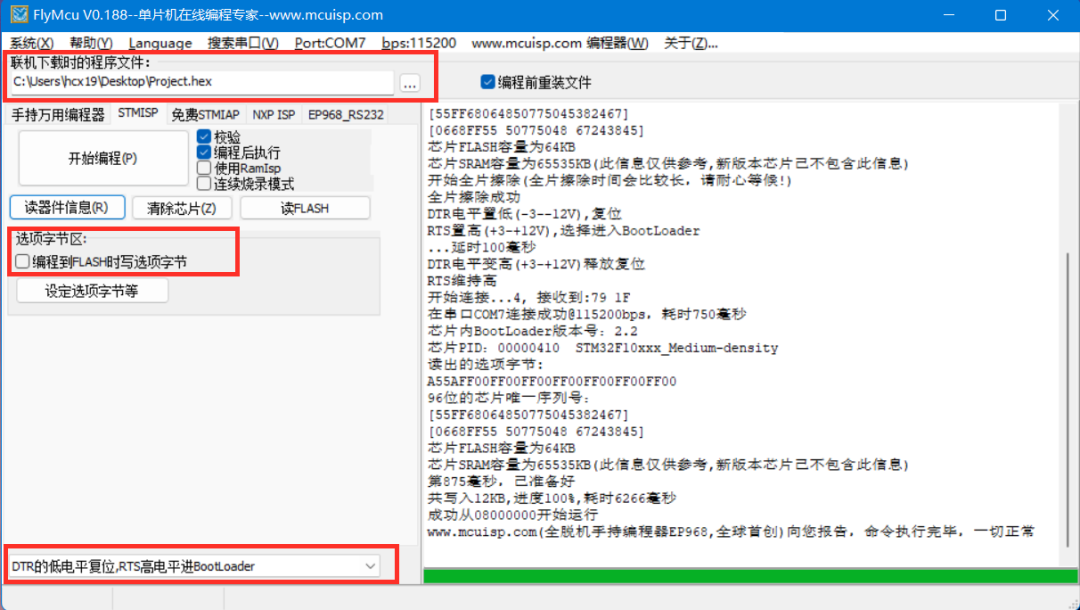
(4) Wait for the log on the right to indicate that programming is complete, and the firmware download/update is finished;
(5) After the download is complete, restore the serial communication connection between the controller and the Xuri X3 board.
Source code debugging download
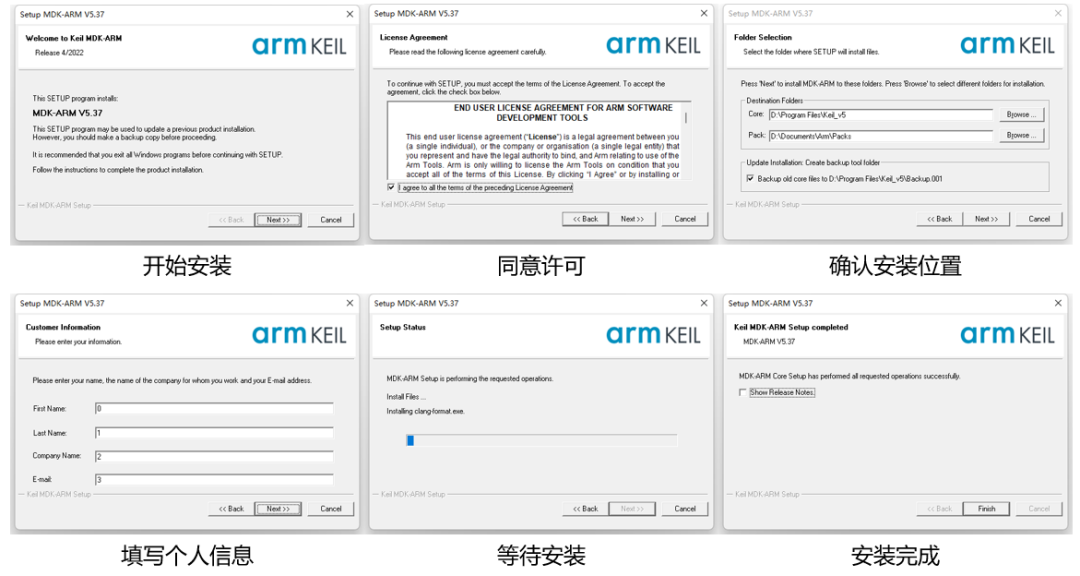
1. Install Keil software
Visit the Keil software download page and click to download the software:
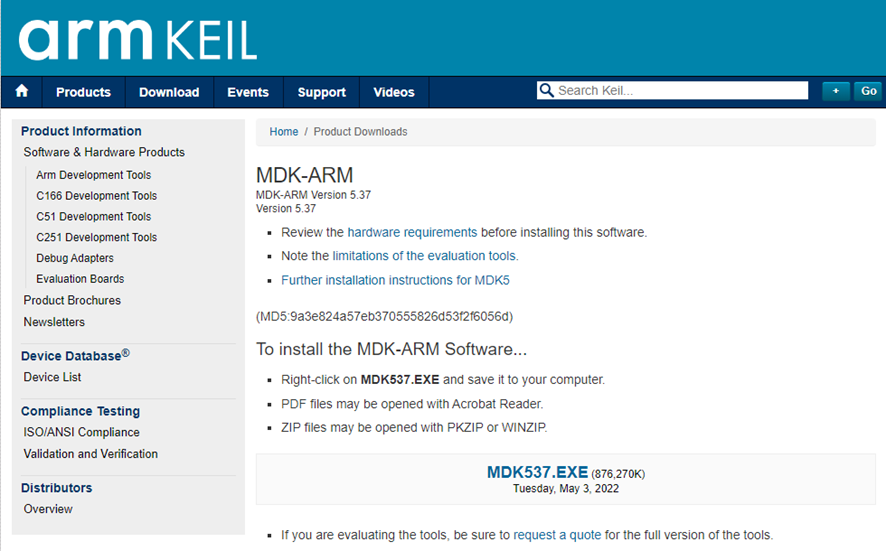
After the download is complete, you can refer to the following steps to complete the software installation:
2. Download the firmware source code
Use the following command to download the source code of the OriginBot controller firmware:
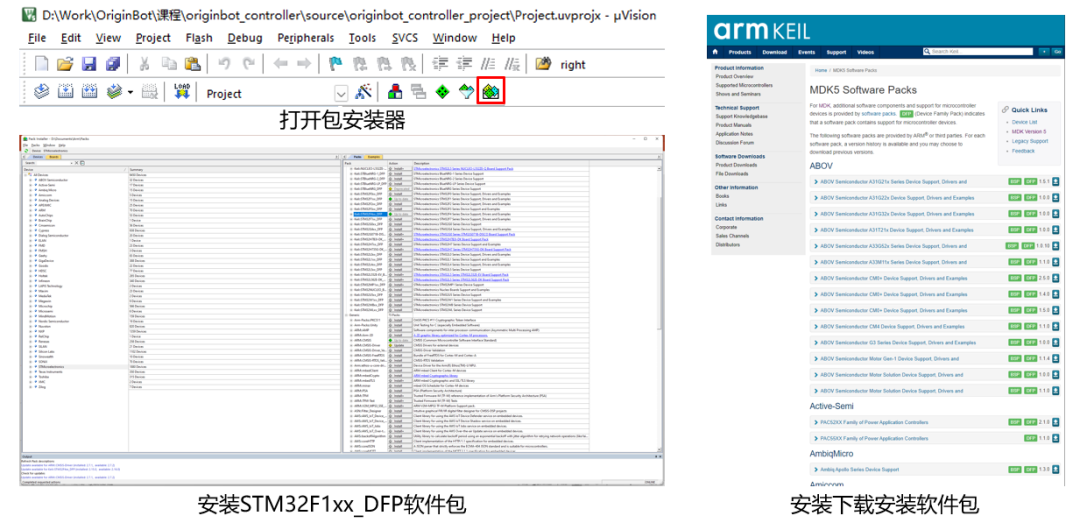
$ git clone https://gitee.com/guyuehome/originbot_controller3. Open the project and install the dependency libraries
After starting the Keil software, select to open the project, choose the project file from the previously downloaded source code, and then continue to install the necessary software packages:
4. Debugging download
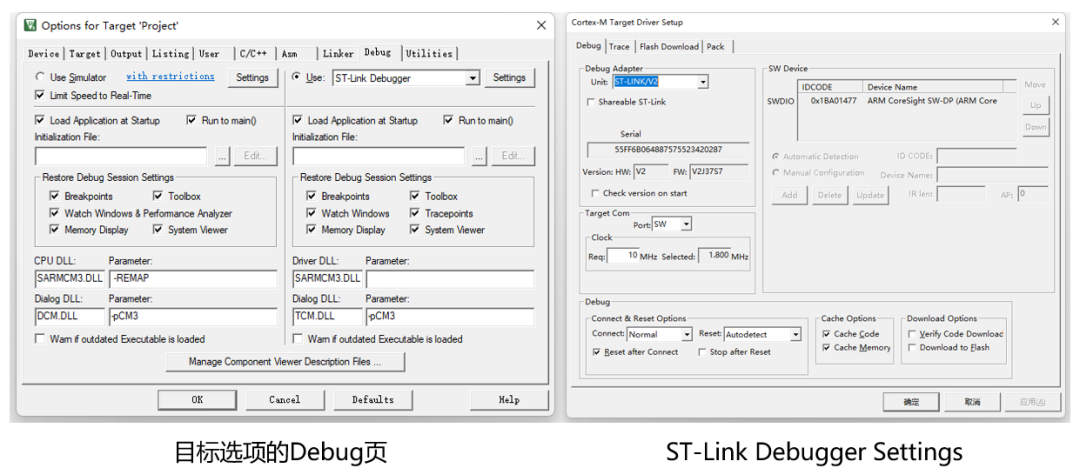
If you want to debug online using a debugger, you need to configure as follows:
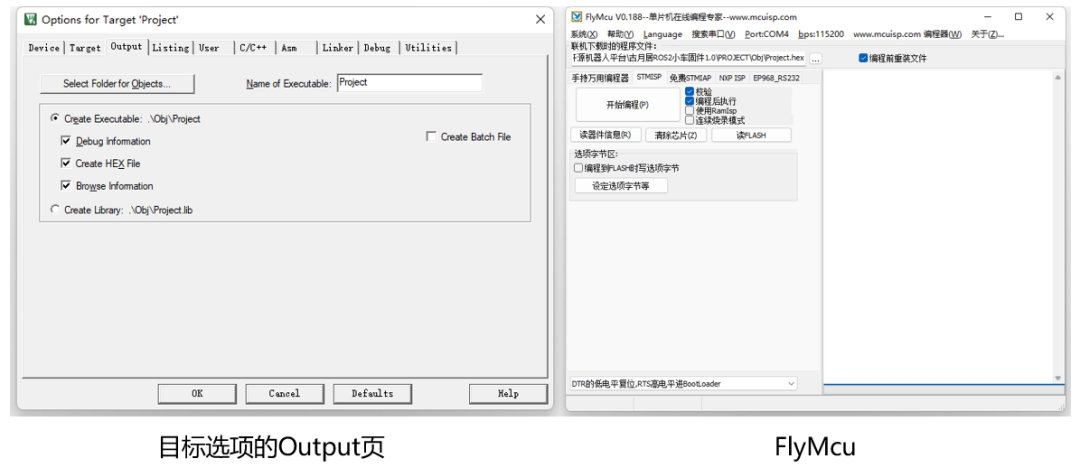
If you want to compile and generate HEX binary files and download them via USB, you need to configure as follows. After configuration, compiling will produce HEX files, which can be downloaded via FlyMCU software:


《Developing Smart Cars from Scratch • Gu Yue & Qian Mo》
Created by the core team of Gu Yue Ju, it will guide everyone to design and develop a smart car from scratch. The knowledge system spans various fields such as structure, electrical, embedded systems, ROS, artificial intelligence, etc., quickly understanding the complete path of robot design and mastering the core methods of robot development.

(Scan the QR code to view course details)