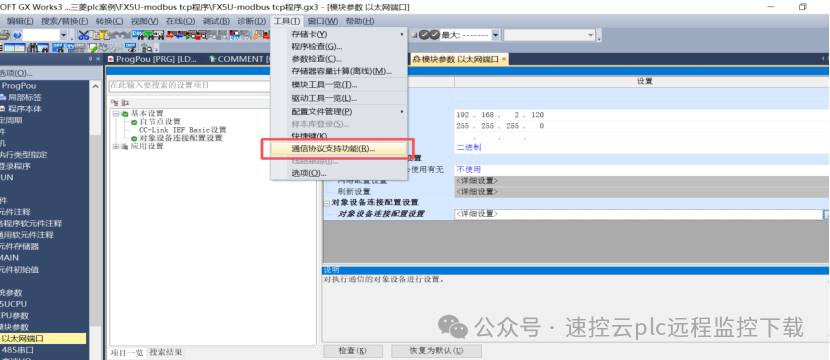
1. Mitsubishi’s PLC Modbus TCP master station function is generally implemented through programming, requiring the use of “communication protocol support function“
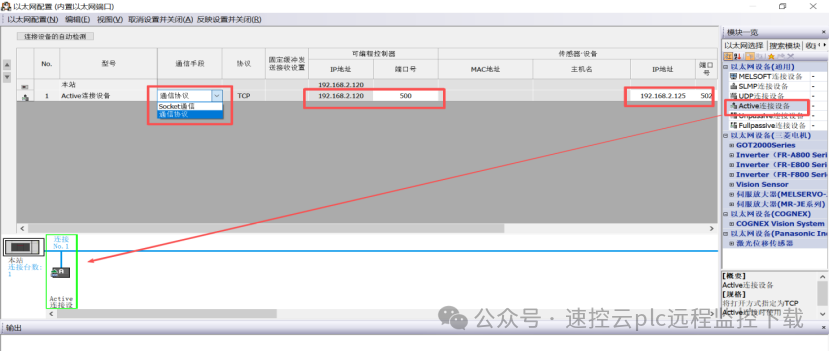
1)In the object device connection configuration settings, add “Active connection device” and select “communication protocol“. You need to fill in the local port number, the other party’s IP and the other party’s port number. Note that the local port number should not use the system default assigned ports. 【After setting, remember to click “apply settings and close” as shown in Figure 1.
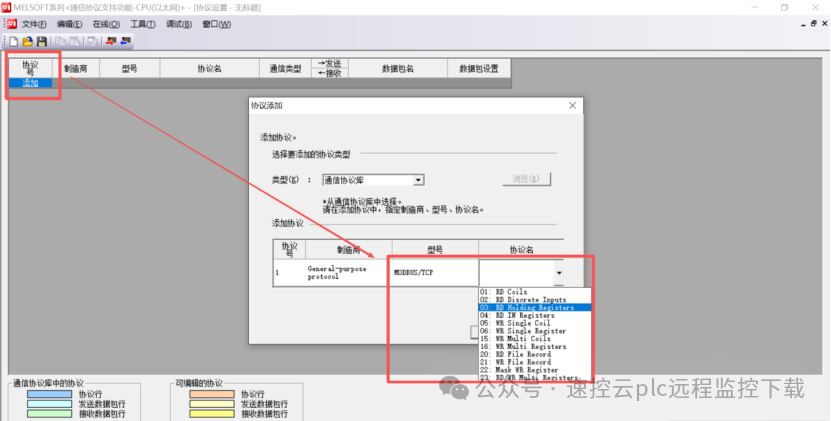
2)Open “communication protocol support function” and select CPU (Ethernet), create a new one, add the protocol, select Modbus TCP, and select the function code. As shown in Figures 2 and 3.
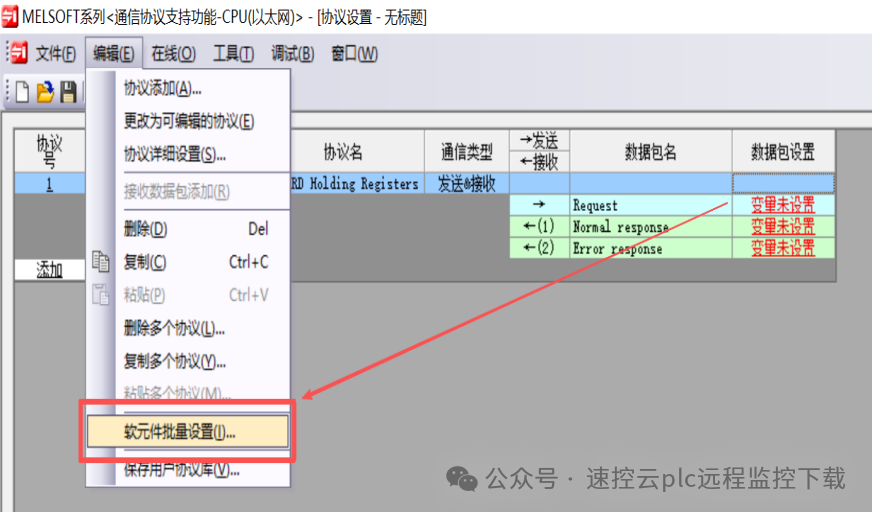
3)The red text “variable not set” means: there is no corresponding soft element assigned to this connection protocol for writing parameters and data storage. You can right-click on “soft element batch settings” to occupy part of the actual soft elements for communication protocol use. As shown in Figure 4.
4)After allocation, you can click to view the definition of each allocated soft element. Now, using 03 function code D1000 as the starting address, explain the main registers used, and some registers for storing error information can be opened to viewvariable settings. As shown in Figure 5.
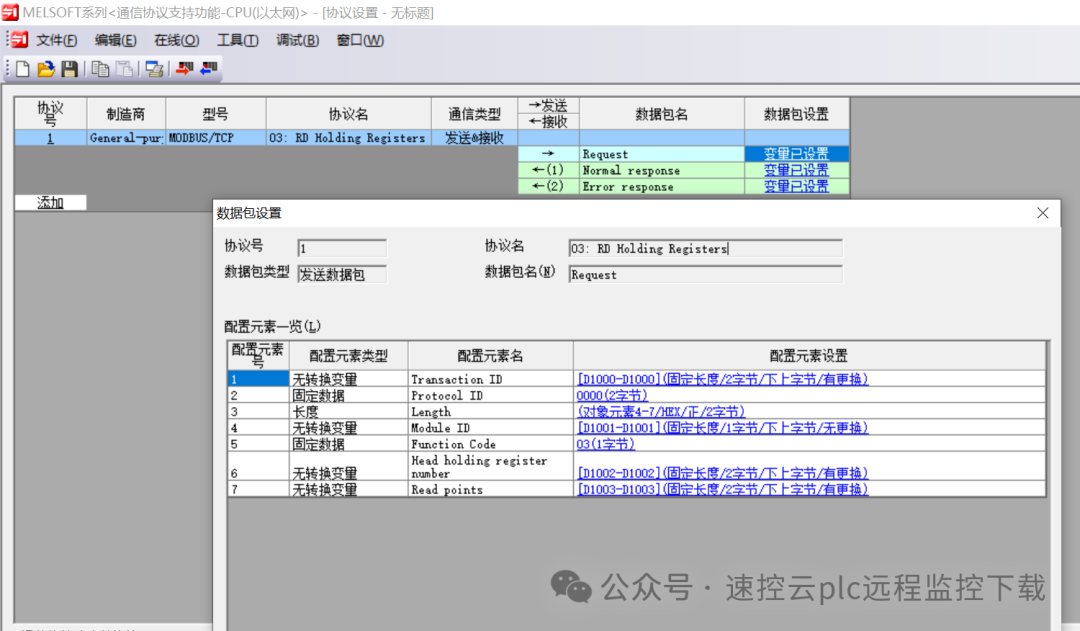
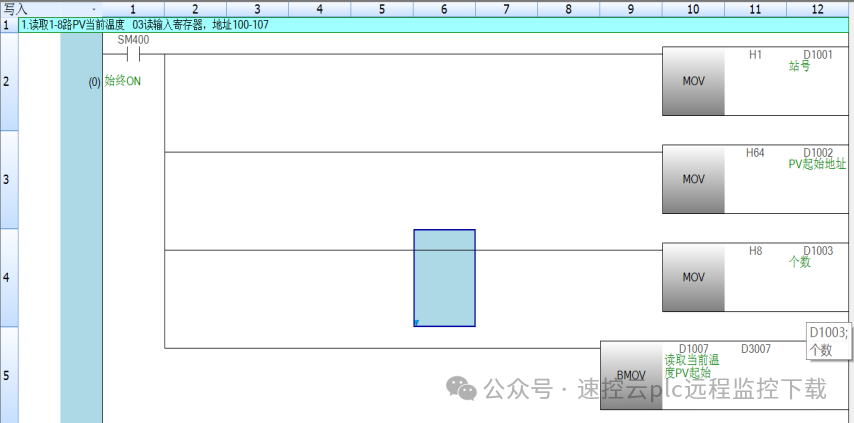
D1000: handshake ID, if it is the main unit’s Ethernet port, the handshake ID is 0, and the module is not 0D1001: slave station number
D1002:03 function code corresponds to the starting Modbus address of the register being read
D1003: number of points read( number of registers)
D1006~D1131: store the data read( note!, D1006 saves the number of data( data length), D1007 starts with the data content)
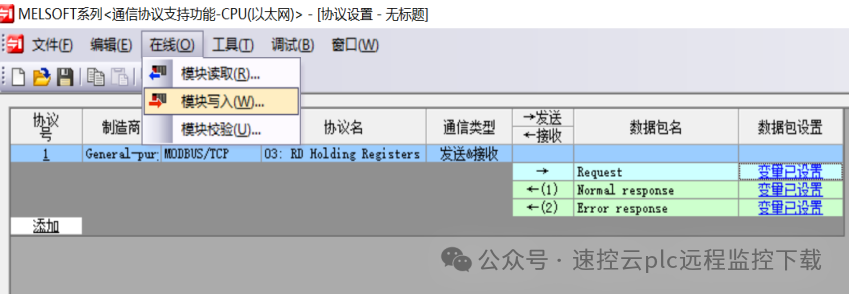
5)After editing, write this part of the content to the PLC through online writing to the module (this part of the communication protocol editing is saved as a separate file, independent of the Works3 file, so remember to save before closing this window), as shown in Figure 6.
6)Establish a connection in the program and call the communication protocol,
①Establish a connection using SP.SOCOPEN instruction, and use SP.SOCCLOSE instruction to close the connection
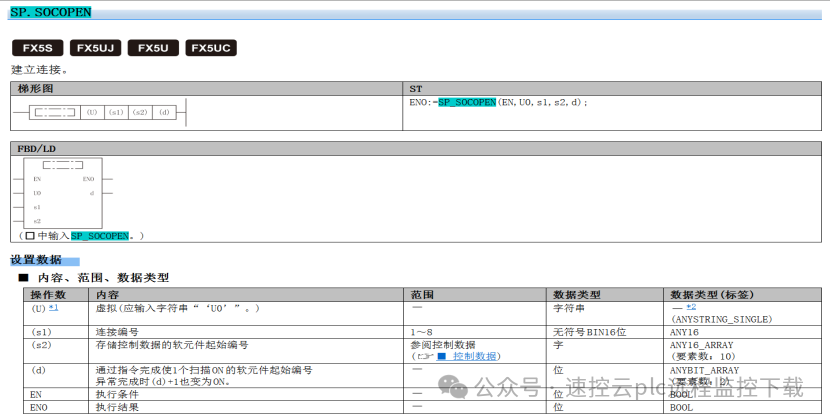
SP.SOCOPEN‘s first operand has no actual meaning, just fill in “U0” as instructed; S1: connection number corresponding to Figure 1‘s connection number;
S2: corresponds to some parameters of the OPEN instruction occupying 10 registers, where if we set parameters in Figure 1, we only need to set the parameter starting address to 0, and we can call the set parameters. As shown in Figure 7.
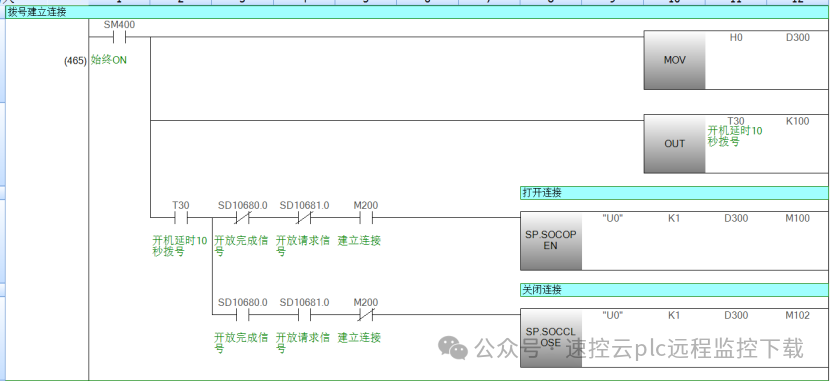
Among them, SD10680, SD10681 are the communication open and request flags, and we only execute the connection establishment action when both of these flags are not activated.
② Call the pre-set communication protocol using SP.ECPRTCL instruction.
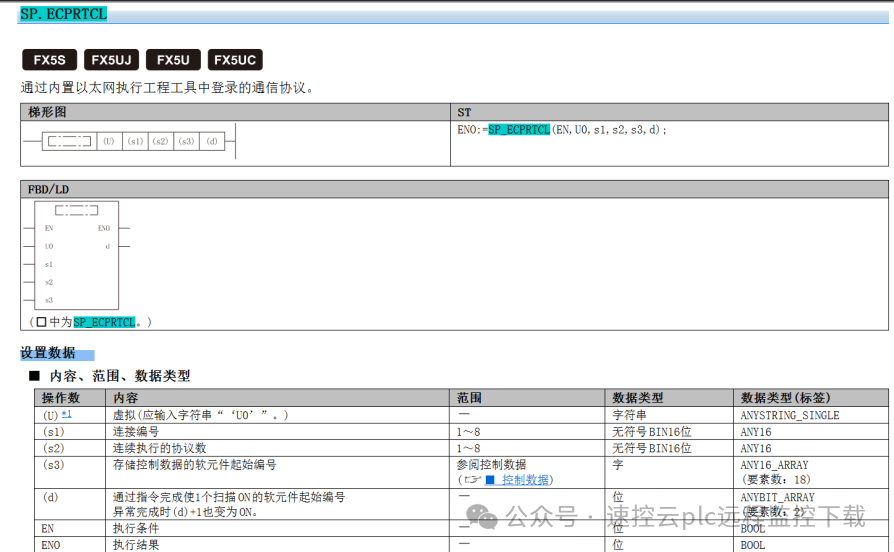
Where
S1’s connection number refers to Figure 1‘s connection number.
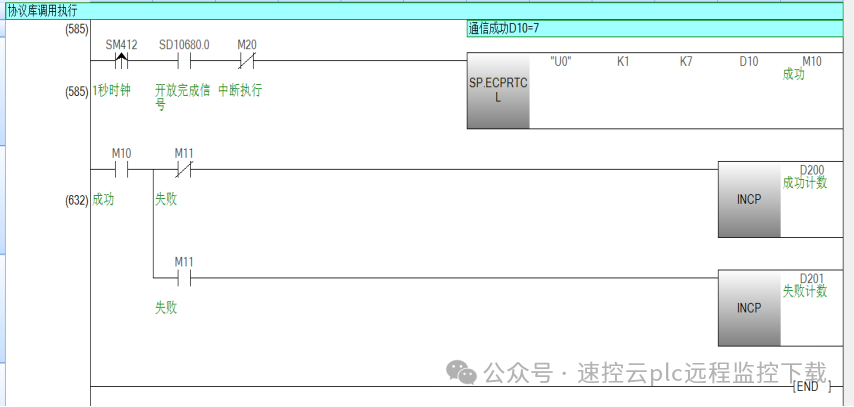
S2’s number of continuously executed protocols refers to the S3+2 starting “execute protocol number specified”, if there is only 1, just write K1, and assign the protocol to be executed to S3+2, corresponding to the protocol number in Figure 6.
Below is an example of triggering the communication protocol to call the protocol package, as shown in Figure 8.
③Define the protocol message and receive data, taking 03 function read and 10 function code write as an example, as shown in Figure 9.
Official Account: Speed Control Cloud Technology (Scan to Follow) Join the Elite Engineer WeChat Group for PLC and Get Free Industrial Control Materials Speed Control Xiao Wang / Industrial Control Xiao Wang