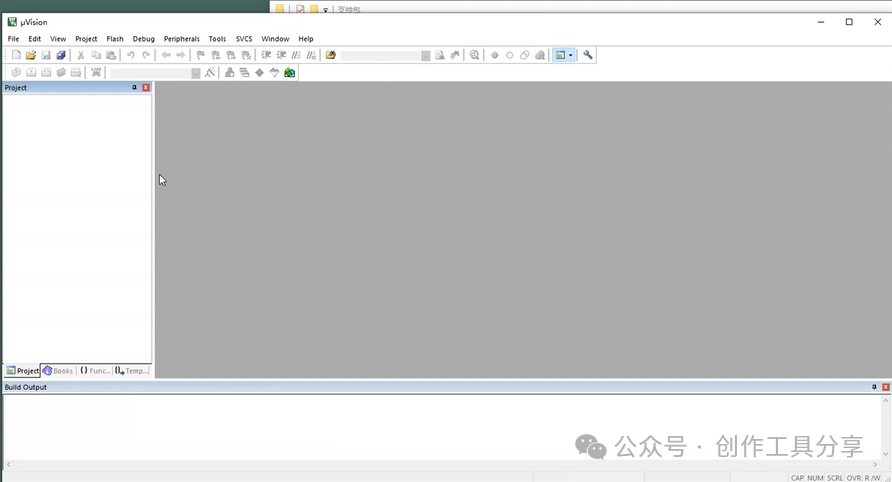
Keil5 STM32 version is an integrated development environment (IDE) specifically designed for STM32 series microcontrollers, launched by ARM. It integrates code editing, compiling, debugging, and simulation functions, supports C/C++ programming languages, and provides a rich set of library functions and hardware debugging tools. The software has a user-friendly interface, suitable for embedded system development, and helps developers efficiently write and debug STM32 projects, making it one of the commonly used tools for embedded engineers.
Installation Requirements: Operating System: Windows 7, Windows 8, or Windows 10 Processor: 1 GHz or higher Memory: 1 GB RAM (recommended 2 GB or more)
Software Acquisition: Follow the public account or send the number: 1 to automatically drop the software package address
Detailed Software Installation Steps:
1. Open the folder and double-click to install
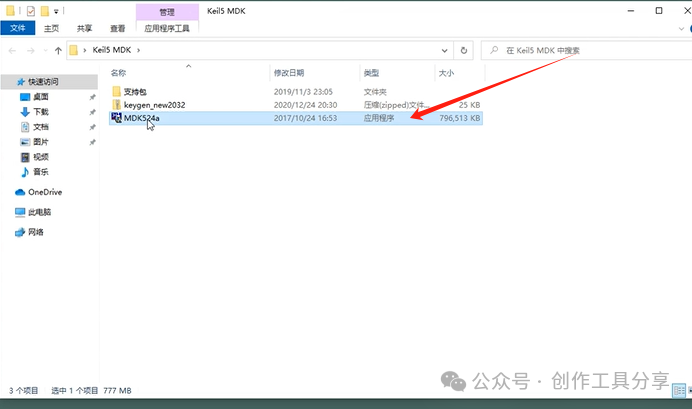
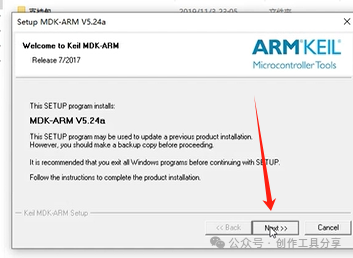
2. Click Next
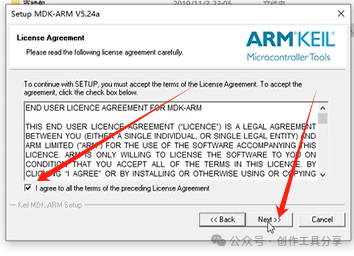
3. Check the box, then Next
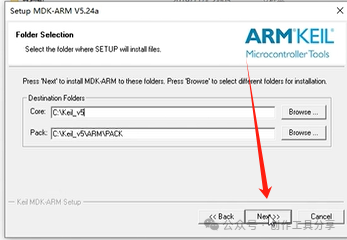
4. Default to C drive, click Next
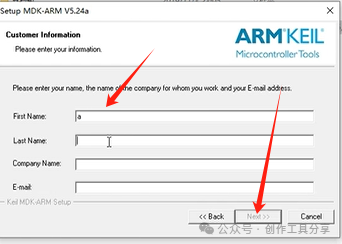
5. Enter anything, click Next
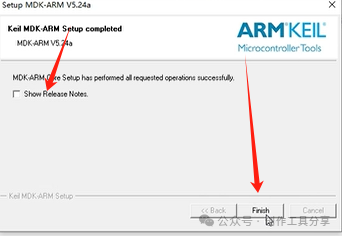
6. Uncheck the box, click Finish
7. Click this file
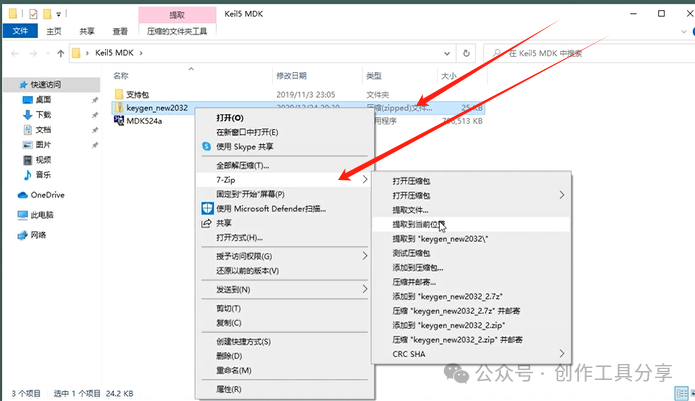
8. Disable antivirus software
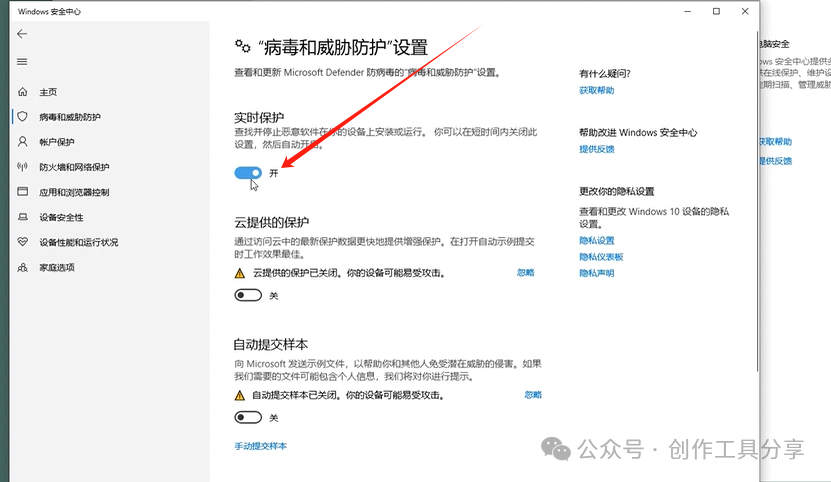
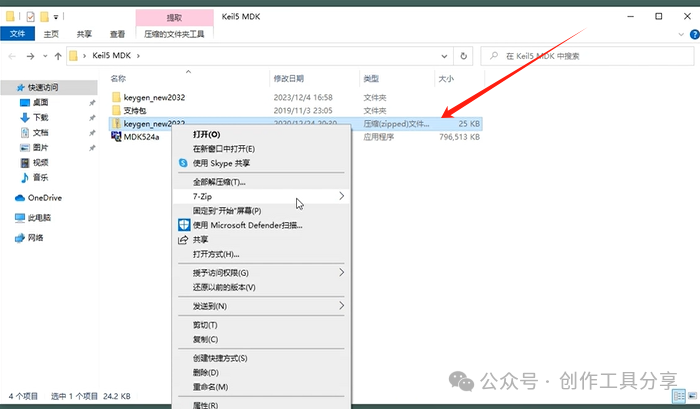
9. Re-extract this file
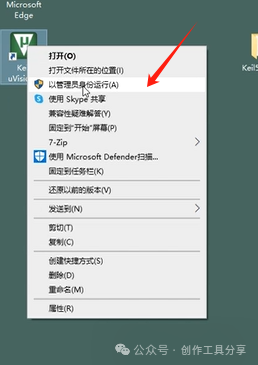
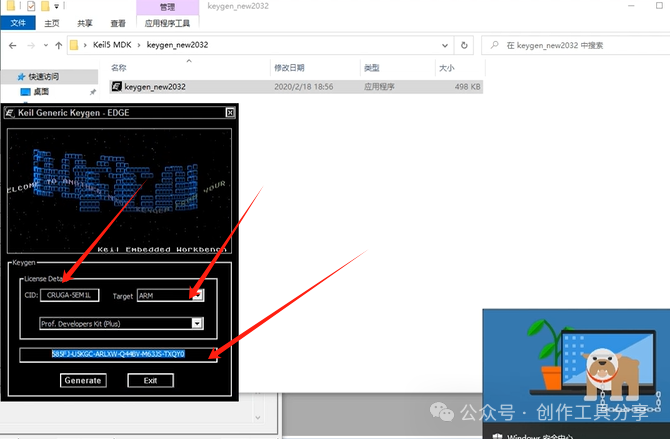
10. Right-click to run as administrator
11. Copy from here
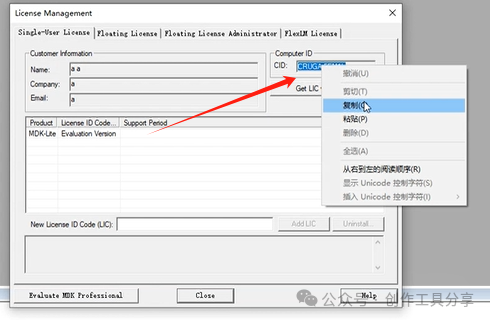
12. Paste here, select this on the right, then generate the serial number
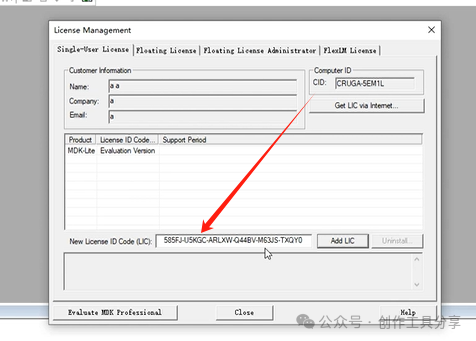
13. Paste the serial number here
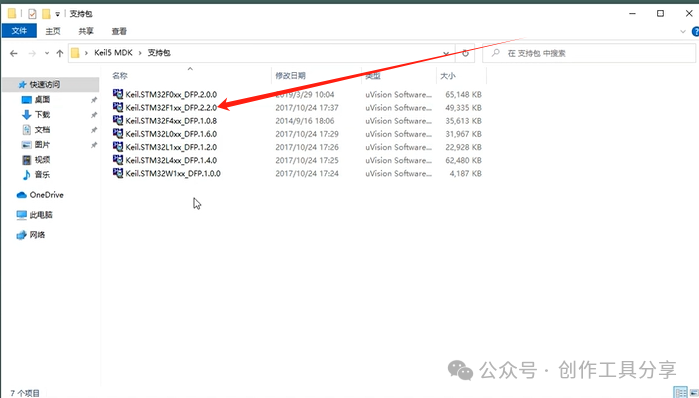
14. Install this file
15. Create a new project
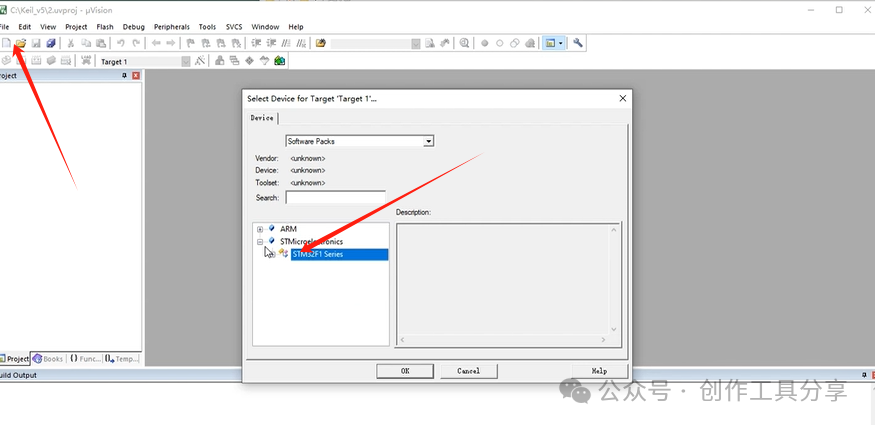
16. Installation complete